DECAN_S2_Admin(Eng_Ver4.5).pdf - 第282页
8-25 Feeder Setup As shown in the following figure, input the coordi na tes of the cen ter point of any one pocket in the Y direction, the coordinates of the two corners in the diagonal position of the second pocket a nd…
8-24
Advanced Chip Shooter DECAN S2 Administrator’s Guide
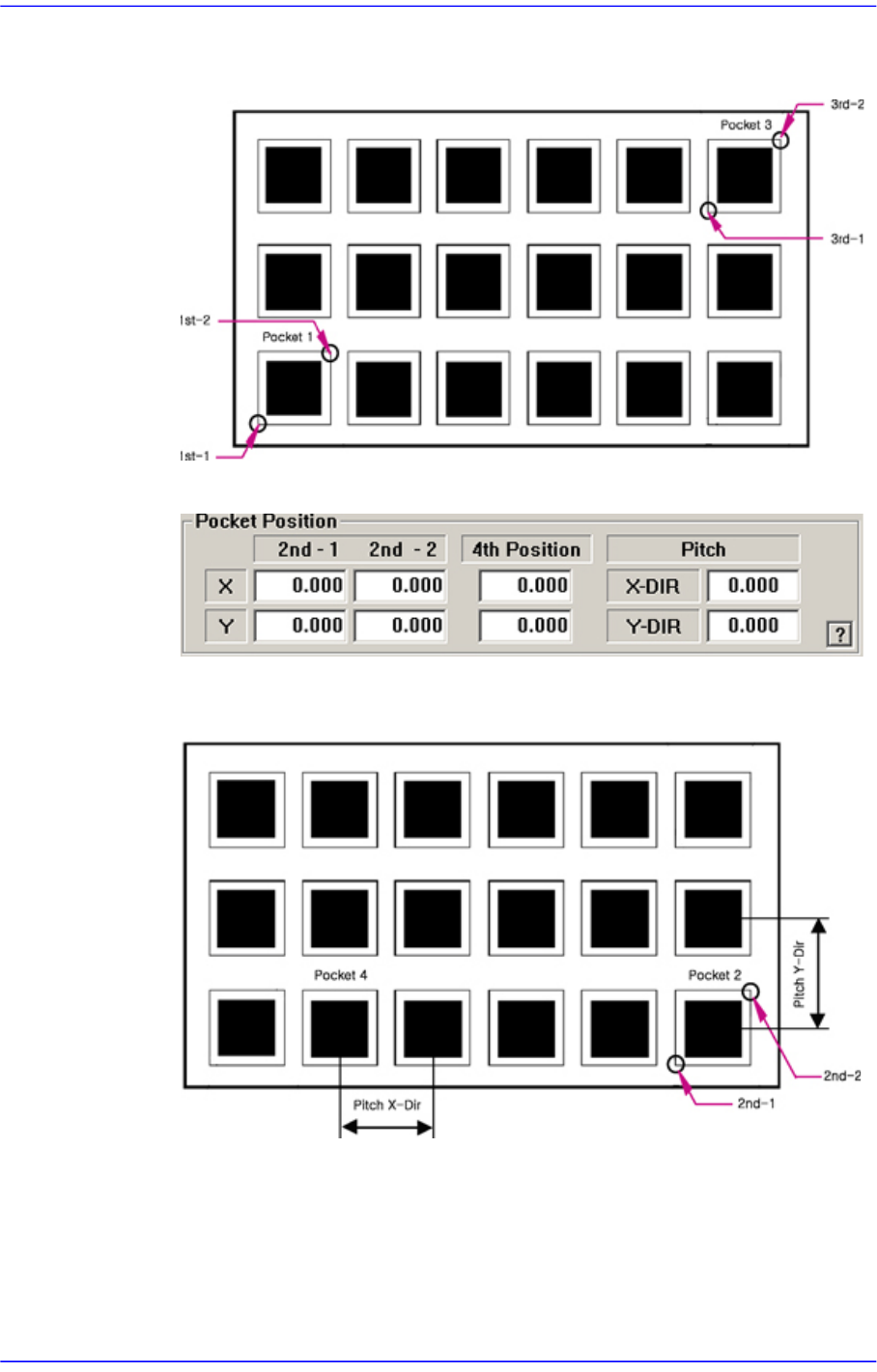
As per the following figure, input two corner points of pocket No’s. 1, 2 and 3 that
face each other diagonally.
<2Pocket X-Axis>
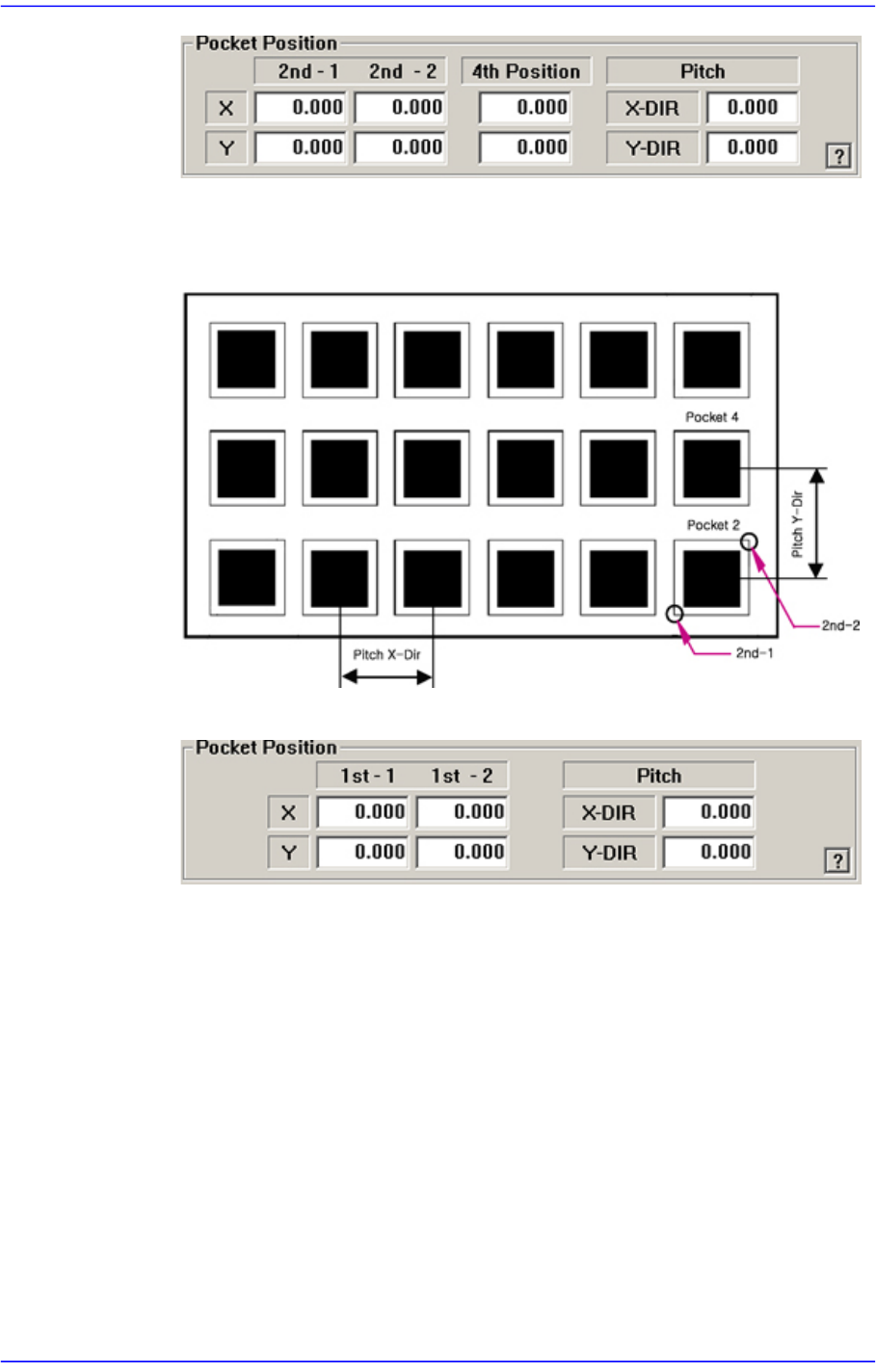
Enter coordinate of a pocket center in the X direction, coordinate of the diagonal
vertex of the second pocket and the pitches in the X and Y directions.
<2Pocket Y-Axis>
8-25
Feeder Setup
As shown in the following figure, input the coordinates of the center point of any
one pocket in the Y direction, the coordinates of the two corners in the diagonal
position of the second pocket and the pocket pitch in the X and Y directions.
<1Pocket>
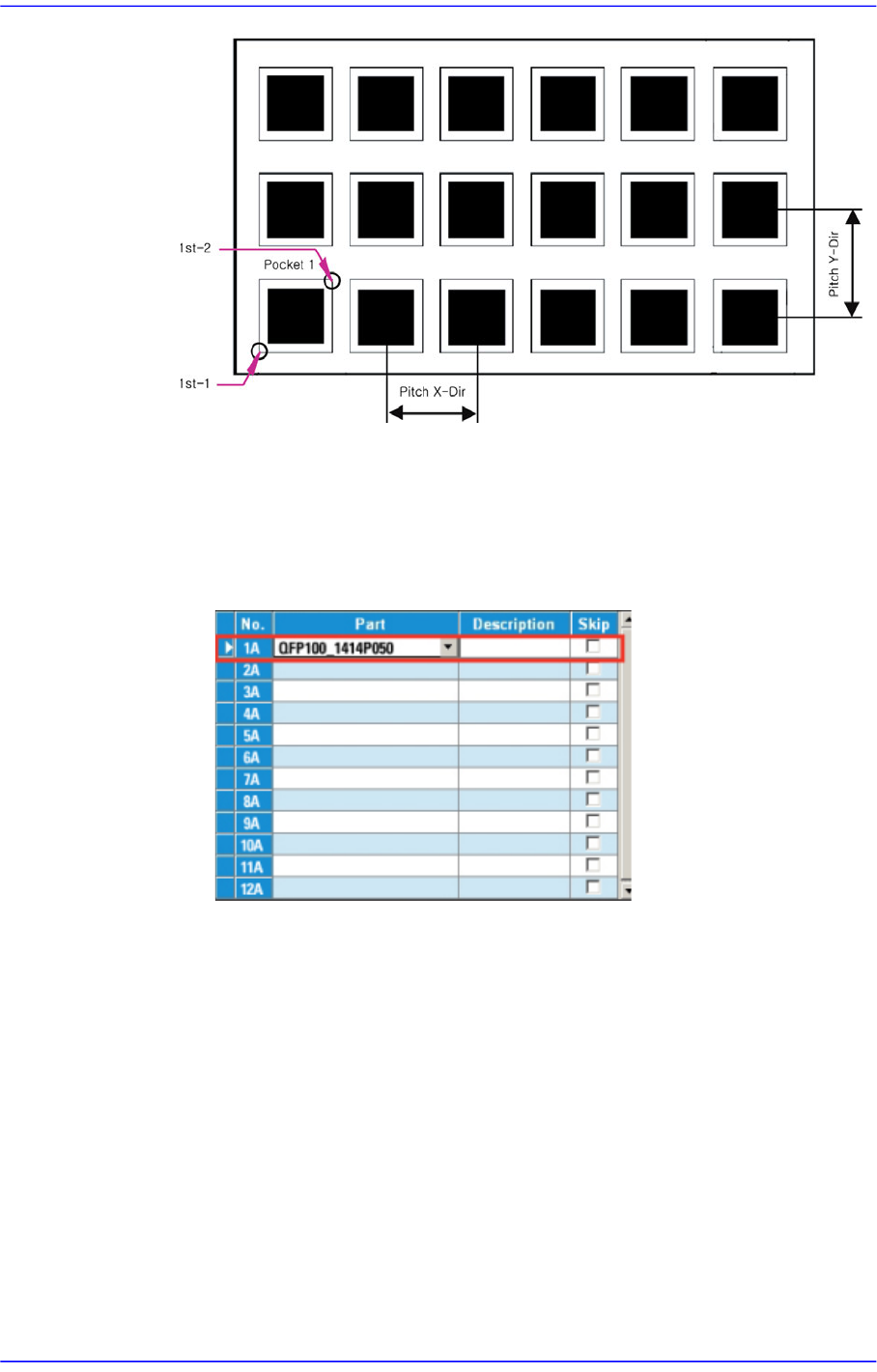
As shown in the following figure, input the coordinates of the center point of
pocket No. 1 and the pocket pitch in the X and Y directions.
8-26
Advanced Chip Shooter DECAN S2 Administrator’s Guide
<1Poket with Angle>
This is a teaching method that is useful when the the fiducial camera is movable to
a definite area of the tray and when the tray is installed on an angle, and not in
parallel with the X-axis of the tray. (When 2 Trays on a palette is applied)
1. Select the required tray feeder.
2. Perform pocket teaching in the following order.
(1) Select the [1 Pocket with Angle] in the scroll menu on the right.