DECAN_S2_Admin(Eng_Ver4.5).pdf - 第350页
13-3 Production Setu p <Production Info> g roup Displays the status o f operation in progress. <Start T im e> Static box Indicates the time when the <Start> bu tton on the machine operation panel pr…
13-2
Advanced Chip Shooter DECAN S2 Administrator’s Guide
13.1. Product Main
13.1.1. Product Monitor
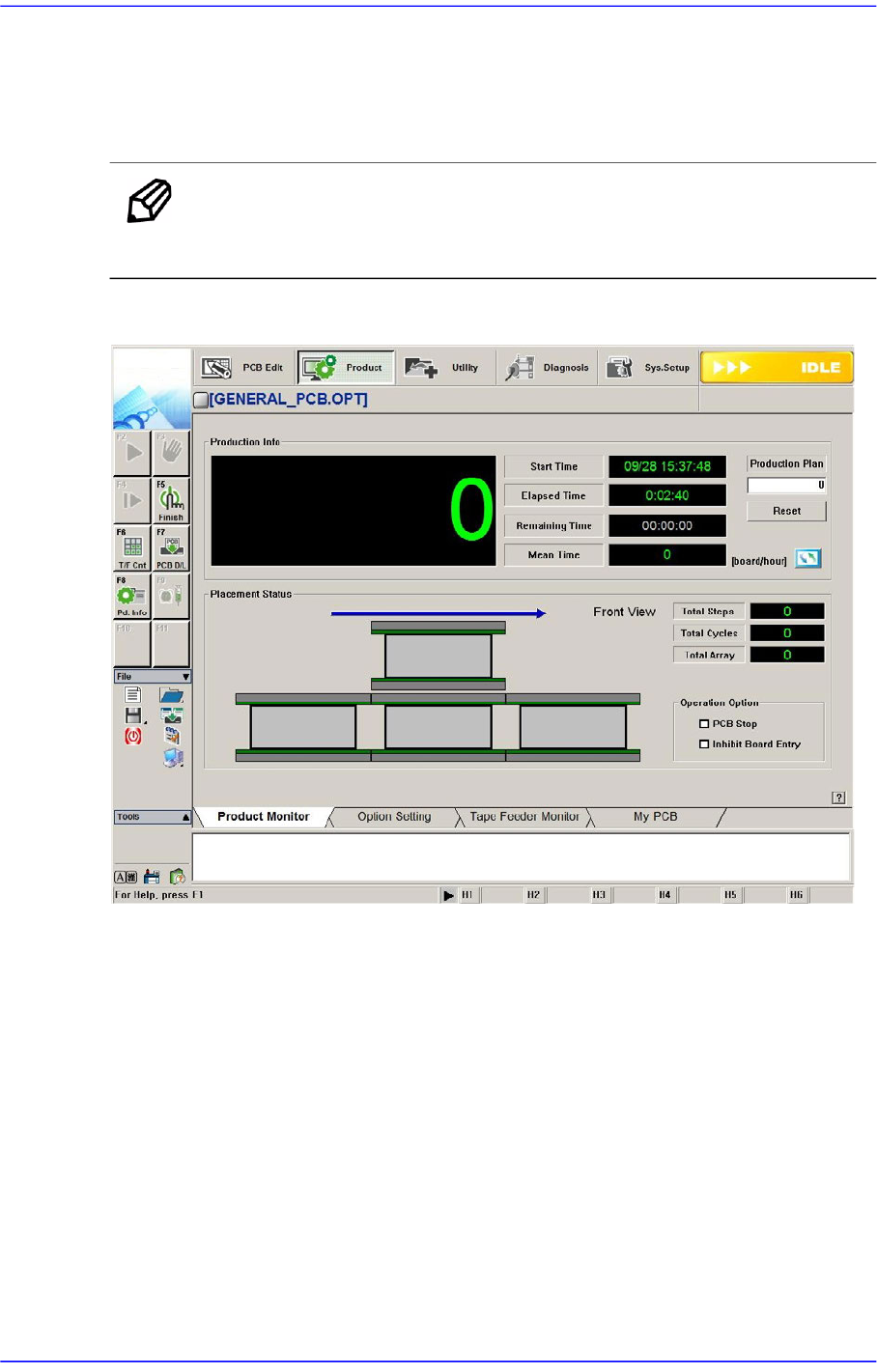
Provides the progress and production information related to PCB production.
Memo The shape of the conveyor displayed on the screen may differ
depending on the option.
Figure13.3 “Product” Initial screen
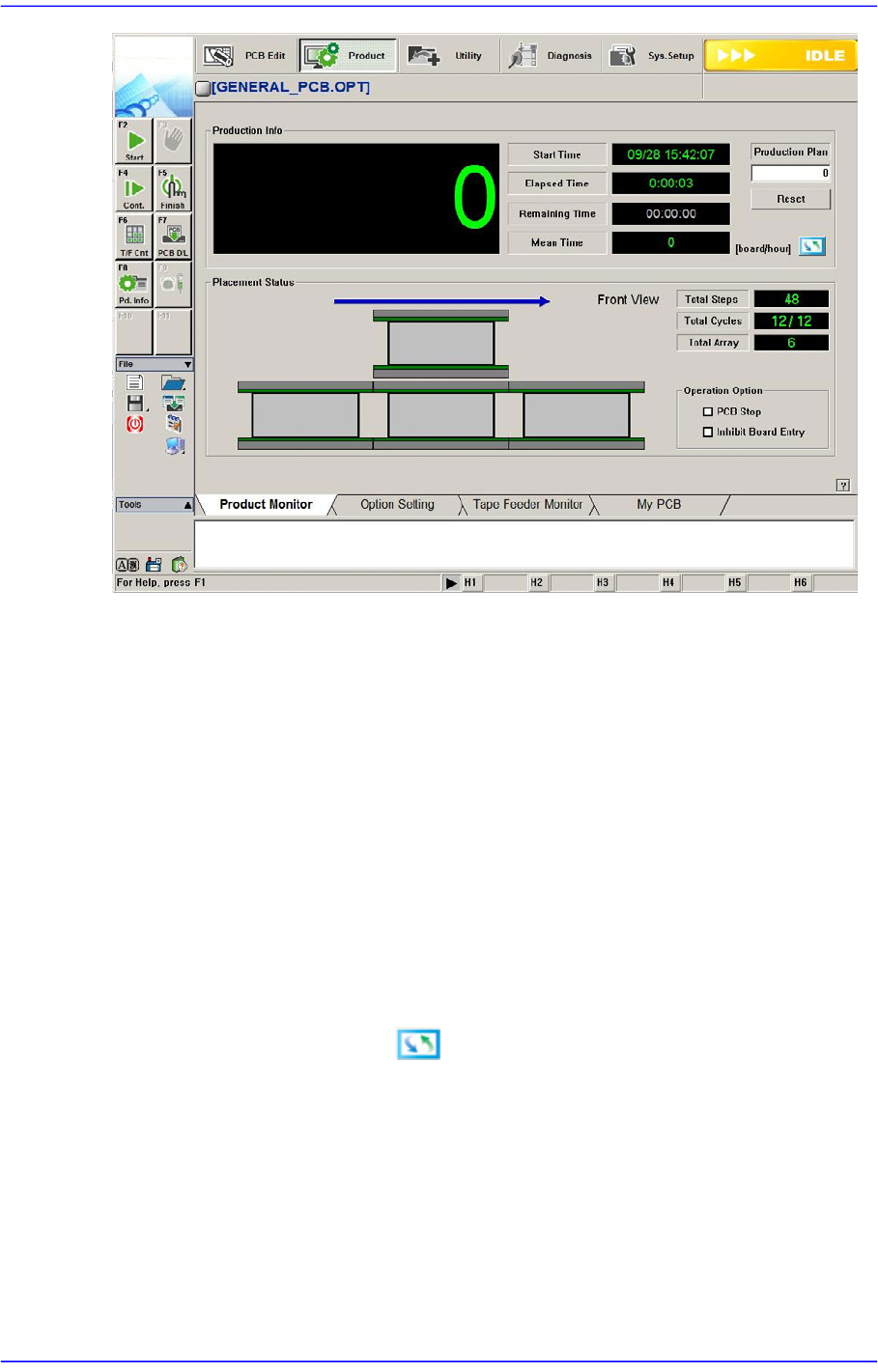
When the submenu, PCB D/L (F7) is clicked on, transmits the PCB data edited to the
equipment, and the following screen is displayed.
13-3
Production Setup
<Production Info> group
Displays the status of operation in progress.
<Start Time> Static box
Indicates the time when the <Start> button on the machine operation panel
pressed.
<Elapsed Time> Static box
Indicates the period of time that has passed after the <Start> button is pressed
<Remaining Time> Static box
Indicates the expected remaining period of time until all PCBs are produced.
<Mean Time> Static box
Shows various types of information related to PCB production as follows.
Clicking the right button will display different types of information.
<sec/board>
Indicates the average required time in the “second” unit until the next PCB is
fed since one PCB was fed to the work station.
<CPH>
Indicates number of parts placed in an hour after the initial PCB is fed to the
work station.
<board/hour>

13-4
Advanced Chip Shooter DECAN S2 Administrator’s Guide
Indicates number of PCBs produced in an hour after the initial PCB is fer to
the work station.
<Cycle Time> Static box
Cycle Time =Build Time +Transfer Time
sec/board
Indicates the required time in the “second” unit until the next PCB is fed since
the most recently produced PCB was fed to the work station. [Cycle Time
(sec/board) ]
CPH
Indicates the number of PCBs that are expected to be produced in an hour
based on the Cycle Time (sec/board).
Board/Hour
Indicates the number of parts that are expected to be placed in an hour based
on the Cycle Time (sec/board).
<Production Plan> edit box
Set the total number of PCBs to be worked on. If the value becomes 0, the
production is stopped.
<Reset> button
Initializes the number of produced PCBs to “0”.
<Placement Status> group
Displays the data related to PCB board. Shows the status of the PCB feeding to the
conveyor graphically and indicates the progress of the work on the PCB in percentage.
<Total Steps> Static box
Displays the total number of steps.
<Total Cycles> Static box
Displays the total number of cycles.
<Total Array> Static box
Displays the total number of Array PCBs.
<Operation Option> group
This function can be selected and executed during placement.
<PCB Stop> check box
Selecting this check box during operation will pause the equipment after finishing
the placement for the PCB in the current placement area. Then they are displayed
as shown in the following screen.
At this time, the equipment is in “RUN_RDY” state. The shutdown of the
equipment in “RUN_RDY” state is not included in the shutdown count of the