DECAN_S2_Admin(Eng_Ver4.5).pdf - 第360页
13-13 Production Setu p <Use W arning> button Selects whether t o automatically show the alarm mes sage setup in the ‘T ape Feeder Monitor’ tap dialog box w hile working. It is setup as ‘ use’ in the above dialog…
13-12
Advanced Chip Shooter DECAN S2 Administrator’s Guide
camera.
It shows the recognized part image according to the placement order during
placement. However, if the placement is completed, the camera selected in the
following <Device> combo box shows the part image error that occurred last.
Head Error
Selected when looking at the recognition error image of part picked up by a
specific head.
It shows the recognized part image according to the placement order during
placement. However, if the placement is completed, it shows the image of part
recognition error that occurred last among the parts placed by the head
selected in the following <Device> combo box.
Last Error
It shows the recognized part image according to the placement order during
placement. However, if the placement is completed, it shows the image of part
recognition error that occurred last during placement.
System
Shows the part recognition image according to the placement order.
13.1.3. Tape Feeder Monitor
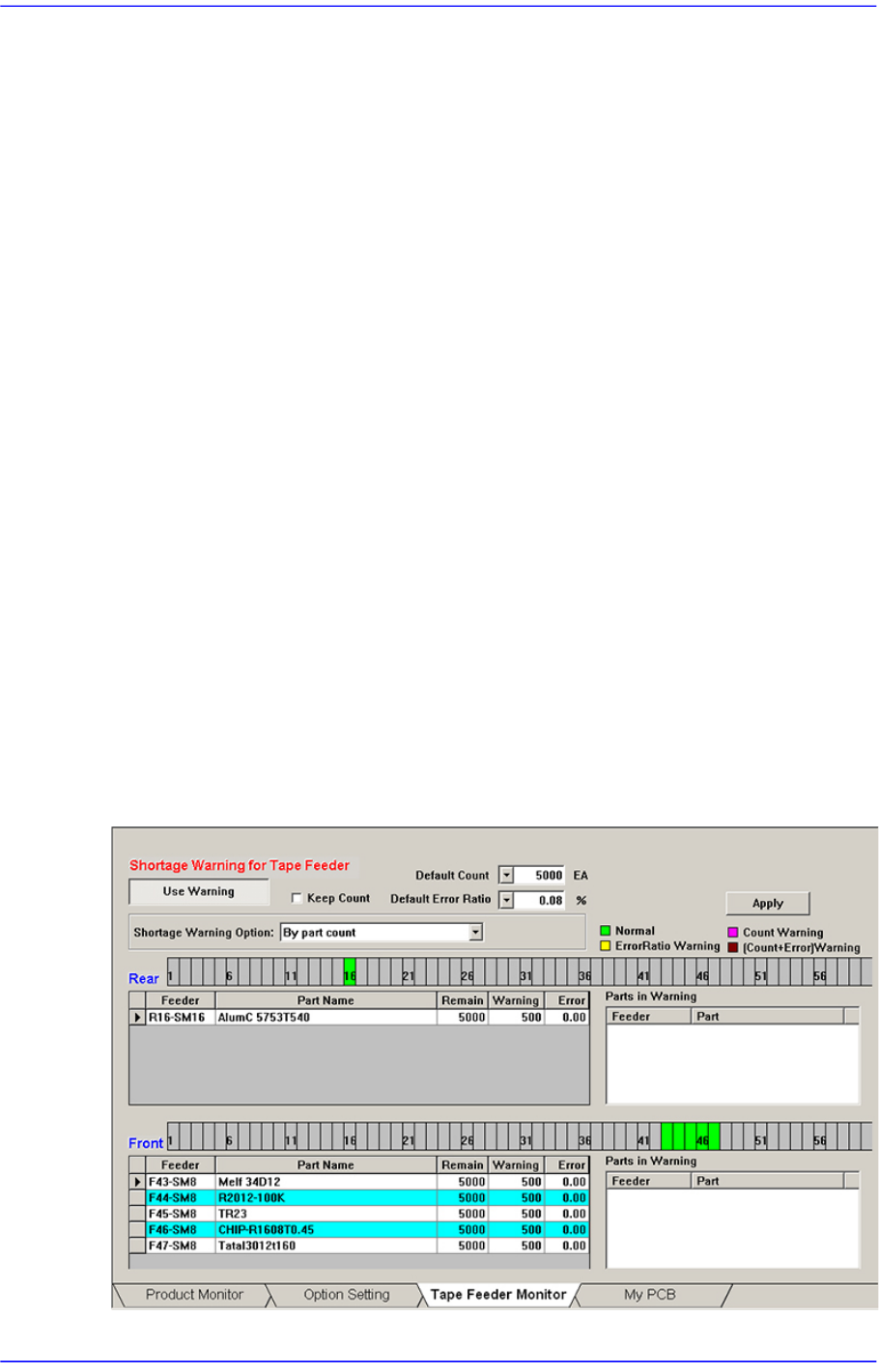
Sets the quantity of remaining components. It shows the remaining components of the
installed tape feeder and alarms against the component shortage. Able to monitor the
errors related with parts supply of tape feeder.
Figure13.5 “Tape Feeder Monitor” tab dialog
13-13
Production Setup
<Use Warning> button
Selects whether to automatically show the alarm message setup in the ‘Tape Feeder
Monitor’ tap dialog box while working. It is setup as ‘use’ in the above dialog box.
<Keep Count> check box
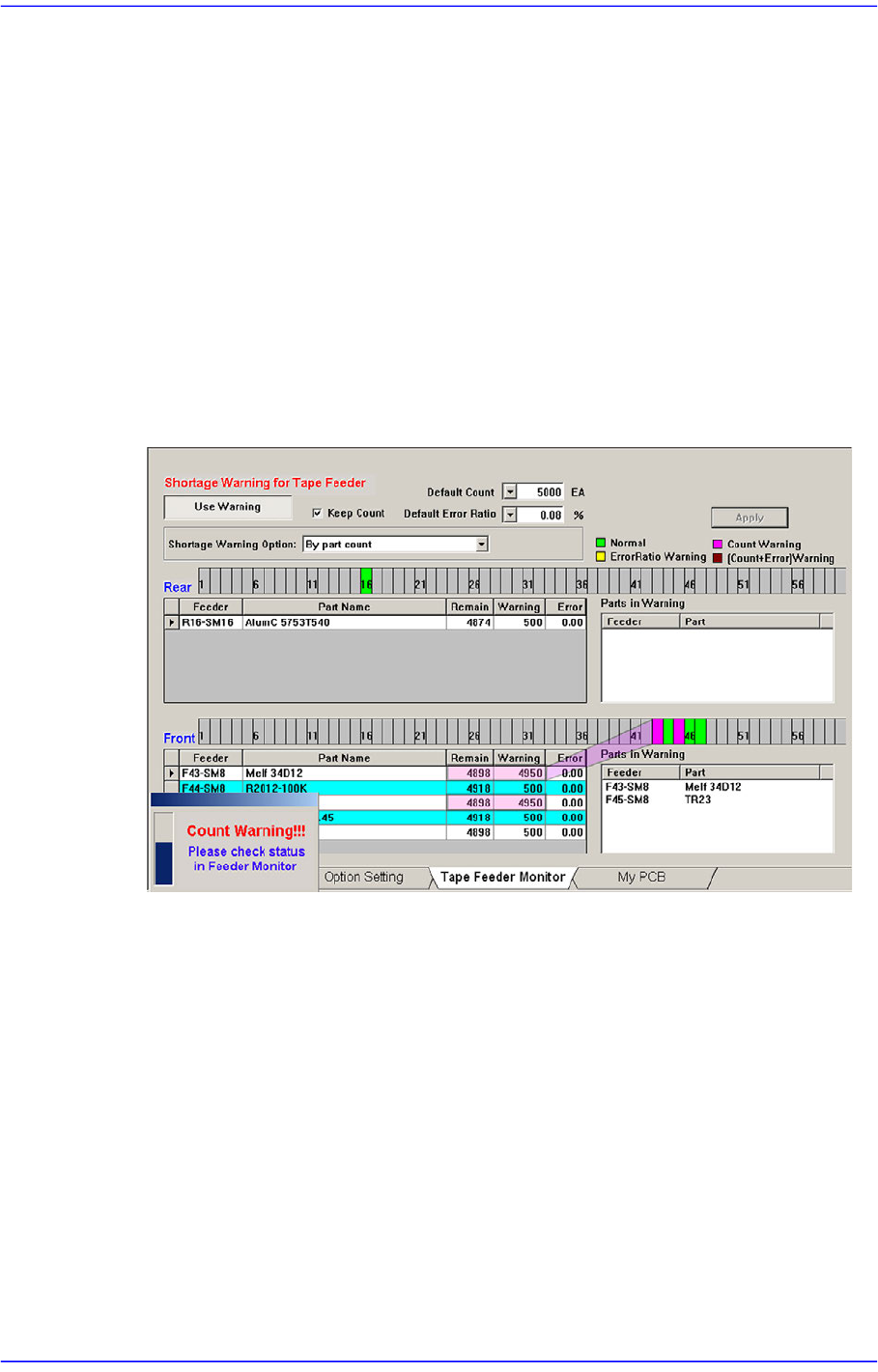
Generally, if the PCB program is downloaded, the remaining quantity is set up to the
default count.
In case the same PCB program must be downloaded again for a particular reason
during operation, select this check box to maintain the Remain Count of the tape
feeder installed already.
<Default Count> combo box
Indicates the part shortage alarm message box when the remaining quantity of parts
supplied to the tape feeder is less than the setup value.
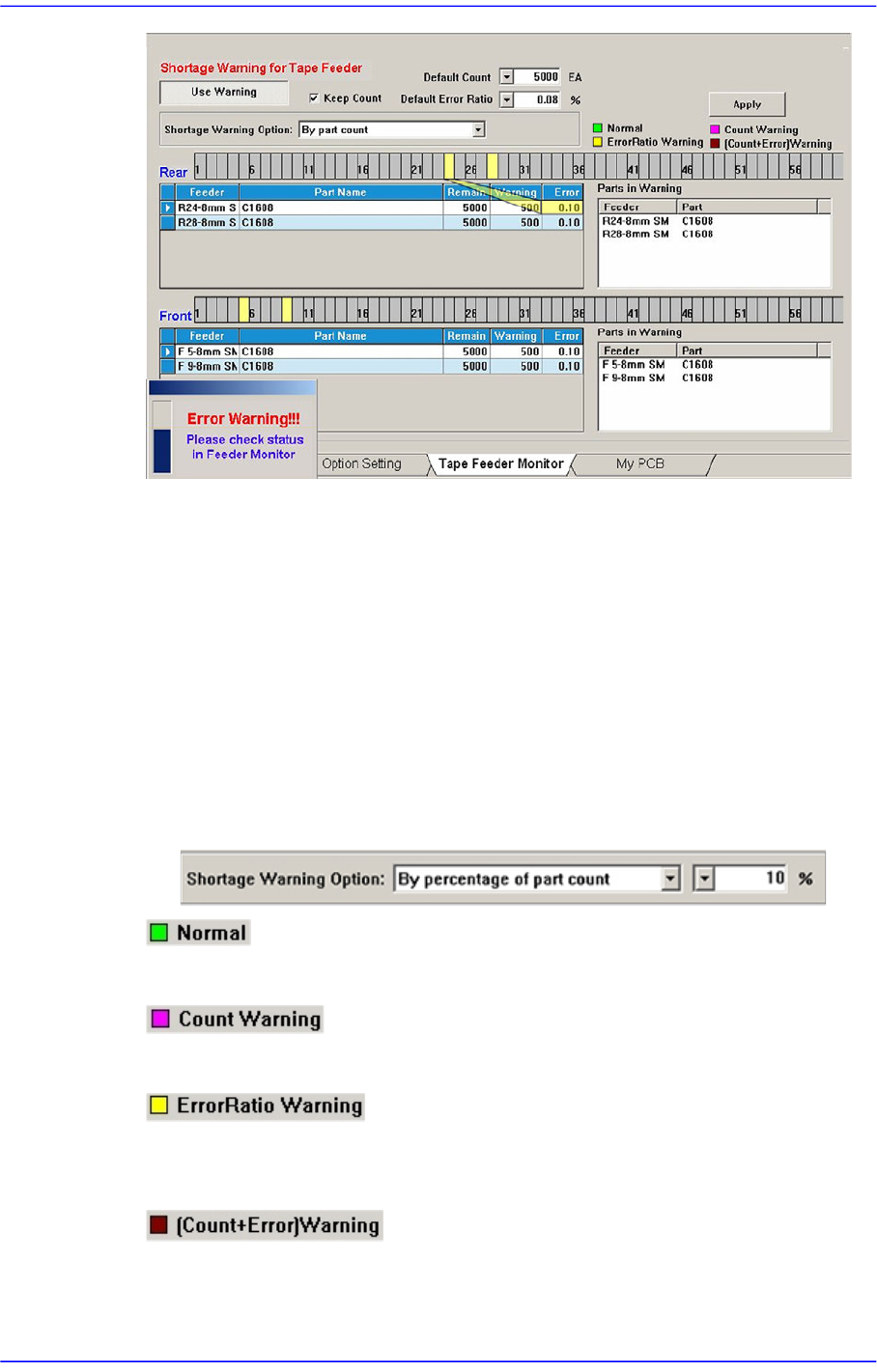
<Default Error Ratio> combo box
Indicates the alarm message box for parts supply error rate when the failure rate of
parts supply in the tray feeder is higher than the setup value.
13-14
Advanced Chip Shooter DECAN S2 Administrator’s Guide
<Shortage Warning Option> combo box
Indicates the alarm message box for parts supply error rate when the failure rate of
parts supply in the tray feeder is higher than the setup value.
By part count
Indicates the warning message based on the part count set in the <Warning>
column.
By percentage of part count
If this is selected, the combo box for selecting percent is created at the right.
Based on the Remain Count, if the part count becomes less than the corresponding
percent, the warning message is indicated.
Indicates normal tape feeder.
Indicates the tape feeder of which the remaining parts are less than the setup value.
Indicates the tape feeder of which the error rates of part supply is higher than the setup
value.
Indicates the tape feeder with simultaneous shortage and defect of remaining parts.