DECAN_S2_Admin(Eng_Ver4.5).pdf - 第390页
14-21 Machine Calibration 1: Calibration T ool position The following is th e process that performs teaching of the calibr ation tool placed on the top surface of the ANC by using the fiducial camera. 1. When performing …
14-20
Advanced Chip Shooter DECAN S2 Administrator’s Guide
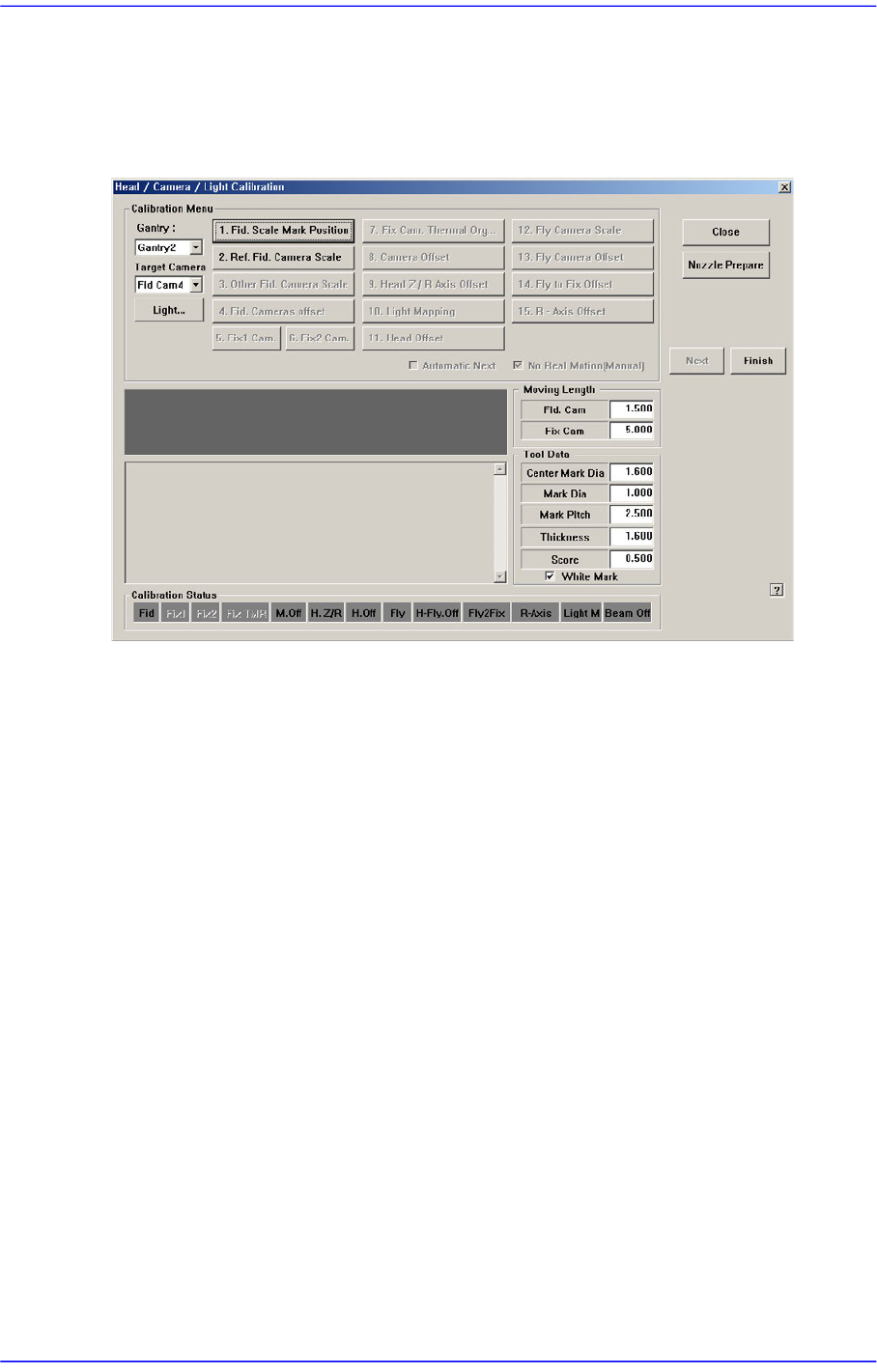
14.3.3. Fiducial Camera Scale
Calibration must be performed by using the fiducial camera. Therefore, the scale
calibration of the fiducial camera must be performed first.
If the fiducial camera is not calibrated, the rest of the buttons are disabled.
<1. Fid. Scale Mark Position> button
Set the position of the reference fiducial mark located at the top surface of the ANC.
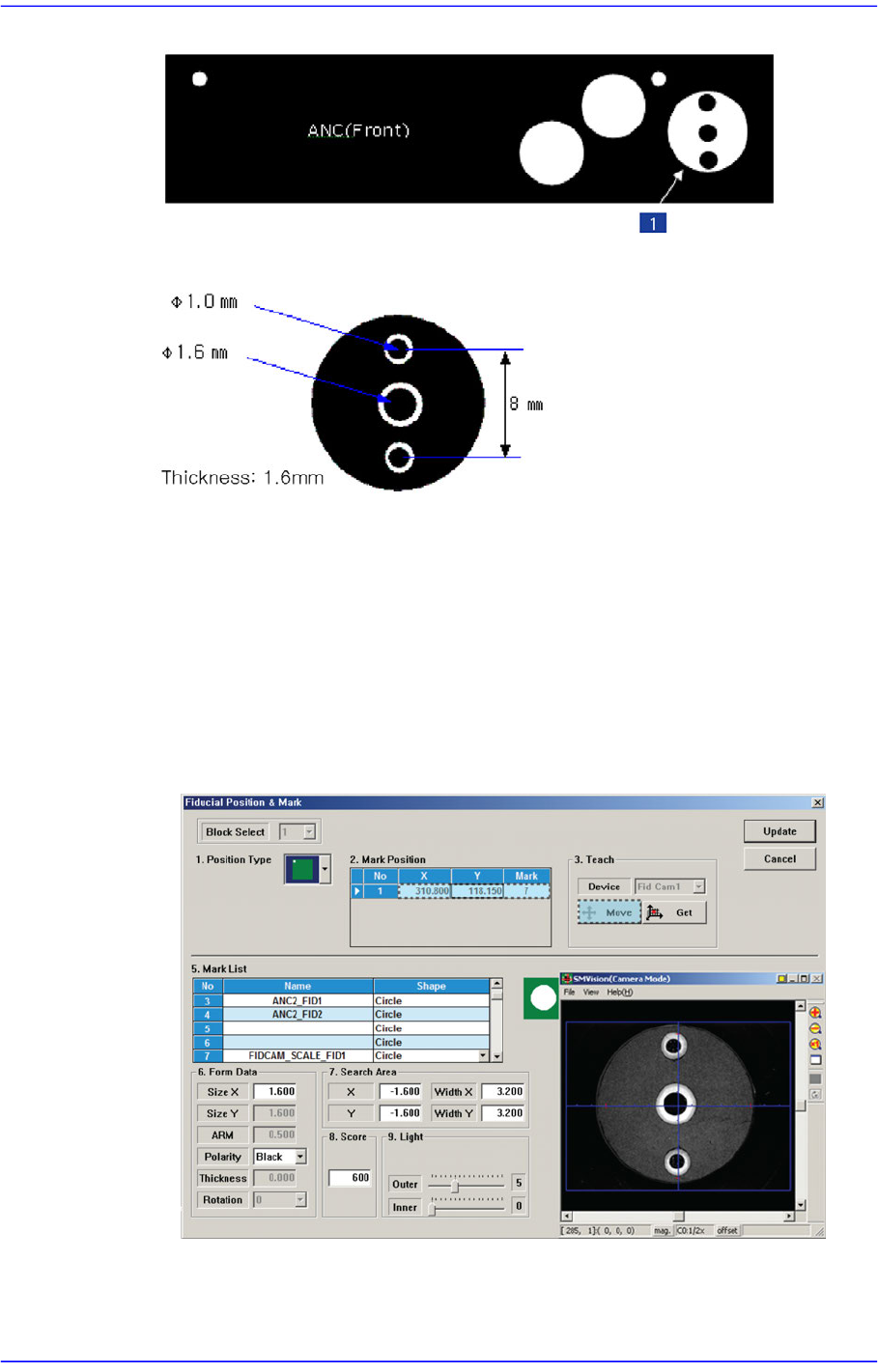
When performing the scale calibration of the fiducial camera by using the calibration
tool, place the calibration tool at the position for the calibration tool on the front ANC.
14-21
Machine Calibration
1: Calibration Tool position
The following is the process that performs teaching of the calibration tool placed on
the top surface of the ANC by using the fiducial camera.
1. When performing the mark setup, select the gantry and click the <1. Fid. Scale
Mark Position> button. If the following screen appears, click the <Move> button
in the <Teach> group.
Then the fiducial camera moves to the corresponding position. The mark ID of
Gantry 1 is fixed as No. "7", and No. "8" for Gantry 2.
2. If the corresponding fiducial mark cannot be recognized correctly, teach the
position of the fiducial mark at the center of the calibration tool placed on the top
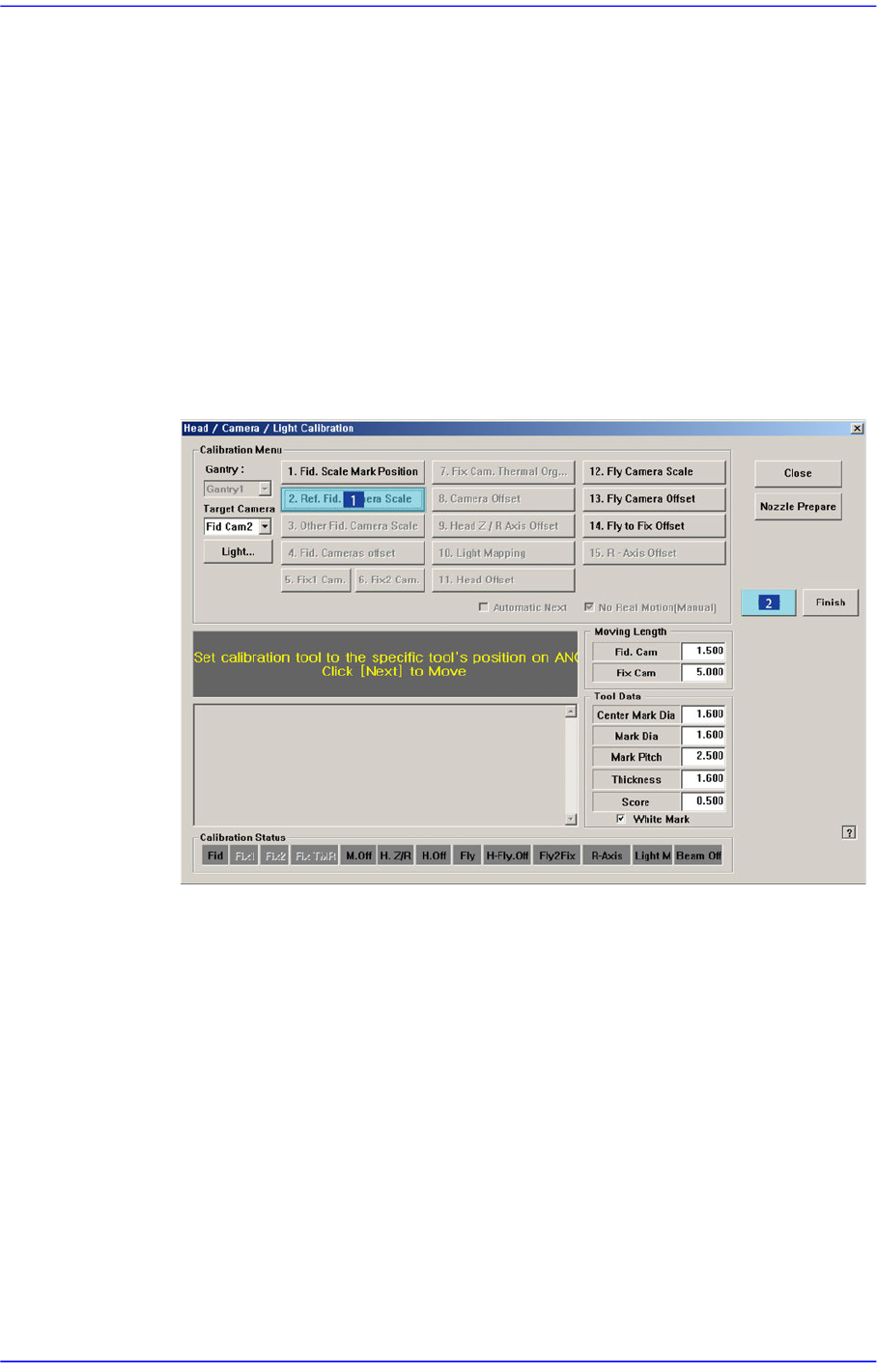
14-22
Advanced Chip Shooter DECAN S2 Administrator’s Guide
surface of the ANC. The size of the fiducial mark of the calibration tool is 1.6 mm.
3. If the fiducial mark position teaching is performed accurately, click the <Update>
button to apply the changed value.
4. Perform calibration for Gantry 2 in the same manner.
<2. Ref. Fid. Camera Scale(3. Other Fid. Camera Scale)> button
There is no calibration required to be done in advance in order to calibrate the scale
(um/pixel) and rotation (deg) of the fiducial camera.
The following shows how to calibrate the fiducial camera scale manually. If the
<Automatic Next> check box has been selected, the next step is performed
automatically.
1. Click the <2. Ref. Fid. Camera Scale> button in the <Calibration Menu> group.
2. If the <2. Ref. Fid. Camera Scale> button is clicked, a message “Set calibration
tool to the specific tool’s position on ANC. Click [Next] to Move.” appears in the
message box. Next place the calibration tool at the position for the front ANC
calibration tool and click the <Next> button to move the fiducial camera to this
position.
3. The message “Calibration is Prepared. To Calibrate, Click [Next]” appears. At this
time, click the <Light…> button and adjust the brightness of the light in the ‘Light
Control’ dialog box so that the fiducial mark that is seen in the ‘SMVision’
window can be seen clearly. Then click the <Next> button.