DECAN_S2_Admin(Eng_Ver4.5).pdf - 第486页
15-35 System Setup 7. Click the <(Y)> button to perform the test automatically . 8. If the dialog box saying that the light mapping test has been compl eted is displayed, click the <OK> button. Then c lick th…
15-34
Advanced Chip Shooter DECAN S2 Administrator’s Guide
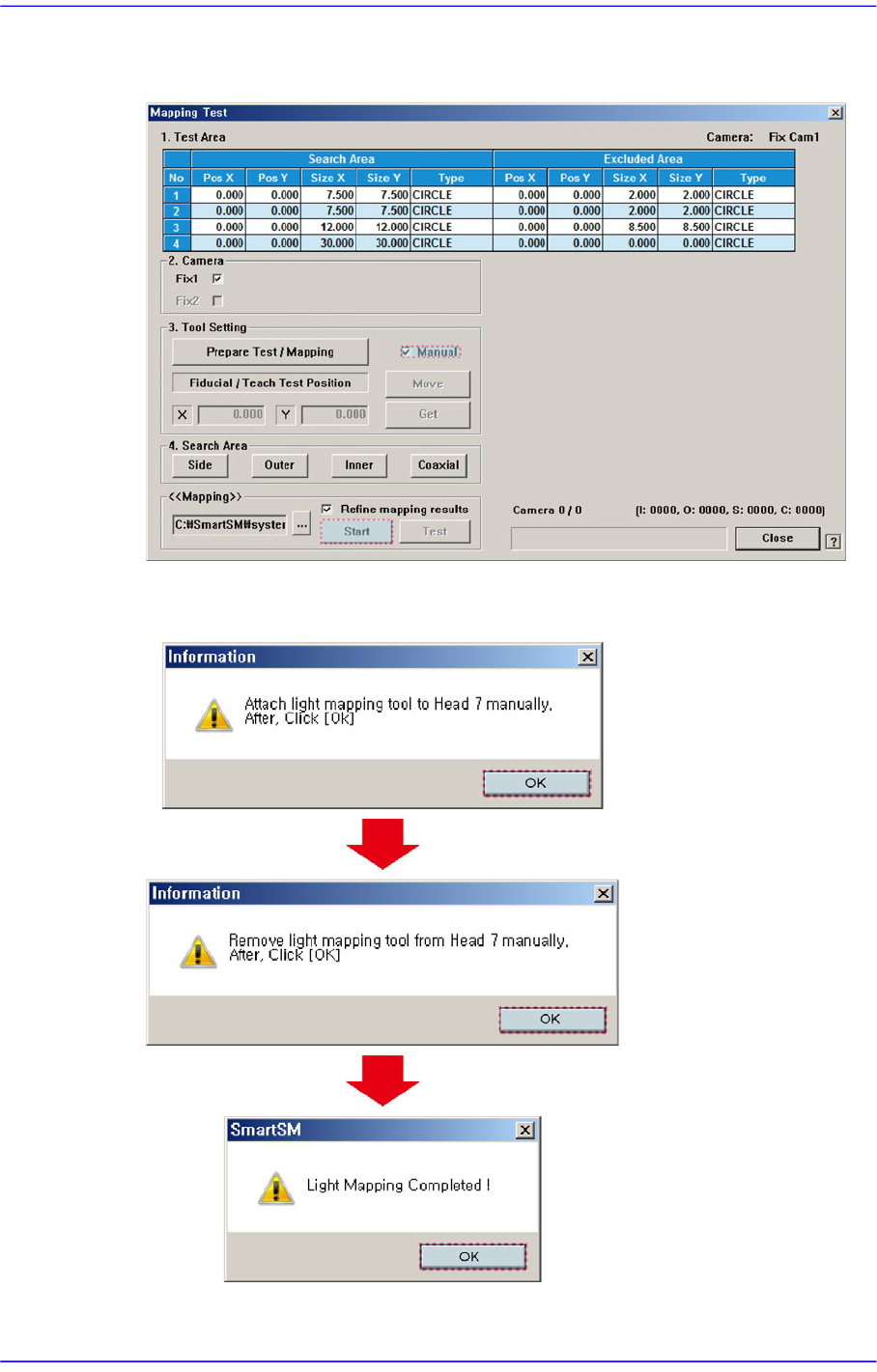
5. Select the <Manual> check box in the <3. Tool Setting> group. Then click the <Start>
button in the <Mapping> group and insert the light mapping tool into the Head 7.
6. Once the light mapping is completed, the following dialog box is displayed. clicking
the <OK> button will display the dialog box for testing.
15-35
System Setup
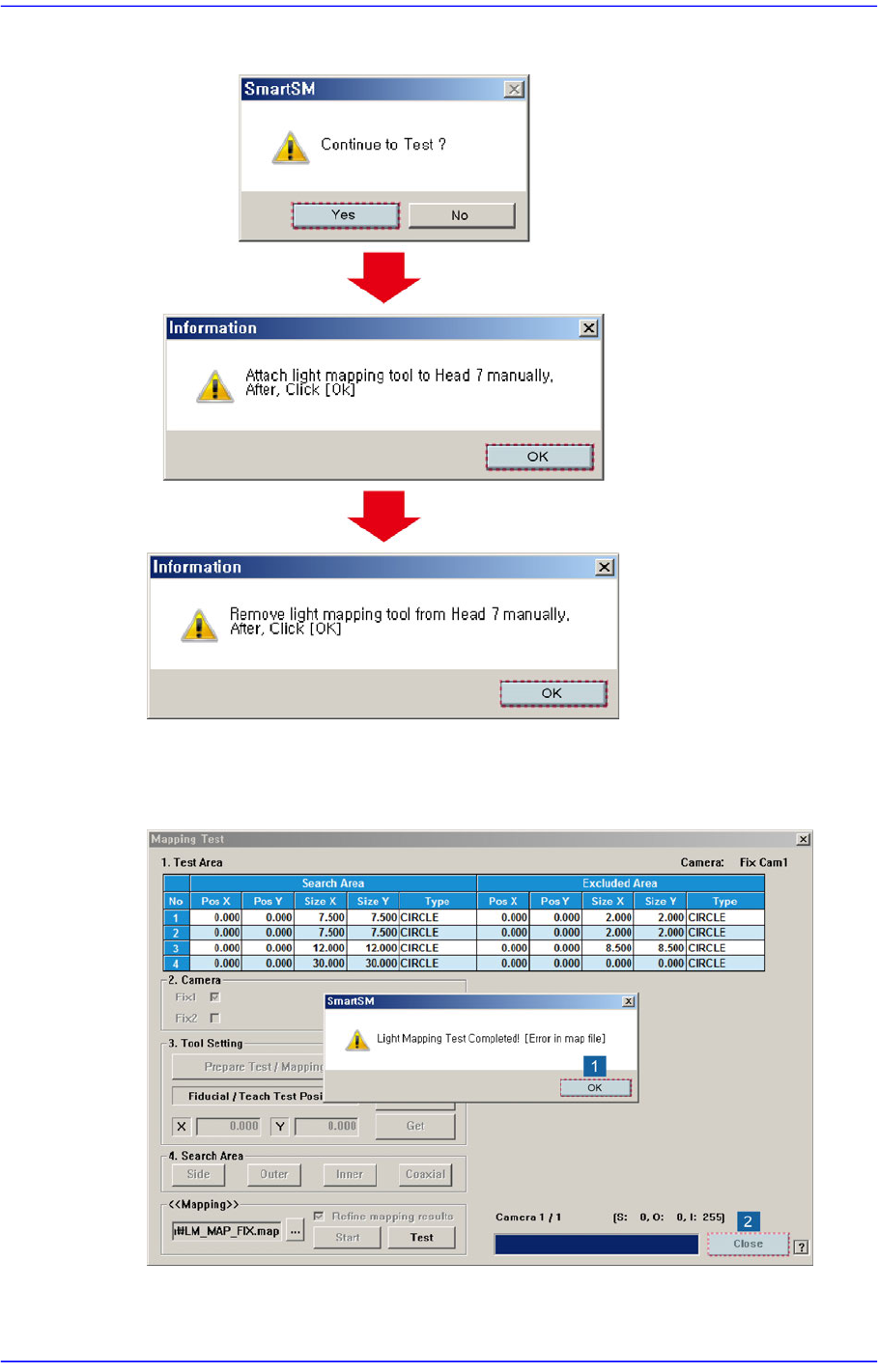
7. Click the <(Y)> button to perform the test automatically.
8. If the dialog box saying that the light mapping test has been completed is displayed,
click the <OK> button. Then click the <Close> button to close the mapping test dialog
box.
15-36
Advanced Chip Shooter DECAN S2 Administrator’s Guide
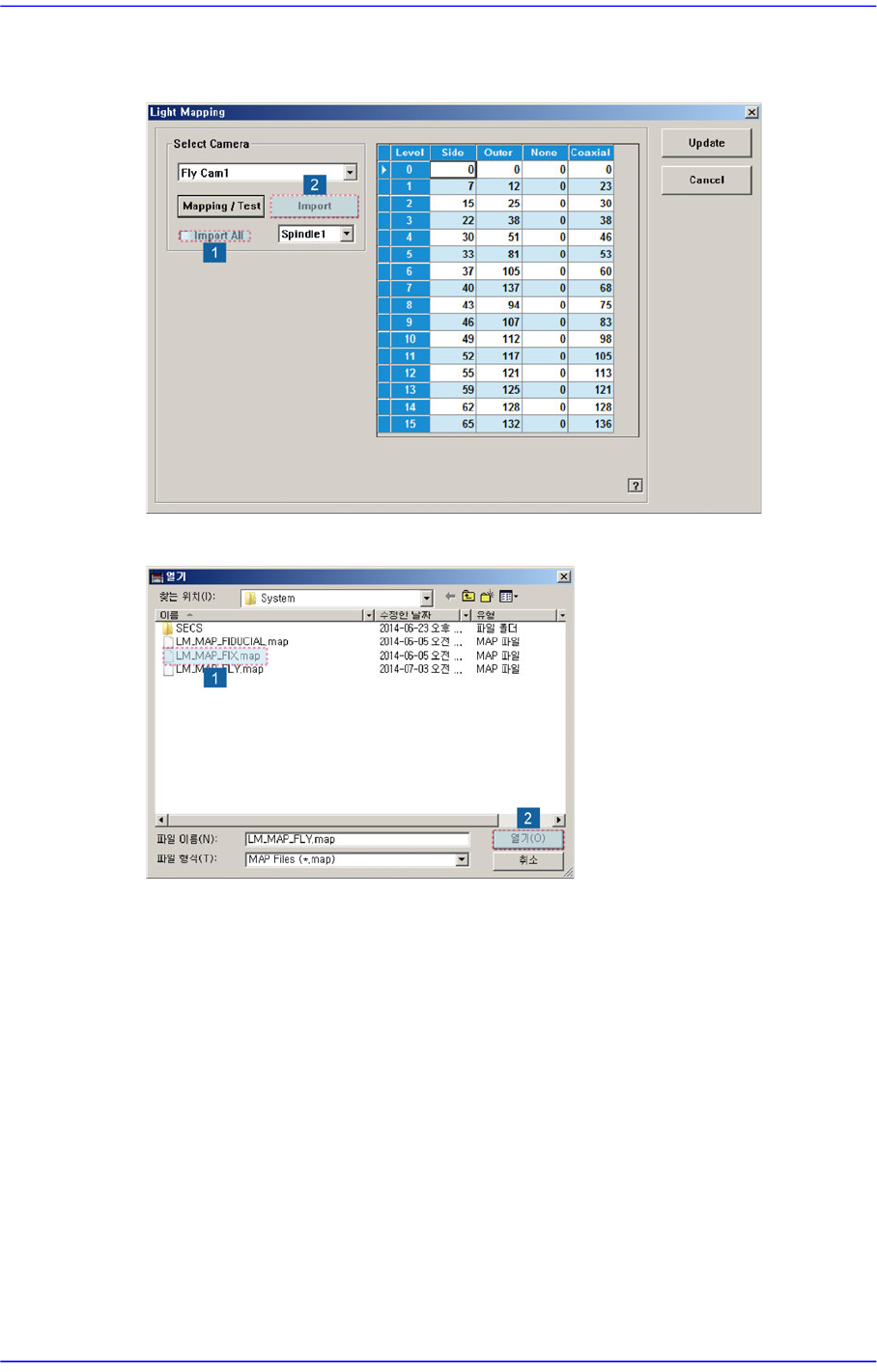
9. Check the <Import All> check box in the <Select Camera> group and click the
<Import> button.
10. Select the LM_MAP_FIX in the <Open> dialog box and click the <Open> button.