DECAN_S2_Admin(Eng_Ver4.5).pdf - 第490页
15-39 System Setup 3. After completing the light mappi ng, perform a test for the mappi ng result. 4. Once the testi ng is completed, click the <Close> button to close the mapping test dialog box.
15-38
Advanced Chip Shooter DECAN S2 Administrator’s Guide
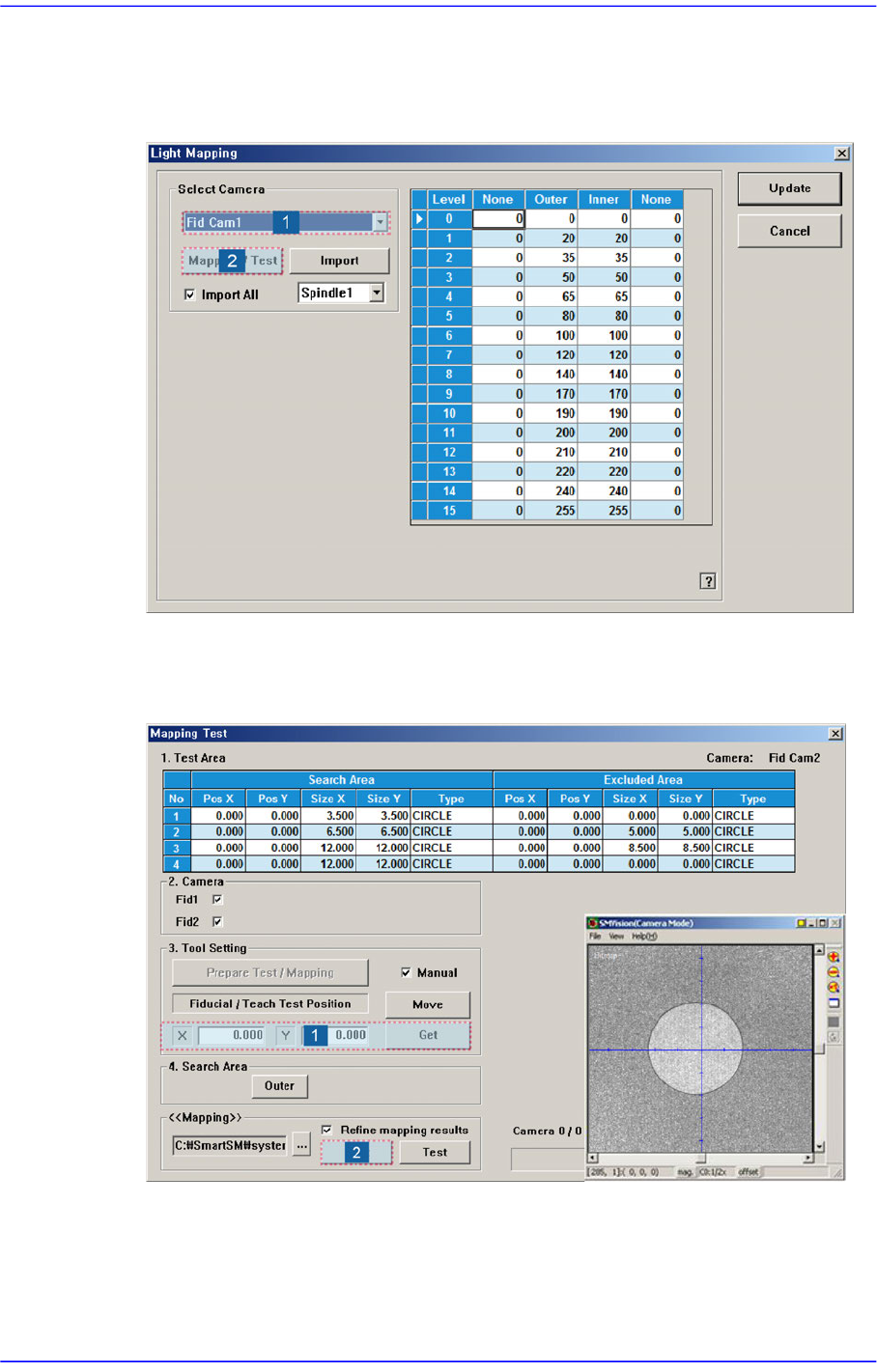
Perform light mapping of the Fiducial Camera (Outer Light) in the following manner:
1. After selecting the camera for which light mapping is to be performed in the <Select
Camera> group, click the <Mapping/Test> button.
2. After placing the mapping plate on the ANC, place the circle of the mapping plate at
the center of the screen. Then click the <Get> button to teach the coordinate and click
the <Start> button in the <<Mapping>> group to perform mapping.
15-39
System Setup
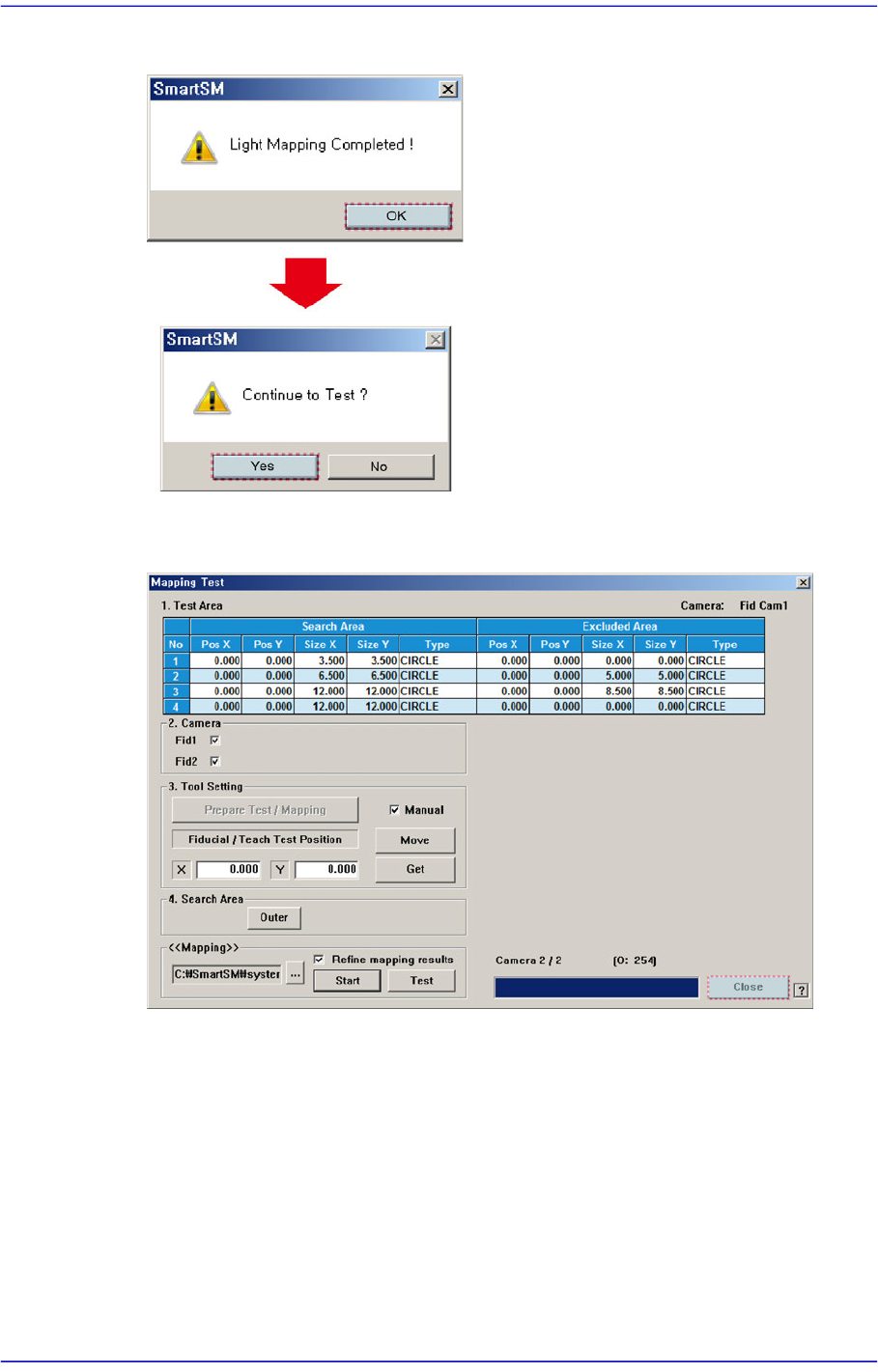
3. After completing the light mapping, perform a test for the mapping result.
4. Once the testing is completed, click the <Close> button to close the mapping test
dialog box.
15-40
Advanced Chip Shooter DECAN S2 Administrator’s Guide
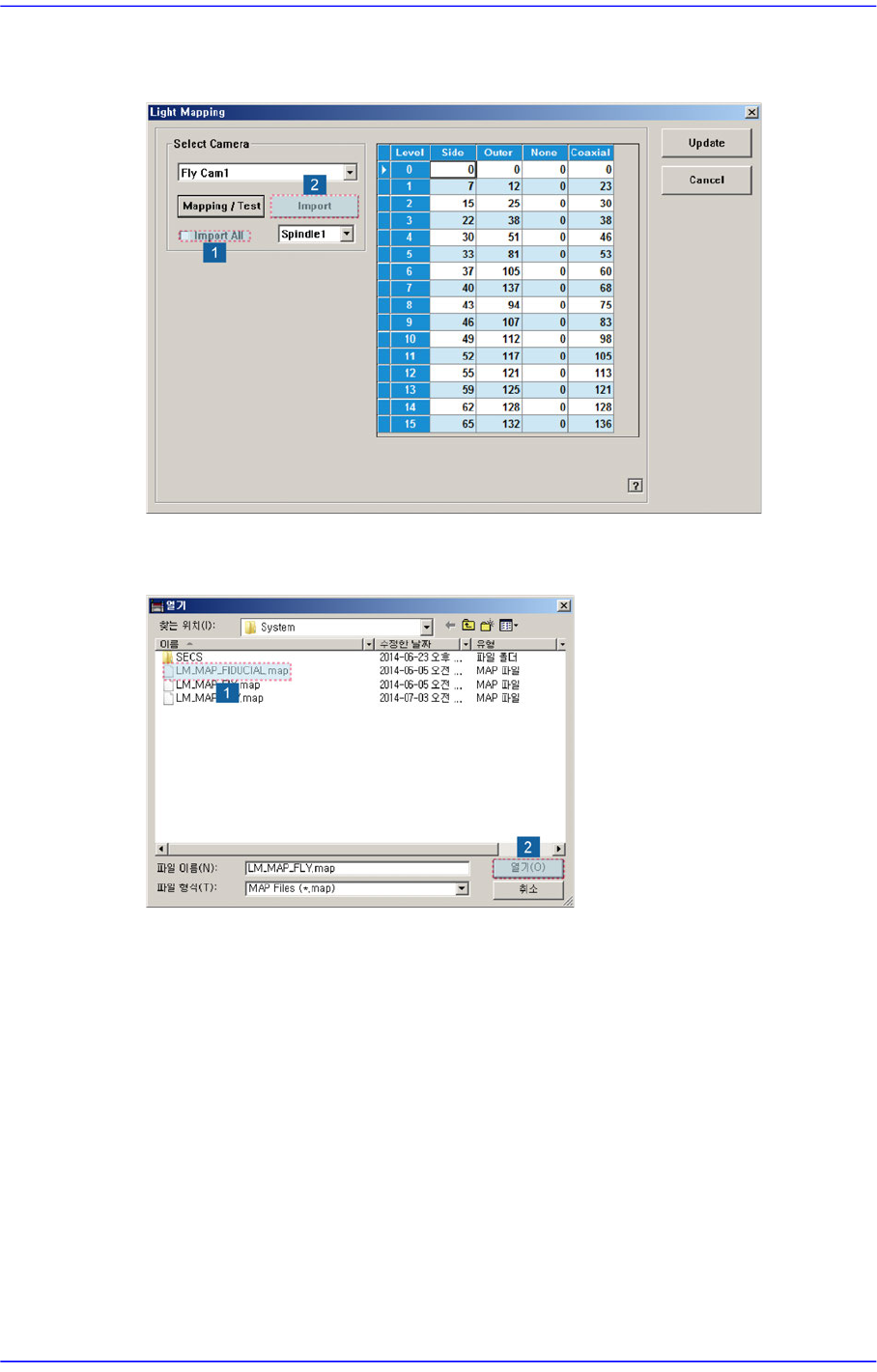
5. Check the <Import All> check box in the <Select Camera> group and click the
<Import> button.
6. Select the LM_MAP_FIDUCIAL in the <Open> dialog box and click the <Open>
button.