DECAN_S2_Admin(Eng_Ver4.5).pdf - 第508页
15-57 System Setup 15.5.3. <Device> tab dialog Set whether to use or not to use the ANC and camera and set the constant parameter to be used for the vision system. W hen this button is selected, the following scree…
15-56
Advanced Chip Shooter DECAN S2 Administrator’s Guide
occurs in the dump cycle. Since the buzzer does not sound, no work loss increases
significantly if an operator does not check the errors one by one.
<Buz at dump cycle> Check Box
If this check box is selected, the buzzer sounds only once even though parts are
dumped by several heads in one cycle.
<Update> button
Transmits the set option to the equipment and closes the dialog box.
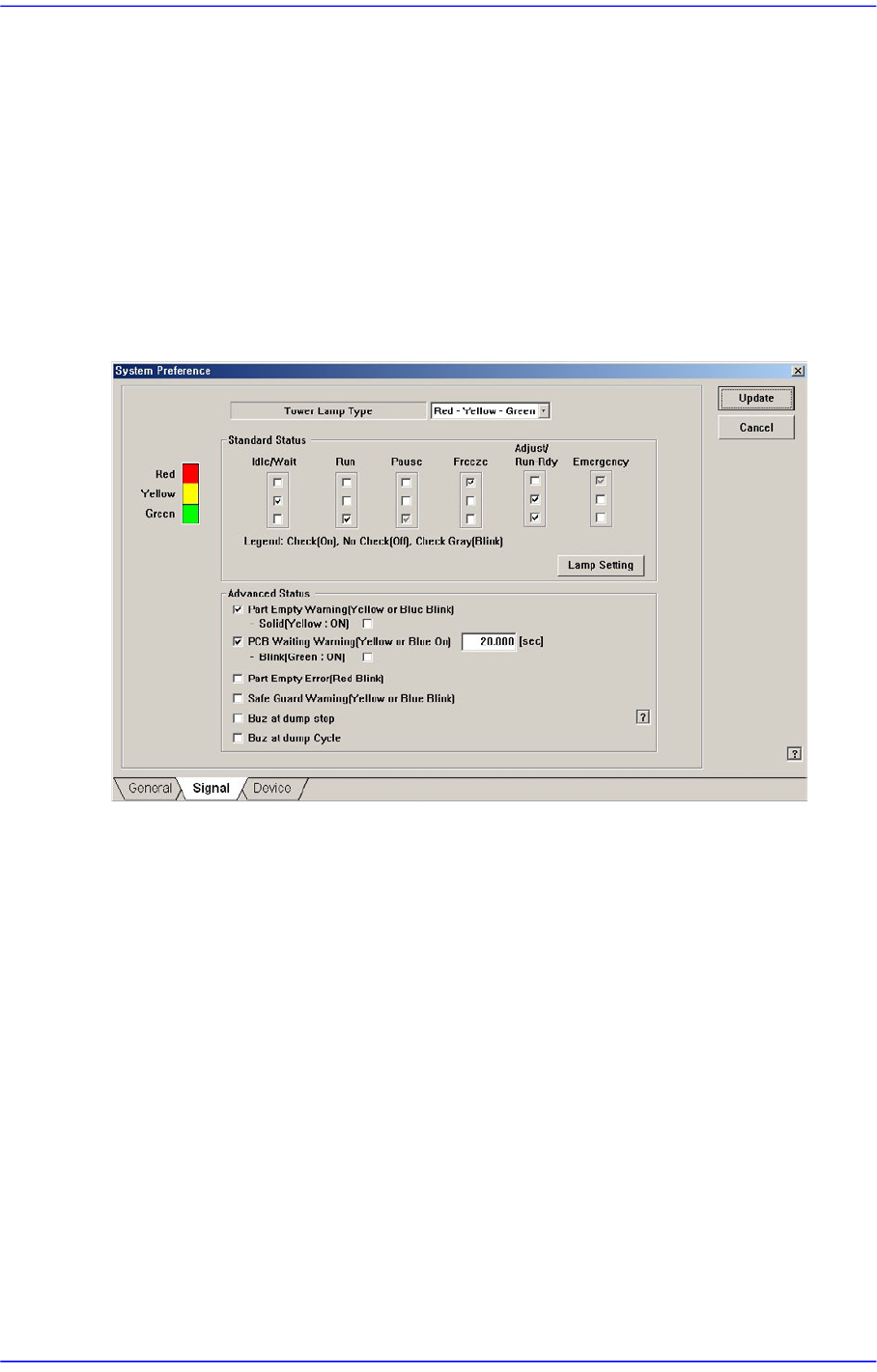
The state of the equipment according to the default setup of the signal light is as follows:
When the yellow lamp is turned on
The equipment is in Idle or Wait state. It does not operate or it is waiting during
operation.
When green lamp is turned on
The equipment is in Run state. It is in operation currently.
When green lamp is blinking
The equipment is in Pause state. It stops temporarily during operation.
When the red lamp is turned on
The equipment is in Freeze state. It remains stopped since an error occurred during
operation.
When yellow and green lamps are turned on simultaneously
The equipment is in Adjust or Run Dry state. It stops temporarily during operation
since certain measure needs to be taken.
When red lamp is blinking
The equipment is in Emergency state. It stops temporarily since an emergency error
occurred during operation.
15-57
System Setup
15.5.3. <Device> tab dialog
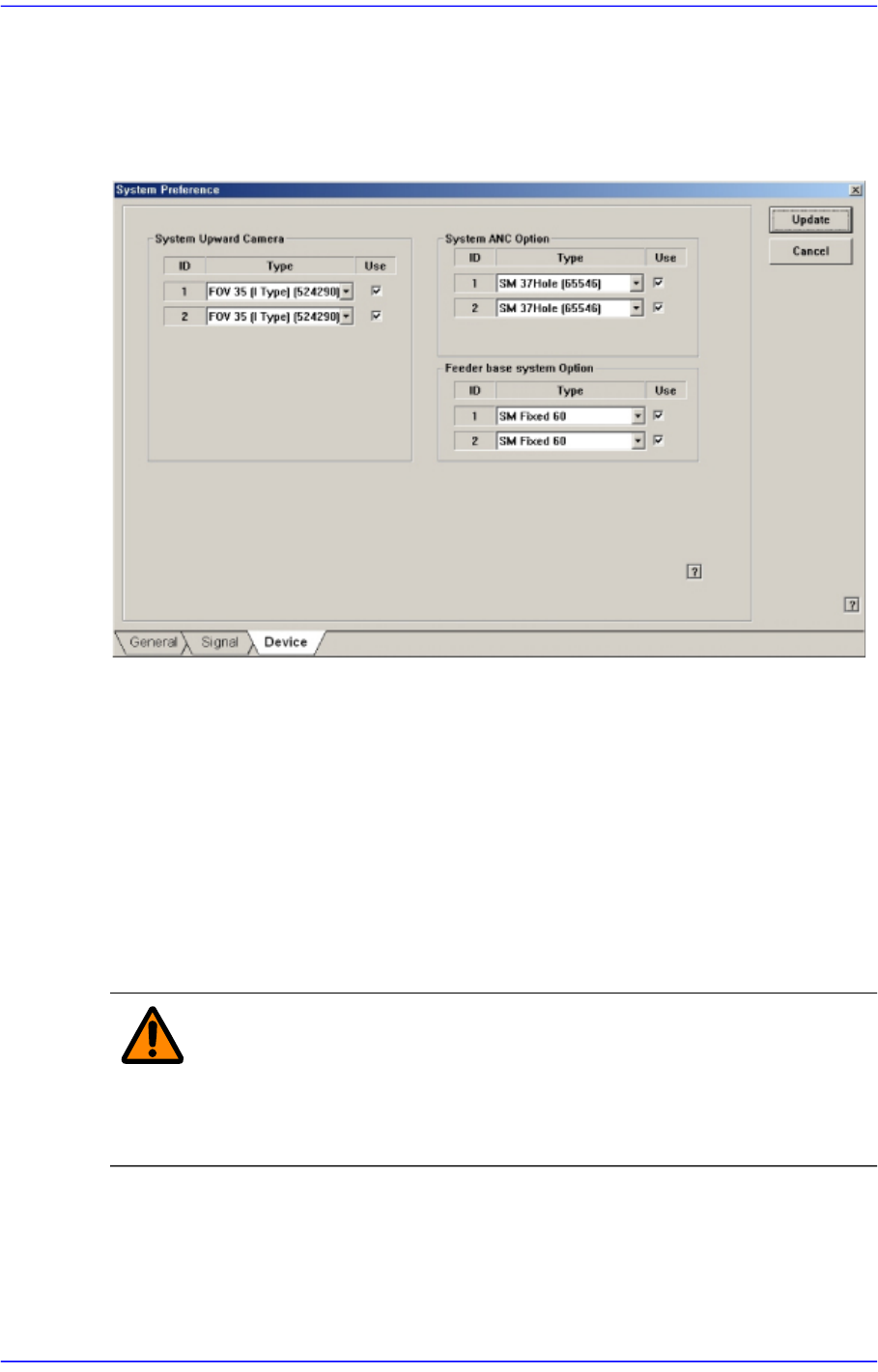
Set whether to use or not to use the ANC and camera and set the constant parameter to be
used for the vision system. When this button is selected, the following screen is displayed.
Figure15.19 “Device” tab dialog
<System Upward Camera> group
Set whether to use or not to use the fix camera type available for the equipment. To use
the corresponding camera type, check the check box. In the SM411 model, this
function is not available.
<System ANC Option> group
Set whether to use or not to use the ANC type available for the equipment. To use the
corresponding ANC type, check the check box.
<Feeder base system Option> group
Sets the type of the feeder base installed on the equipment.
Warning Changing the set up status by an unauthorized user could
damage the equipment or result in personal
injury.Unauthorized user must not change the set up status
of the equipment.
15-58
Advanced Chip Shooter DECAN S2 Administrator’s Guide
15.5.4. <SECS> tab dialog
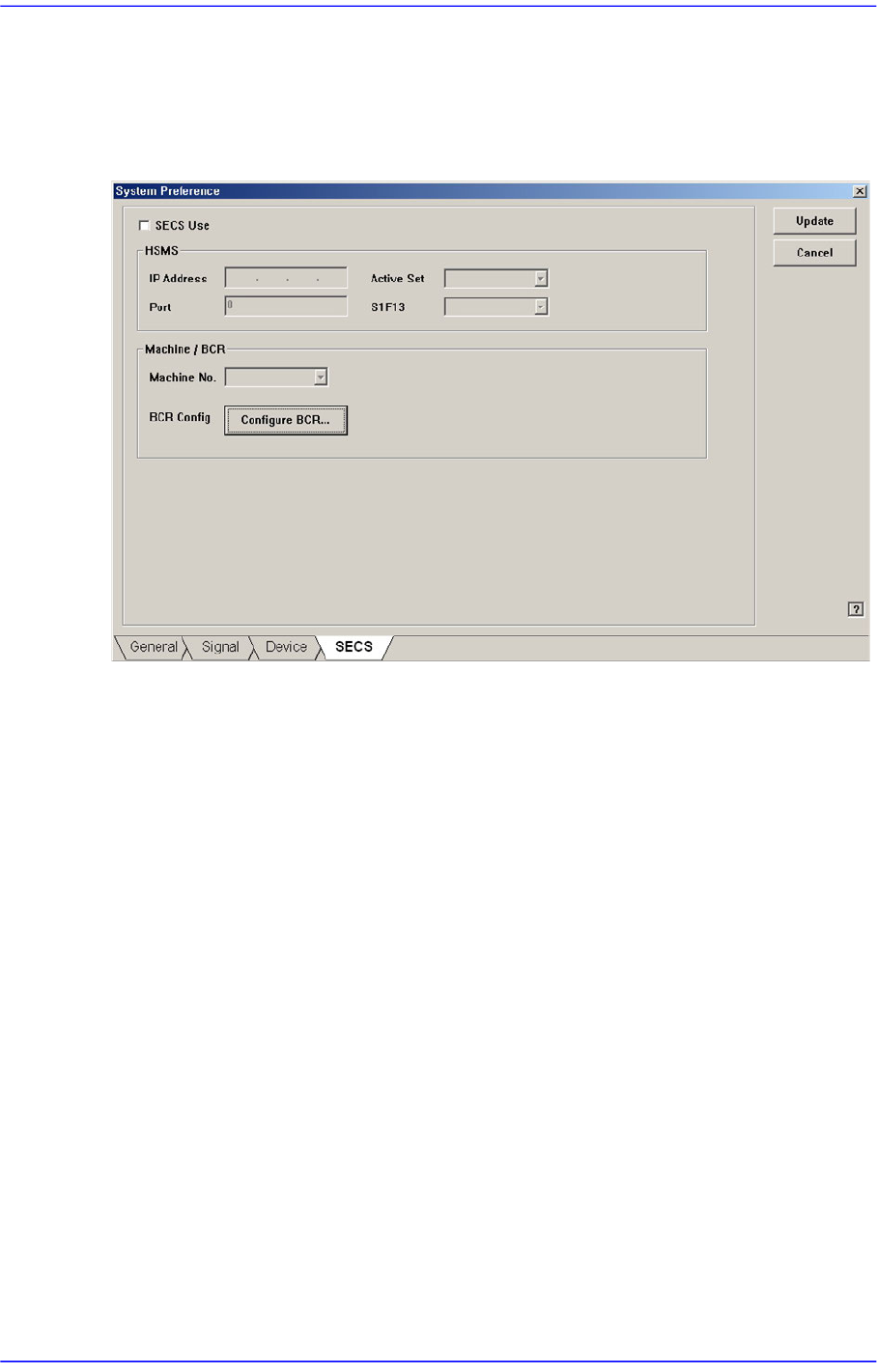
Set the communication with the MES host. This function is selected when using the
gamma interface applied by Samsung Electronics.
Figure15.20 “SECS” tab dialog
<SECS Use> check box
Select this check box to perform setup for communication with the MES host.
<HSMS> group
<IP Address> edit box
Inputs the IP address assigned to the machine.
<Active Set> combo box
Sets one of the items first to which the connection command will be transmitted
for communication between the MES host and the machine.
Active: Attempts to connect the TCP/IP protocol to the host from the machine.
Passive: Attempts to connect the TCP/IP protocol to the machine from the
host.
<Port> edit box
Input the port assigned for communication between the MES host and the
machine.
<S1F13> combo box
Equipment: Attempts to connect the HSMS protocol to the host from the
machine.
Host: Attempts to connect the HSMS protocol to the machine from the host.