DECAN_S2_Admin(Eng_Ver4.5).pdf - 第511页
15-60 Advanced Chip Shooter DECAN S2 Admi nistra t or’s Guide 15.5.5. <Nozzle> tab dialog Sets the parameter of the fly camera when checking for the contamination of a nozzle tip. Figure15.21 “Nozzle” Tap dialog …
15-59
System Setup
<Machine/ BCR> group
<Machine No.> combo box
Sets the ID so that the MES host may recognize the machine.
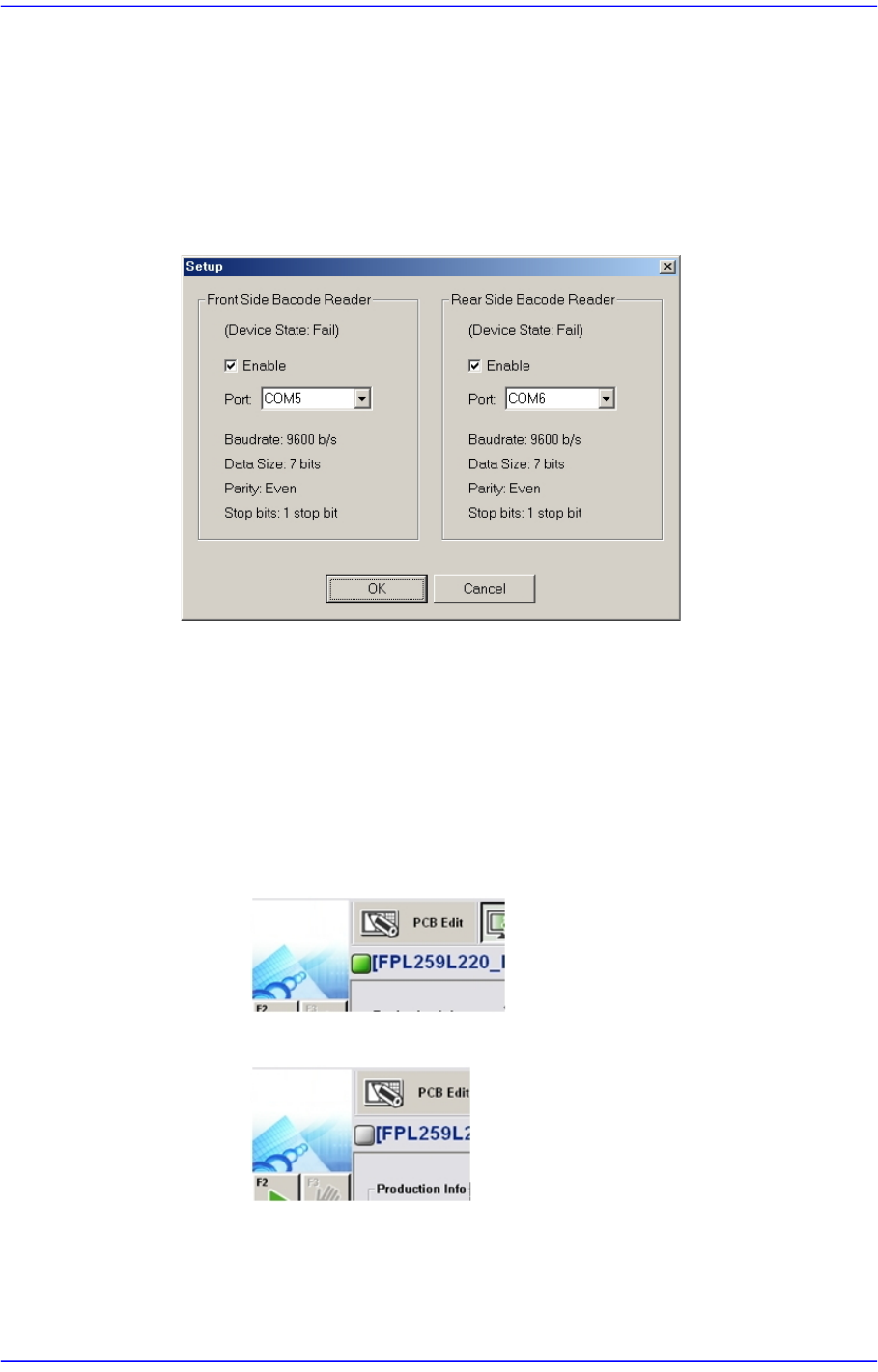
<Configure BCR...> button
Clicking this button will display the dialog box for the barcode scanner setup as
follows.
<Enable> check box
Select this check box to use the barcode reader.
<Port> combo box
Sets the port for communication between the machine and the barcode
scanner.
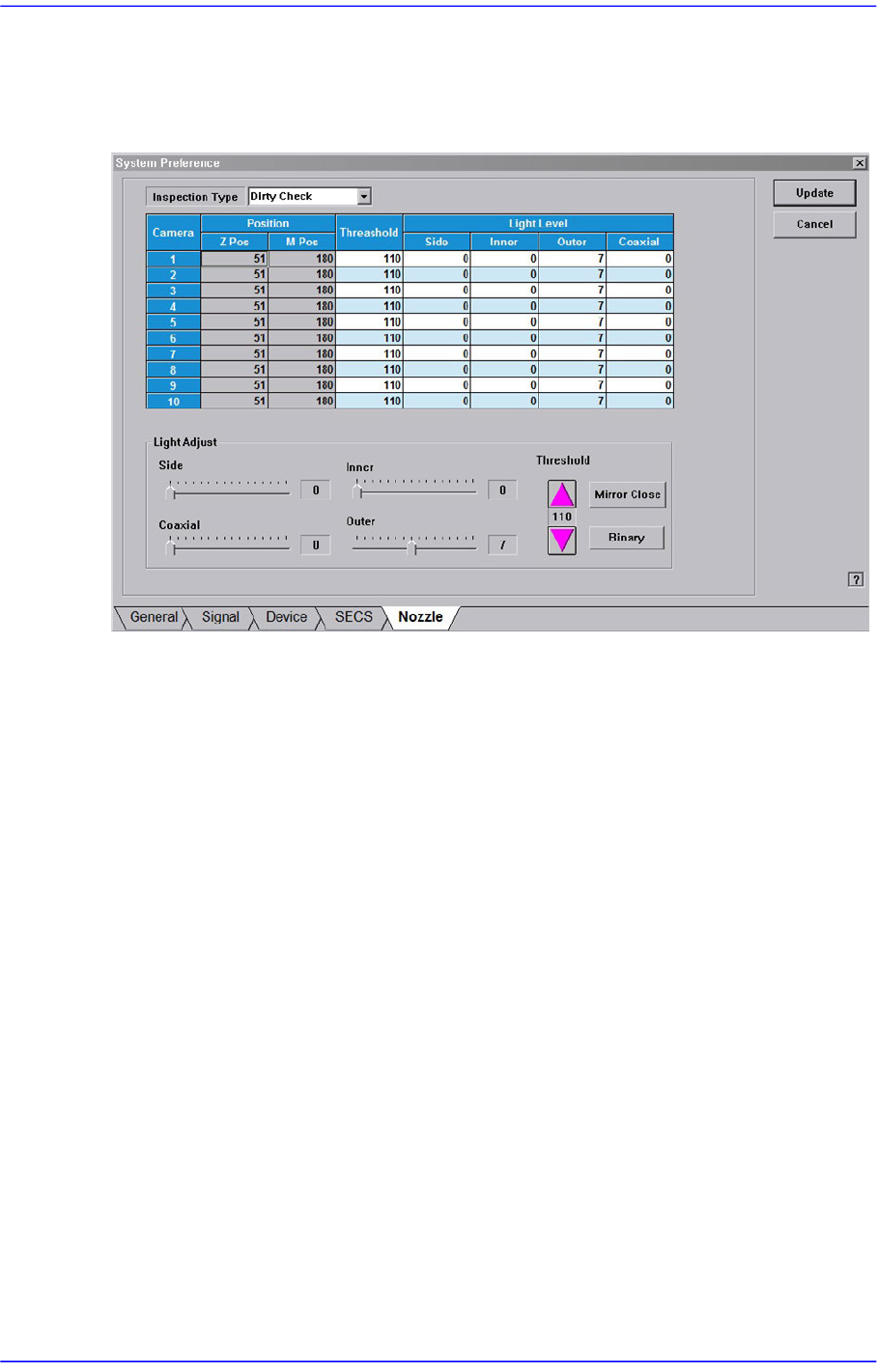
Check the connection status between the MES host and the machine.
When they are connected
When they are not connected
15-60
Advanced Chip Shooter DECAN S2 Administrator’s Guide
15.5.5. <Nozzle> tab dialog
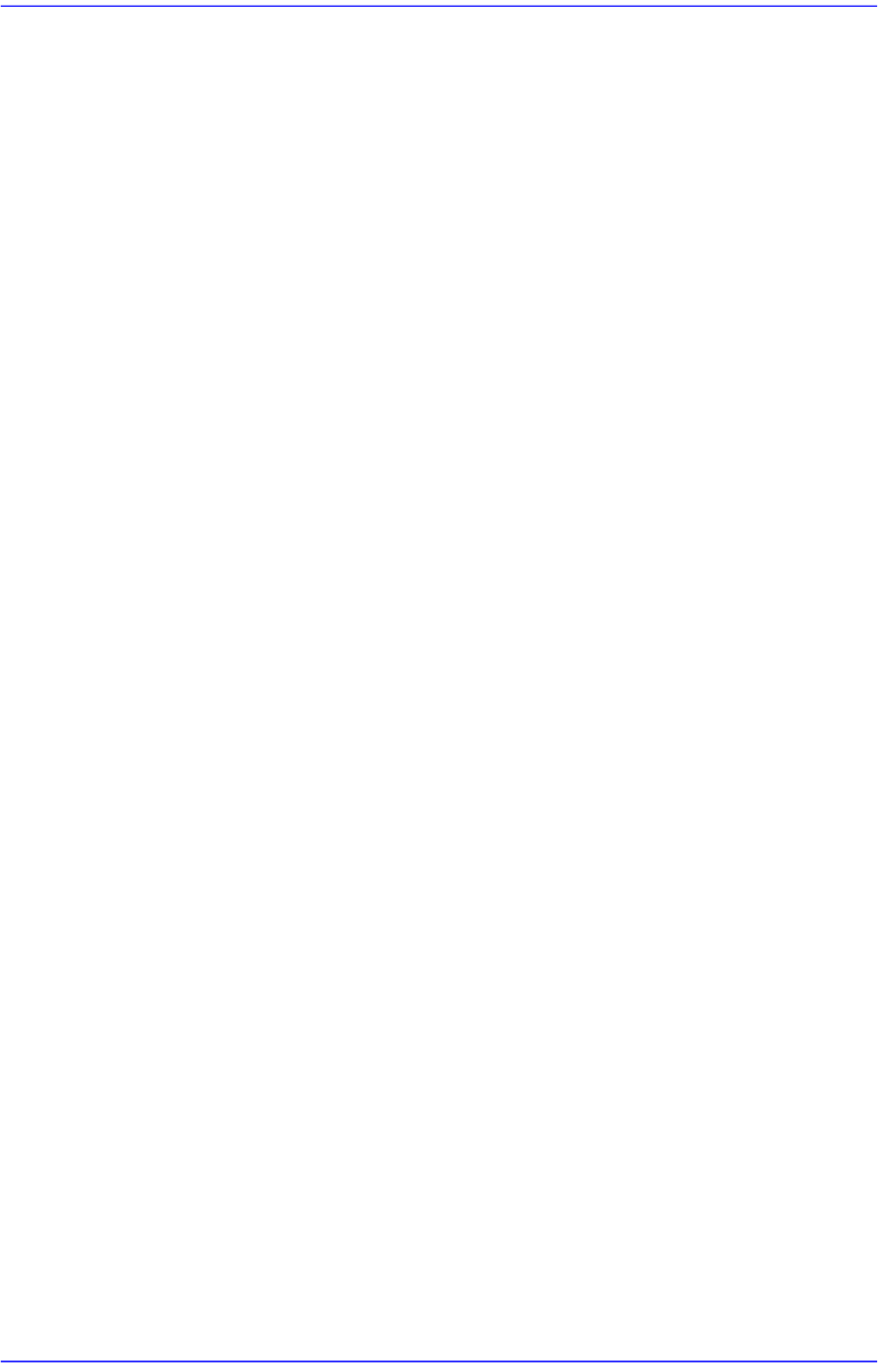
Sets the parameter of the fly camera when checking for the contamination of a nozzle tip.
Figure15.21 “Nozzle” Tap dialog
<Inspection Type> combo box
Sets the parameter of the fly camera when checking for the contamination of a nozzle
tip.
Dirty Check
The parameters of the fly camera used to test whether the nozzle tip is polluted are
displayed on the screen.
Tip Check
The parameters of the fly camera used to test whether the nozzle tip is present are
displayed on the screen.
Holder Check
The parameters of the fly camera used to test the nozzle holder are displayed on
the screen.
<Position> group
Z-Pos
Indicates the Z-axis height from the upper surface of the PCB to the nozzle tip
end.
M-Pos
Indicates the rotation angle of the mirror for the fly camera.
<Threshold> column
15-61
System Setup
Sets the threshold of the vision system used to recognized the degree of nozzle tip
contamination.
<Light Level / Light Adjust> slide bar
Sets the lighting of the fly camera.
<Mirror Open / Mirror Close> button
Opens or closes the mirror installed on the head module. Closing the mirror will allow
a user to check the nozzle tip with a vision system.
<Binary / Real> button
Shows the image seen through the Vision in real display to which threshold is not
applied, or in the image (Binary) to which threshold is applied as recognized by MMI.