DECAN_S2_Admin(Eng_Ver4.5).pdf - 第77页
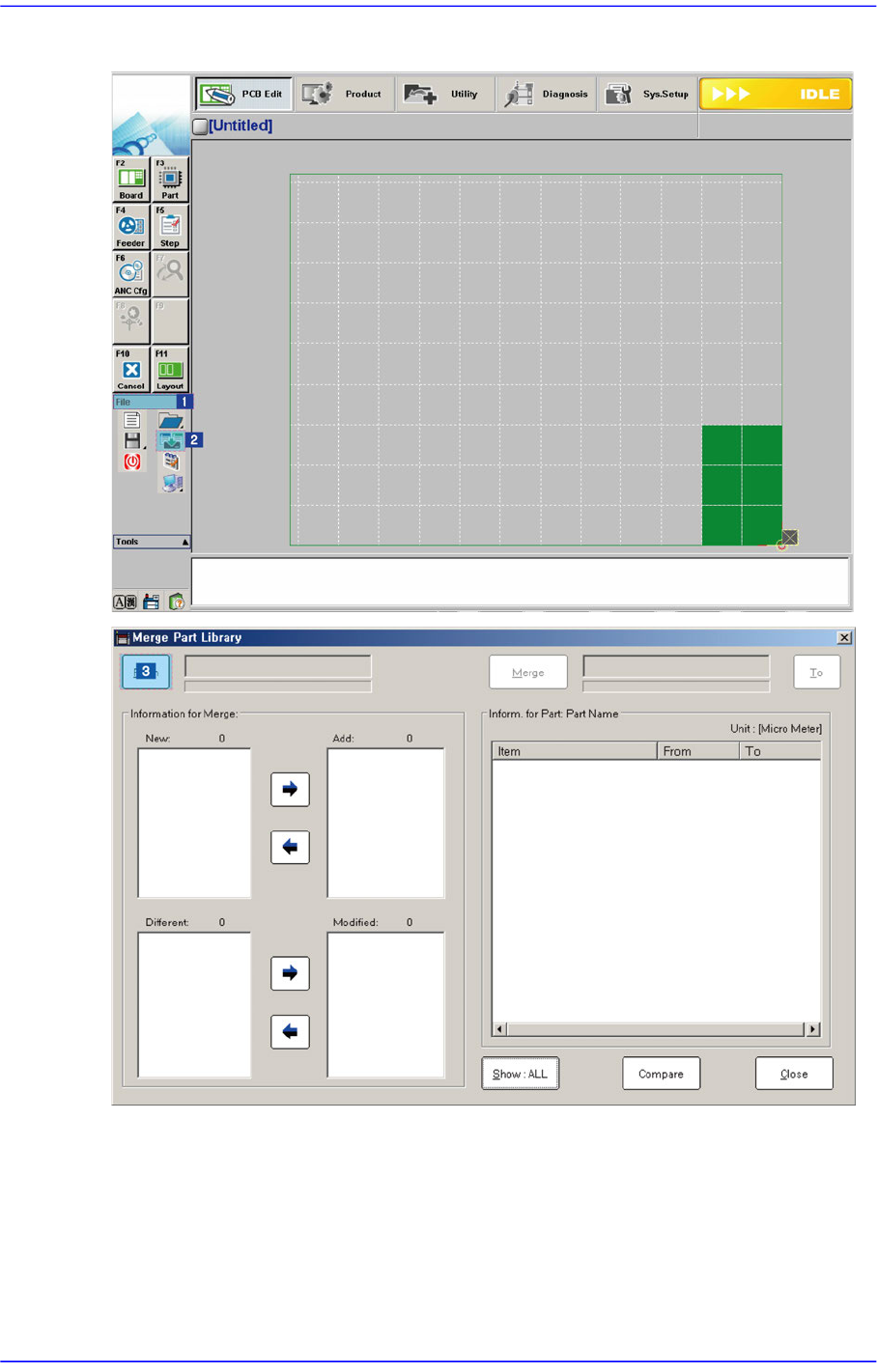
3-14 Advanced Chip Shooter DECAN S2 Admi nistra t or’s Guide 3.4.1. Part Library Merge Procedure Click the <From> button to select the sourc e DB file copied from the other machine
3-13
File Shortcut Menu
<Item> column
Displays only part information related to the selected part in the <New:> or
<Different:> list box.
<From> column
Displays the values saved in the part information corresponding to the <Item>
column of the parts selected from the <New:> or <Different:> list box in the
source DB file.
<To> column
Displays the values saved in the part information corresponding to the <Item>
column of the parts selected from the <New:> or <Different:> list box in the target
DB file. In this case, when the part name is selected in the <New:> list box, it is
indicated as “New”.
button
This button is used to select the part information to be merged with the target DB file
from the <New:> or <Different:> list box and includes the corresponding information
in the <Add:> list box or <Change:> list box.
button
This button is used to exclude the item selected to merge into the target DB file from
the <Add:> or <Modified:> list box.
<Merge> button
Once all setups are completed, click this button to update the target DB file. This
button is disabled when there is no selected item in the <Add:> or <Modified:> list
box.
3-14
Advanced Chip Shooter DECAN S2 Administrator’s Guide
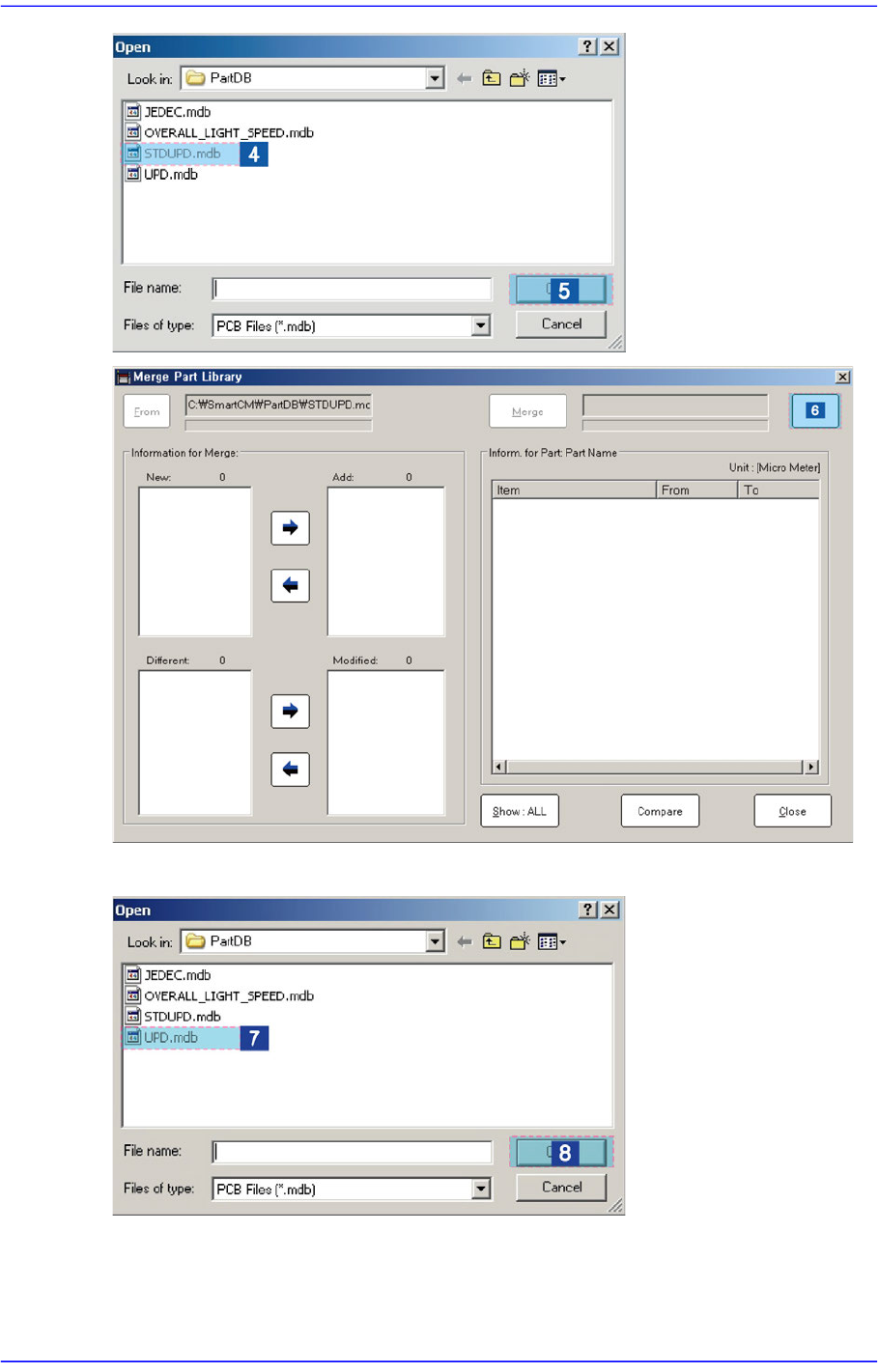
3.4.1. Part Library Merge Procedure
Click the <From> button to select the source DB file copied from the other machine
3-15
File Shortcut Menu
Click the <To> button to select the target DB file.