2OM-1751-003w_G5S.pdf - 第112页
2OM-1751 1-60 1303-001 4.2.12 Multi Head When the [Multi Head] button is pressed on the "Opr. Mode" tab sheet, the following window appears. [1] [2] F2A42 [1] Simultaneous pick The multi-functional head is used…
2OM-1751
1-591303-001
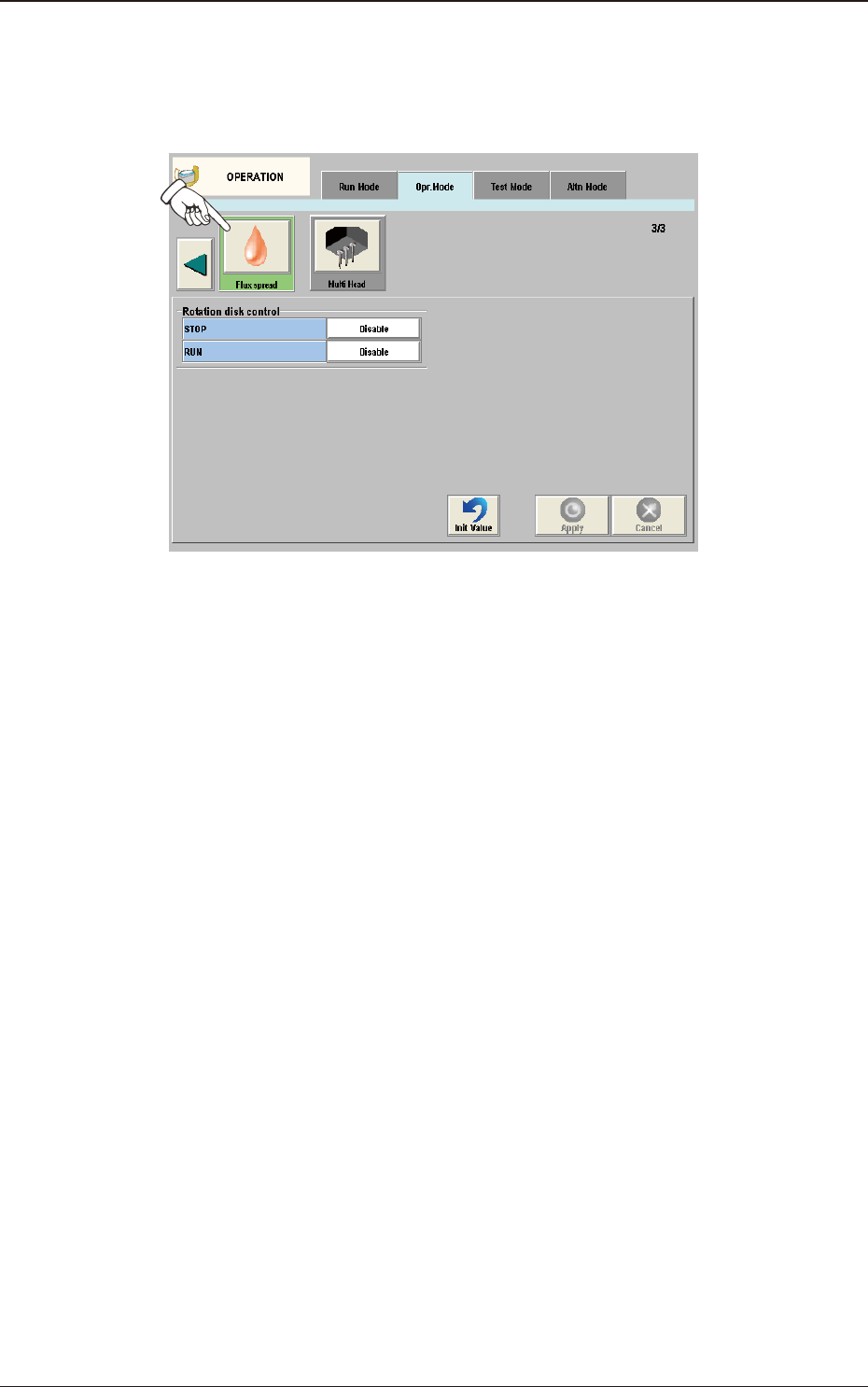
4.2.11 Flux spread
When the [Flux spread] button is pressed on the "Opr. Mode" tab sheet, the
following window appears.
F2A41
It is set when the ux application unit (option) is used.
4.2 "Opr.Mode" Tab Sheet
2OM-1751
1-601303-001
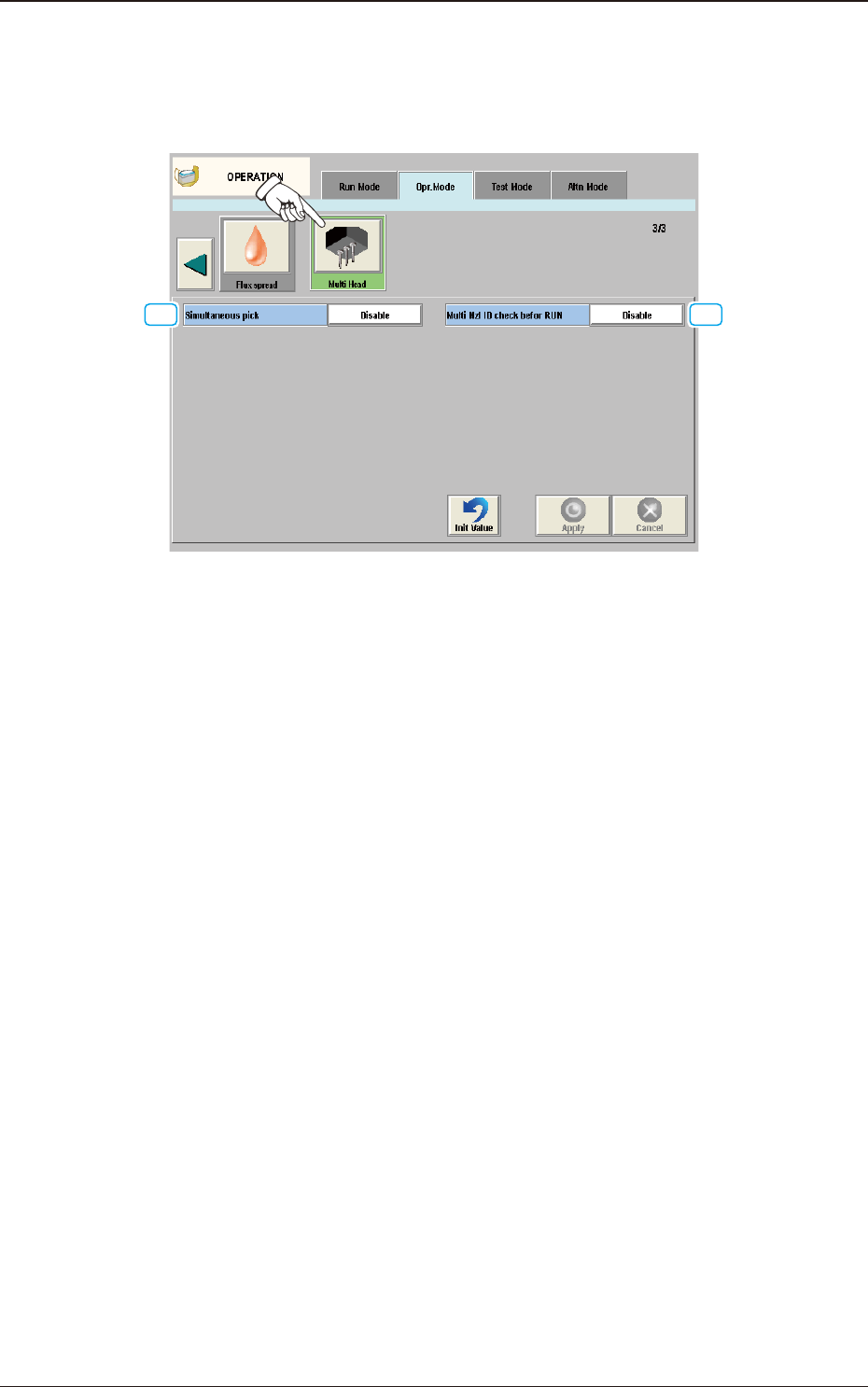
4.2.12 Multi Head
When the [Multi Head] button is pressed on the "Opr. Mode" tab sheet, the
following window appears.
[1] [2]
F2A42
[1] Simultaneous pick
The multi-functional head is used when the nozzle pitch of head agrees with
the tape feeder pitch for component pickup.
Enable
: When selected, the component simultaneous pickup is performed.
Disable
: When selected, the component simultaneous pickup is not
performed.
[2] Multi Nzl ID check befor RUN
Enable
: When selected, the ID of the nozzle housed in the nozzle stocker
for the multi-functional nozzle, is identied and the data is re-
written in the case that the identication result is not the same as
that on the placement nozzle/head data.
Also, it is checked whether if all the nozzles required for the
production, have been prepared.
Disable
: When selected, the nozzle ID recognition function is not used.
4.2 "Opr.Mode" Tab Sheet
2OM-1751
1-611303-001
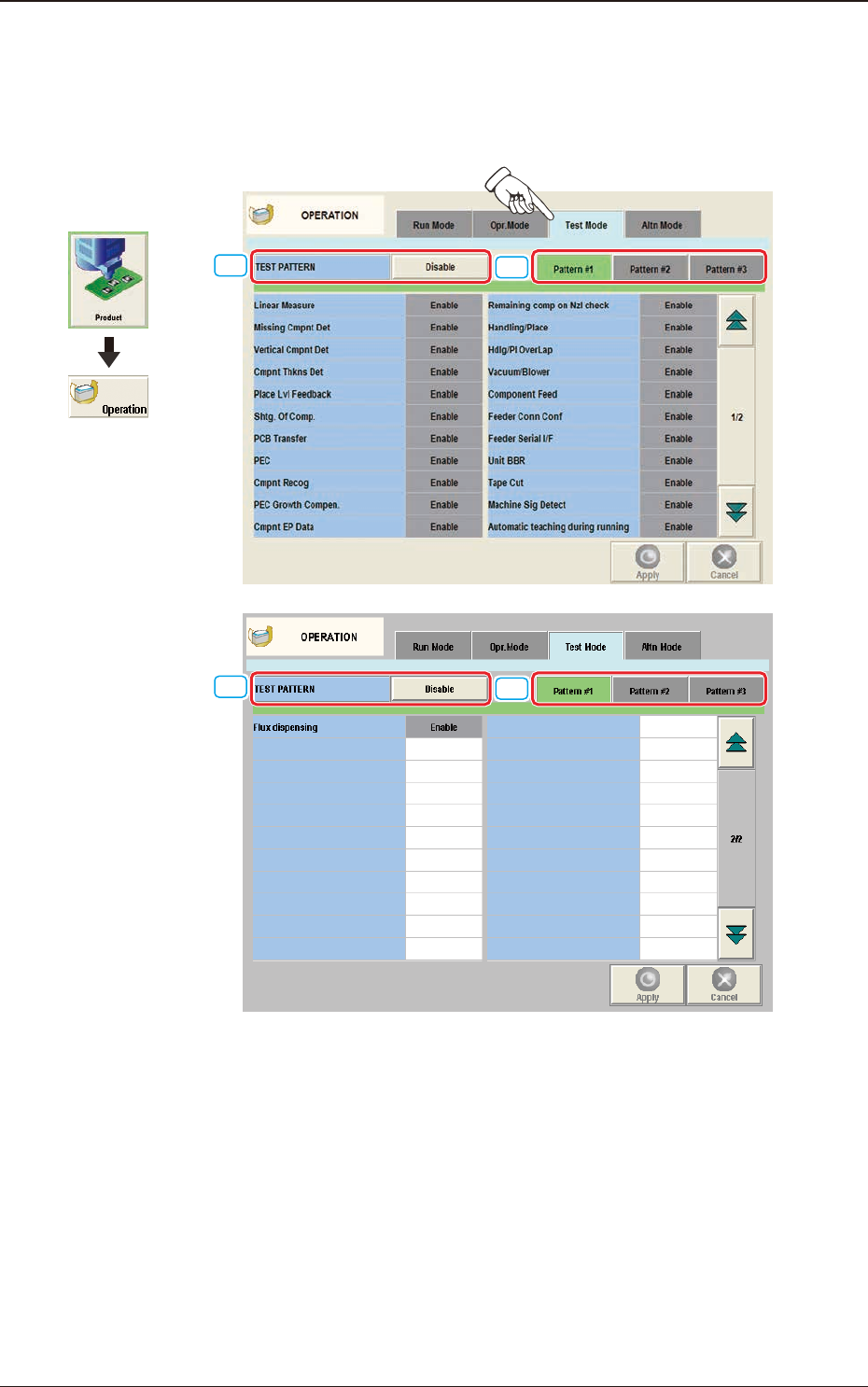
4.3 "Test Mode" Tab Sheet
When the [Test Mode] tab is pressed in the "OPERATION" window, the
following tab sheet appears.
[1]
[2]
[1]
[2]
"
Test Mode
"
Tab Sheet F2A43
The number of test run patterns to be saved is up to three.
[1] TEST PATTERN
The pattern where the test operation mode has been designated, is selected in
this data box.
4.3 "Test Mode" Tab Sheet
Graphic
Development