2OM-1751-003w_G5S.pdf - 第114页
2OM-1751 1-62 [2] [Pattern #1], [Pattern #2], and [Pattern #3] Buttons Select one of the buttons to specify the desired pattern for designation of the test mode. Notice Wrong selections (test run in wrong modes) will cau…
2OM-1751
1-611303-001
4.3 "Test Mode" Tab Sheet
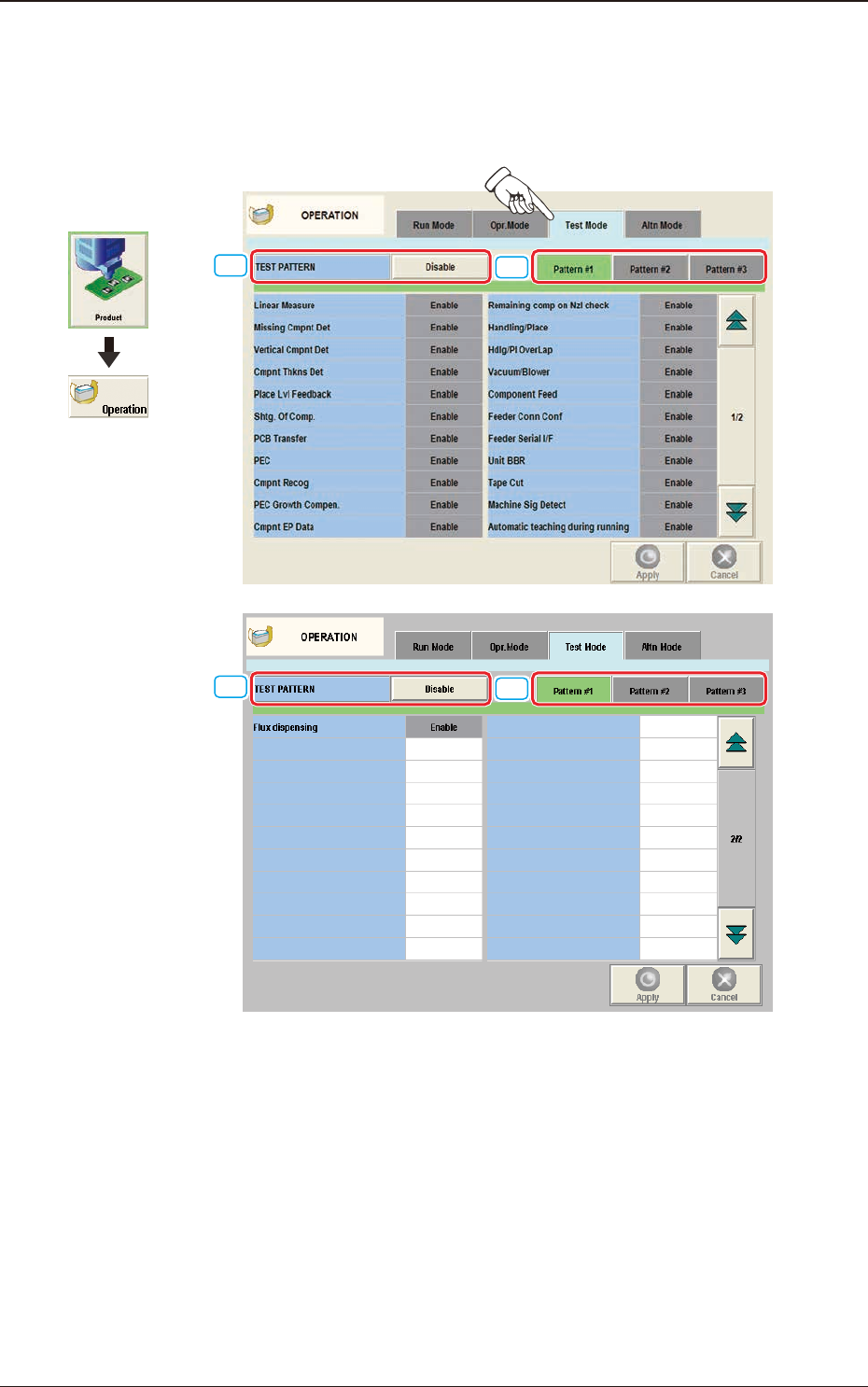
When the [Test Mode] tab is pressed in the "OPERATION" window, the
following tab sheet appears.
[1]
[2]
[1]
[2]
"
Test Mode
"
Tab Sheet F2A43
The number of test run patterns to be saved is up to three.
[1] TEST PATTERN
The pattern where the test operation mode has been designated, is selected in
this data box.
4.3 "Test Mode" Tab Sheet
Graphic
Development

2OM-1751
1-62
[2] [Pattern #1], [Pattern #2], and [Pattern #3] Buttons
Select one of the buttons to specify the desired pattern for designation of the
test mode.
Notice
Wrong selections (test run in wrong modes) will cause various
deciencies such as component picks by vacuum nozzles,
scattering of components, or collision with the chute, etc.
4.3 "Test Mode" Tab Sheet
1303-001
2OM-1751
1-631303-001
4.4 "Altn Mode" Tab Sheet
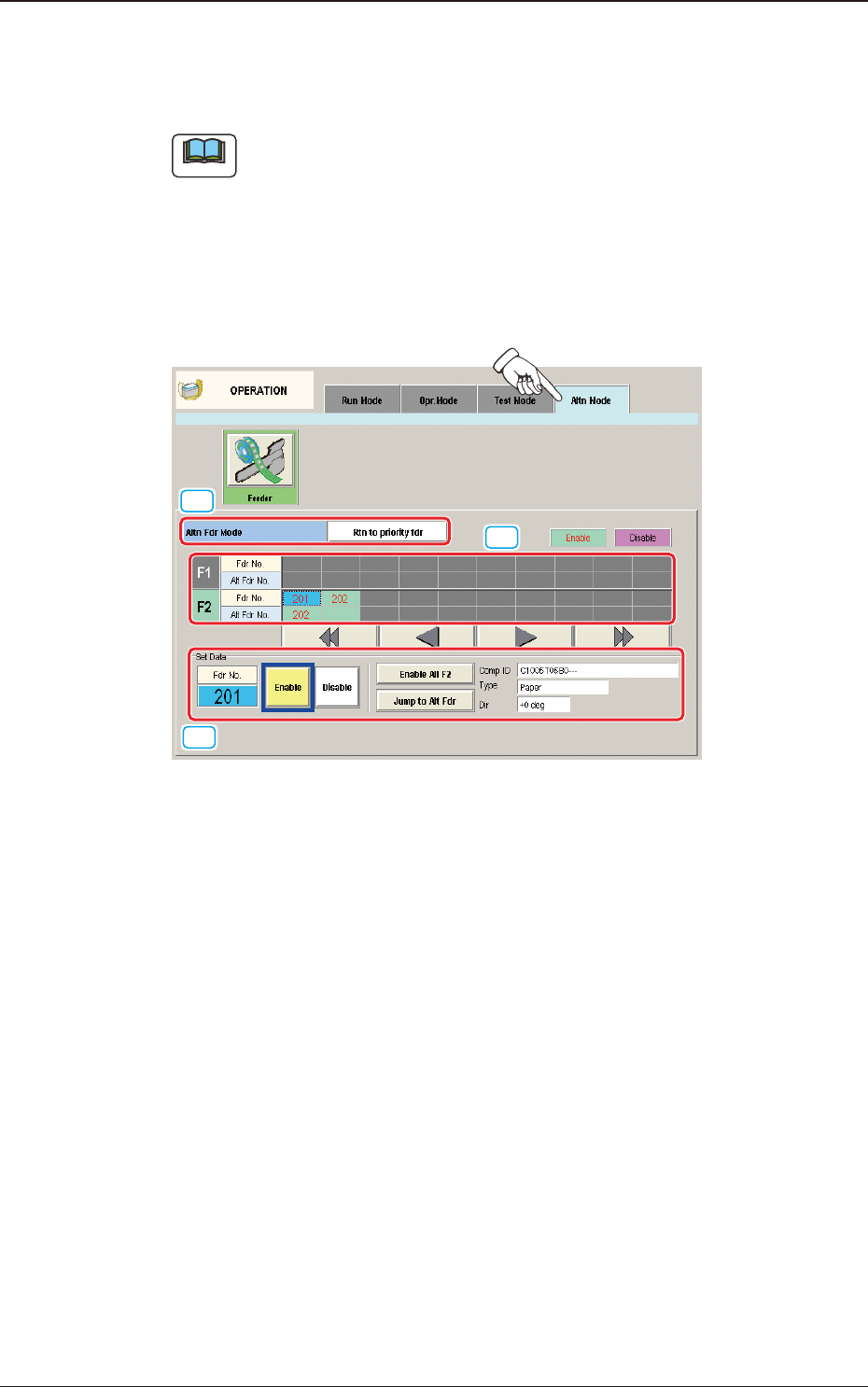
When the [Altn Mode] button is pressed, the "Altn Mode" tab sheet appears.
Note
(a) It is required that the feeder "Alternate" function is setup in the pattern
program, in advance.
(b) The parameters specied here become valid prior to the other alternate-
related ones that are designated in the pattern program.
Even when "Enable" is set in the pattern program, this alternate feeder
mode can be used to temporarily set "Disable" in relation to preparation for
the feeders.
[1]
[2]
[3]
"
Altn Mode
"
Tab Sheet F2A44
[1] Altn Fdr Mode
[Disable] Button
When pressed, this button invalidates the alternate feeder mode.
In this case, the contents of the window are changed.
[Rtn to priority fdr] Button
When selected, the "Feeder Alternate" function is disabled.
In this case, the displayed indications in the window are changed.
4.4 "Altn Mode" Tab Sheet