2OM-1751-003w_G5S.pdf - 第118页
2OM-1751 1-66 1303-001 5. "Prod.Dt." Submenu F2A46 The "Prod.Dt." submenu is provided with the following three menu items. When each button is pressed, the corresponding window appears. Please fully u…
2OM-1751
1-651303-001
Comp ID, Type, and Dir
Displayed are the component ID, type and angle of the feeder No. selected in
[2].
Note
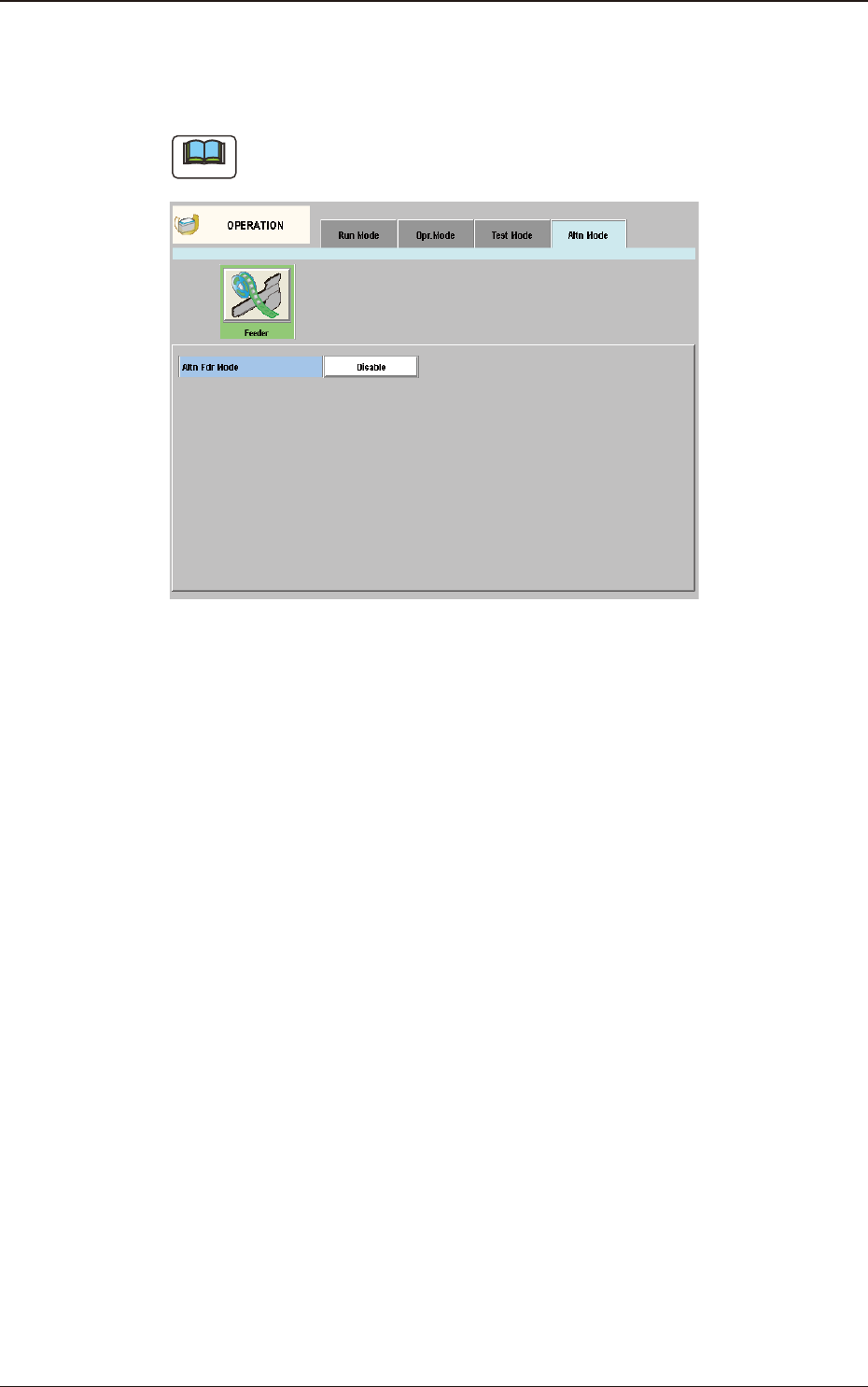
When "Disable" is set for the alternate feeder mode in the pattern program, the
"Altn Mode" window is changed as follows.
"Altn Mode" Window ("Disable" selected) F2A45
4.4 "Altn Mode" Tab Sheet
2OM-1751
1-661303-001
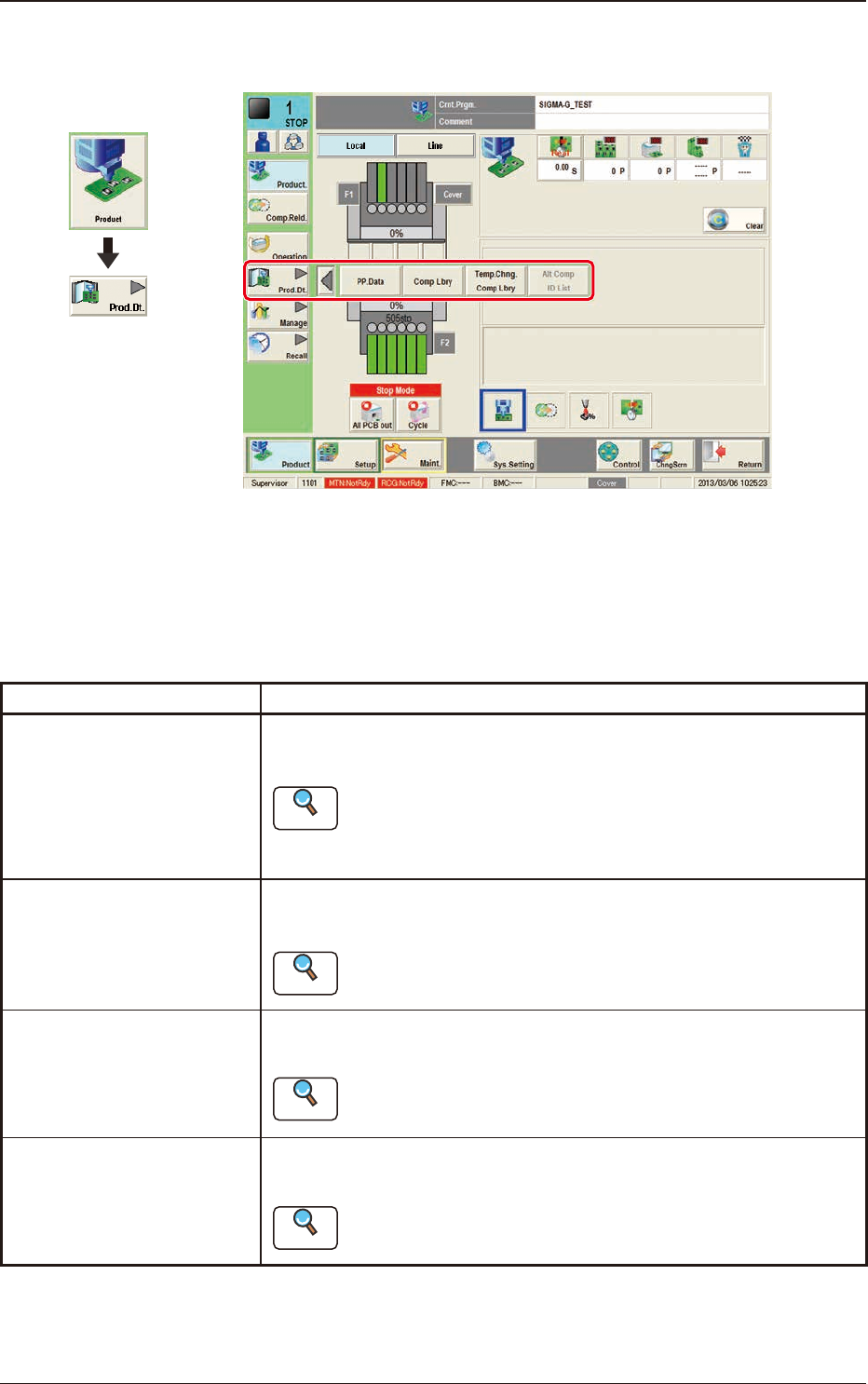
5. "Prod.Dt." Submenu
F2A46
The "Prod.Dt." submenu is provided with the following three menu items. When
each button is pressed, the corresponding window appears.
Please fully understand the purposes of each data for better performance of the
machine.
Buttons Description
PP.Data
Pattern programs must be created for each PCB to be produced.
The automatic operation of this machine is controlled by these pattern programs.
Reference
Refer to "Pattern Program in Chapter 2" for the details.
Comp Lbry
This library stores data related to picks, recognition, and placement of each
individual component.
Reference
Refer to "Component Library in Chapter 3" or "Component
Library in Volume 6" for the details.
Temp.Chng.Comp Lbry
The corresponding tab window enables the operator to change the component library
temporarily during the automatic operation.
Reference
Refer to "2. Component Library in Chapter 3" or "Component
Library in Volume 6" for the details.
Alt Comp ID List
The corresponding window is used to setup the alternative components in placed of
the current components.
Reference
Refer to "3. Alternative Component List" in Chapter 3 for details.
T2A3
5. "Prod.Dt." Submenu
Graphic
Development
2OM-1751
1-671303-001
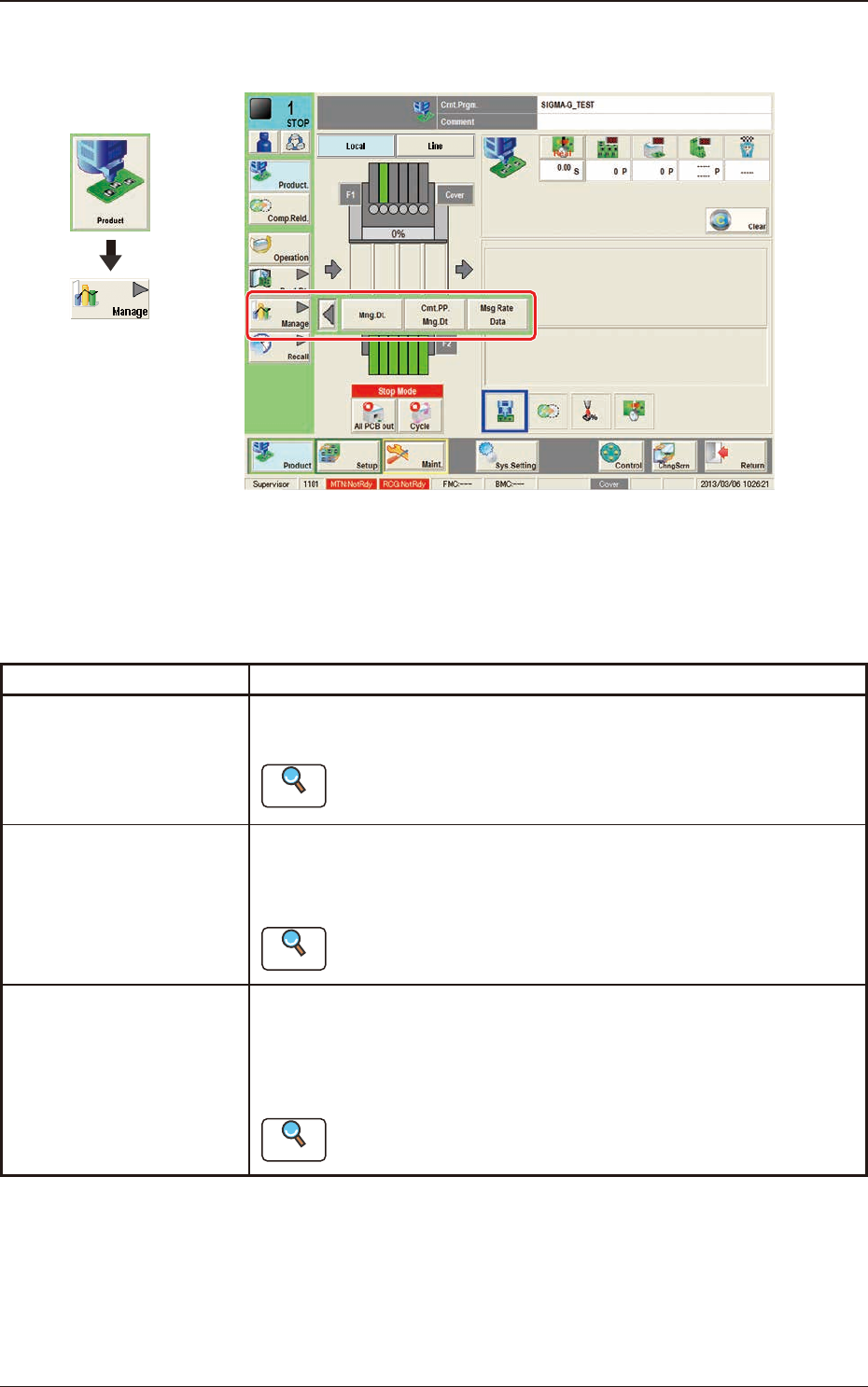
6. "Manage" Submenu
F2A47
The "Manage" submenu is provided with the following three buttons.
When a button is pressed, the corresponding window opens, enabling the operator
to select the required data.
Buttons Description
Mng.Dt.
When pressed, the "Management Data" window is displayed and
operated for totaling the management data for the whole system.
Reference
Refer to "2. "Mng.Dt." Window" in Chapter 4 for the details.
Cmt.PP.Mng.Dt
When pressed, the "Crnt.PP.Mng.Dt" window is displayed and operated
for totaling the current pattern program management data for each
pattern program.
Reference
Refer to "3. "
Crnt.PP.Mng.Dt" window"
in Chapter 4 for the
details.
Msg Rate Data
When pressed, the "Msg Rate Data" window is displayed and operation
for displaying the component handling error rate managed for each
feeder or nozzle based on each component handling error rate specied
in the operation parameter setting.
Reference
Refer to "4. "MESSAGE.RATE.DT" Window" in Chapter 4 for the
details.
T2A4
Graphic
Development
6. "Manage" Submenu