2OM-1751-003w_G5S.pdf - 第135页
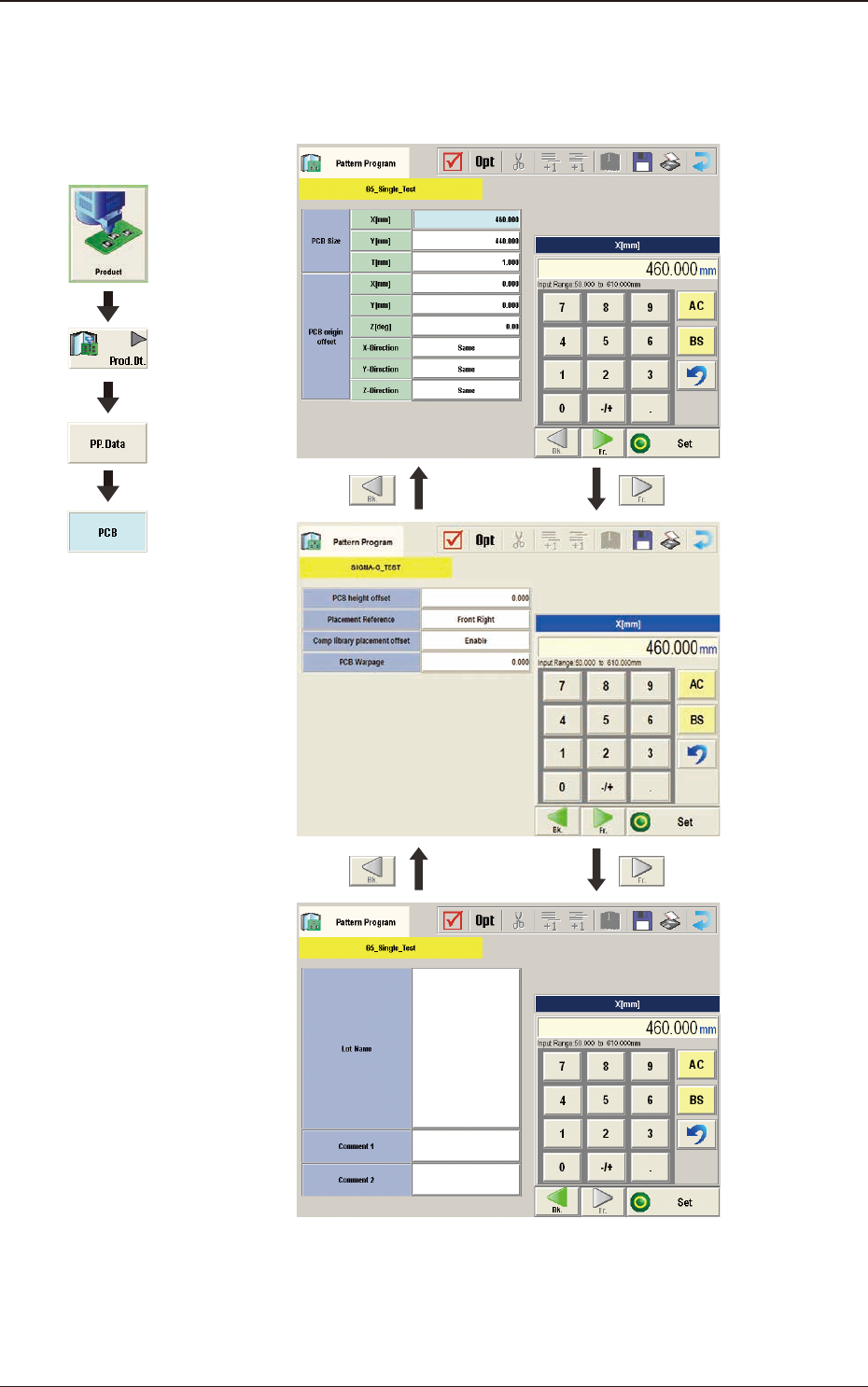
2OM-1751 2-13 3.2 PCB (B01) PCB Data F2B3 1303-001 Graphic Development 3.2 PCB

2OM-1751
2-12
3. Explanation of Pattern Program
In this instruction manual, the placement coordinate reference is based on "Front
Right".
3.1 Common SET
Note
This data is used in the dual transfer operation (option).
1303-001
3. Explanation of Pattern Program
2OM-1751
2-13
3.2 PCB
(B01) PCB Data
F2B3
1303-001
Graphic
Development
3.2 PCB
2OM-1751
2-141303-001
(B01_01)
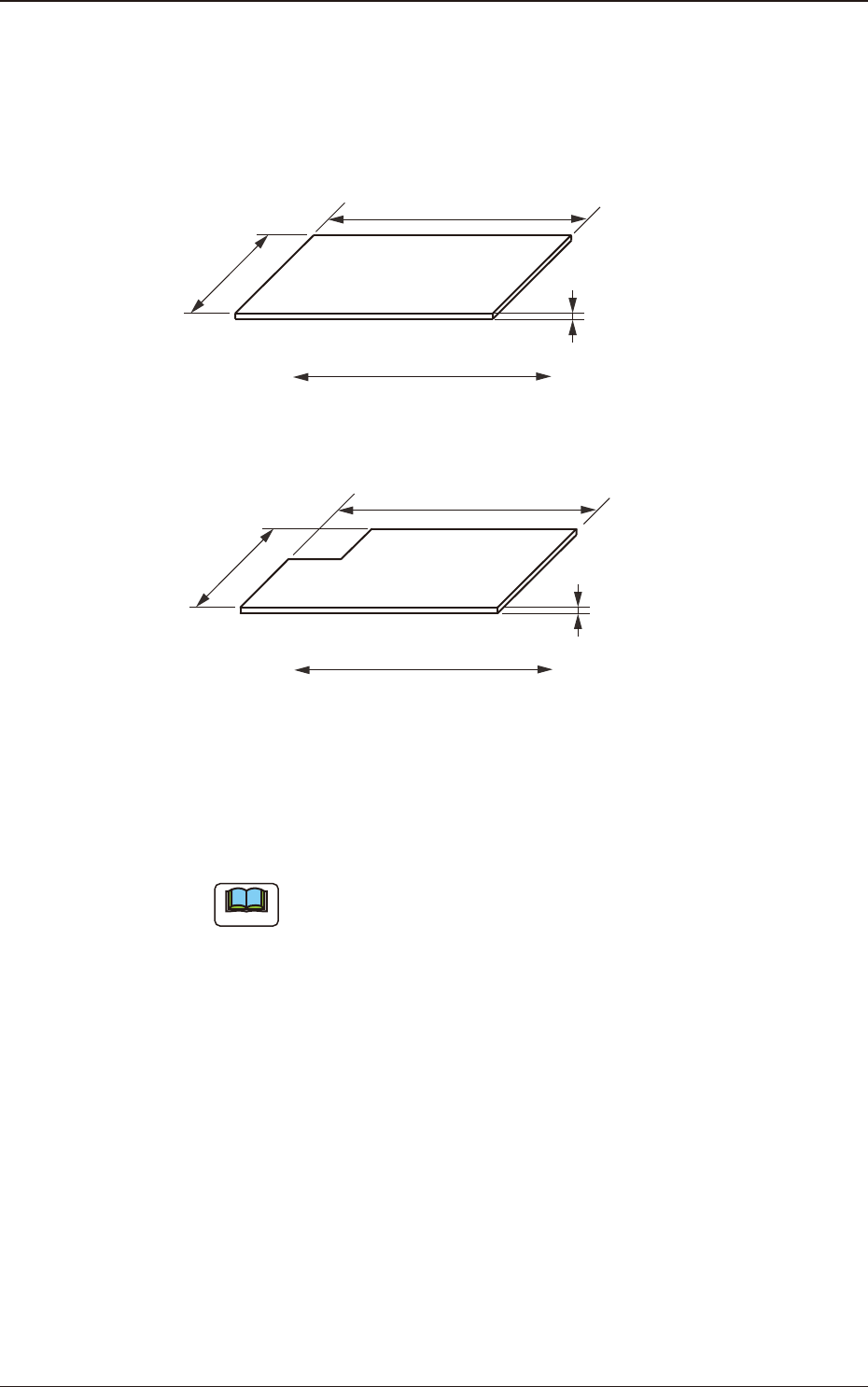
PCB size
X (Horizontal), Y (Vertical), and T (thickness) [mm]
Set the dimensions of the PCB to be produced.
Y (Vertical)
T (Thickness)
PCB
X (Horizontal)
PCB Flow Direction
F2B4
When the PCB has a cutout, the following dimensions must be entered.
Y (Vertical)
T (Thickness)
PCB
X (Horizontal)
PCB Flow Direction
F2B5
•
Data Input Range
X
: 50 to 610
Y
: 50 to 510
T
: 0.3 to 5.0
Note
(a) Be sure to set a correct parameter in the "X (Horizontal)" text
box because the set parameter is used to automatically correct the
placement position when a parameter is selected in the "PCB locate
method" text box in the "PCB transfer Mode Setup" tab sheet.
(b) The set parameter in the "Y (Horizontal)" text box must be used as a
target width for the conveyor width automatic adjustment operation.
(c) "T (Thickness)" is used as a target value for the backup table
ascending position when a PCB is clamped by the clamp plates and
positioned.
3.2 PCB