2OM-1751-003w_G5S.pdf - 第181页
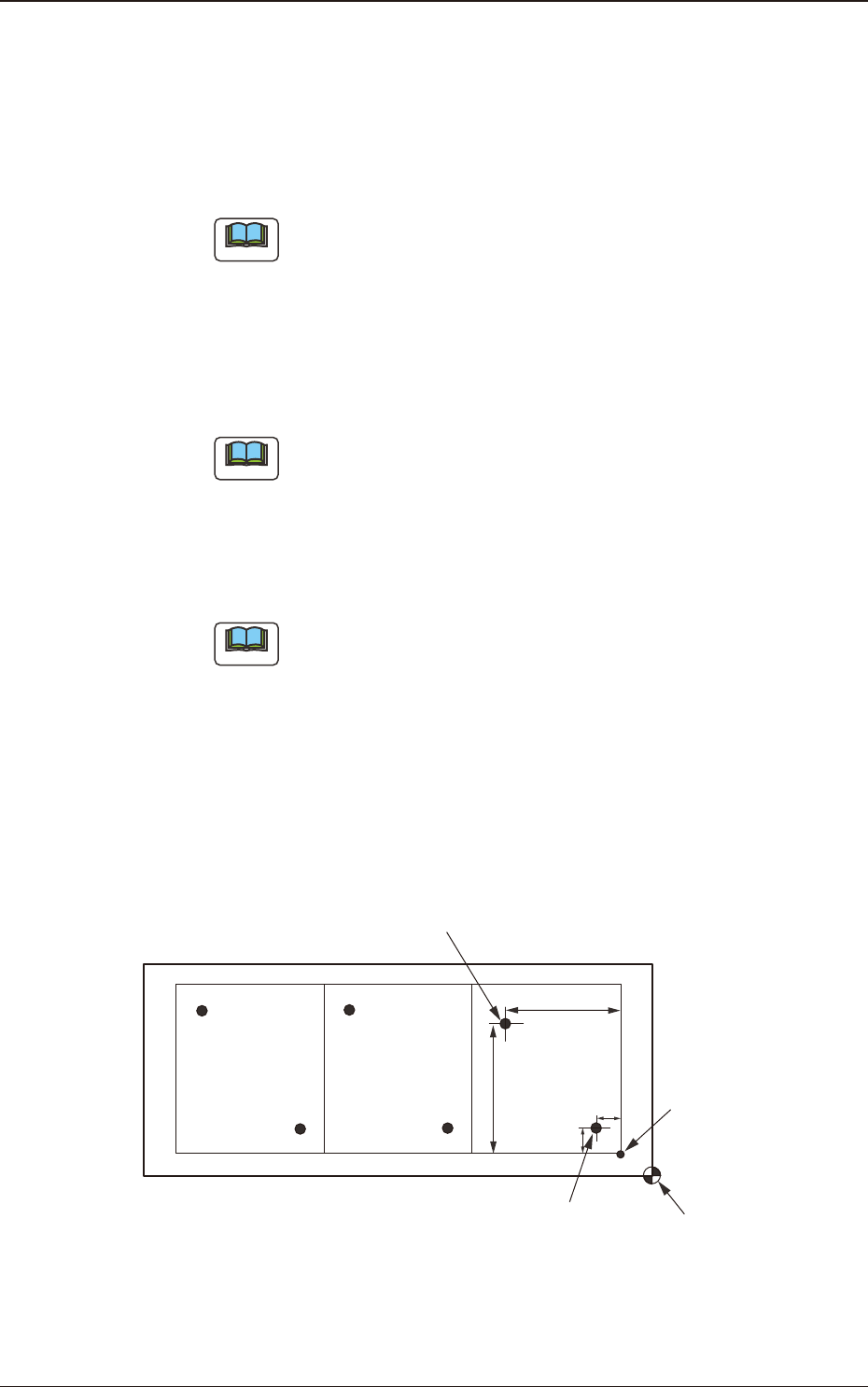
2OM-1751 2-59 (G02_04) Recog Coord X1 [mm] and Recog Coord Y1 [mm] Set the X1 and Y1 coordinates of the rst ducial mark based on the pattern origin. Recog Coord X2 [mm] and Recog Coord Y2 [mm] Set the X2 and Y2 coordin…
2OM-1751
2-581303-001
3.7 Placement
(G02_02)
Offset
Offset X [mm] and Offset Y [mm]
Set the offset values for all placement coordinate X and Y in the placement
data (P-data) and the image and local PEC recognition coordinates.
Note
(a) Use "+00.00" (zero) in normal cases.
(b) Note that these offsets are not reected on "X [mm]" and "Y [mm]" in
"A02_04 Fiducial mark".
Offset Z [deg]
Set the offset value for all placement angles (Z=Theta) in the placement data
(P-data).
Note
Use "0.00" in normal cases.
Offset H [mm]
Set the offset value for all placement height "H" in the placement data
(P-data).
Note
In normal cases, set "+0.000" in this text box.
(G02_03)
Unit PCB Fiducial
Select one of the following options to determine whether or not the unit PCB
BBR function should be used.
Disable
: The unit PCB BBR function is not used.
Enable
: The unit PCB BBR function (2-point recognition) is used.
Y
1
X
2
Y
2
X
1
Second Fiducial Mark
Pattern Origin
First Fiducial Mark
Placement Coordinate
Reference
F2B47
2OM-1751
2-59
(G02_04)
Recog Coord X1 [mm] and Recog Coord Y1 [mm]
Set the X1 and Y1 coordinates of the rst ducial mark based on the pattern
origin.
Recog Coord X2 [mm] and Recog Coord Y2 [mm]
Set the X2 and Y2 coordinates of the second ducial mark based on the
pattern origin.
(G02_05)
Fiducial Mark FM1 and Fiducial Mark FM2
Set the mark Nos. of the rst and second ducial marks FM1 and FM2.
Select the mark Nos. (Mark Codes) specied in the PEC recognition mark
data of the operation data.
(G02_06)
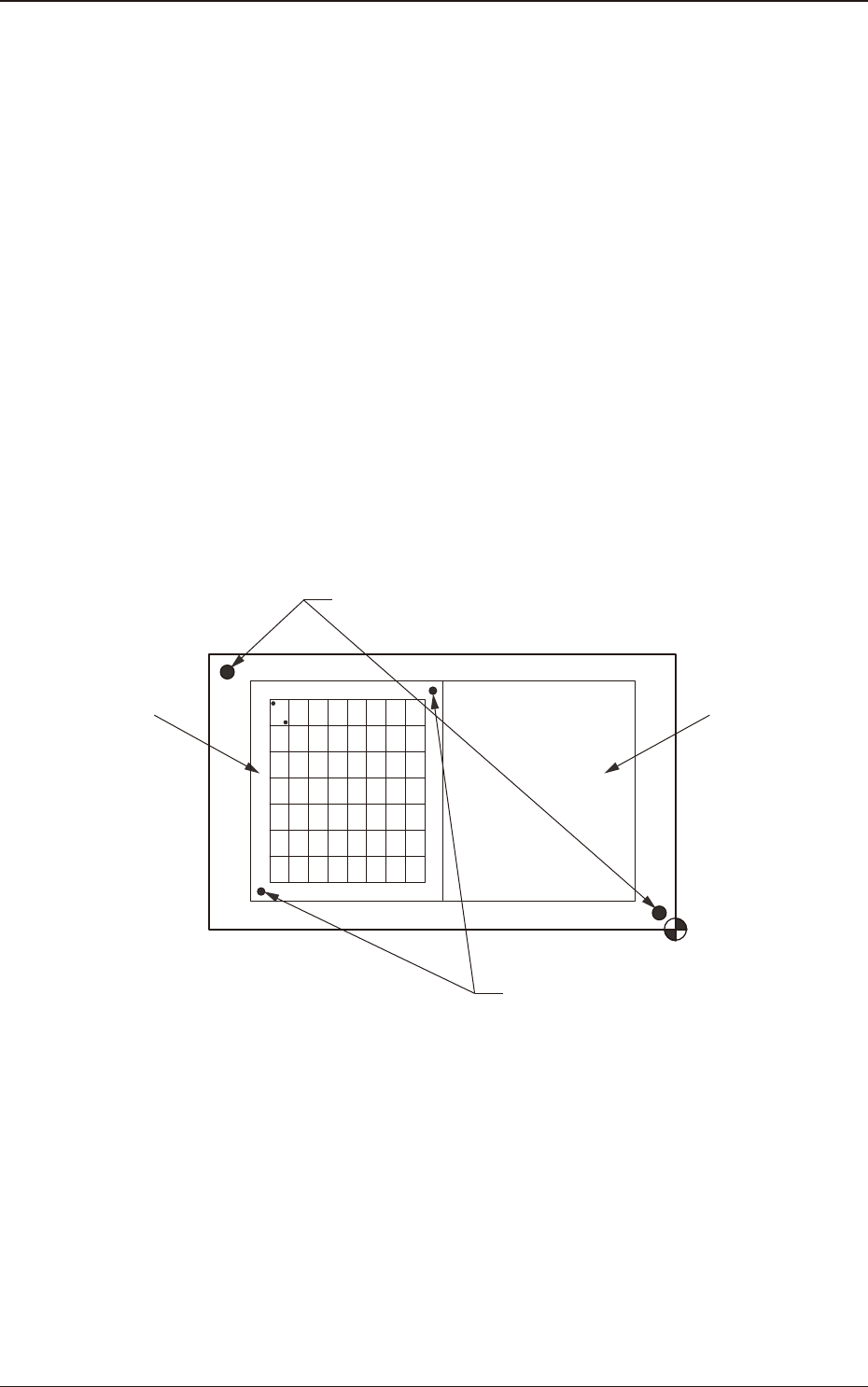
Unit PCB Recognition
One to three points are setup for the PEC recognition for each U data.
U02U01
Global Recognition
Unit PCB Recognition
F2A48
1303-001
3.7 Placement

2OM-1751
2-60
(G03) P-Data
When the [P-Data] button is pressed in the "Placement" window, the
following tab sheet appears.
F2B49
(G03_01)
PNo
Shown are the step Nos. of the placement data (P).
Set coordinates and angles for component placement in the lines of the step
Nos. (P-Nos.).
(G03_02)
X [mm] and Y [mm]
Set Coordinates X and Y for component placement. The coordinates must be
based on the placement coordinate reference (N0).
Y2
Y1
X1
X2
Y
X
Placement Coordinate Reference (No)
F2B50
1303-001
3.7 Placement
Graphic
Development