2OM-1751-003w_G5S.pdf - 第201页
2OM-1751 3-7 1303-001 1.2.3 Copying the Component ID Procedure (1) Select the component ID to be copied. (The selected component ID turns blue, indicating that it is selected.) F2C4 (2) Press the [Copy ...] button. (The …
2OM-1751
3-61303-001
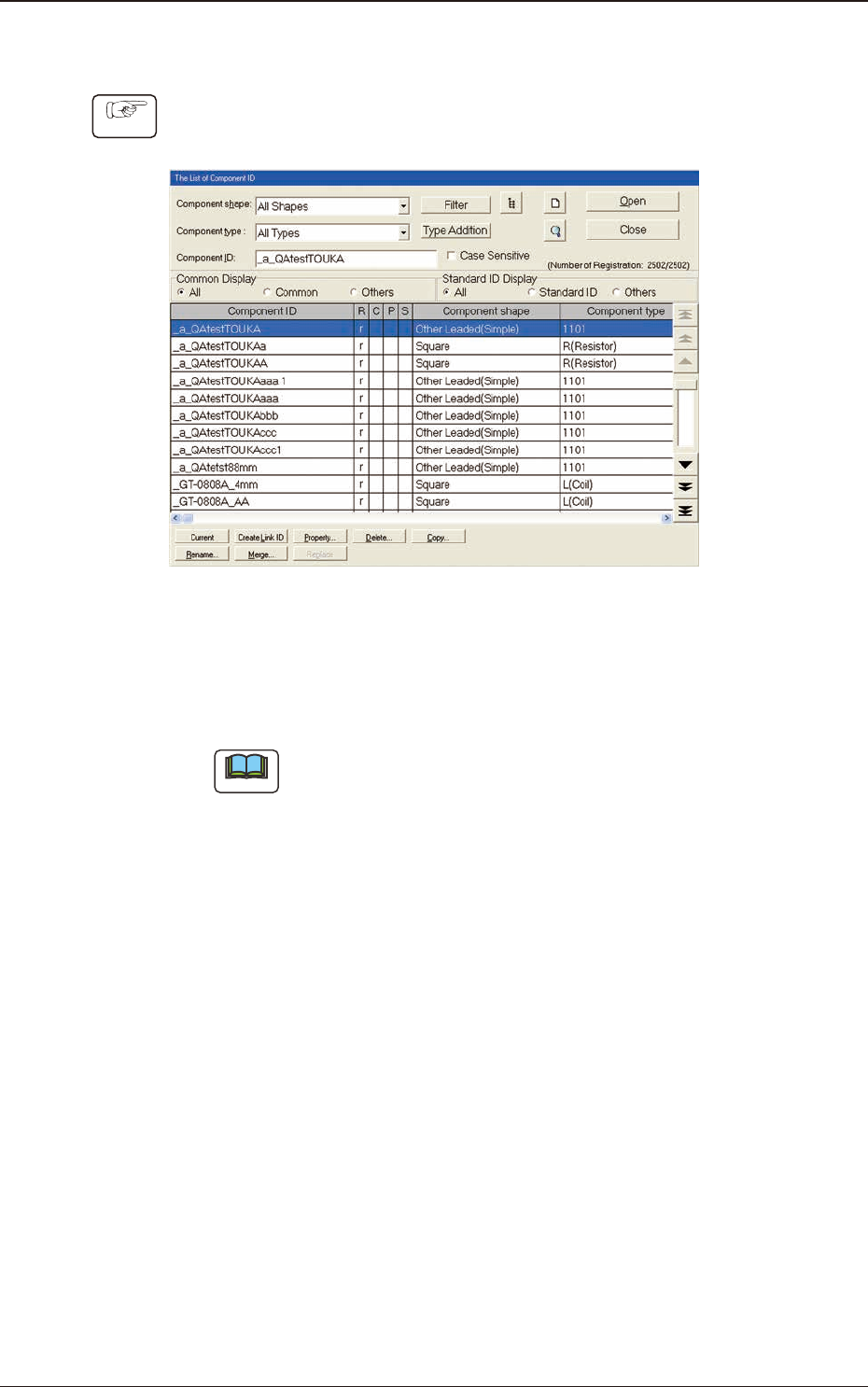
1.2.2 Deleting the Component ID
Procedure
(1) Select the component ID to be deleted.
(The selected component ID turns blue, indicating that it is selected.)
F2C3
(2) Press the [Delete...] button.
(The "Conrmation" dialog box opens. When the [YES] button is pressed,
the component ID is deleted.)
Note
Pressing the [NO] button cancels the deletion of the component ID.
1.2 Basic Operations in "Selection of component ID" Window
2OM-1751
3-71303-001
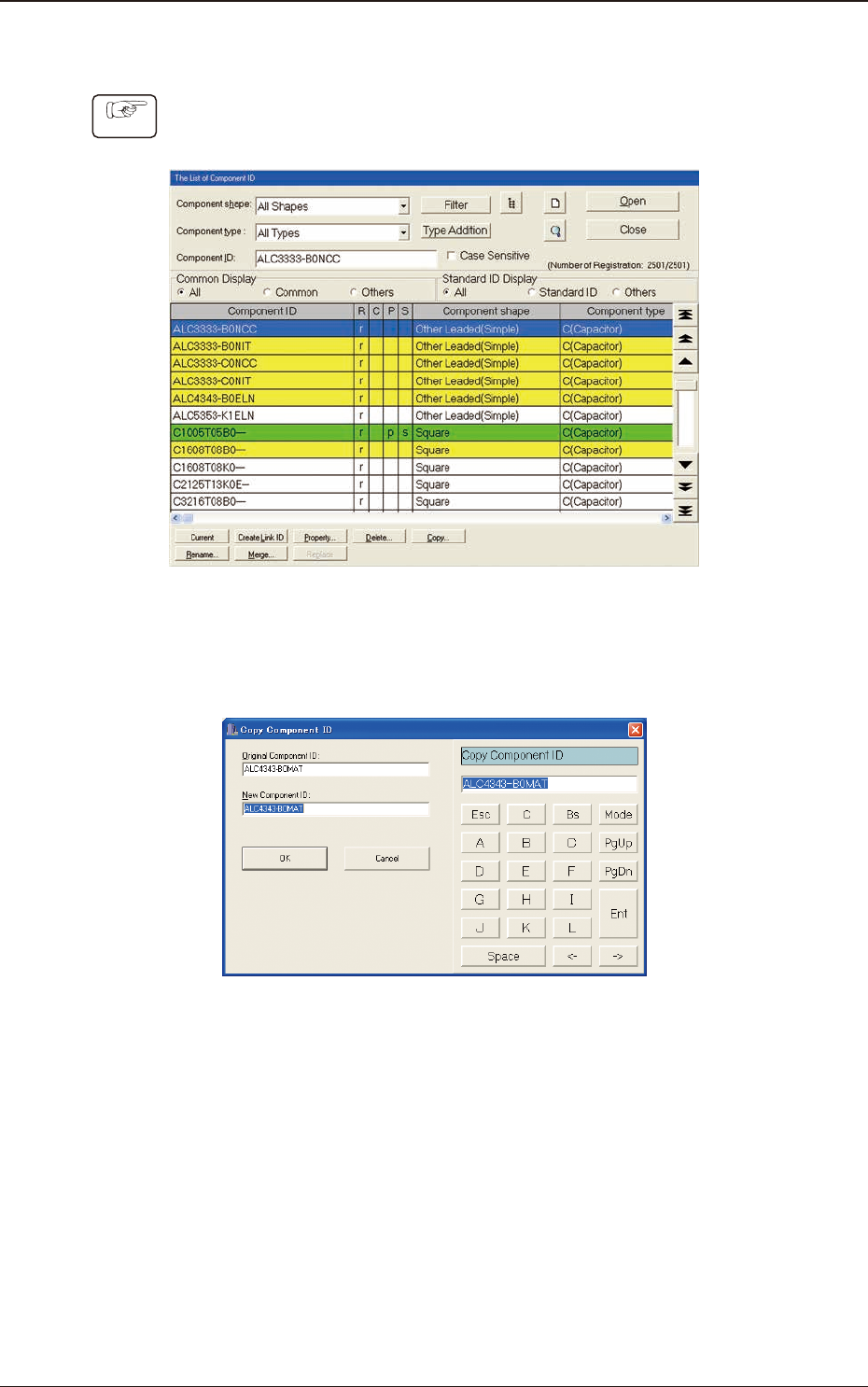
1.2.3 Copying the Component ID
Procedure
(1) Select the component ID to be copied.
(The selected component ID turns blue, indicating that it is selected.)
F2C4
(2) Press the [Copy...] button.
(The "Copy Component ID" dialog box opens.)
F2C5
(3) Enter a new component ID name in the "New Component ID" text box and
press the [OK] button.
(A Component ID is created.)
1.2 Basic Operations in "Selection of component ID" Window
2OM-1751
3-81303-001
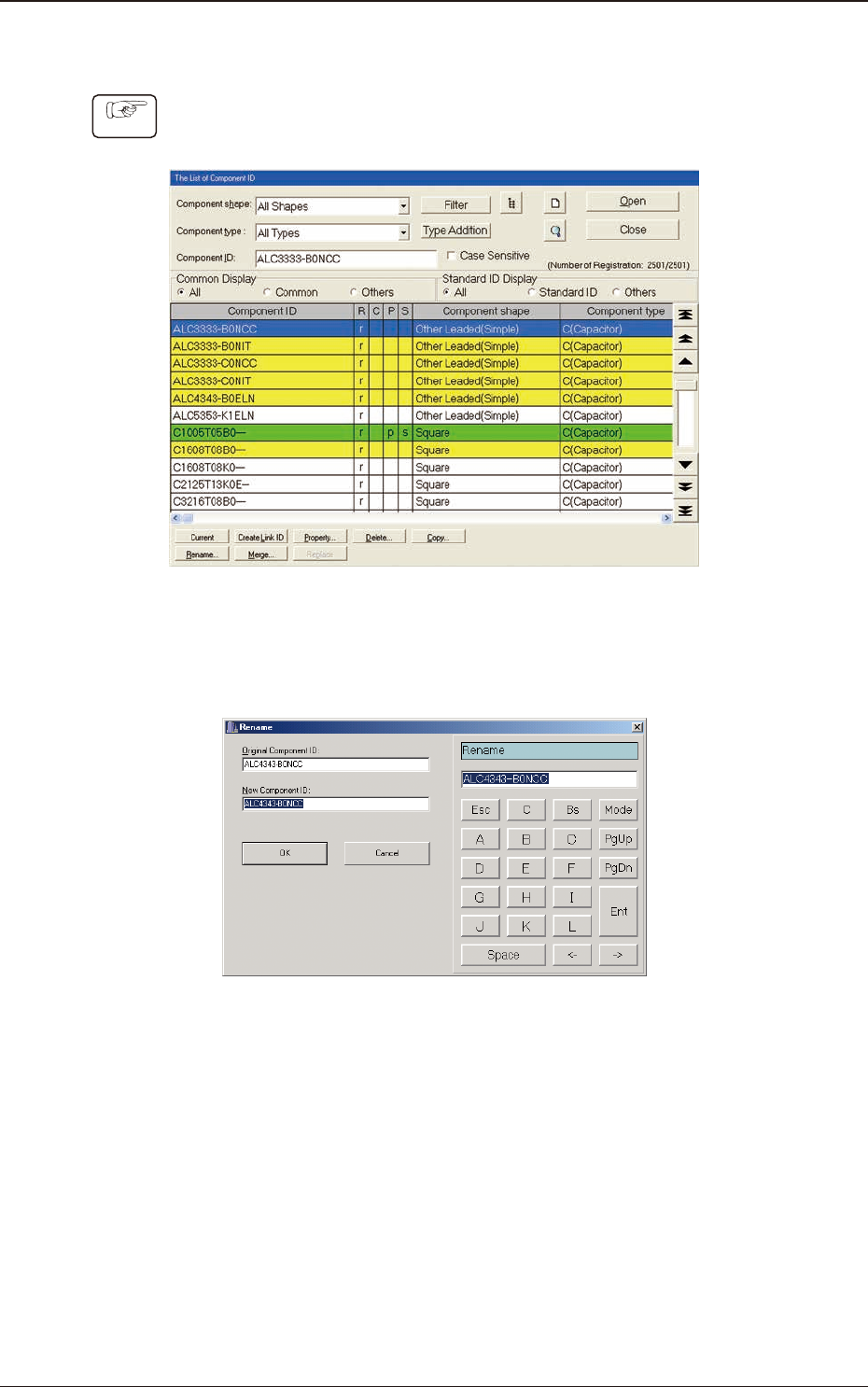
1.2.4 Renaming the Component ID
Procedure
(1) Select the component ID to be renamed.
(The selected component ID turns blue, indicating that it is selected.)
F2C6
(2) Press the [Rename...] button.
(The "Rename" dialog box opens.)
F2C7
(3) Enter a new component ID name in the "New Component ID" text box and
press the [OK] button.
(The name of the original component ID is changed to the new one.)
1.2 Basic Operations in "Selection of component ID" Window