2OM-1751-003w_G5S.pdf - 第211页
2OM-1751 3-17 2. "T emp Chng Comp Lib" Window In these tab sheets, the component library parameters are changed temporarily. F2C17 1303-001 Graphic Development 2. "T emp Chng Comp Lib" Window
2OM-1751
3-161303-001
(4) Enter a new component ID name as a le name and press [Save] button in
the "Save Component Data" window.
(The data in the active edit window is saved as a le with the entered
component ID name. )
Note
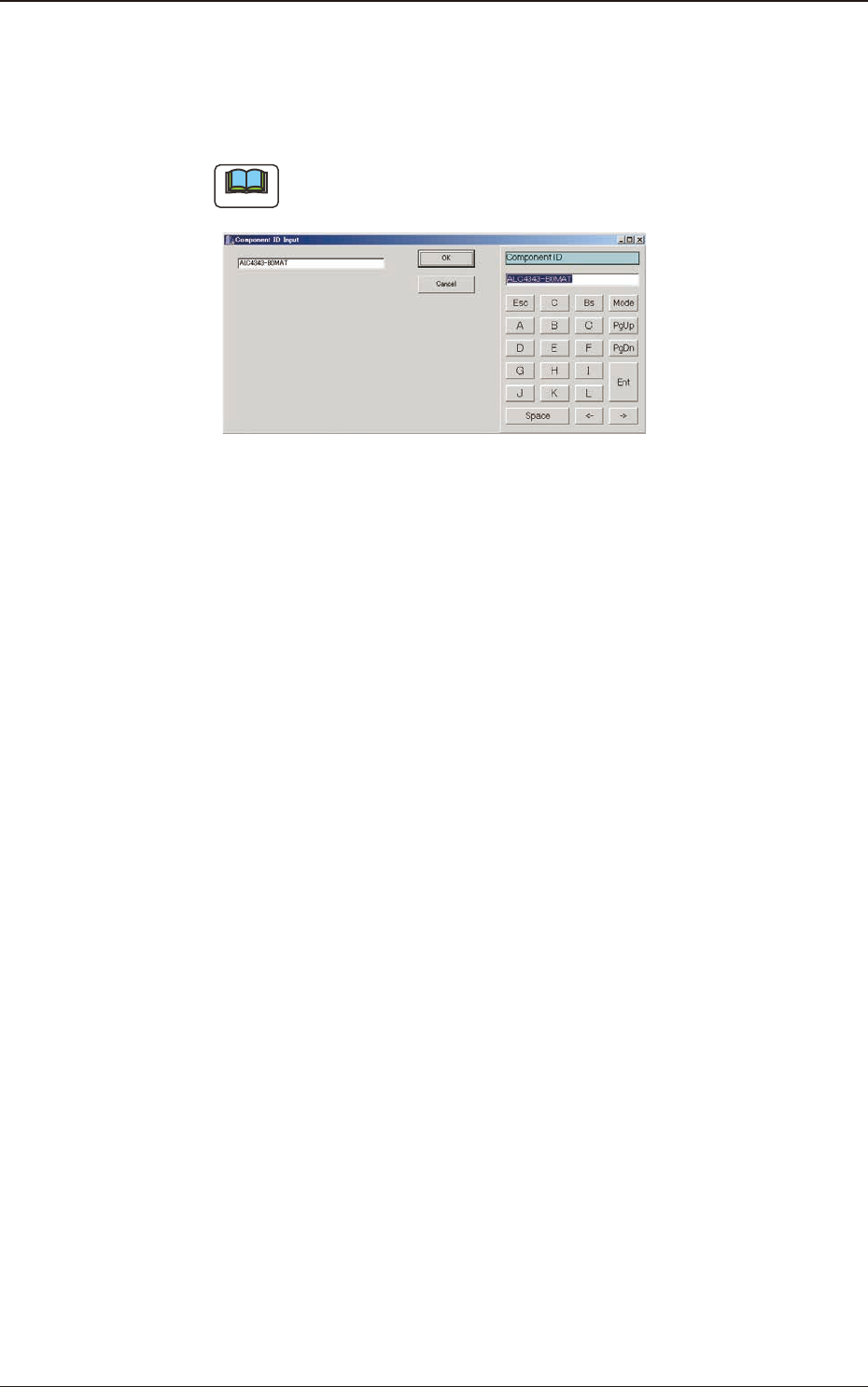
Double-clicking the "Component ID:" text box opens the "Component ID
Input" window.
"Component ID Input" Window F2C16
A component ID can be entered with the touch keypad.
1.3 Editing of Component Library Data
2OM-1751
3-17
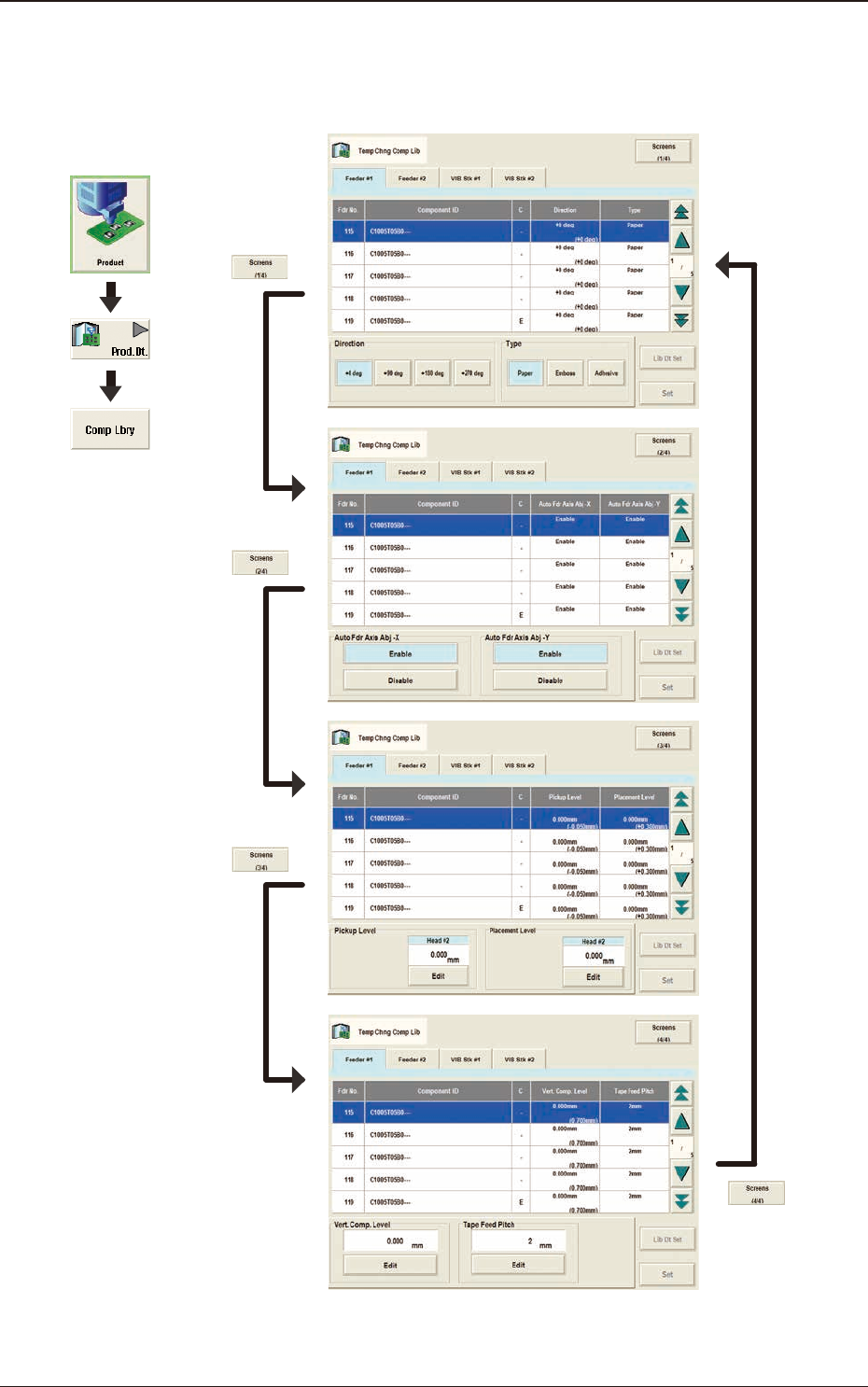
2. "Temp Chng Comp Lib" Window
In these tab sheets, the component library parameters are changed temporarily.
F2C17
1303-001
Graphic
Development
2. "Temp Chng Comp Lib" Window
2OM-1751
3-18
2.1 Temporary Change Procedure
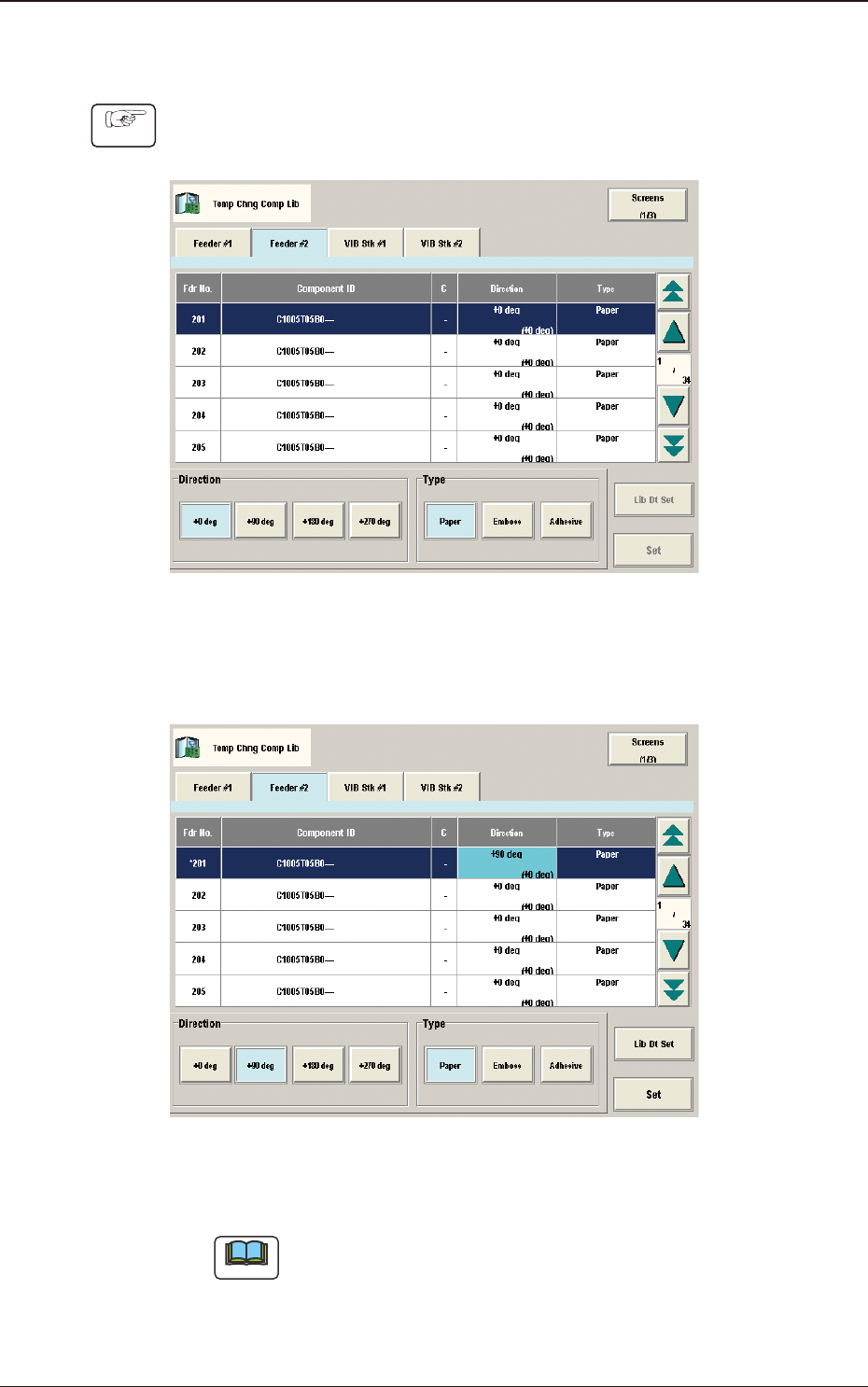
Procedure
(1) Select the component ID to be changed, in the Component ID List.
F2C18
(2) Select the item to be changed.
(The color of the corresponding item data box is changed to pale blue).
F2C19
(3) Press the [Set] button.
Note
When the [Lib Dt Set] button is pressed, the component ID unchanged
condition as registered on the component library data, is returned.
1303-001
2.1 Temporary Change Procedure