2OM-1751-003w_G5S.pdf - 第258页
2OM-1751 5-2 1303-001 2. "Device Err" Window When the [Device Err] button is pressed, the "Device Err" window appears. [2] [3] [1] "Device Err" Window F2E2 [1] Detailed Display Up to 500 log…
2OM-1751
5-11303-001
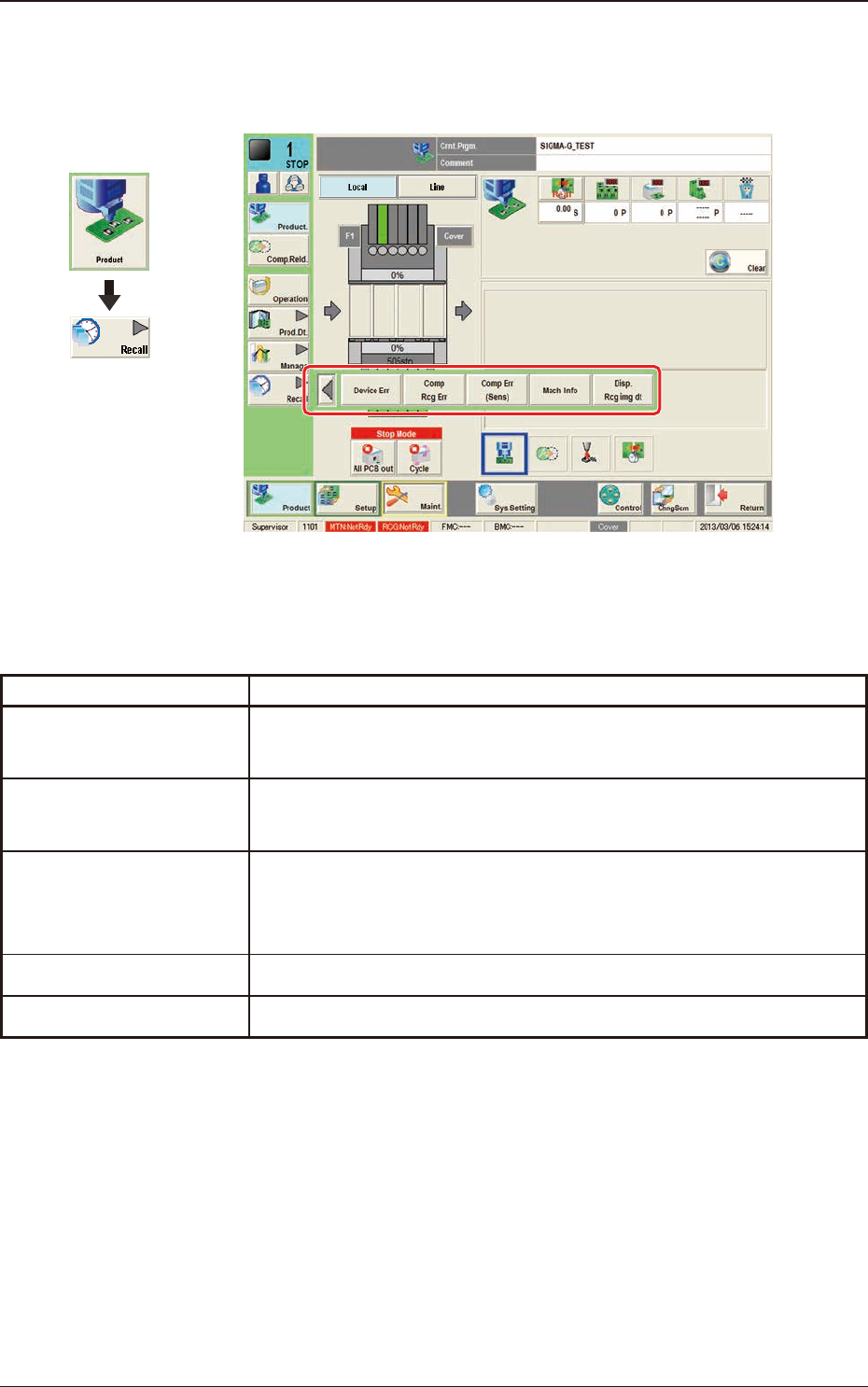
1. Outline of "Recall" Window
The submenu for the "Recall" window is displayed.
"Recall" Window F2E1
The "Recall" menu is provided with the following ve buttons.
When a button is pressed, the corresponding window opens.
Buttons Description
Device Err
When pressed, the "Device Err" window appears, enabling the operator
to check the device error logs.
Comp Rcg Err
When pressed, the "Comp Rcg Err" window appears, enabling the
operator to check the logs of the component recognition errors.
Comp Err(Sens)
When pressed, the "Comp Err(Sens)" window appears, enabling the
operator to check the logs of the component posture errors detected by
the linear measure sensor.
Mach Info
The logs of the machine information will be displayed.
Disp. Rcg img dt
When pressed, the "RECOG IMAGE" window appears.
T2E1
Graphic
Development
1. Outline of "Recall" Window
2OM-1751
5-21303-001
2. "Device Err" Window
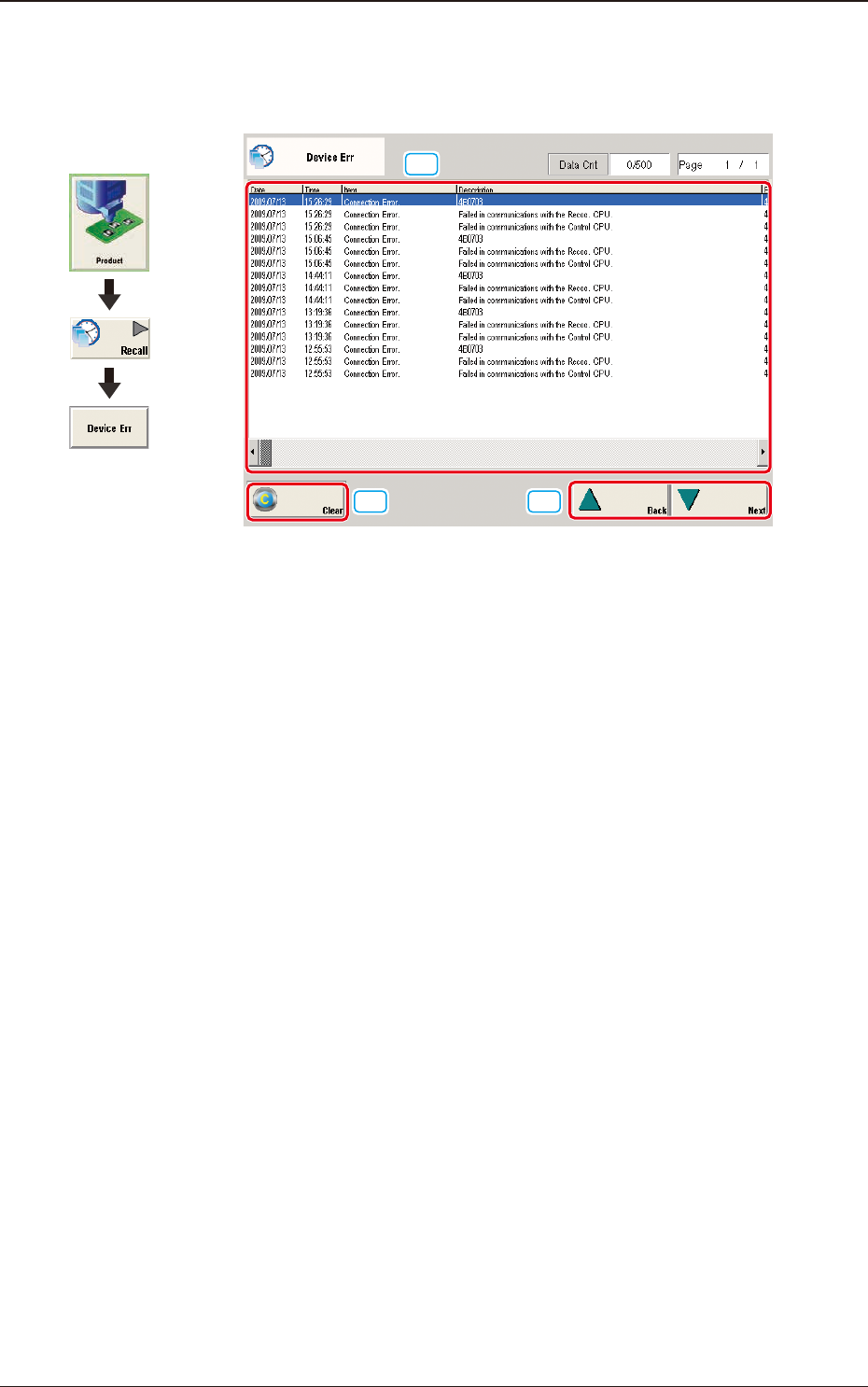
When the [Device Err] button is pressed, the "Device Err" window appears.
[2]
[3]
[1]
"Device Err" Window F2E2
[1] Detailed Display
Up to 500 logs of device errors will be displayed.
When the number of logs exceeds "500", the old logs are deleted in the
sequential order. That is, the logs are updated.
[2] [Clear] Button
When pressed, this button deletes the error logs.
[3] [Back] and [Next] Buttons
When the [Next] button is pressed, the next page opens. Pressing the [Back]
button opens the previous page.
Graphic
Development
2. "Device Err" Window
2OM-1751
5-31303-001
3. "Comp Rcg Err" Window
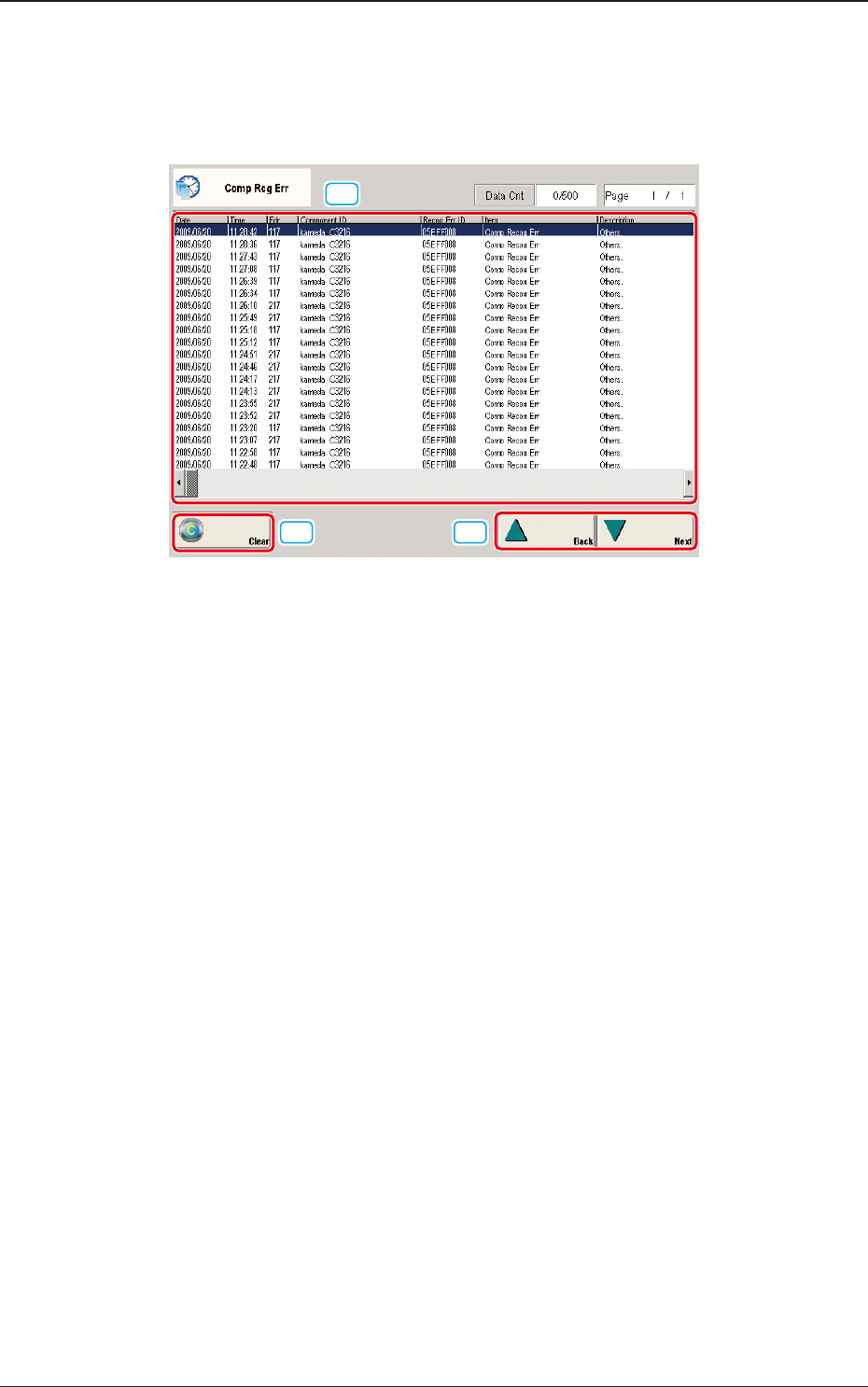
When the [Comp Rcg Err] button is pressed, the "Comp Rcg Err" window
appears.
[2]
[3]
[1]
"Comp Rcg Err" Window F2E3
[1] Detailed Display
Up to 500 logs of component recognition errors will be displayed.
When the number of logs exceeds "500", the old logs are deleted in the
sequential order. That is, the logs are updated.
[2] [Clear] Button
When pressed, this button deletes the error logs.
[3] [Back] and [Next] Buttons
When the [Next] button is pressed, the next page opens. Pressing the [Back]
button opens the previous page.
3. "Comp Rcg Err" Window