2OM-1751-003w_G5S.pdf - 第261页
2OM-1751 5-5 1303-001 5. "Mach Info" Window When the [Mach Info] button is pressed, the "Mach Info" window appears. [2] [3] [1] "Mach Info" Window F2E5 [1] Detailed Display Up to 500 logs of…
2OM-1751
5-41303-001
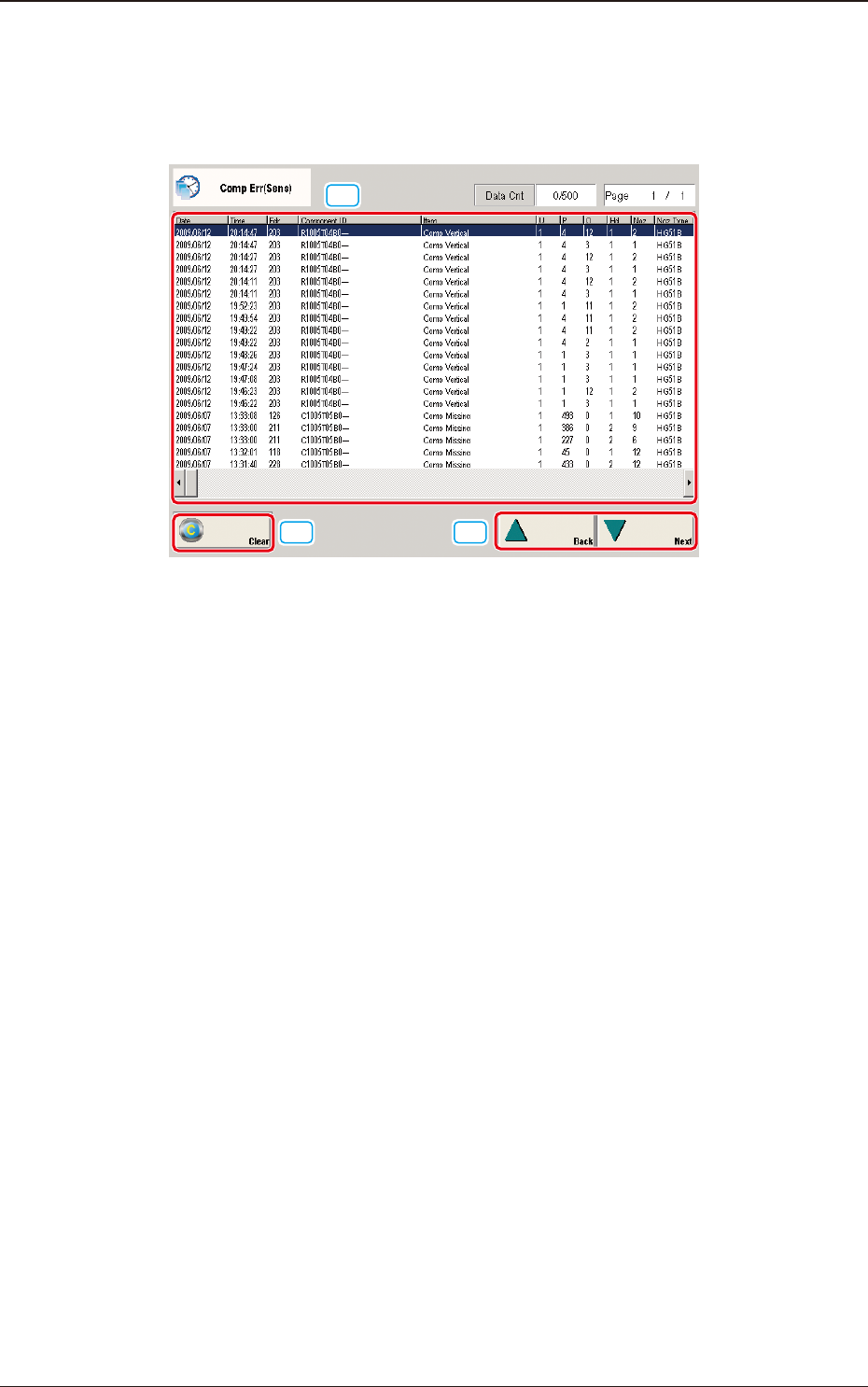
4. "Comp Err(Sens)" Window
When the [Comp Err(Sens)] button is pressed, the "Comp Err(Sens)" window
appears.
[2]
[3]
[1]
"Comp Err(Sens)" Window F2E4
[1] Detailed Display
Up to 500 logs of linear measure detection errors will be displayed.
When the number of logs exceeds "500", the old logs are deleted in the
sequential order. That is, the logs are updated.
[2] [Clear] Button
When pressed, this button deletes the error logs.
[3] [Back] and [Next] Buttons
When the [Next] button is pressed, the next page opens. Pressing the [Back]
button opens the previous page.
4. "Comp Err(Sens)" Window
2OM-1751
5-51303-001
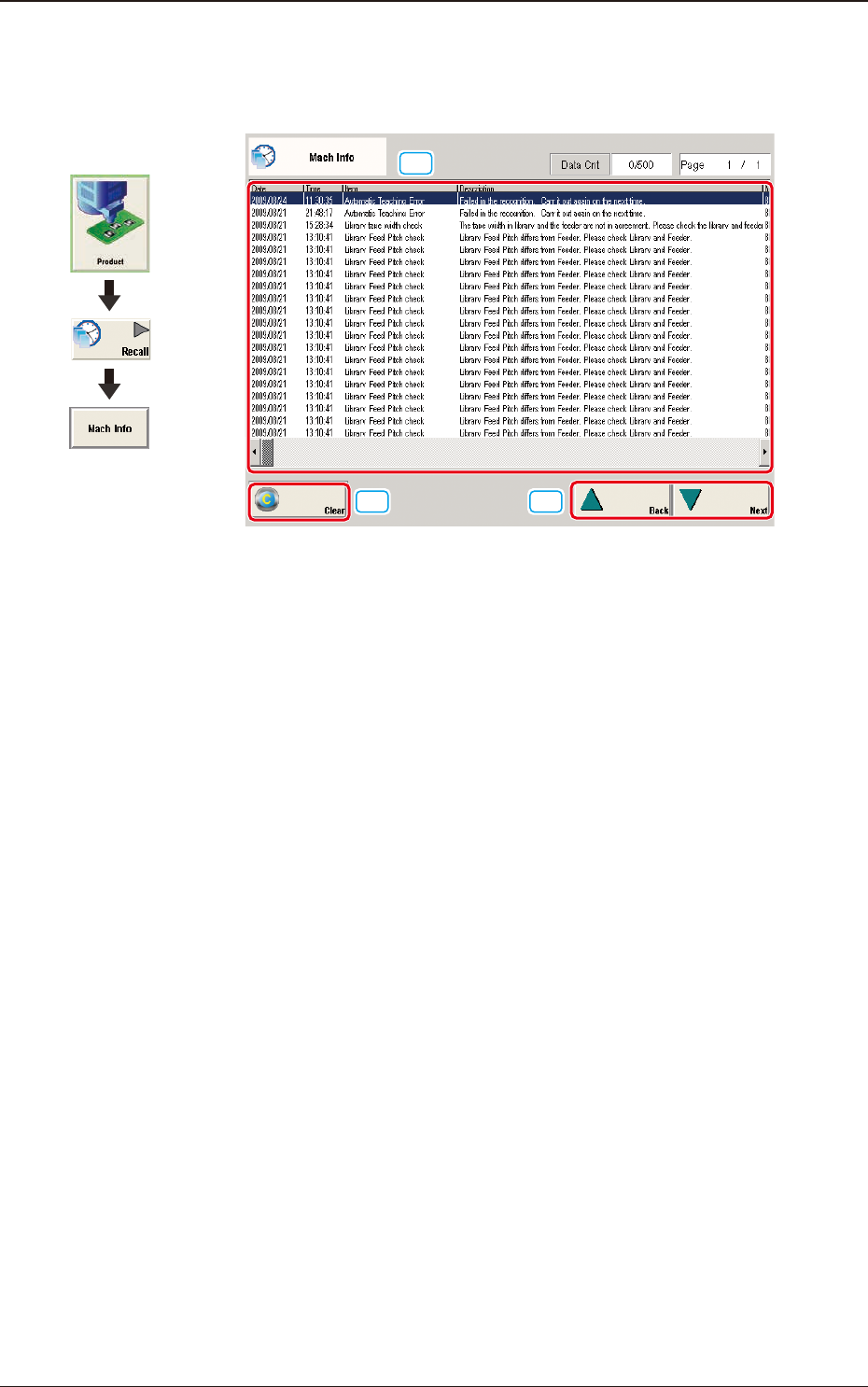
5. "Mach Info" Window
When the [Mach Info] button is pressed, the "Mach Info" window appears.
[2]
[3]
[1]
"Mach Info" Window F2E5
[1] Detailed Display
Up to 500 logs of the machine information will be displayed.
When the number of logs exceeds "500", the old logs are deleted in the
sequential order. That is, the logs are updated.
[2] [Clear] Button
When pressed, this button deletes the error logs.
[3] [Back] and [Next] Buttons
When the [Next] button is pressed, the next page opens. Pressing the [Back]
button opens the previous page.
Graphic
Development
5. "Mach Info" Window
2OM-1751
5-61303-001
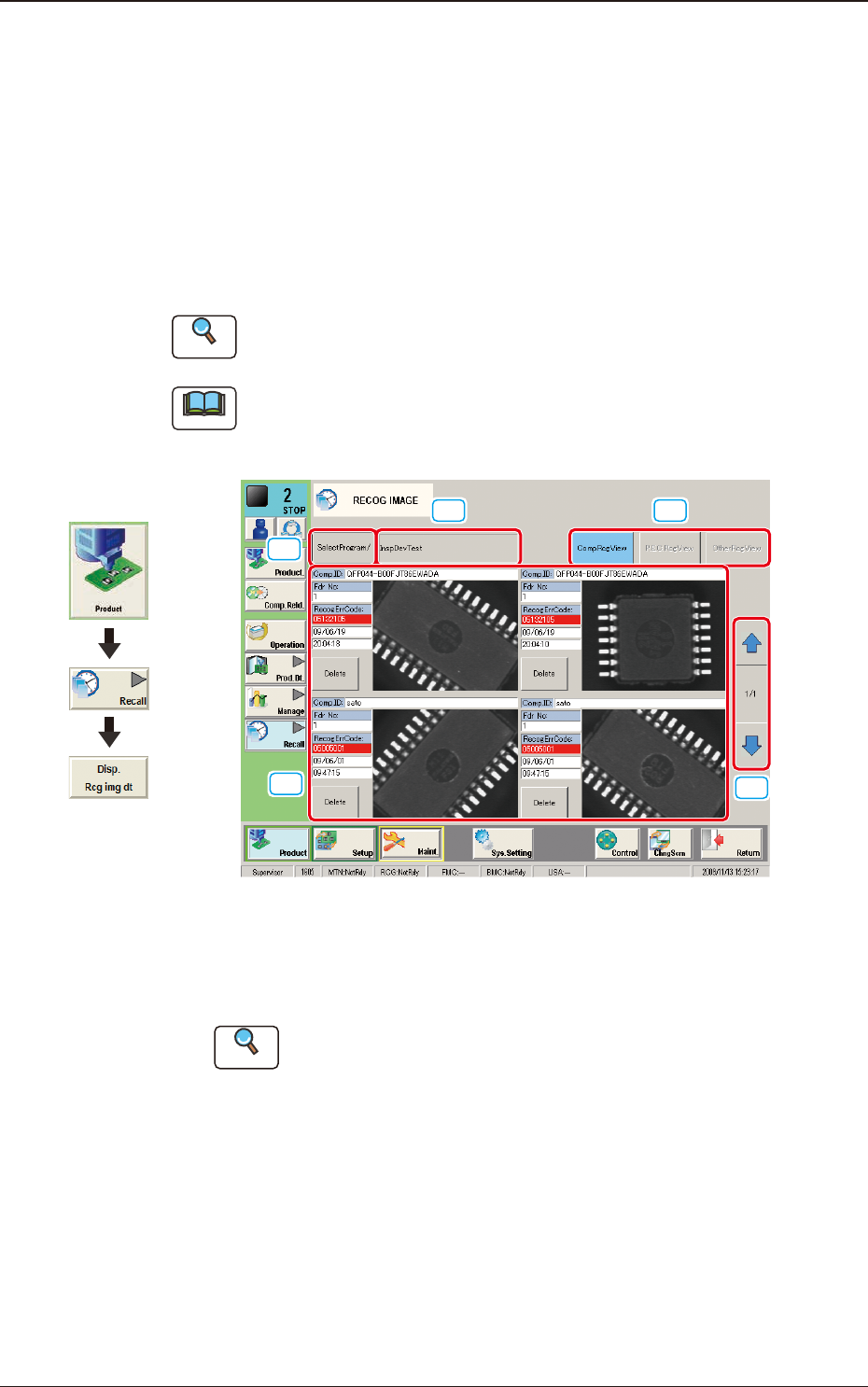
6. "RECOG IMAGE" Window
When the [Disp. Recg img dt] button is pressed, the images of the components
and PCB in the automatic operation are saved according to the "Recognized
Image Save" settings.
Other recognition processing data is saved automatically. (Component
Recognition Test, PEC Recognition Test, Nozzle Recognition, Pocket
Recognition, Badmark (Option), 2-D Barcode (Option) and Various Jig
Recognitions, etc.)
Reference
Refer to "4.2.2 Recog Image Save" in "Chapter 1" for the details.
Note
When the machine is currently set in a running mode other than "STOP" or
"PAUSE", set the machine in the "STOP" or the "PAUSE" mode and press the
[Disp. Rcg img dt] button.
[1]
[2] [3]
[5]
[4]
F2E6
[1] [SelectProgram/] Button
When pressed, the list of the saved recognized image names is displayed.
Reference
Refer to "6.1 Recog Image List (Recognized Image List)"for the details.
[2] [ (Selected pattern program name) ] Button
When pressed, the selected pattern program recognized image is displayed.
Graphic
Development
6. "RECOG IMAGE" Window