2OM-1751-003w_G5S.pdf - 第295页
2OM-1751 6-23 1303-001 [10] [Noz Pos T eaching Rslt] Button When pressed, the teaching results for each nozzle position are displayed. F2F26 [1 1] [DEV .CONF .SCRN] Button When pressed, the current device conguration is…
2OM-1751
6-221303-001
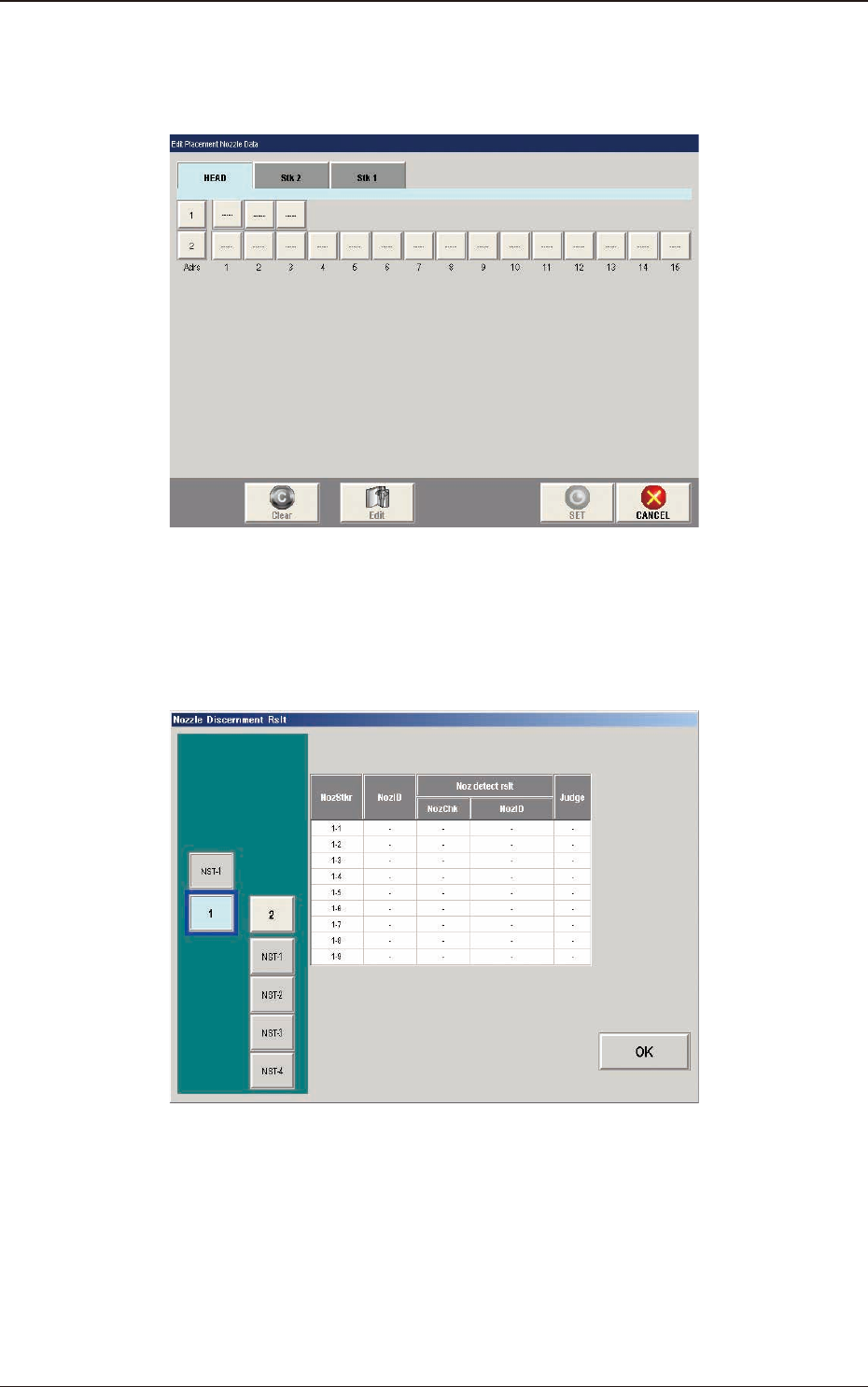
[8] [Place. Noz Edit] Button
When the [Place.Noz Edit] button is pressed, the "Edit Placement Nozzle
Data" window appears.
F2F24
[9] [Nozzle Disce Rslt] Button
When the [Noz.Disce Rslt] button is pressed, the "Nozzle Discernment Rslt"
window appears.
F2F25
5. "NOZ.CHG." Window
2OM-1751
6-231303-001
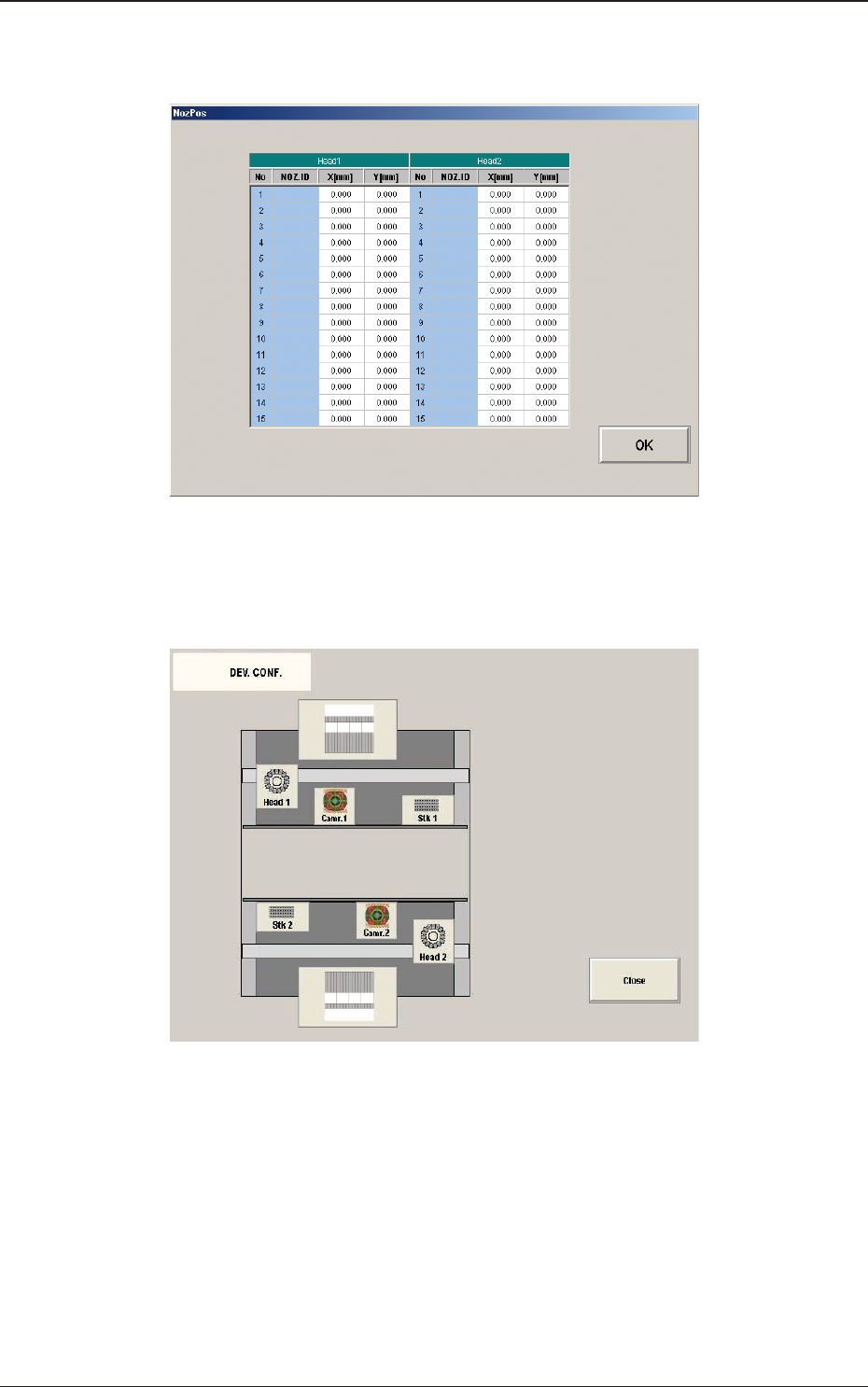
[10] [Noz Pos Teaching Rslt] Button
When pressed, the teaching results for each nozzle position are displayed.
F2F26
[11] [DEV.CONF.SCRN] Button
When pressed, the current device conguration is displayed.
F2F27
5. "NOZ.CHG." Window
2OM-1751
6-241303-001
6. "PCB XFER" Window
6.1 "Local" Tab Sheet
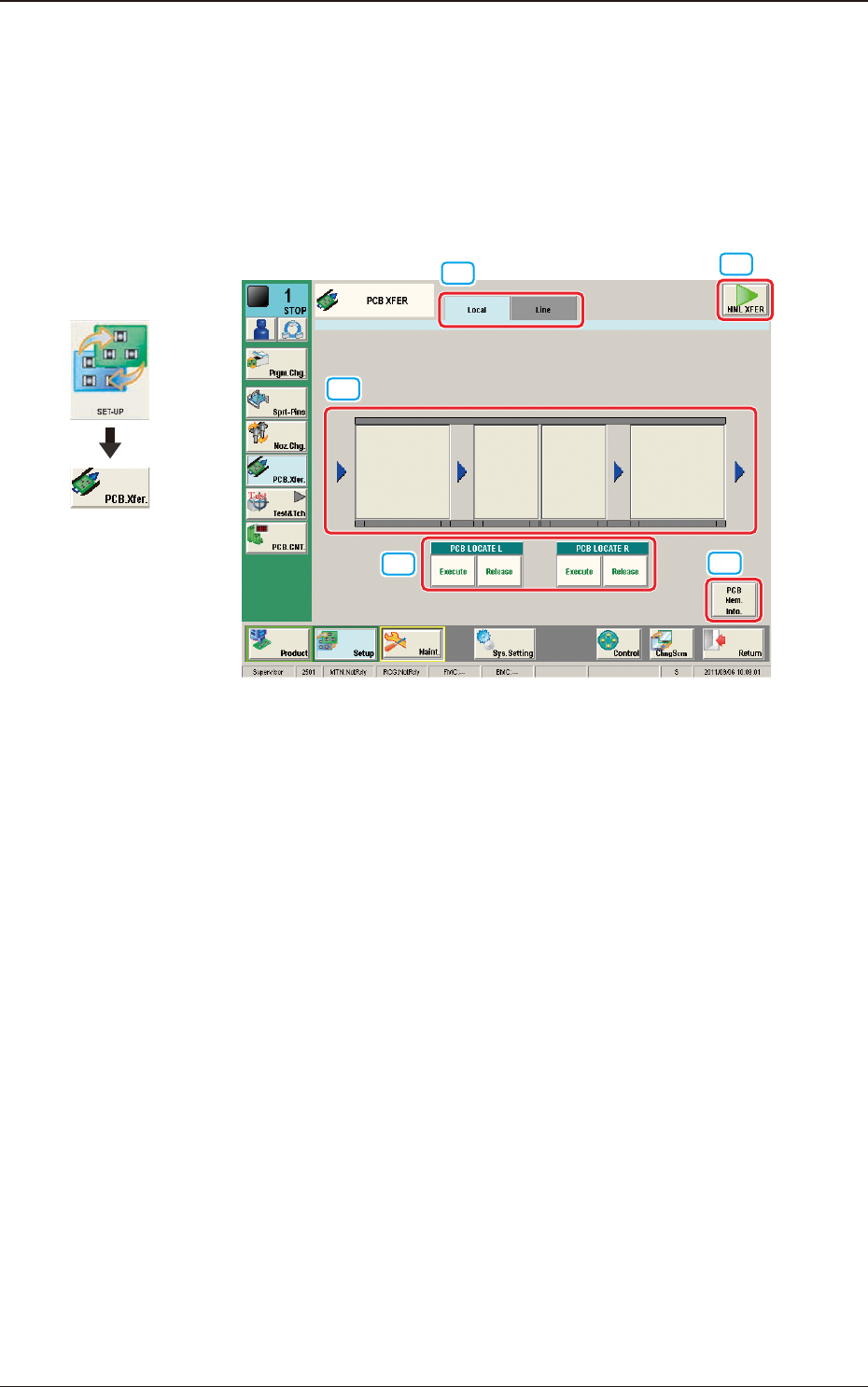
Using this function, the PCB on each block on the conveyor can be moved to the
next block.
[3]
[4]
[1]
[2]
[5]
F2F28
[1] Local/Line Switch Button
This button switches the "Local" tab sheet and "Line" tab sheet.
[2] [MNL XFER] Button
When pressed, the PCB positioning is performed manually.
[3] Transfer Buttons
Each block in the graphic image of the conveyor is provided with a button
function.
When the [START] button on the operation panel is pressed in 10 seconds
after a conveyor block button, the PCB is transferred to the block position.
[4] PCB LOCATE (PCB LOCATE L, R)
The PCB locating operation is performed.
When the [START] button on the operation panel is pressed in 10 seconds
after the [Execute] button, the backup base of the selected stage moves up
and the PCB is positioned.
When the [START] button on the operation panel is pressed in 10 seconds
after the [Release] button, the backup base moves down and the PCB
positioning is released.
Graphic
Development
6. "PCB XFER" Window