2OM-1751-003w_G5S.pdf - 第318页
2OM-1751 6-46 1303-001 7.3.1 "Select from list" T ab Sheet When the [Select from list] tab is pressed in the "COMP RCG" test window, the following tab sheet appears. [1] [2] [3] [4] [5] [6] [7] [8] [9…
2OM-1751
6-451303-001
7.3 "COMP RCG" Test Window
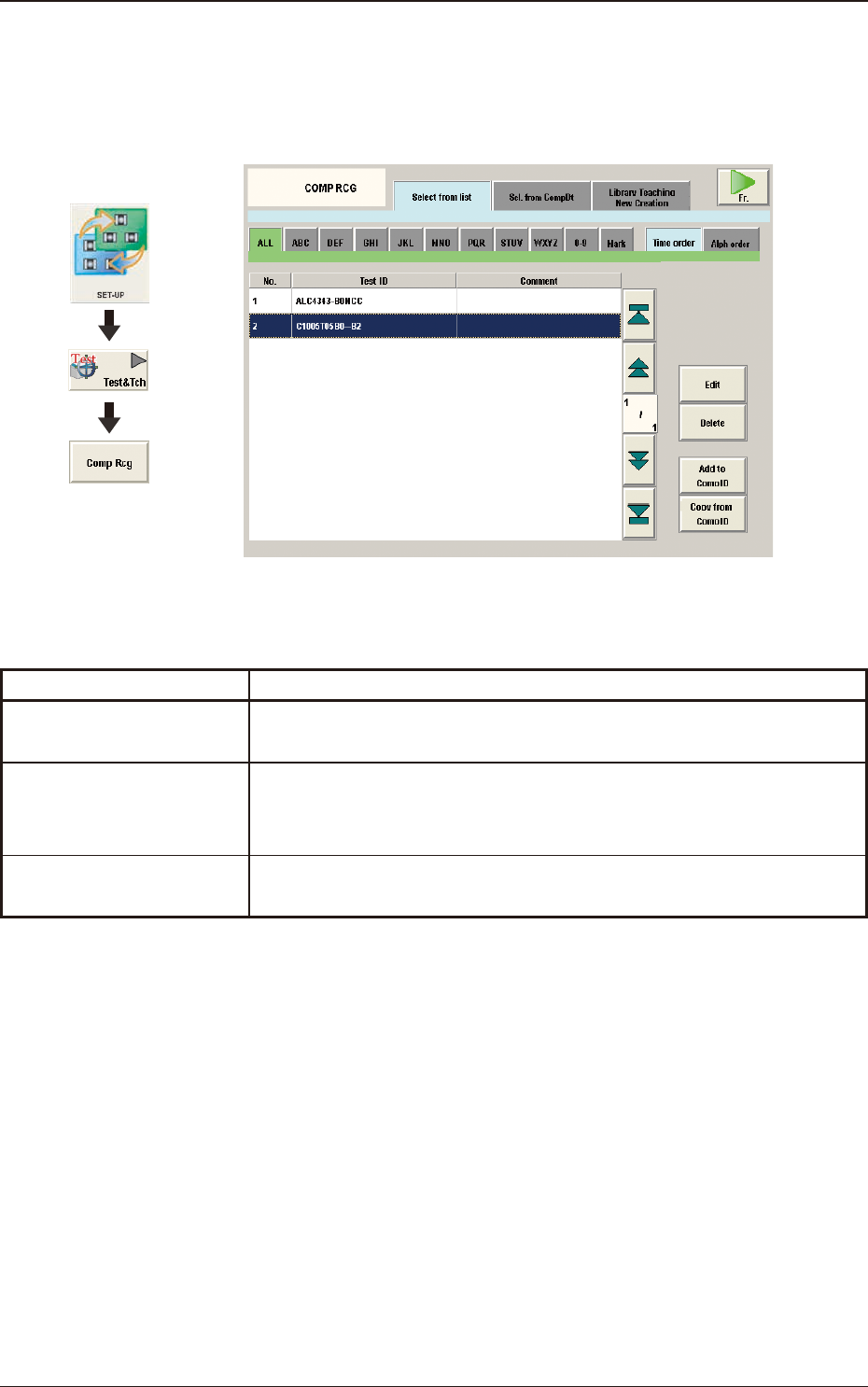
The corresponding tab sheet enables the operator to test to check that the
component designated in the Test ID, is recognized normally.
F2F44
The "COMP RCG" test window is provided with the following tab sheet.
Tabs Description
Select from list
The corresponding tab sheet enables the operator to test to check that the
component designated in the Test ID, is recognized normally.
Sel. from CompDt
The corresponding tab sheet enables the operator to test to check that the
component is recognized normally by means of designating the Test ID
used in the block.
Library Teaching
New Creation
The corresponding tab sheet enables the operator to create new
component library teaching data.
T2F2
Graphic
Development
7.3 "COMP RCG" Test Window
2OM-1751
6-461303-001
7.3.1 "Select from list" Tab Sheet
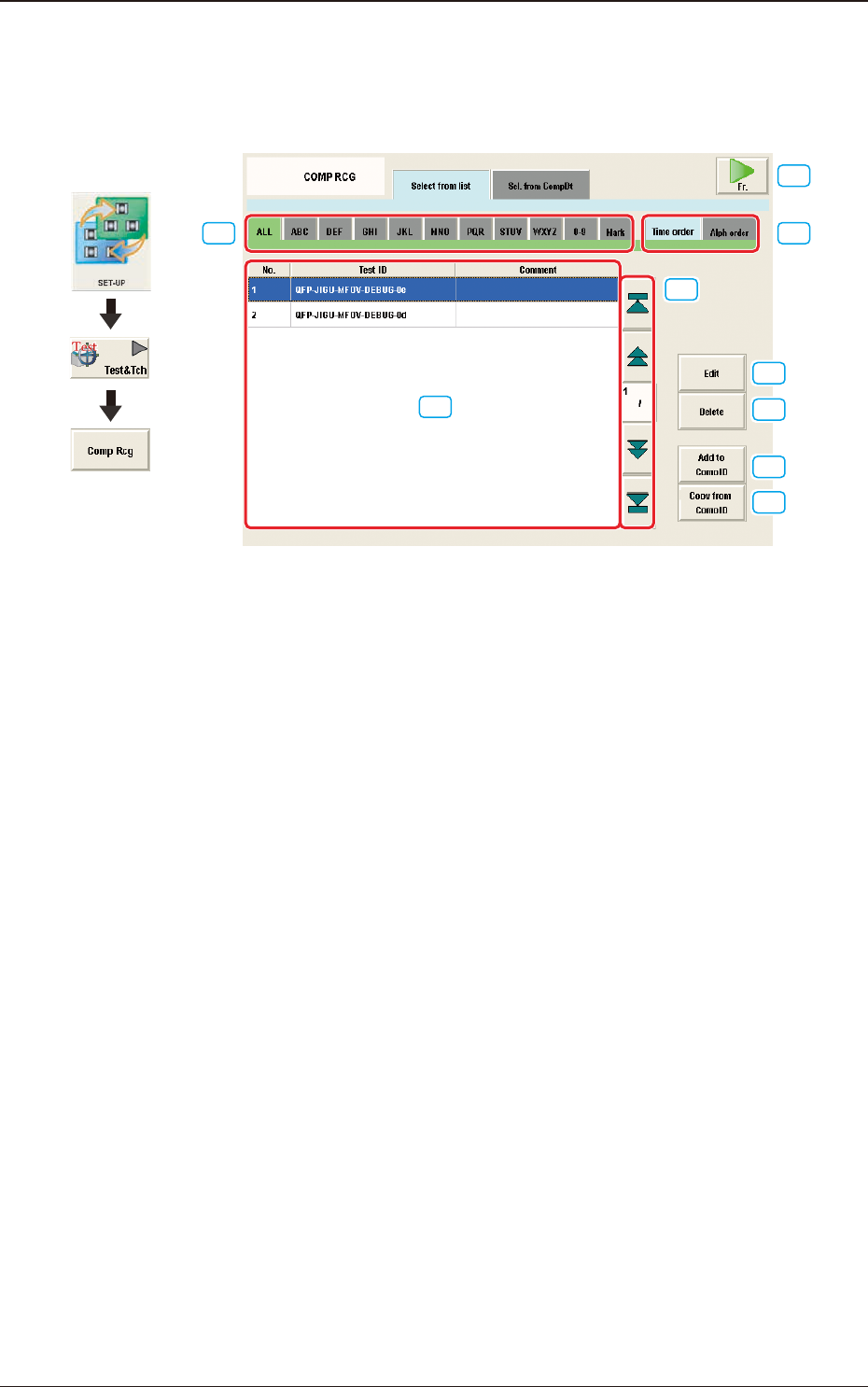
When the [Select from list] tab is pressed in the "COMP RCG" test window, the
following tab sheet appears.
[1]
[2]
[3]
[4]
[5]
[6]
[7]
[8]
[9]
F2F45
[1] Test ID Selection Tabs
ALL :
When this tab is selected, all the test IDs are displayed.
A to Z :
When this tab is selected, the test IDs with an alphabetical rst
character, are displayed.
0 to 9 :
When this tab is selected, the test IDs with a numerical rst
character, are displayed.
Mark :
When this tab is selected, the test IDs with a symbolic rst
character, are displayed.
[2] Test ID Display Change Tabs
Using these tabs, the indication in the Test ID List is changed.
Time order :
When this tab is selected, the test IDs are displayed in the
order of saving date starting from new one.
Alph order :
When this tab is selected, the test IDs are displayed in
alphabetical order.
[3] Component ID List
The test ID for which the component recognition test is performed, is
selected in this pane.
Graphic
Development
7.3 "COMP RCG" Test Window
2OM-1751
6-471303-001
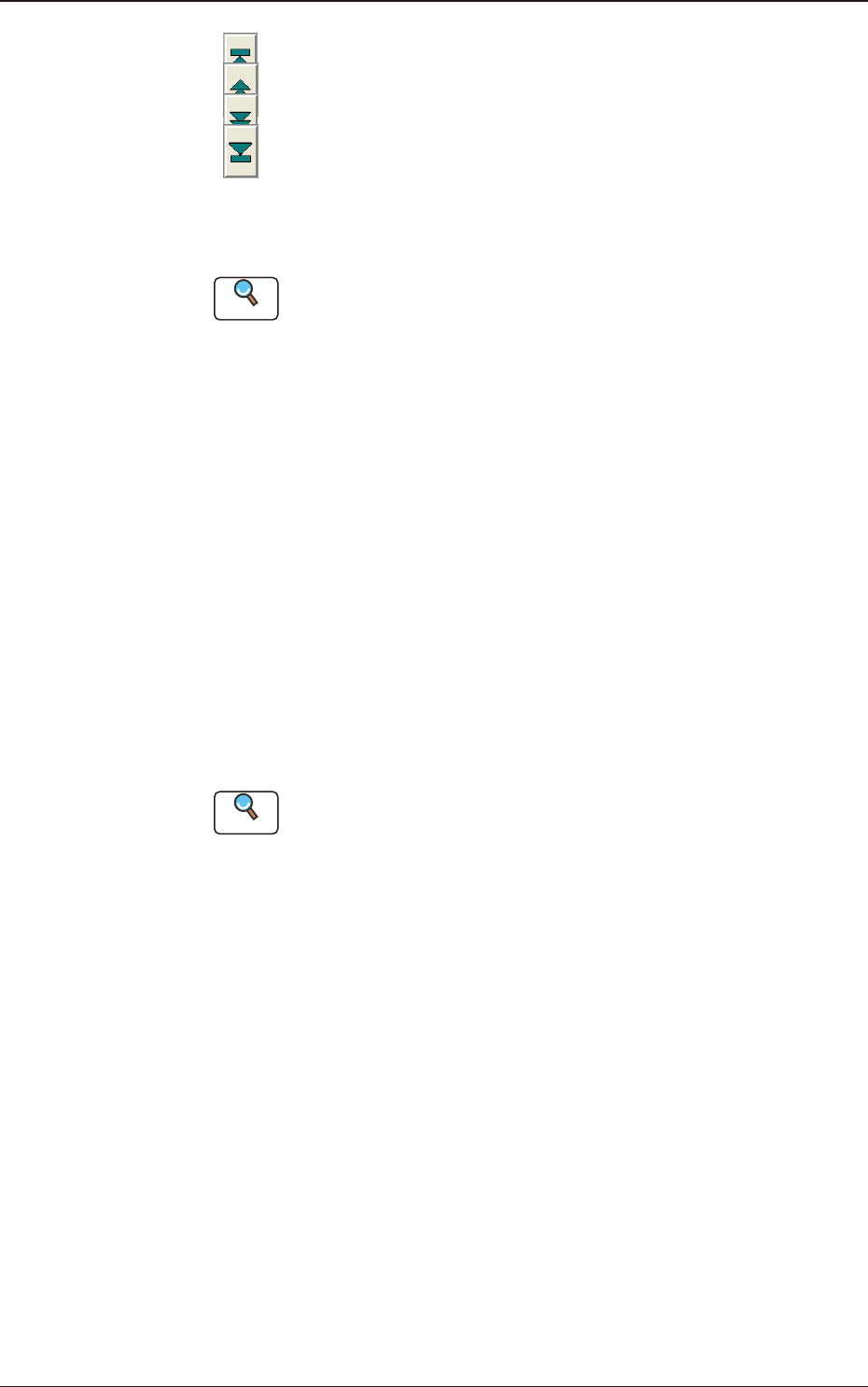
[4] Page Change Button
[
] Button
: When pressed, the top page is displayed.
[ ] Button
: When pressed, the previous page is displayed.
[ ] Button
: When pressed, the next page is displayed.
[ ] Button
: When pressed, the last page is displayed.
[5] [Edit] Button
When this button is pressed, the test ID selected in [3] is edited.
Reference
Refer to "Component Library" in "Chapter 3", for the editing procedure.
[6] [Delete] Button
When this button is pressed, the component ID selected in [3] is deleted.
[7] [Add to Comp ID] Button
When this button is pressed, the test ID edited in [5] is registered in the
component ID list.
[8] [Copy from Comp ID] Button
When this button is pressed, the component ID is copied and inserted in the
Test ID list.
[9] [Fr.] Button
When this button is pressed, the component recognition test for the test ID
selected in [3], is performed.
Reference
Refer to "7.3.4. Component Recognition Test Execution" for the editing
procedure.
7.3 "COMP RCG" Test Window