2OM-1751-003w_G5S.pdf - 第324页
2OM-1751 6-52 1303-001 [10] Control Data Entry Window (4/4) [10] "Control Data" Entry Window (4/4) for the "Initial Data Setting" F2F51 [1 1] Carrier Data Entry Window In this window, the carrier data…
2OM-1751
6-511303-001
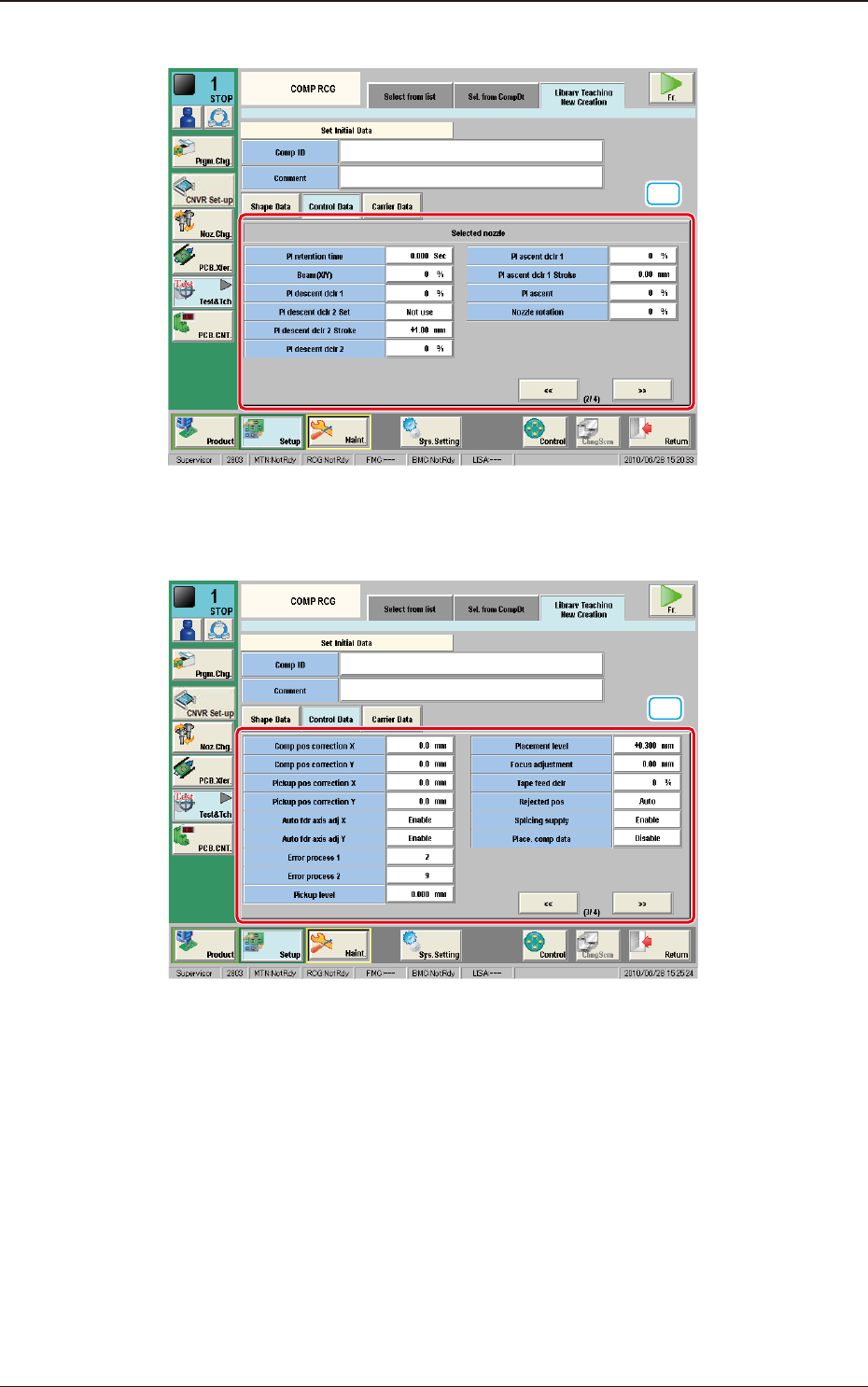
[8] Control Data Entry Window (2/4)
[8]
"Control Data" Entry Window (2/4) for the "Initial Data Setting" F2F49
[9] Control Data Entry Window (3/4)
[9]
"Control Data" Entry Window (3/4) for the "Initial Data Setting" F2F50
7.3 "COMP RCG" Test Window
2OM-1751
6-521303-001
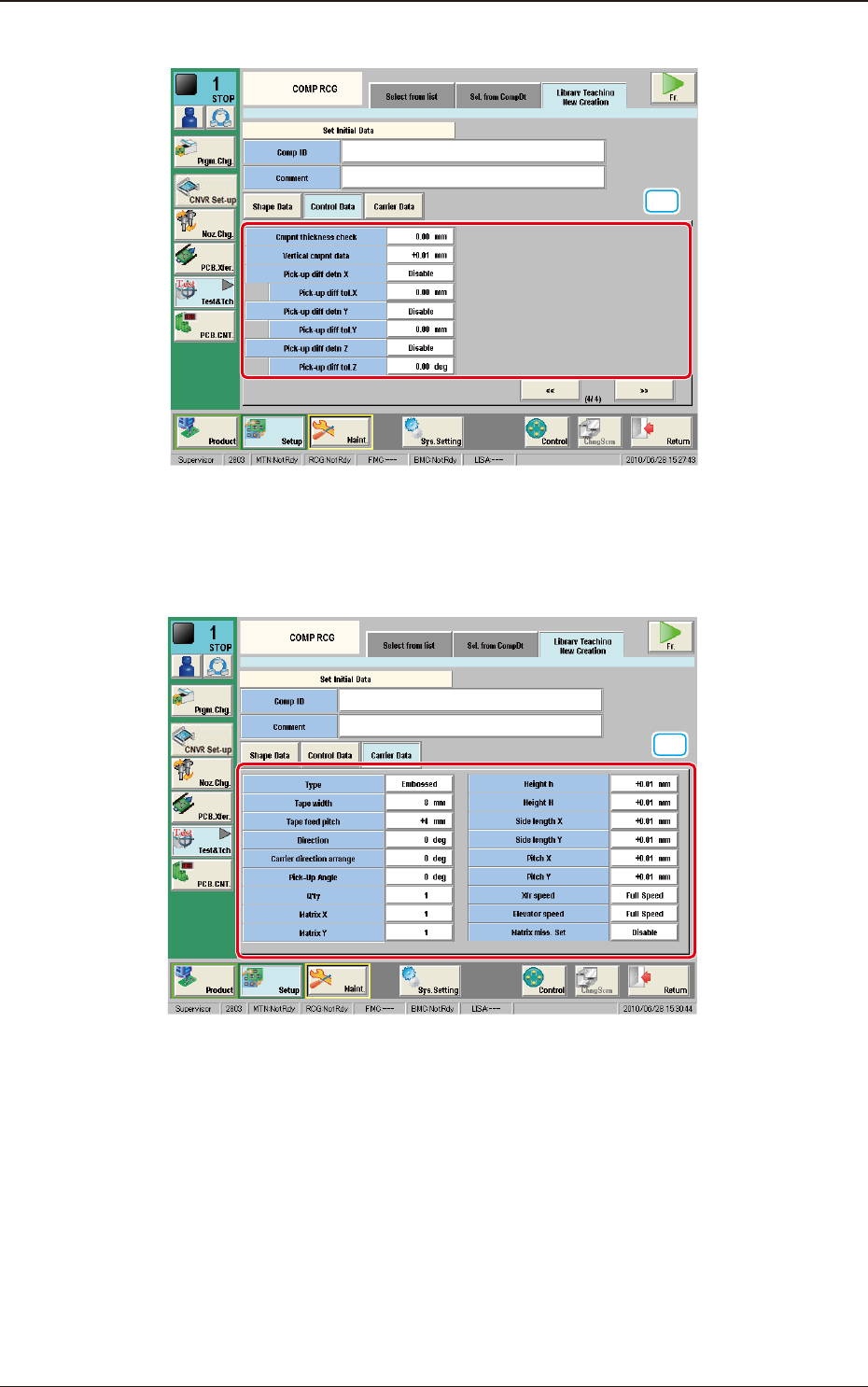
[10] Control Data Entry Window (4/4)
[10]
"Control Data" Entry Window (4/4) for the "Initial Data Setting" F2F51
[11] Carrier Data Entry Window
In this window, the carrier data parameters are set.
[11]
"Carrier Data" Entry Window for the "Initial Setting" F2F52
7.3 "COMP RCG" Test Window
2OM-1751
6-531303-001
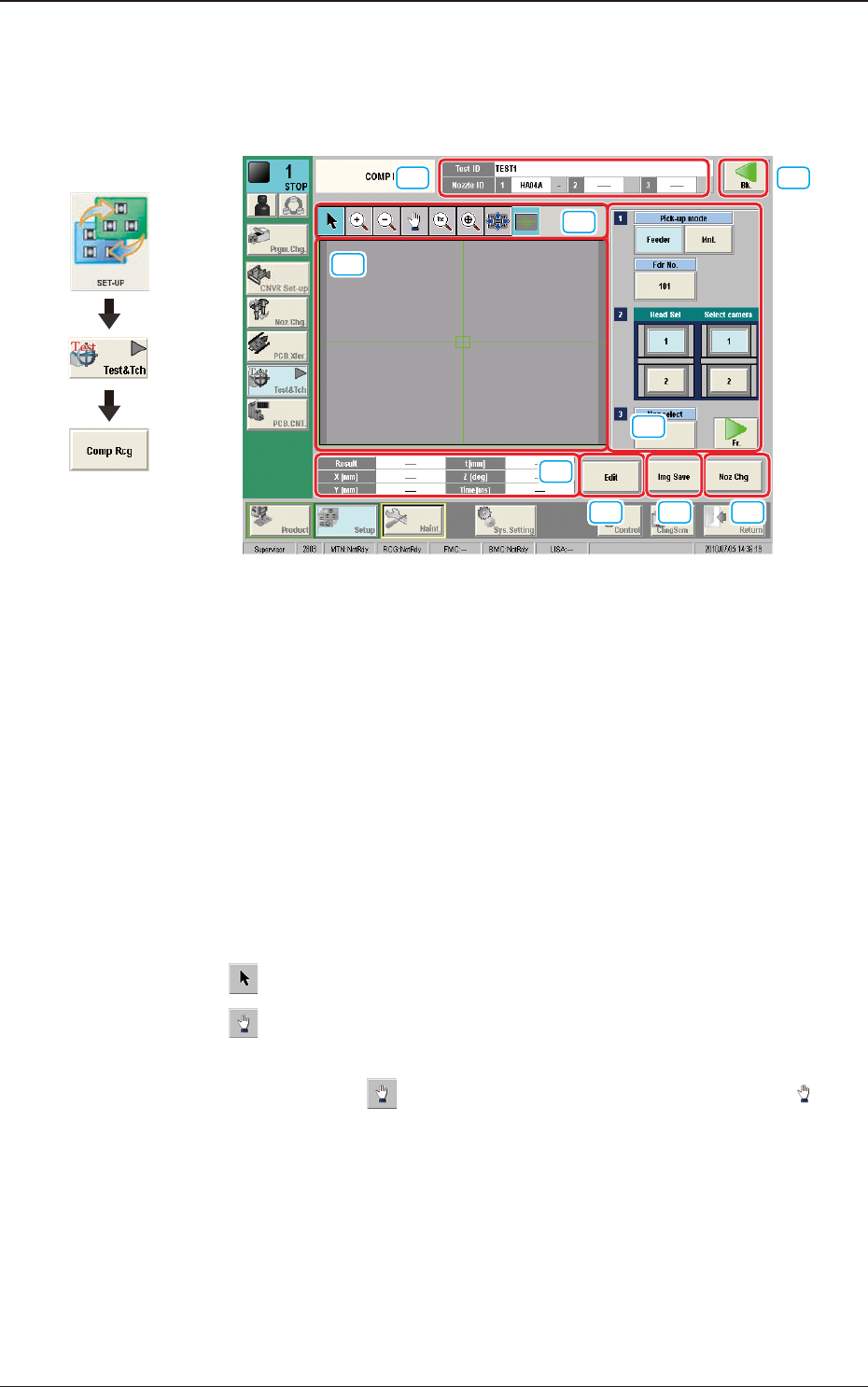
7.3.4 "Component Recognition Test Execution" Window
When the test ID is selected in the "COMP RCG" test window and the [Fr.] button
is pressed, the component recognition test execution window appears.
[1] [9]
[4]
[5]
[6] [7] [8]
[2]
[3]
F2F53
[1] Test ID
The text ID selected in the "COMP RCG" test window is displayed in this
pane.
Nozzle ID
The nozzle ID (type) specied in the test ID is displayed in this pane.
[2] Displayed Image Operation Buttons
Using the following buttons, the mode is changed to perform the enlargement
or movement operation of the image displayed in the recognized image
display pane [3].
[
]
Button
: Normal Operation Mode
[
]
Button
: Image Movement Mode
After changing to the image movement mode using the
[
] button (the shape of the pointer is changed to
mark), drag the image to be moved (with the left button on
the mouse pressed) to move.
Graphic
Development
7.3 "COMP RCG" Test Window