2OM-1751-003w_G5S.pdf - 第337页
2OM-1751 6-65 7.3.6.1 Explanation of "Component Library T eaching" Window [1] [2] [3] [4] [5] [6] [7] F2F57 [1] [ ] Button Press this button to exit from the component library teaching session. To save the edit…
2OM-1751
6-641303-001
7.3.6 "Execution Teach" Window
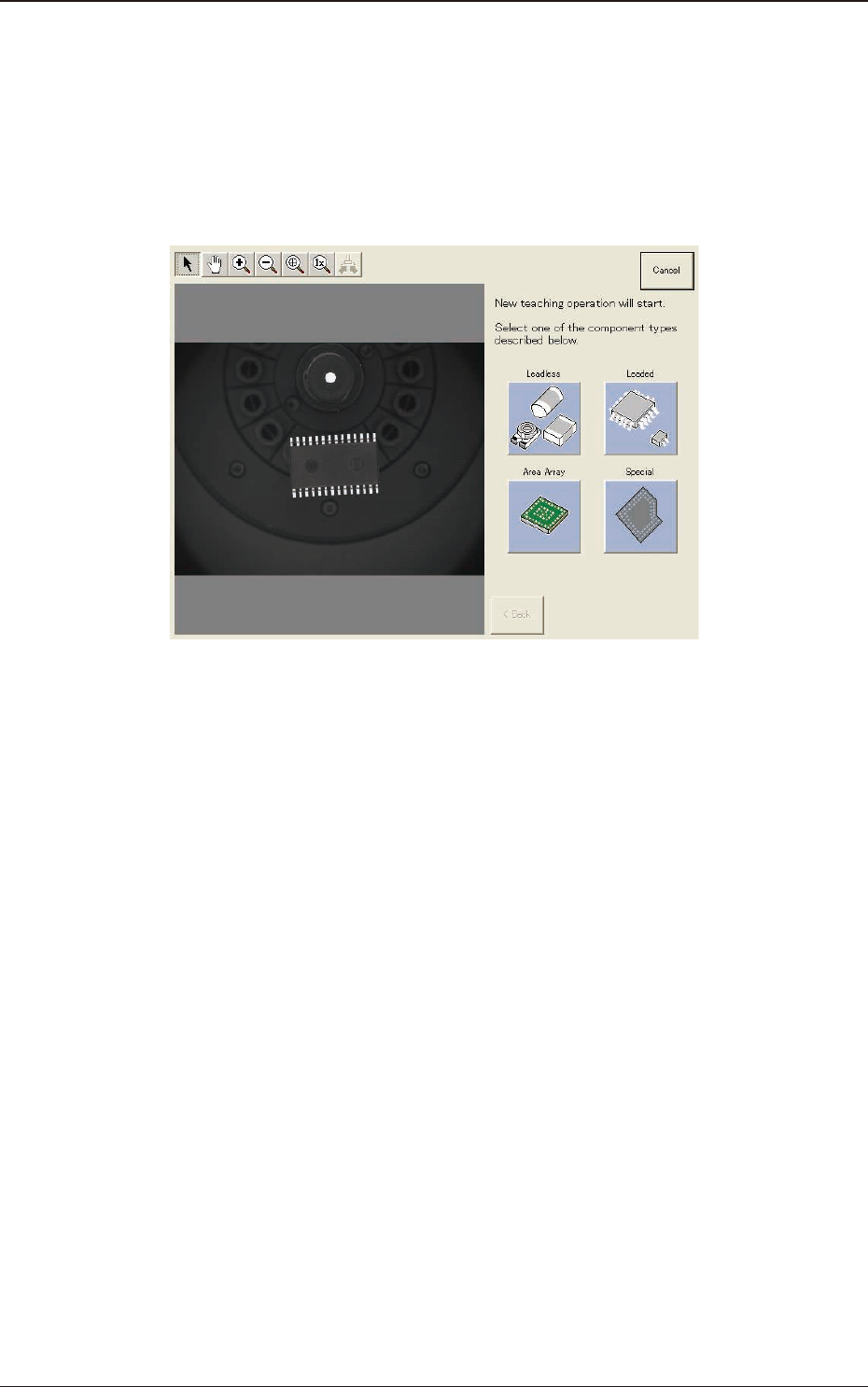
When the [Recog] or [Teach] is pressed in the component library teaching
operation window, the following window appears.
In the case that the "Library Teaching New Creation" function is enabled, the new
teaching wizard is started up. Proceed the operation according to the instructions
in the window.
F2F56
7.3 "COMP RCG" Test Window
2OM-1751
6-65
7.3.6.1 Explanation of "Component Library Teaching" Window
[1]
[2]
[3]
[4]
[5]
[6]
[7]
F2F57
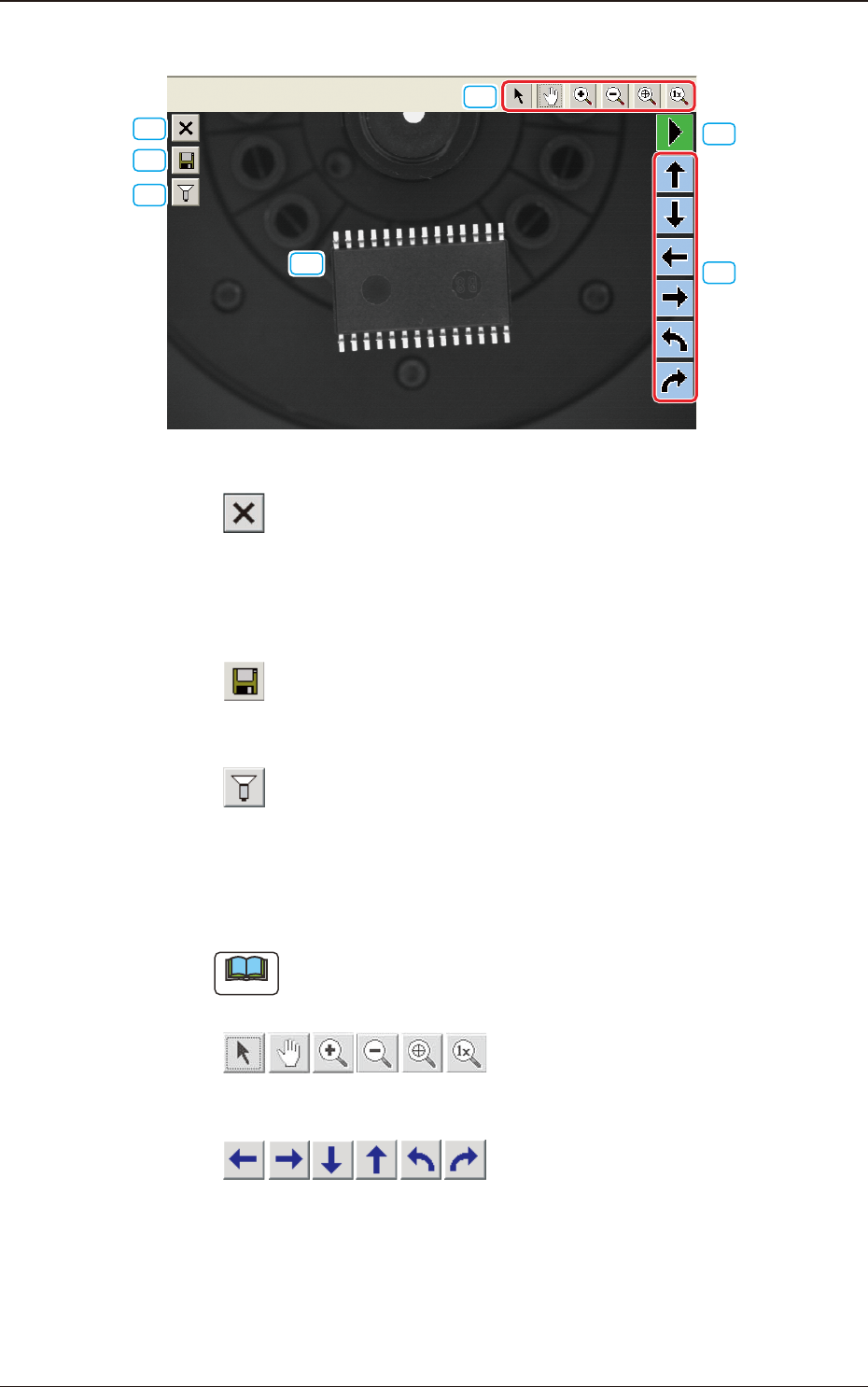
[1] [ ] Button
Press this button to exit from the component library teaching session.
To save the edited data, press the [Yes] button. Pressing the [No] button
aborts the data.
[2] [
] Button
This saves the edited data.
[3] [
] Button
This opens an image capture dialog box, making it possible to capture an
image according to the specied condition.
At the time of "New Teaching" or "Modication Teaching", the captured
image is used for the teaching operations.
Note
The lighting pattern specied in this dialog box is not reected on the
library data.
[4] [ ] Button
This makes it possible to move the displayed image.
[5] [
] Button
When one of these arrow buttons is selected, the selected graphic moves or
rotates slightly in the selected direction.
When the coordinate system, the mold size, or the outward length is selected,
the whole graphic moves or rotates slightly in the selected direction.
1303-001
7.3 "COMP RCG" Test Window
2OM-1751
6-66
[6] [ ] Button
When this button is pressed the graphic image movement speed is changed.
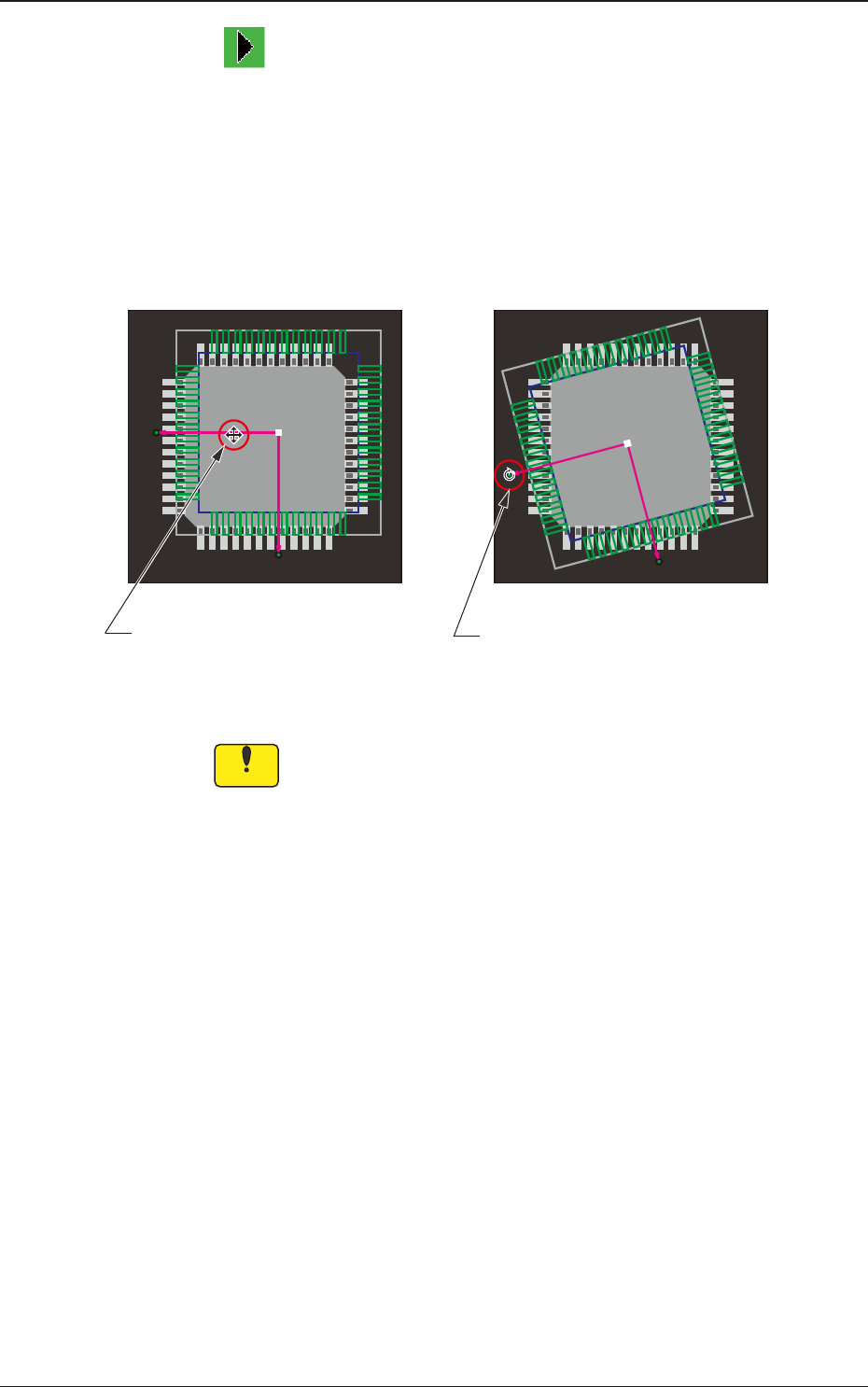
[7] This shows the coordinate system of the component library.
When you click the coordinate graphic and drag the arm portion of the
coordinates, the whole graphic moves.
Dragging the end of the arrow mark of the coordinates makes the whole
graphic rotate.
Dragging the line segment of the
arrow extended from the coordinate
point moves the whole graphic.
Dragging the arrowhead rotates
the whole graphic.
F2F58
Notice
(a) The coordinate system of the component library is described
as "Upper +" and "Right +" in the instruction manuals, etc.
However, as the image of a component is captured from under
the component, it should be noted that the direction of the X
axis is reversed (Left +).
(b) Note that dragging a lead, an electrode, etc., other than a
graphic coordinate segment changes the component library
data.
1303-001
7.3 "COMP RCG" Test Window