2OM-1751-003w_G5S.pdf - 第342页
2OM-1751 6-70 [19] [20] [18] F2F64 [18] [ ] Button A ten-key pad appears for data entry. [19] [increase / decrease] Button 1 Pressing the button for each unit directly increases or decreases the numerical value. [20] [in…
2OM-1751
6-69
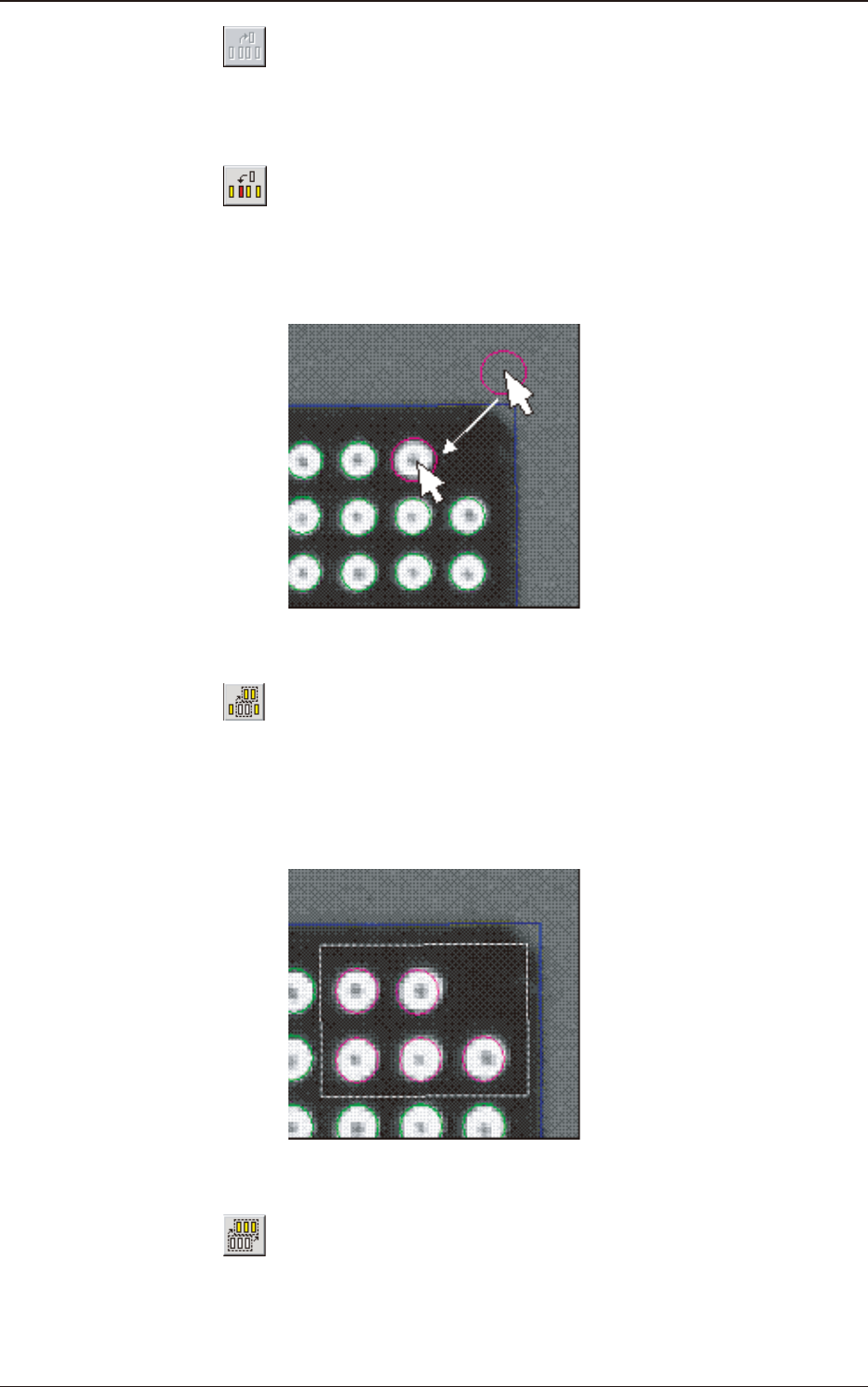
[14] [ ] Button
When selected, this button deletes one electrode.
After pressing this button, click the electrode to be deleted.
[15] [
] Button
When selected, this button inserts one electrode.
After pressing this button, click any area inside the window and drag the
pointer to the place where the electrode should be inserted.
F2F62
[16] [ ] Button
When selected, this button enables you to enclose several electrodes with a
dotted frame for the selection.
This type of selection is useful when several electrodes should be slightly
moved at a time.
F2F63
[17] [ ] Button
When selected, this button selects all electrodes.
This type of selection is useful when all electrodes should be slightly moved
from the mold center.
1303-001
7.3 "COMP RCG" Test Window
2OM-1751
6-70
[19] [20]
[18]
F2F64
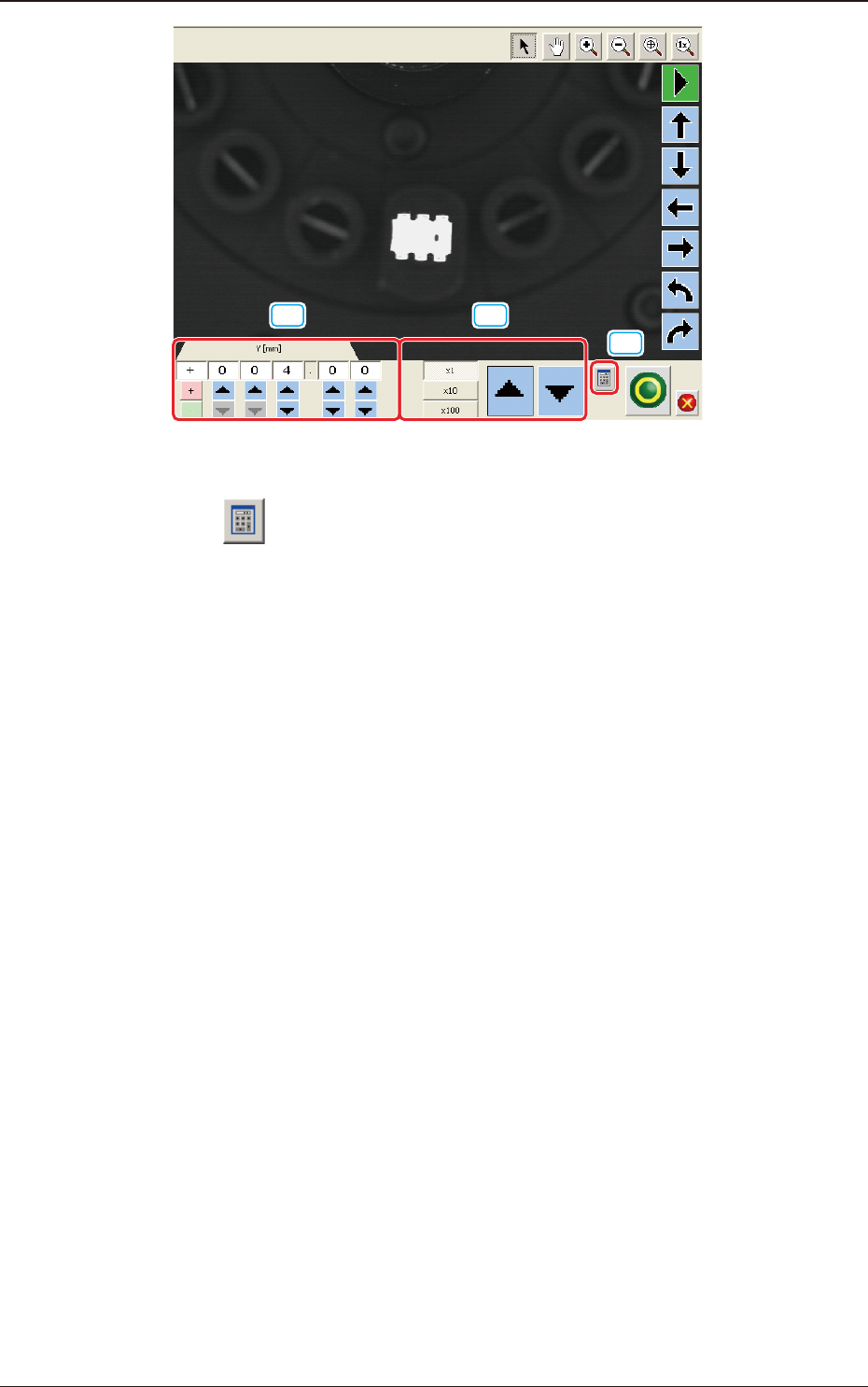
[18] [ ] Button
A ten-key pad appears for data entry.
[19] [increase / decrease] Button 1
Pressing the button for each unit directly increases or decreases the numerical
value.
[20] [increase / decrease] Button 2
Selecting each unit of
"
×
1(0.01)
"
"
×
10(0.1) and
"
×
100 (1)
"
, increases or
decreases the numerical value in the selected units.
1303-001
7.3 "COMP RCG" Test Window
2OM-1751
6-71
7.3.7 "Create Teach" Wizard
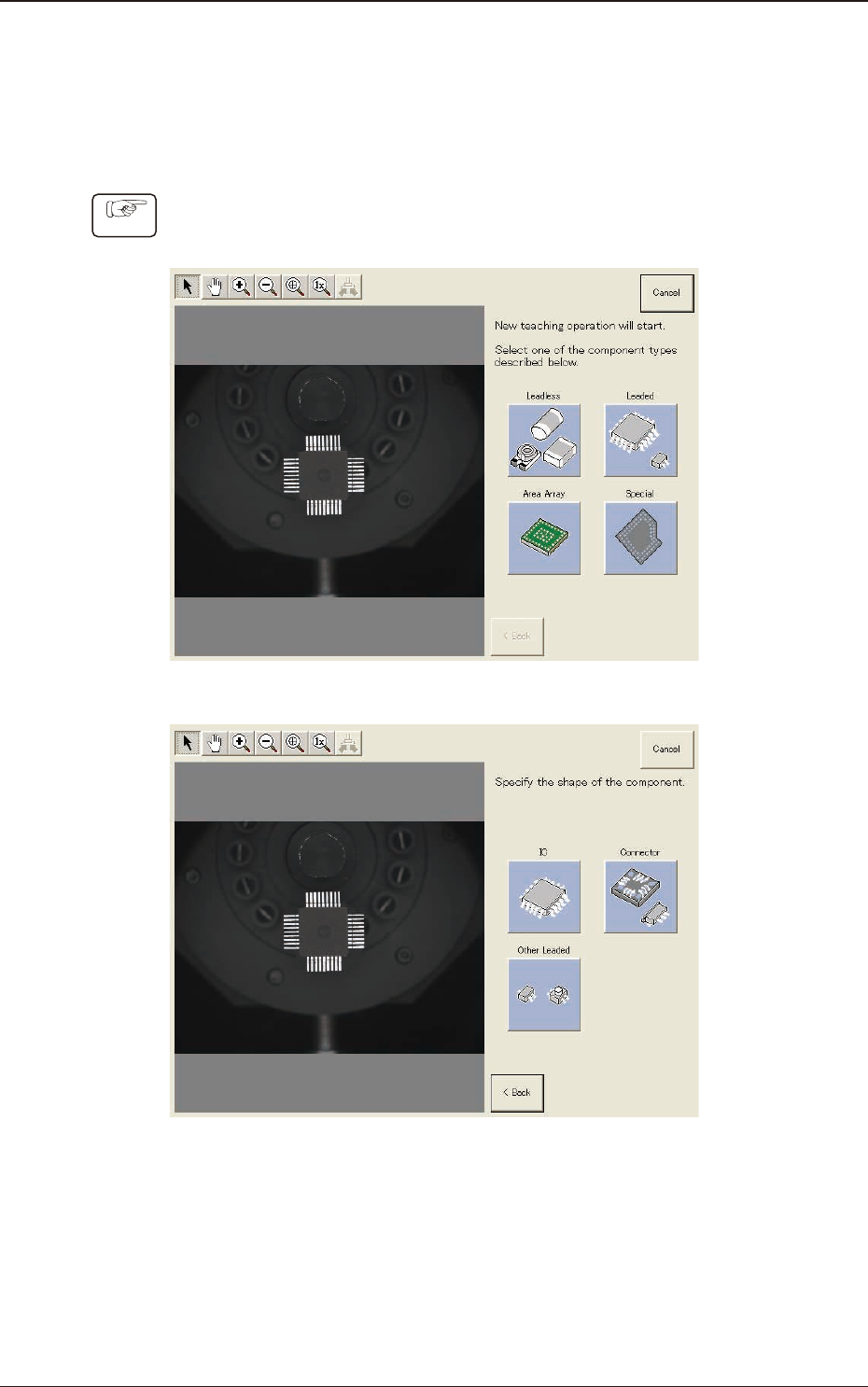
Follow the steps below to newly create data to be taught.
7.3.7.1 Leaded Components - QFP
Procedure
(1) Select [Leaded], [IC] and [QFP] in this order.
F2F65
F2F66
1303-001
7.3 "COMP RCG" Test Window