2OM-1751-003w_G5S.pdf - 第351页
2OM-1751 6-79 (12) When the partial teaching of the leads is completed, align the root of the leads with the mold end and press the [Fixed] button. F2F82 (13) When there is no group to be taught, press the [Fixed] button…
2OM-1751
6-78
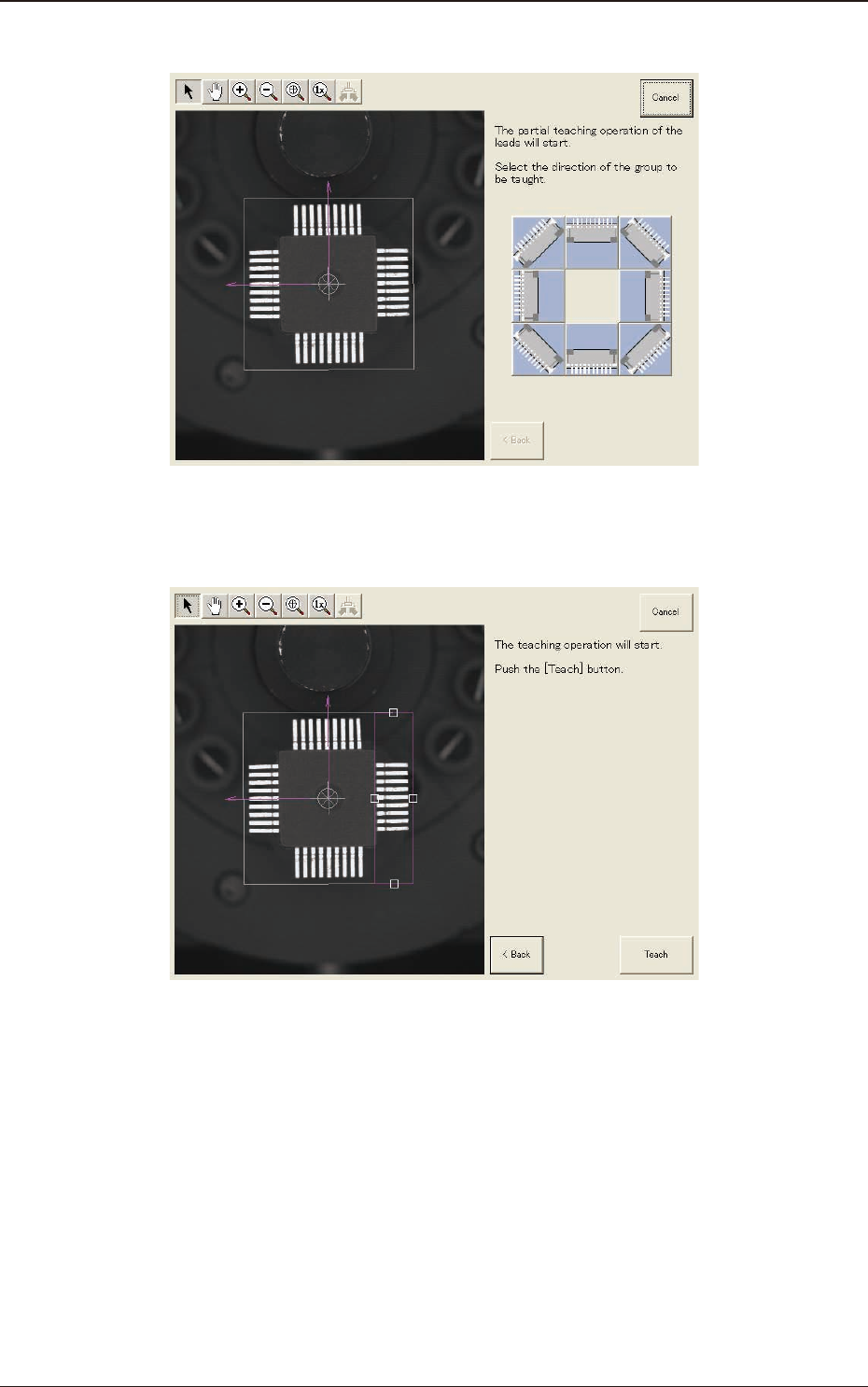
(10) Press the direction button of the lead group to be taught.
F2F80
(11) Press the [Teach] button to start the teaching operation.
F2F81
1303-001
7.3 "COMP RCG" Test Window
2OM-1751
6-79
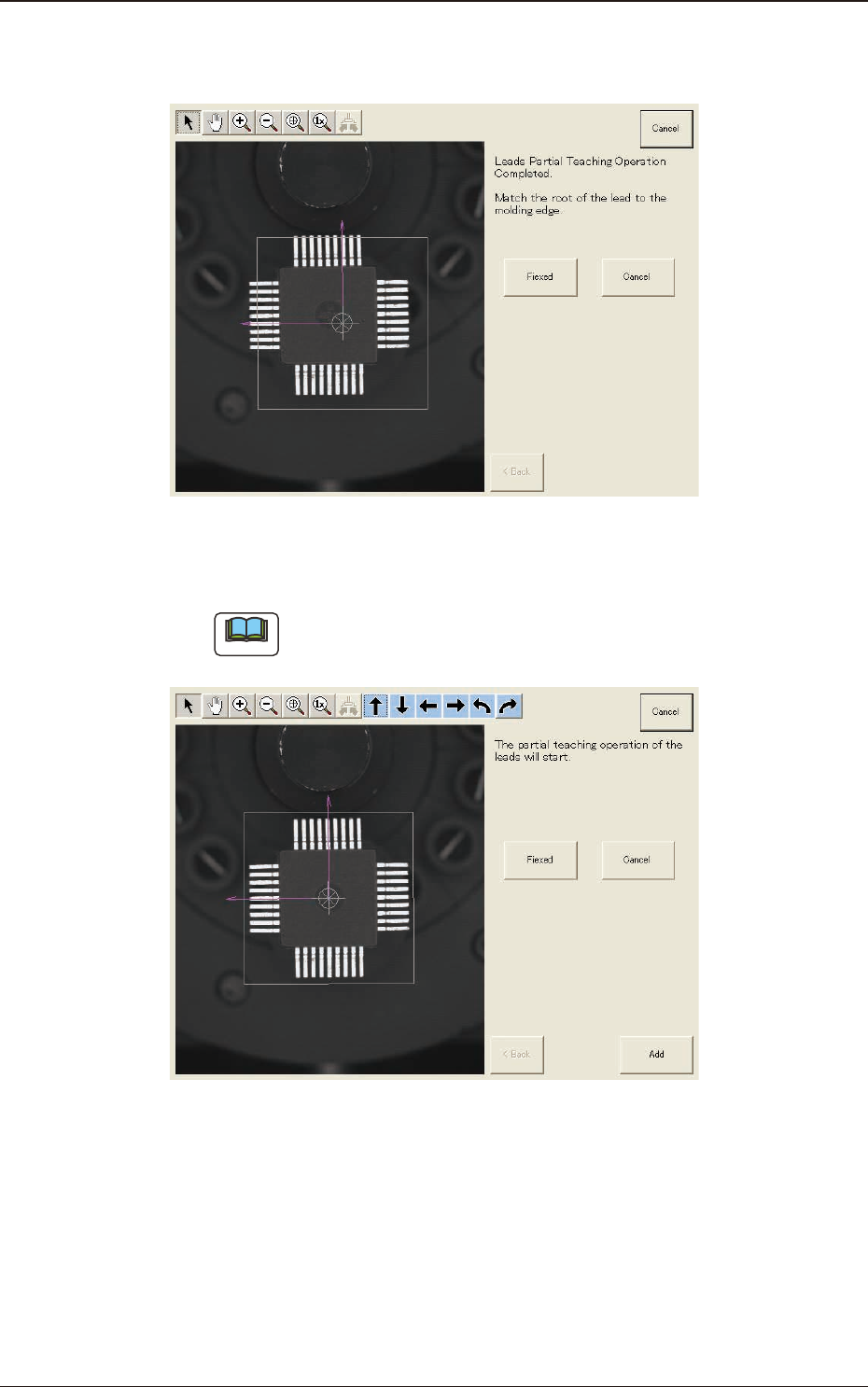
(12) When the partial teaching of the leads is completed, align the root of the
leads with the mold end and press the [Fixed] button.
F2F82
(13) When there is no group to be taught, press the [Fixed] button.
Note
If there is any other group to be taught, press the [Add] button.
F2F83
1303-001
7.3 "COMP RCG" Test Window

2OM-1751
6-80
(14) The modication method selection window will appear. Press the [Fixed]
button.
Note
In the case of "QFP", because the component size is xed on the lead root,
adjustment is not available.
F2F84
(15) The window with a message
"
Exiting from New Teaching Operation
"
will
appear. Press the [Complete] button.
F2F85
1303-001
7.3 "COMP RCG" Test Window