2OM-1751-003w_G5S.pdf - 第353页
2OM-1751 6-81 7.3.7.2 Leadless Components - Resistor Networks Procedure (1) Select [Leadless] and [Deformed] in this order . F2F86 3 F2F87 1303-001 7.3 "COMP RCG" T est Window

2OM-1751
6-80
(14) The modication method selection window will appear. Press the [Fixed]
button.
Note
In the case of "QFP", because the component size is xed on the lead root,
adjustment is not available.
F2F84
(15) The window with a message
"
Exiting from New Teaching Operation
"
will
appear. Press the [Complete] button.
F2F85
1303-001
7.3 "COMP RCG" Test Window
2OM-1751
6-81
7.3.7.2 Leadless Components - Resistor Networks
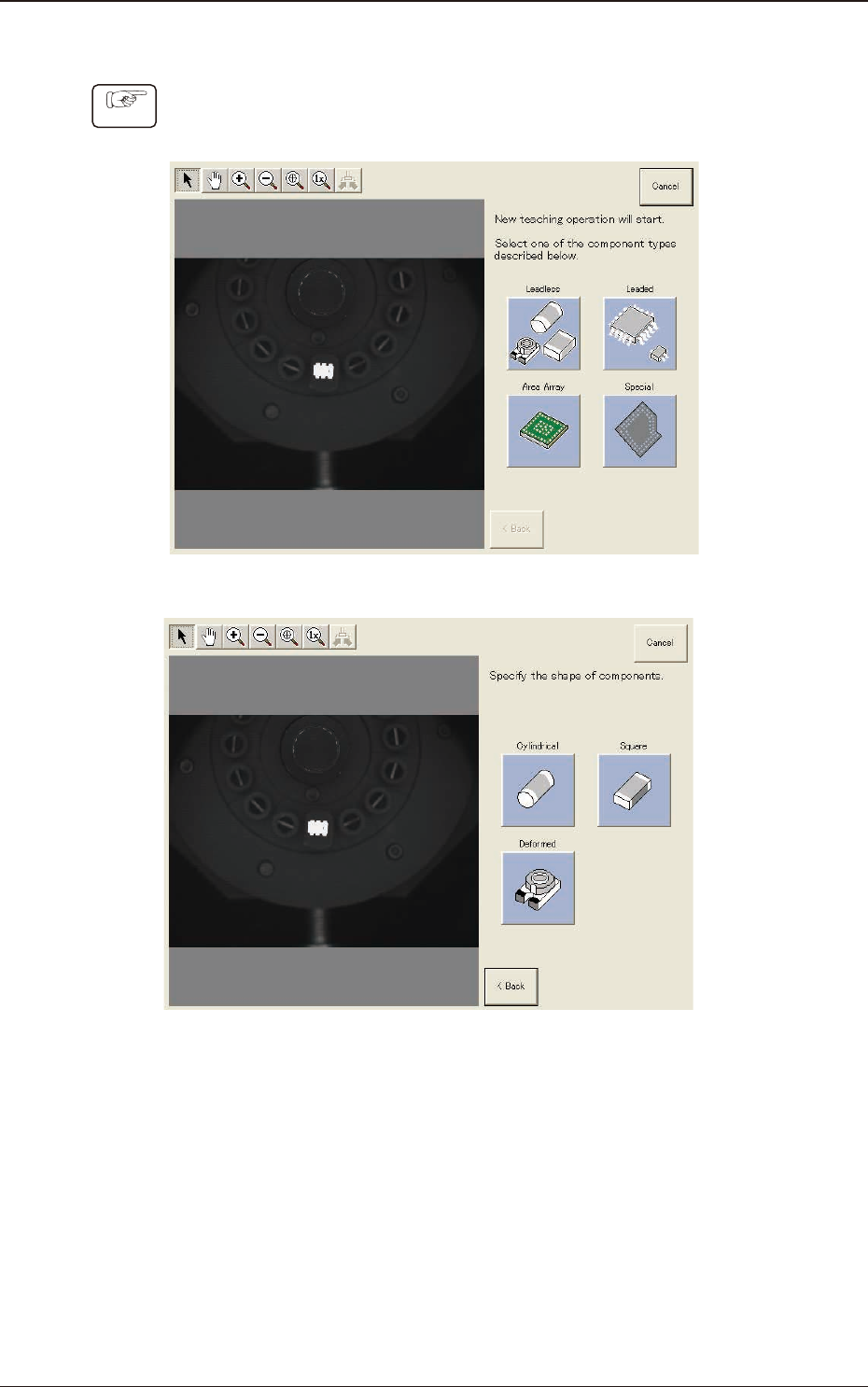
Procedure
(1) Select [Leadless] and [Deformed] in this order.
F2F86
3
F2F87
1303-001
7.3 "COMP RCG" Test Window
2OM-1751
6-82
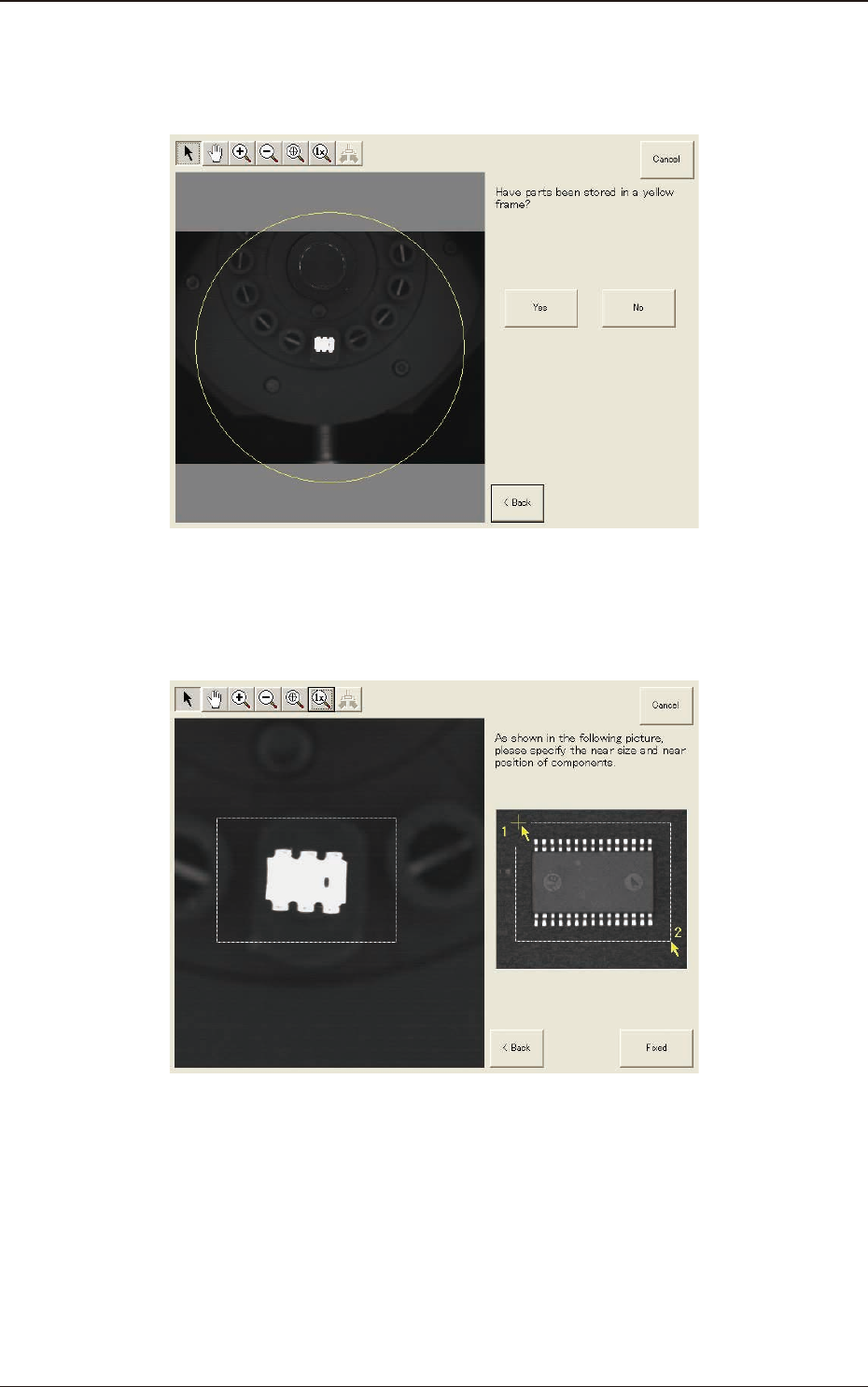
(2) Conrm that the component is in the yellow circle (frame).
When it is in the circle, press the [Yes] button. Otherwise, press the [No]
button.
F2F88
(3) After clicking the upper left of the component image, click the lower right to
place the whole component image within a frame.
F2F89
(4) Make sure that the whole image is within the frame and press the [Fixed]
button.
1303-001
7.3 "COMP RCG" Test Window