2OM-1751-003w_G5S.pdf - 第354页
2OM-1751 6-82 (2) Conrm that the component is in the yellow circle (frame). When it is in the circle, press the [Y es] button. Otherwise, press the [No] button. F2F88 (3) After clicking the upper left of the component i…
2OM-1751
6-81
7.3.7.2 Leadless Components - Resistor Networks
Procedure
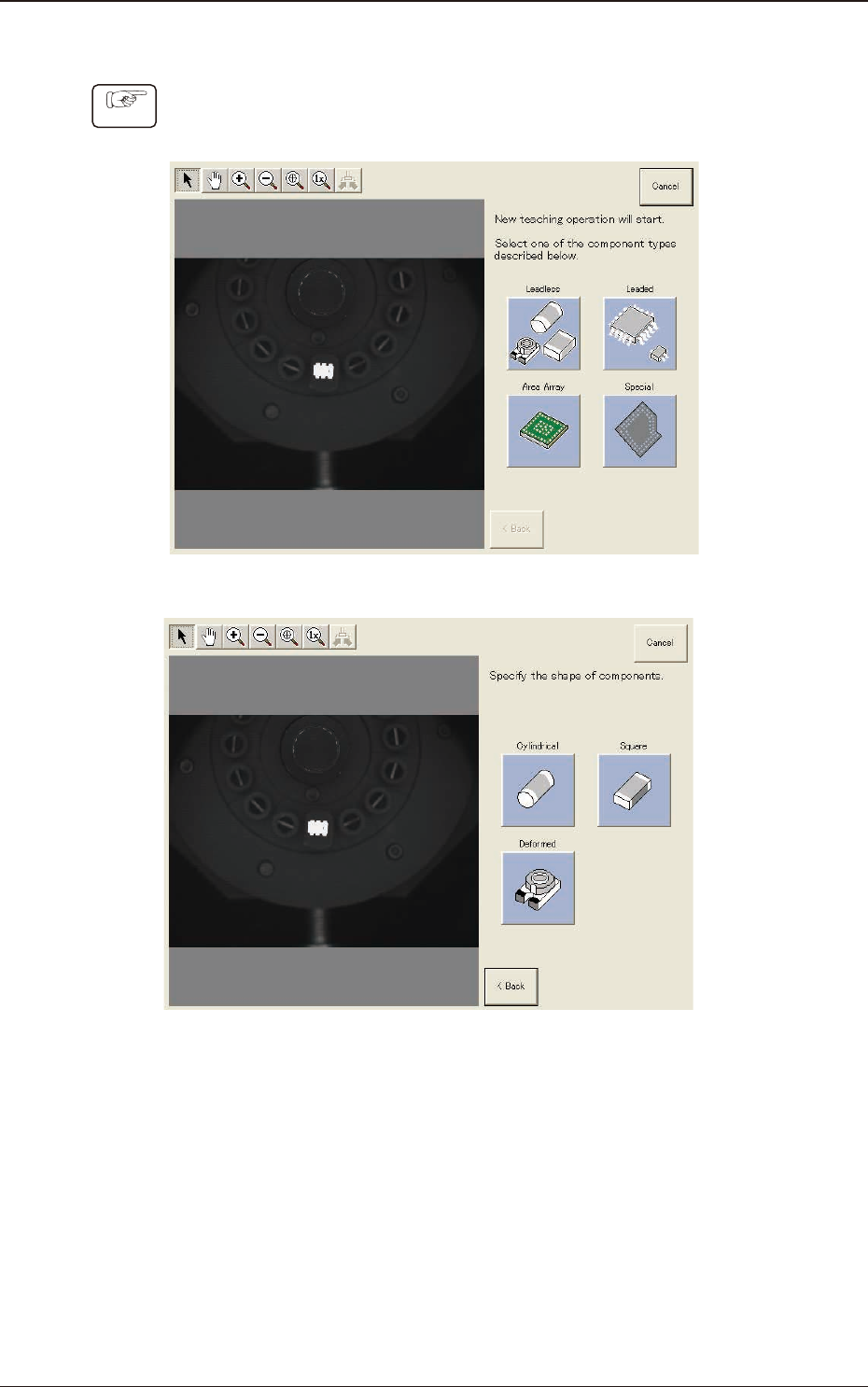
(1) Select [Leadless] and [Deformed] in this order.
F2F86
3
F2F87
1303-001
7.3 "COMP RCG" Test Window
2OM-1751
6-82
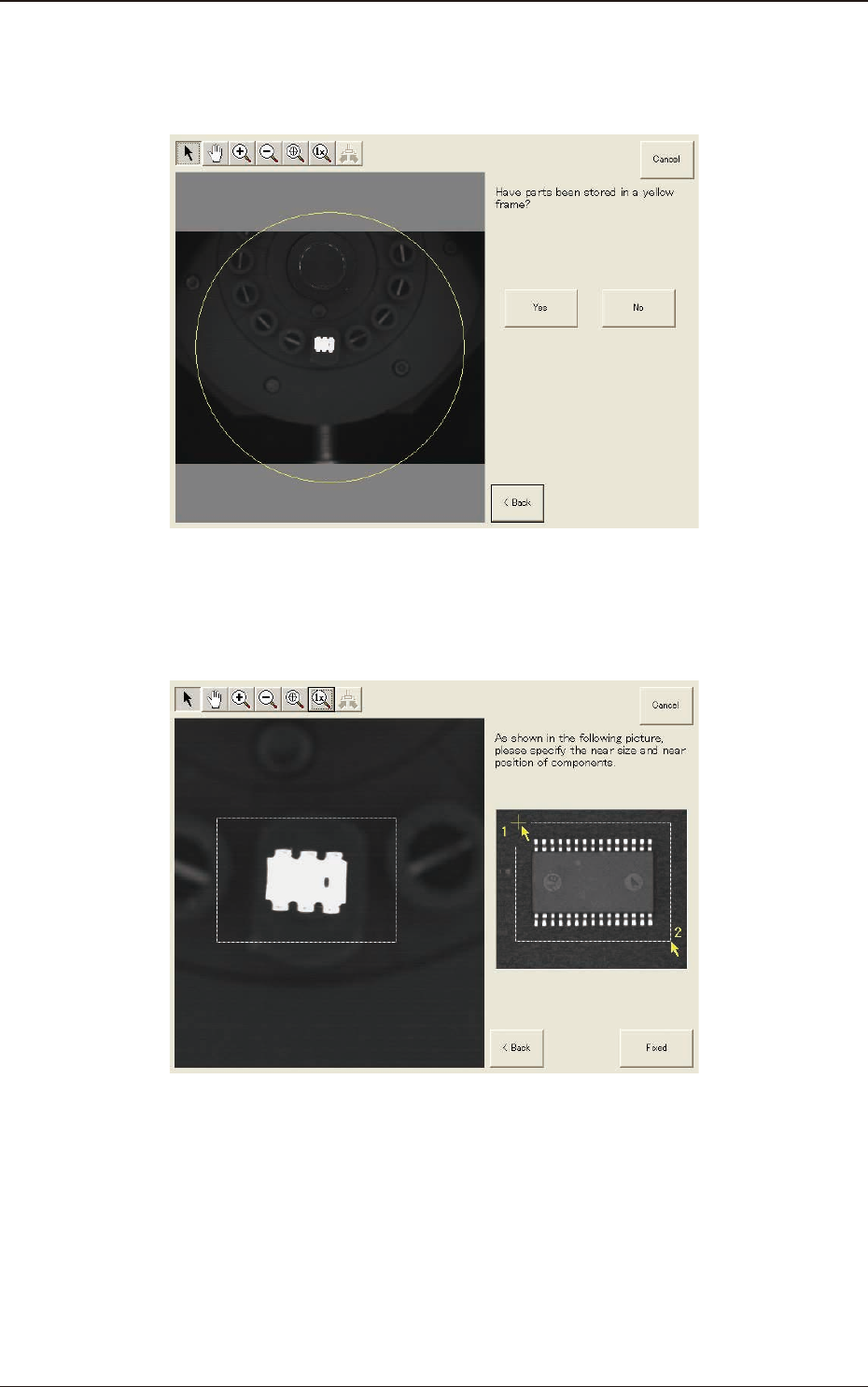
(2) Conrm that the component is in the yellow circle (frame).
When it is in the circle, press the [Yes] button. Otherwise, press the [No]
button.
F2F88
(3) After clicking the upper left of the component image, click the lower right to
place the whole component image within a frame.
F2F89
(4) Make sure that the whole image is within the frame and press the [Fixed]
button.
1303-001
7.3 "COMP RCG" Test Window
2OM-1751
6-83
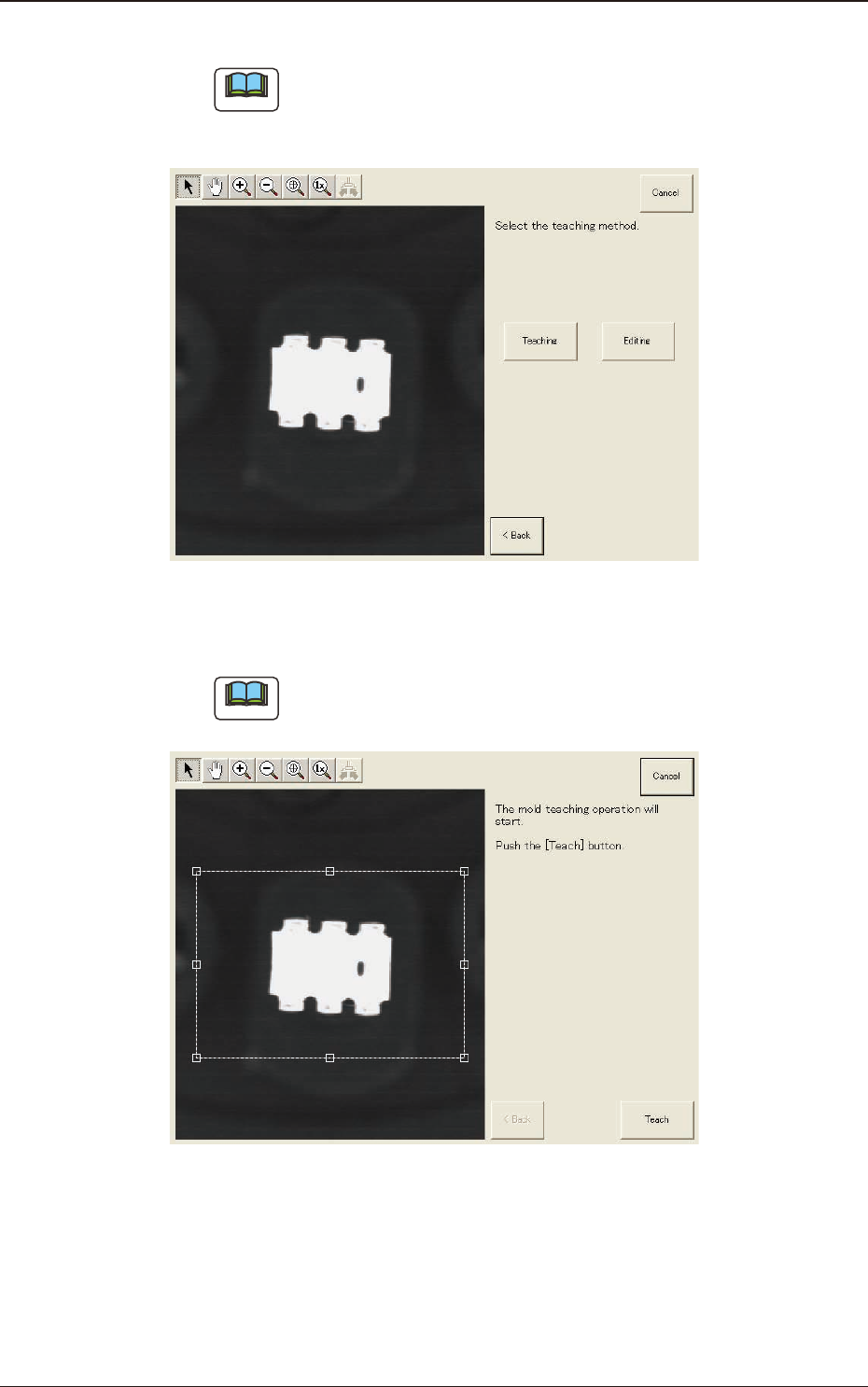
(5) Press the [Teaching] button to select the teaching method.
Note
When the [Editing] button has been selected, the editing operation is
performed based on the sample data. Press the [Complete] button to return
to the component library teaching window.
F2F90
(6) Press the [Teach] button to start the mold teaching operation.
Note
Make sure that the component image is within the frame with dot lines. If
the component is out of the frame, adjust it again.
F2F91
1303-001
7.3 "COMP RCG" Test Window