2OM-1751-003w_G5S.pdf - 第357页
2OM-1751 6-85 (9) When the corner and edge teaching operation is completed, check the data and press the [Fixed] button. F2F94 (9-1) Press the [Modify] button. (The following "Data Edit" window appears. The dat…
2OM-1751
6-84
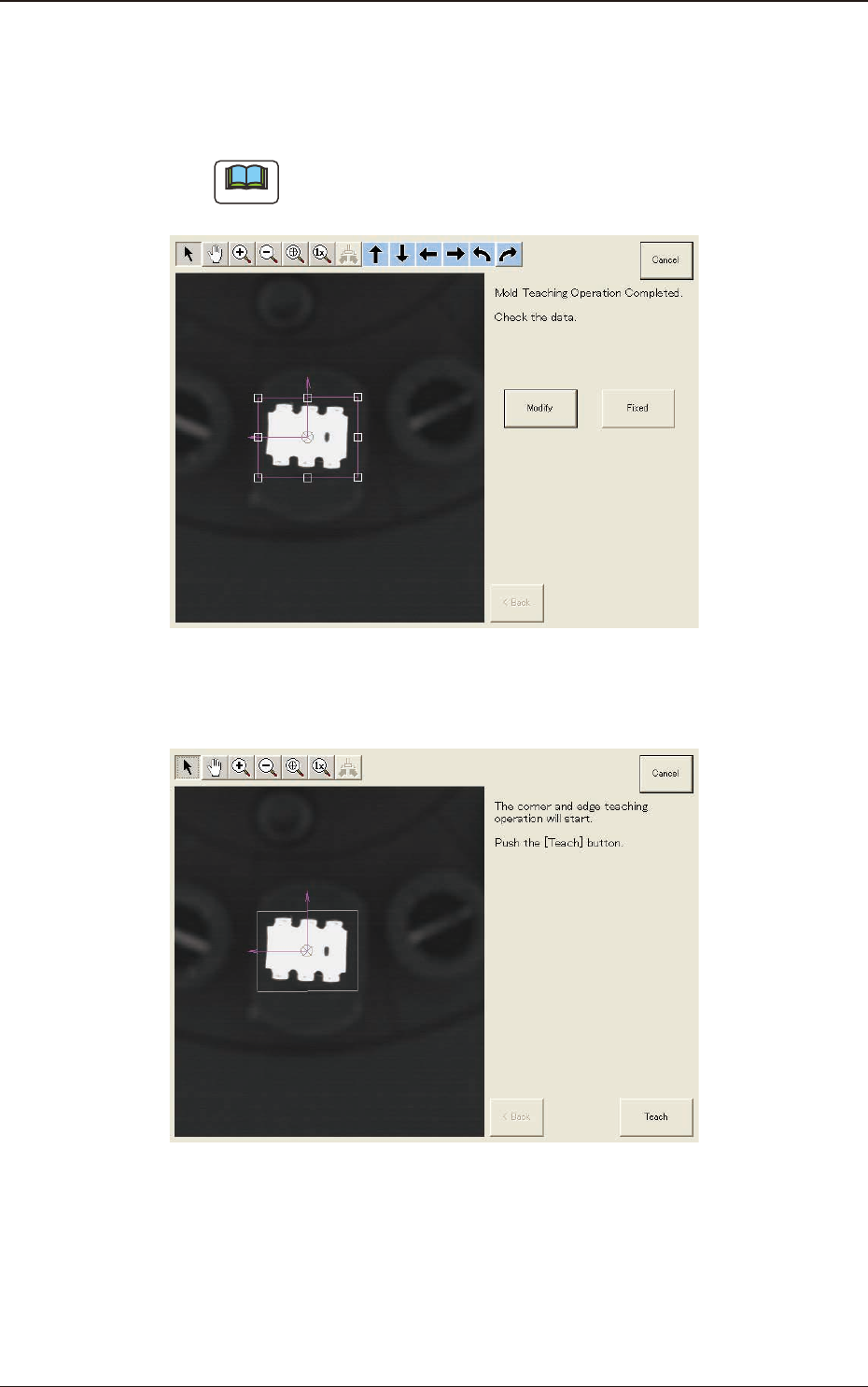
(7) When the mold teaching is completed, check the data and press the [Fixed]
button.
(If the component size or angle is not correct, press the [Modify] button to
correct the graphic image.)
Note
To turn the graphic, click the coordinate graphic and drag either one of the
arrow ends.
F2F92
(8) Press the [Teach] button to start the corner and edge teaching operation.
F2F93
1303-001
7.3 "COMP RCG" Test Window
2OM-1751
6-85
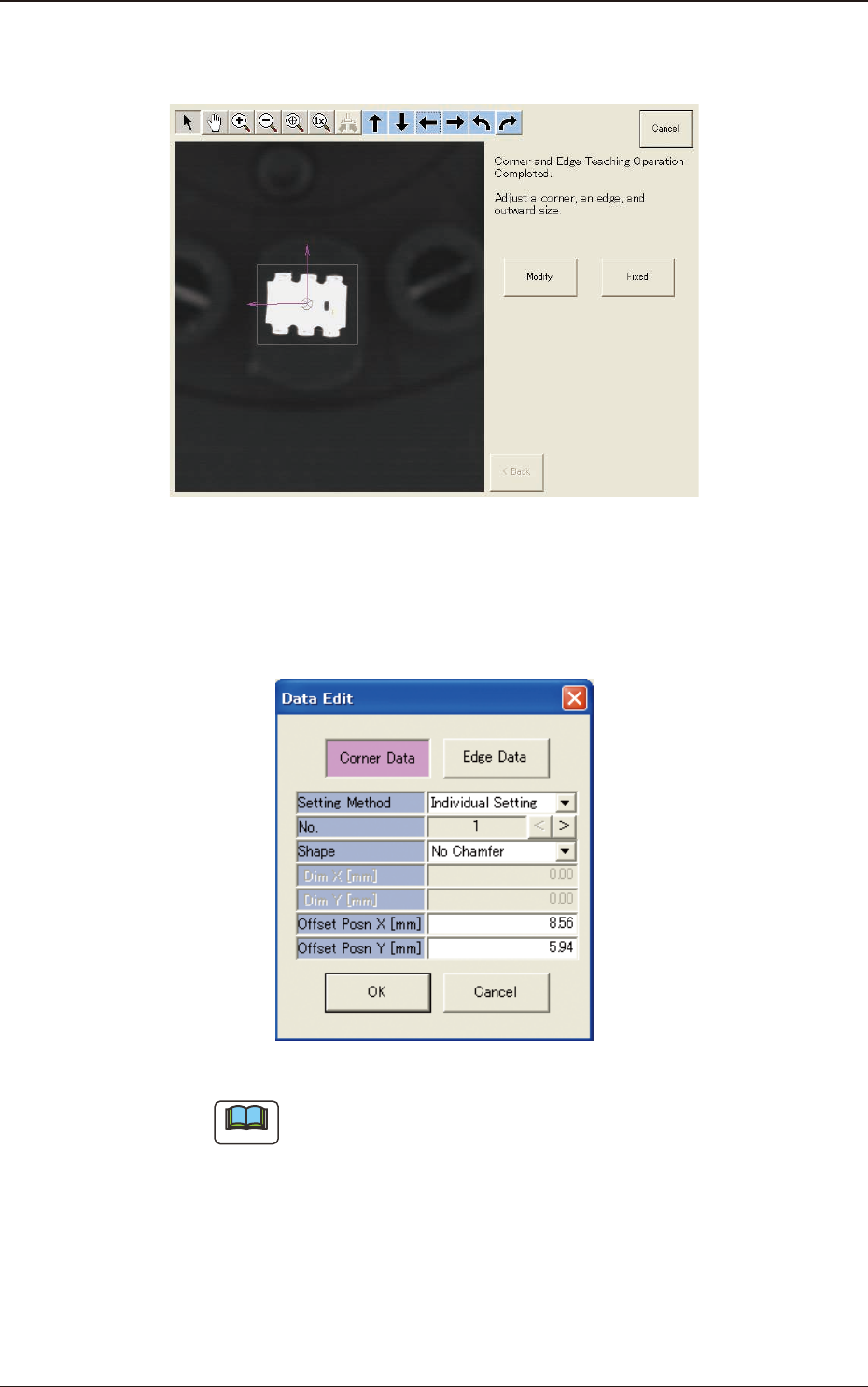
(9) When the corner and edge teaching operation is completed, check the data
and press the [Fixed] button.
F2F94
(9-1) Press the [Modify] button.
(The following "Data Edit" window appears. The data parameters can be
corrected for each corner data or edge data item.)
F2F95
Note
The indicated data may contain some fractional parts in the values. At the
end of the teaching operation, these fractional parts are truncated.
(9-2) When the component size is not the same as the outward length, correct the
outward length on the outward length graphic image to match.
(9-3) After the modication is completed, press the [Fixed] button.
1303-001
7.3 "COMP RCG" Test Window
2OM-1751
6-86
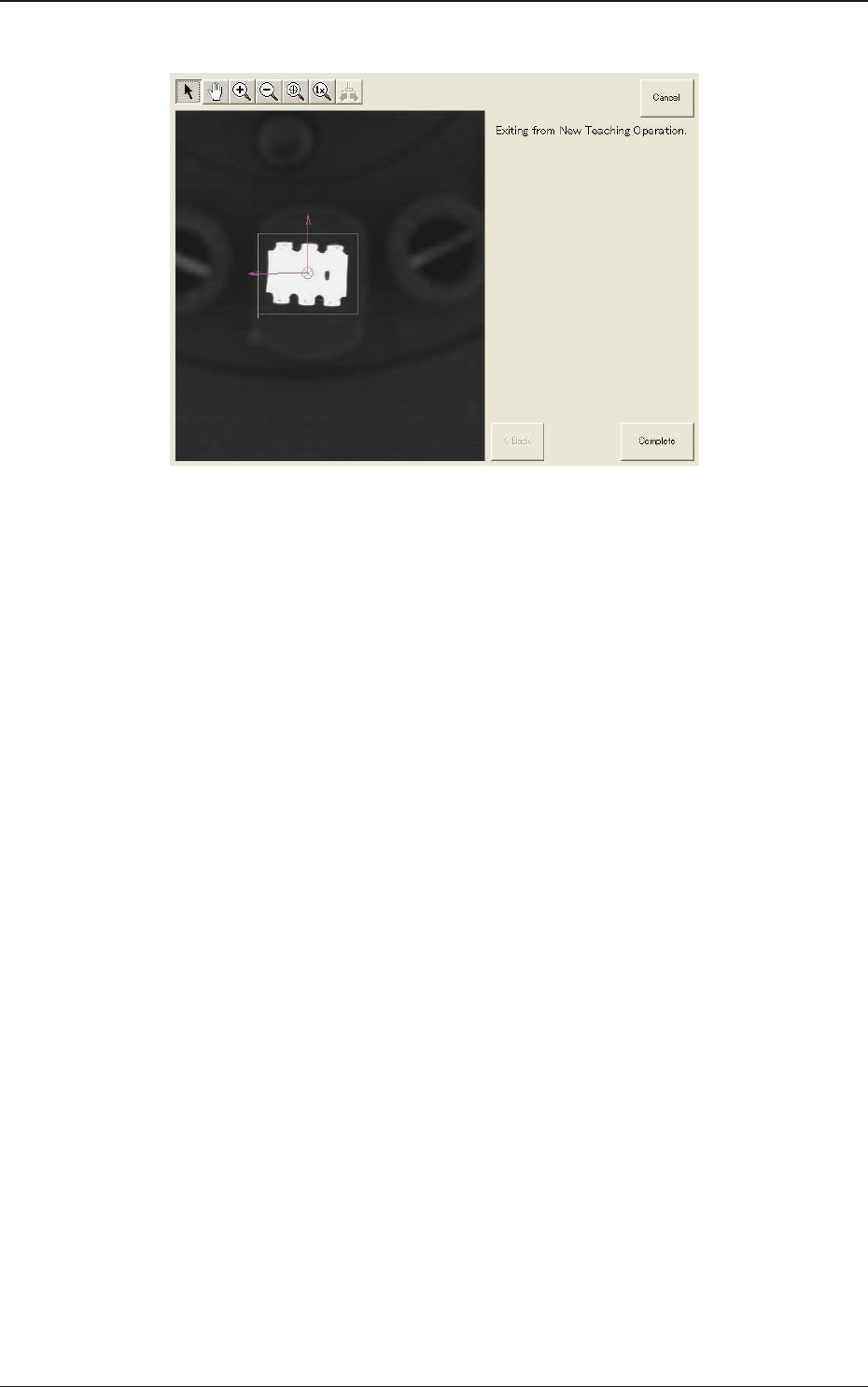
(10) When the teaching is completed, press the [Complete] button.
F2F96
1303-001
7.3 "COMP RCG" Test Window