2OM-1751-003w_G5S.pdf - 第363页
2OM-1751 6-91 (8) Press the [T each] button to start the ball teaching operation. F2F106 (9) When the ball teaching is completed, check and data and press the [Fixed] button. F2F107 1303-001 7.3 "COMP RCG" T es…
2OM-1751
6-90
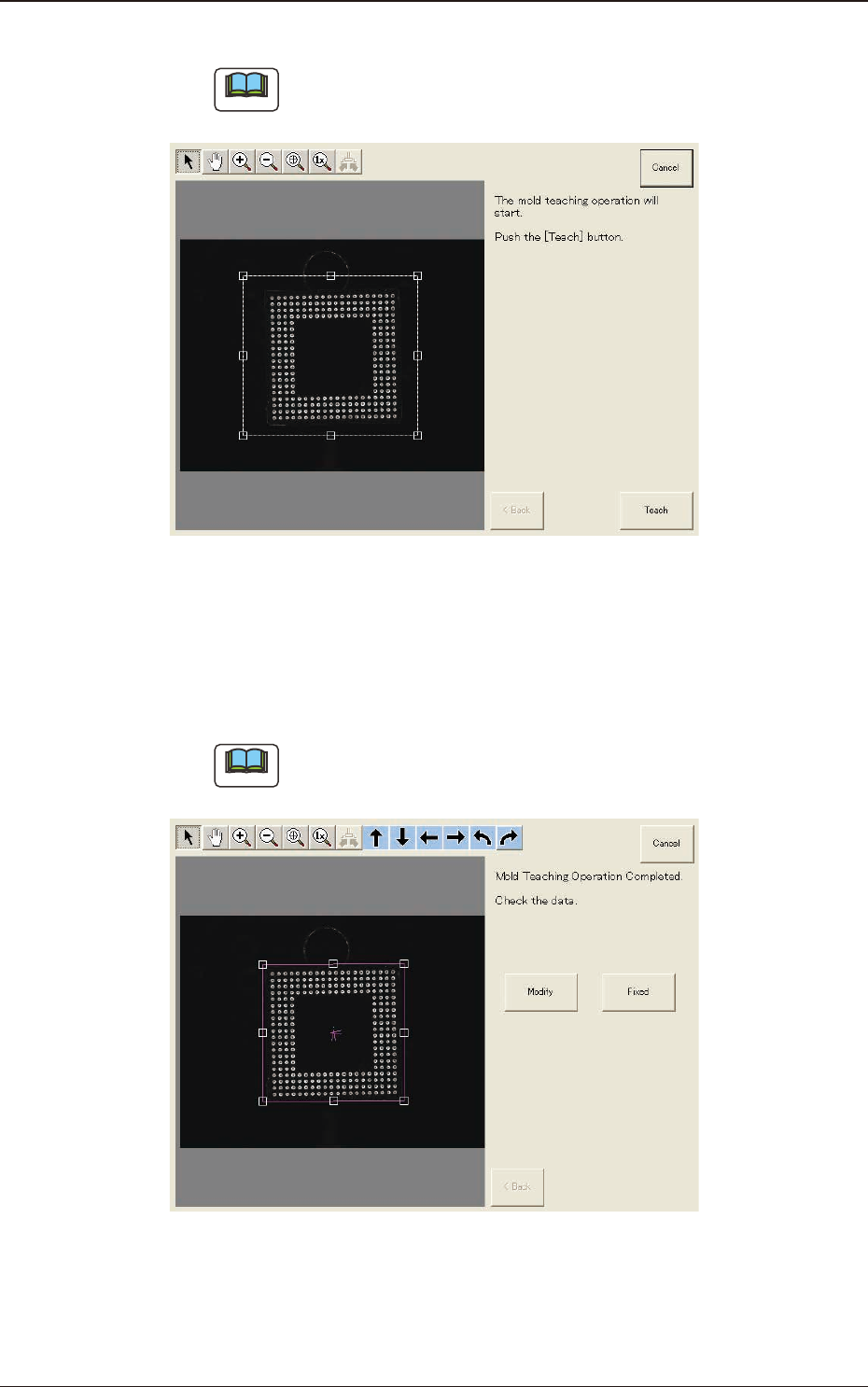
(6) Press the [Teach] button to start the mold teaching operation.
Note
Make sure that the component image is within the frame with dot lines. If
the component is out of the frame, adjust it again.
F2F104
(7) When the mold teaching is completed, check the data and press the [Fixed]
button.
(If the component size or angle is not correct, press the [Modify] button to
correct the graphic image.)
Note
To turn the graphic, click the coordinate graphic and drag either one of the
arrow ends.
F2F105
1303-001
7.3 "COMP RCG" Test Window
2OM-1751
6-91
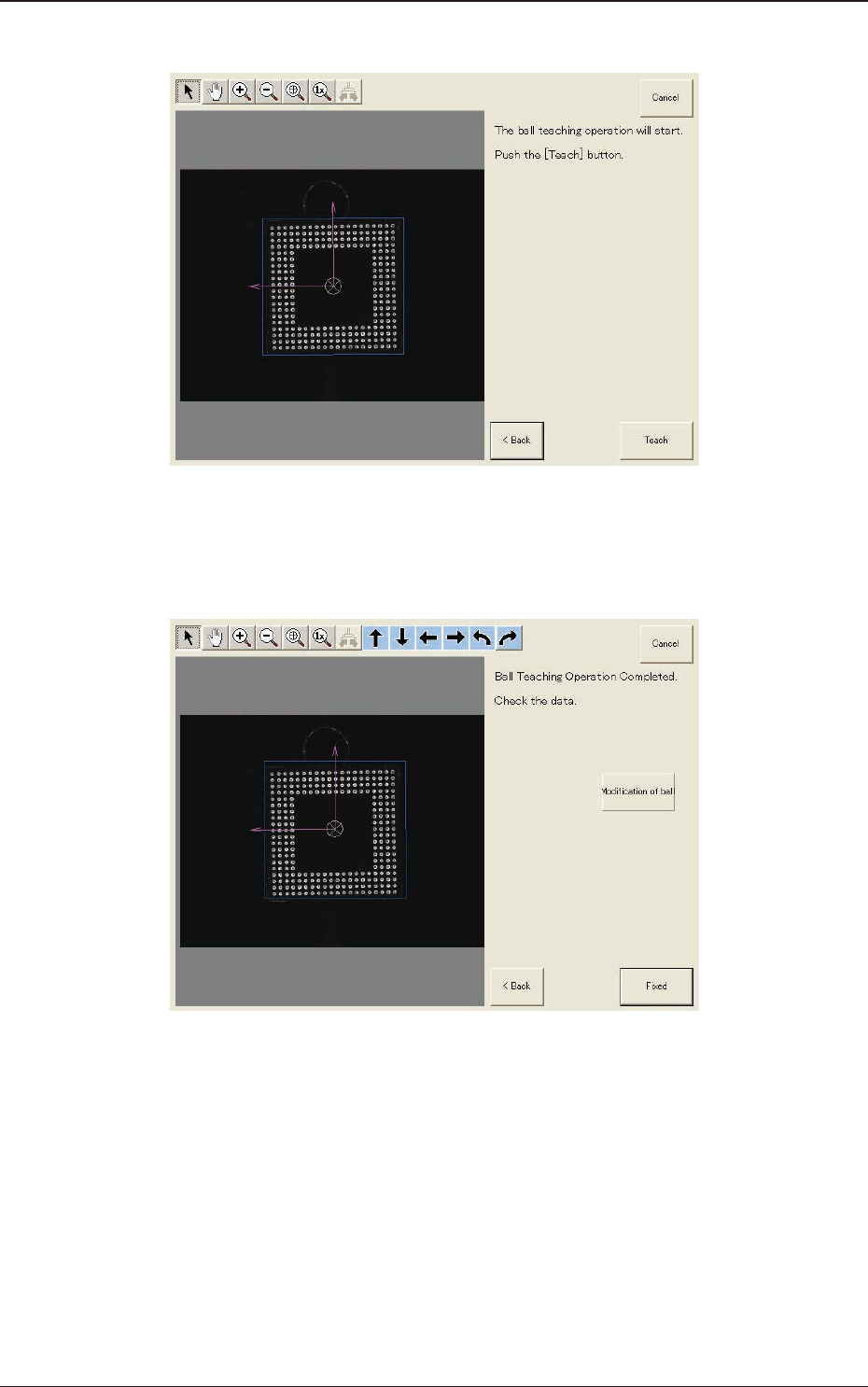
(8) Press the [Teach] button to start the ball teaching operation.
F2F106
(9) When the ball teaching is completed, check and data and press the [Fixed]
button.
F2F107
1303-001
7.3 "COMP RCG" Test Window
2OM-1751
6-92
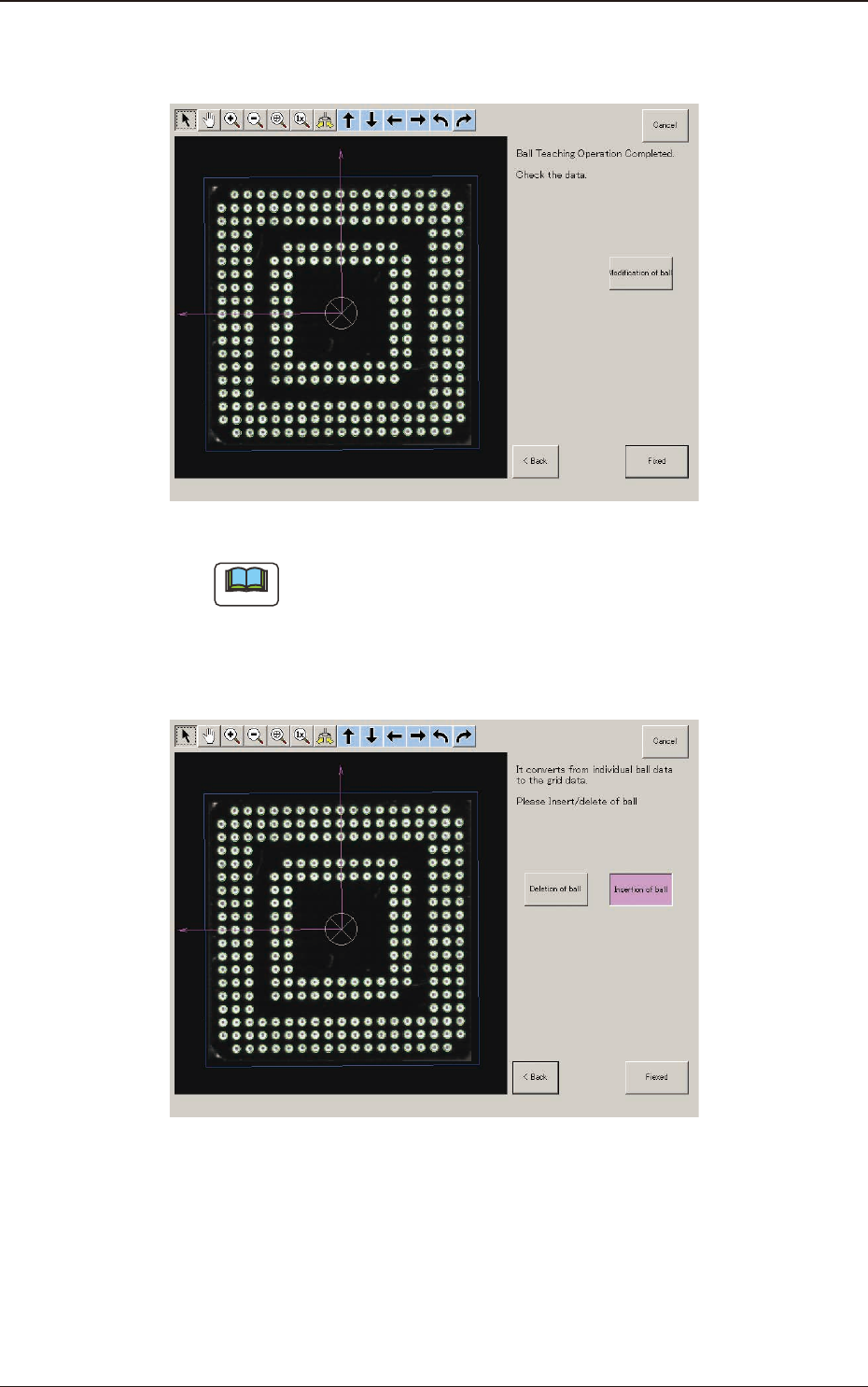
(9-1) If there is any unnecessary ball, press the [Modication of ball] button to
delete such balls.
F2F108
Note
When there are unrequired balls, the data may not be correctly converted
to grid data.
(10) When the conversion to the grid data is completed, check the data and press
the [Fixed] button.
F2F109
(10-1) If there is any unnecessary ball, after pressing the [Deletion of ball]
button,
specify the range of the balls to be deleted on the image and delete such
balls.
1303-001
7.3 "COMP RCG" Test Window