2OM-1751-003w_G5S.pdf - 第366页
2OM-1751 6-94 7.3.8 Exiting from Library Data T eaching Operation When the [Complete] button is pressed in the "Create Teach" wizard, the "COMPONENT LIBRARY" (teaching operation) window appears again.…
2OM-1751
6-93
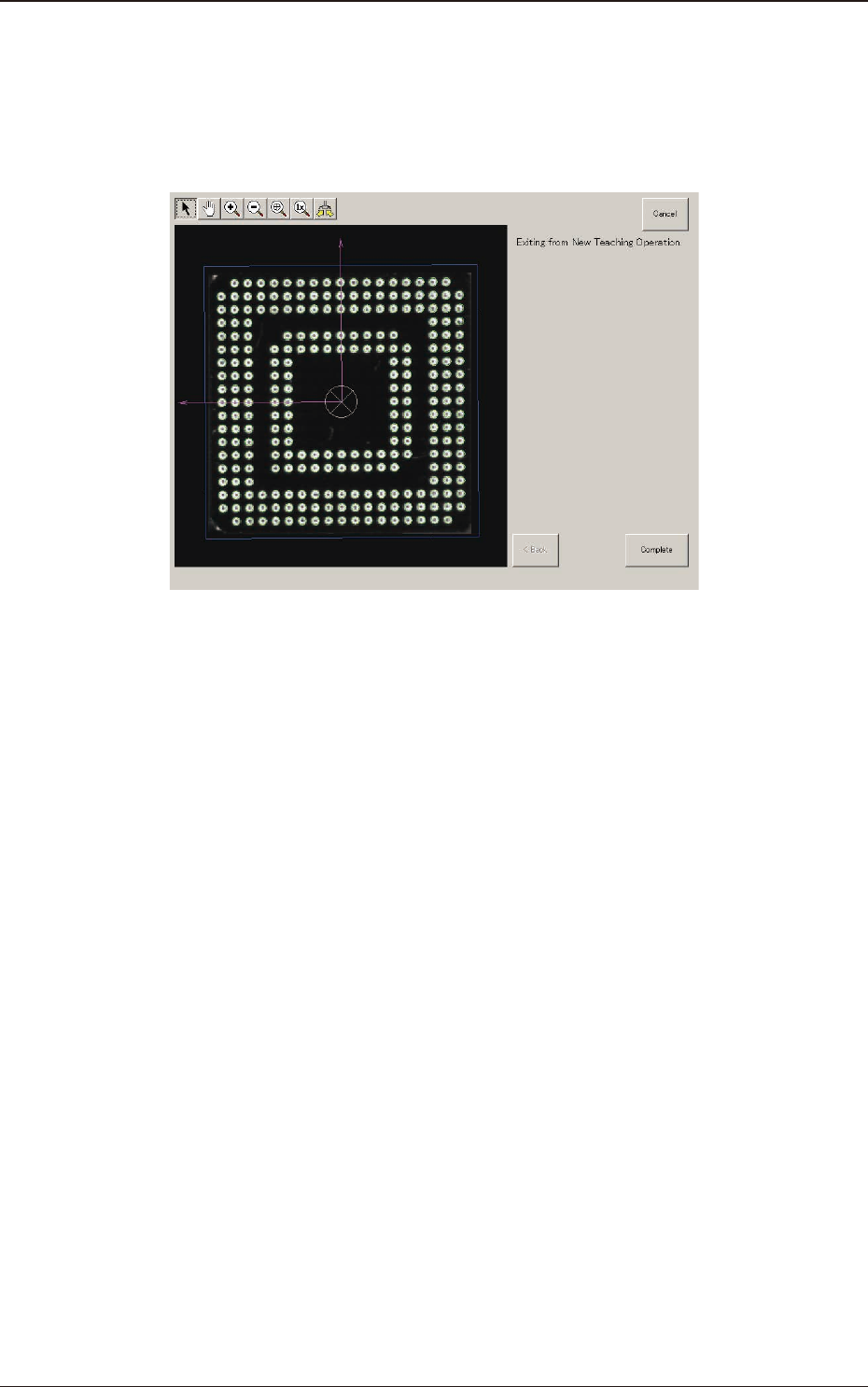
(10-2) If there is any necessary ball to be added, after pressing the [Insertion of
ball] button, specify the range of the balls to be added on the image and
add such balls.
(11) When the teaching is completed, press the [Complete] button.
F2F110
1303-001
7.3 "COMP RCG" Test Window
2OM-1751
6-94
7.3.8 Exiting from Library Data Teaching Operation
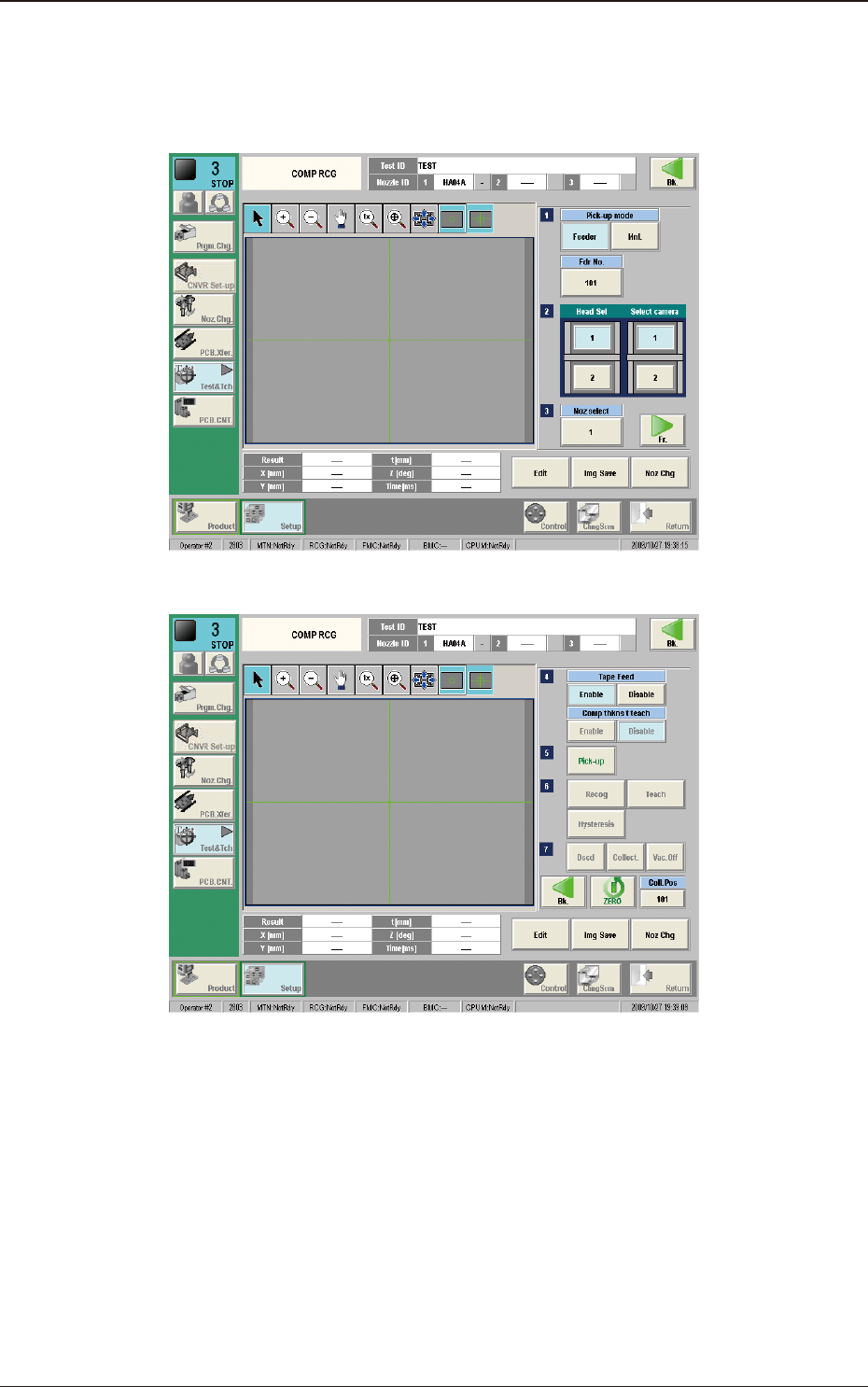
When the [Complete] button is pressed in the "Create Teach" wizard, the
"COMPONENT LIBRARY" (teaching operation) window appears again.
(1/2) F2F111
(2/2) F2F112
Pressing the [Recog] button can execute the recognition test for the created
component library data.
Pressing the [Edit] button can re-edit the created component library data.
When the teaching is to be ended, after pressing the [Dscd] or [Collect.] button to
discard or collect the component, press the [Return] button.
The data saving conrming dialog is displayed.
When the created component library data is to be saved in the test library, press
the [Yes] button and when it is to be discard, press the [No] button.
1303-001
7.3 "COMP RCG" Test Window
2OM-1751
6-951303-001
7.4 "PEC RCG" Test Window
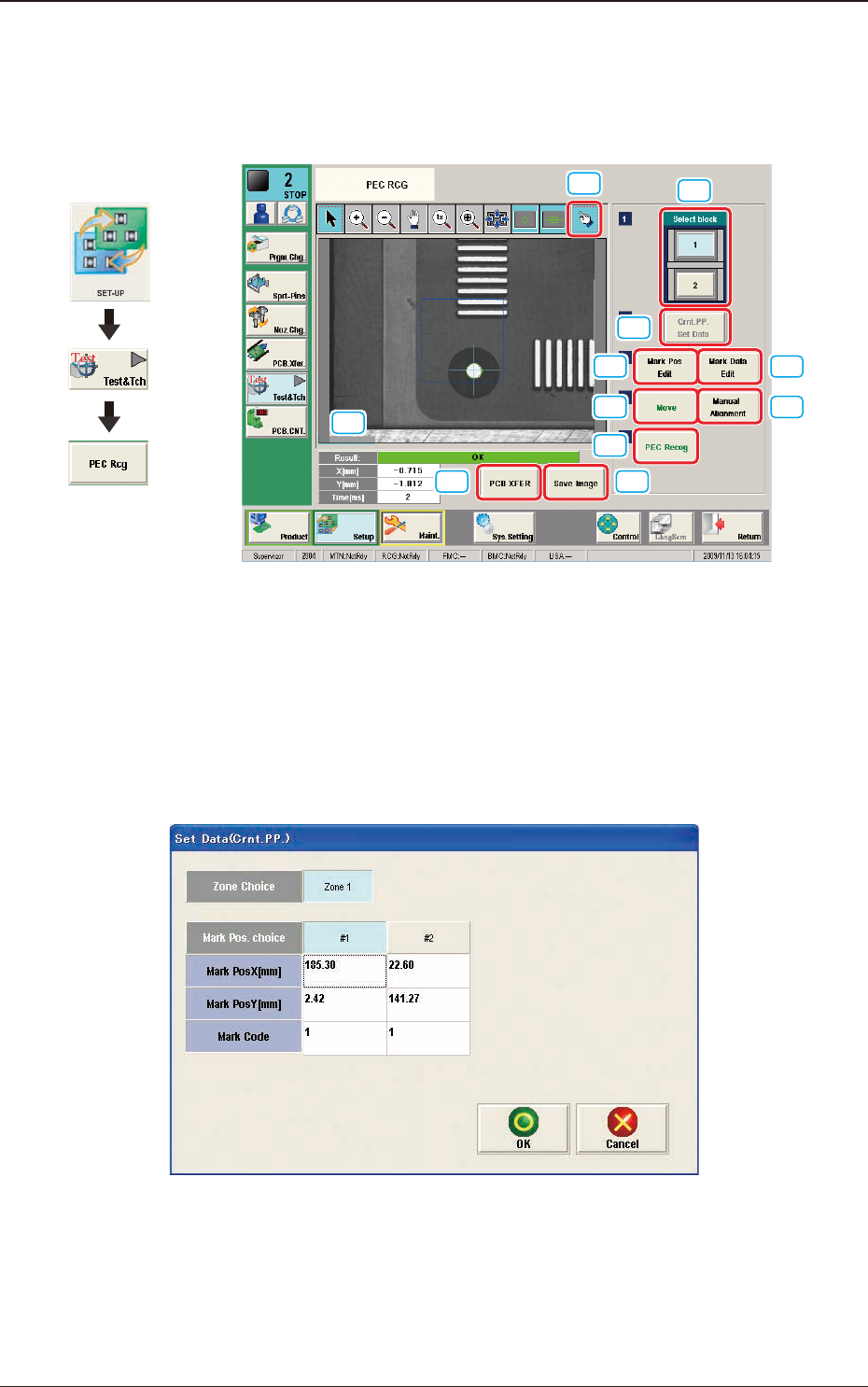
This window enables the operator to perform the PEC recognition mark
recognition test.
[1]
[2]
[3] [4]
[5]
[6]
[7]
[9] [10]
[8]
[11]
F2F113
[1] [Select block] Button
The buttons showing each block are displayed using images. Using one of
these buttons, the block used for the PEC recognition test is selected.
[2] [Crnt. PP. Set Data] Button
When this button is pressed, the [Set Data (Crnt. PP.)] window appears.
F2F114
When [Zone n] is selected for the "Zone Choice" for the global recognition
position and the [#n] button is selected and then the [OK] button is pressed,
the position data and PEC recognition mark code are set.
The set data is displayed in the Mark Pos X, Y data boxes in the "Setup Pos
Move" window and "Recognized Data Setting" window.
Graphic
Development
7.4 "PEC RCG" Test Window