2OM-1751-003w_G5S.pdf - 第59页
2OM-1751 1-7 1303-001 2.1 Local Window [4] Data Display Section The production data, component reload data and component handling rate data parameters are displayed in this section. Each data display is changed using the…
2OM-1751
1-61303-001
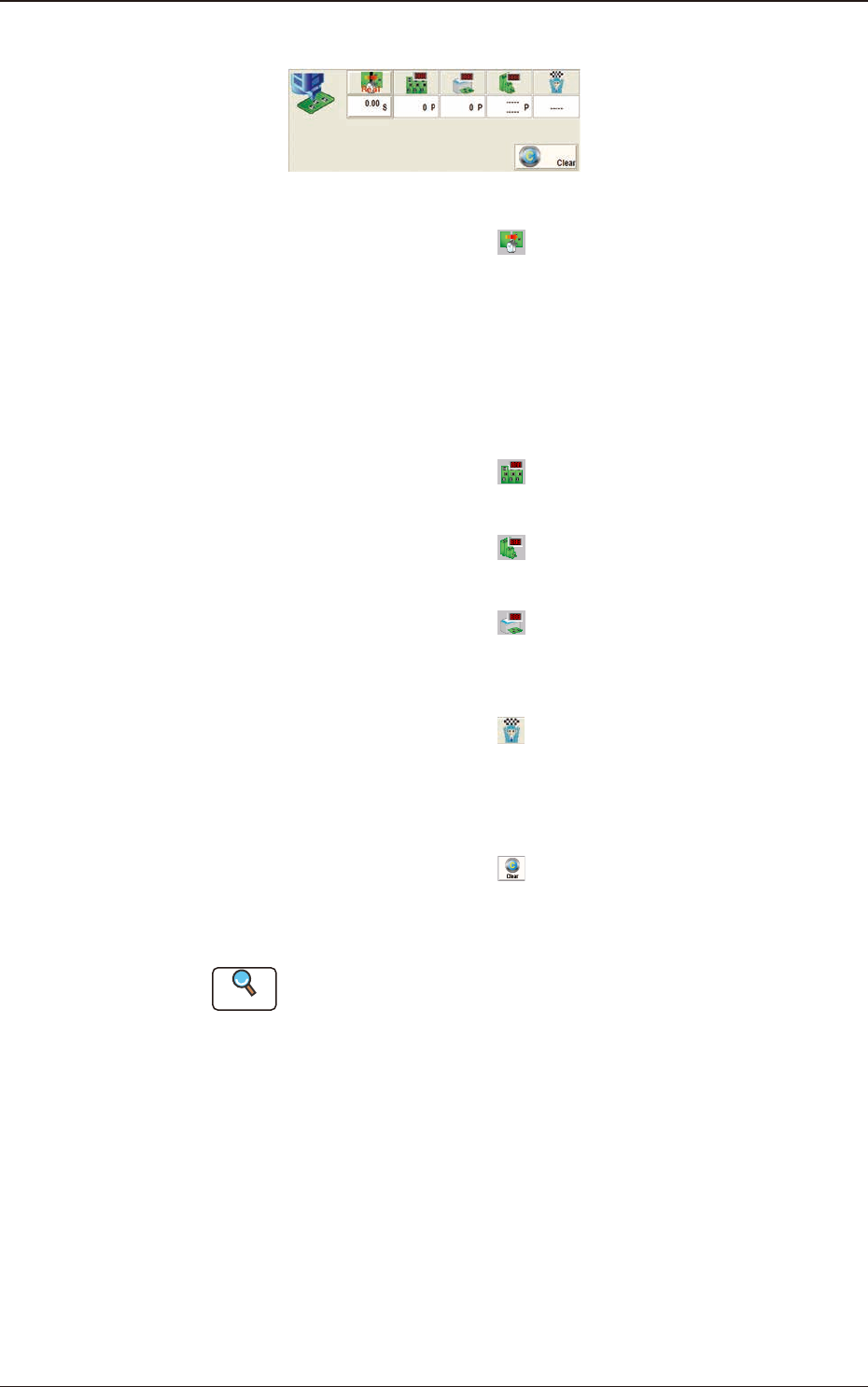
[3] Production Data
"
Production Data
"
Window F2A5
PCB Process Time
: Displays the time required to nish
one PCB excluding the PCB in the
middle of process.
Displayed is the total time required
between the PCB receiving start and
the completion of the last component
placement.
Product PCB
: The number of produced unit PCBs
is displayed.
PCB Count
: The number of produced PCBs at
present is displayed.
Planned Product Count
: The No. of PCB products to be
produced is displayed in this data
box.
Production End Planned Time
: The PCB production end planned
time is displayed in this data box in
the case that the "Planned Product
Count" has been setup.
[Clear] Button
: When pressed, this button clears
the number of produced PCBs to
"0"(zero).
Reference
Refer to "8. "PCB.CNT" window" in "Chapter 6" for how to use the "PCB
Count".
2.1 Local Window
2OM-1751
1-71303-001
2.1 Local Window
[4] Data Display Section
The production data, component reload data and component handling rate
data parameters are displayed in this section. Each data display is changed
using the button on the lower right of the display section.
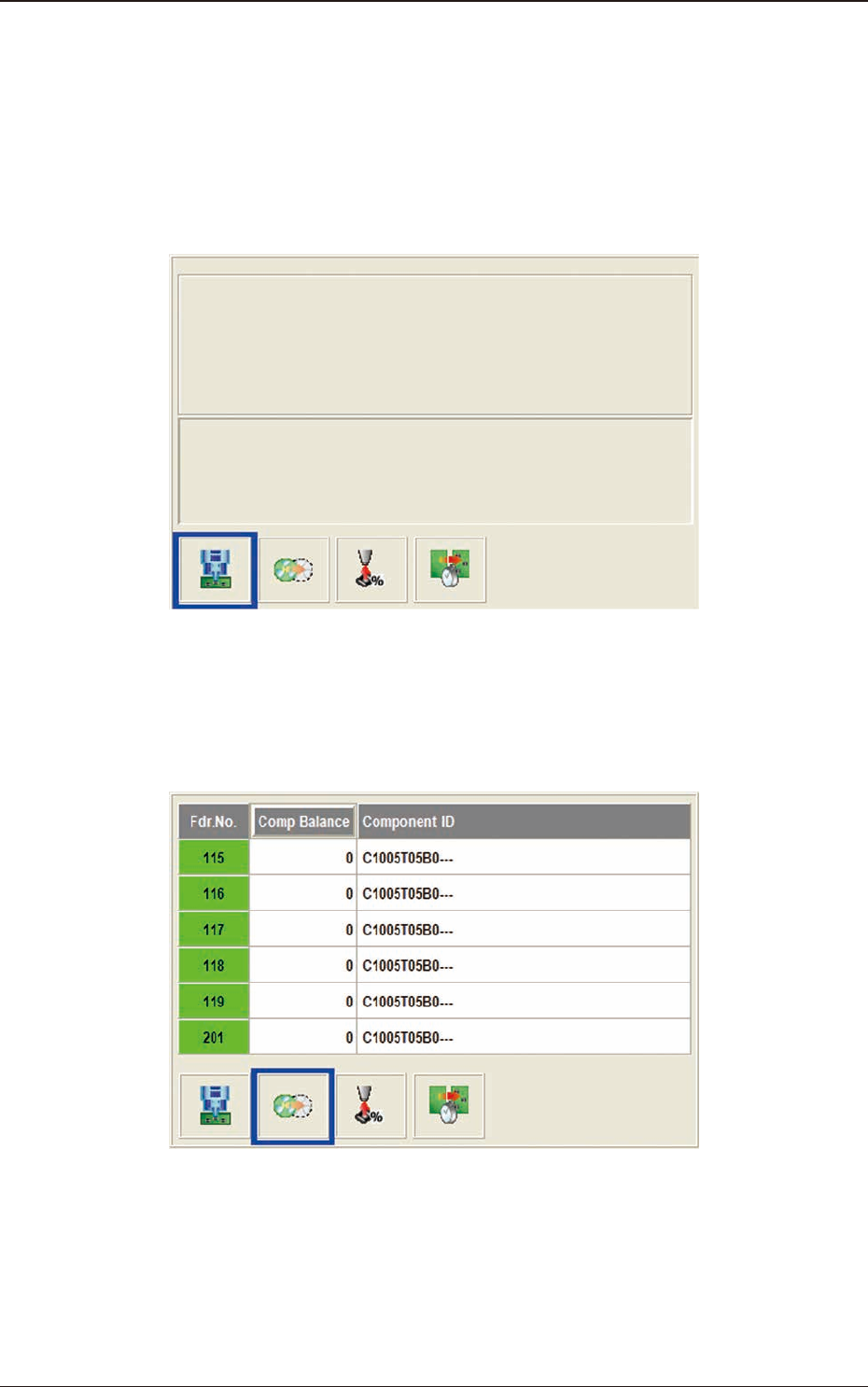
Production Data
When the display change button (left) is pressed, this window appears.
"Production Data" Window F2A6
Feeder Reload Data
The data of the feeder where the component replenishment is required, is
displayed.
"
Feeder Reload Data
"
Window F2A7
2OM-1751
1-81303-001
2.1 Local Window
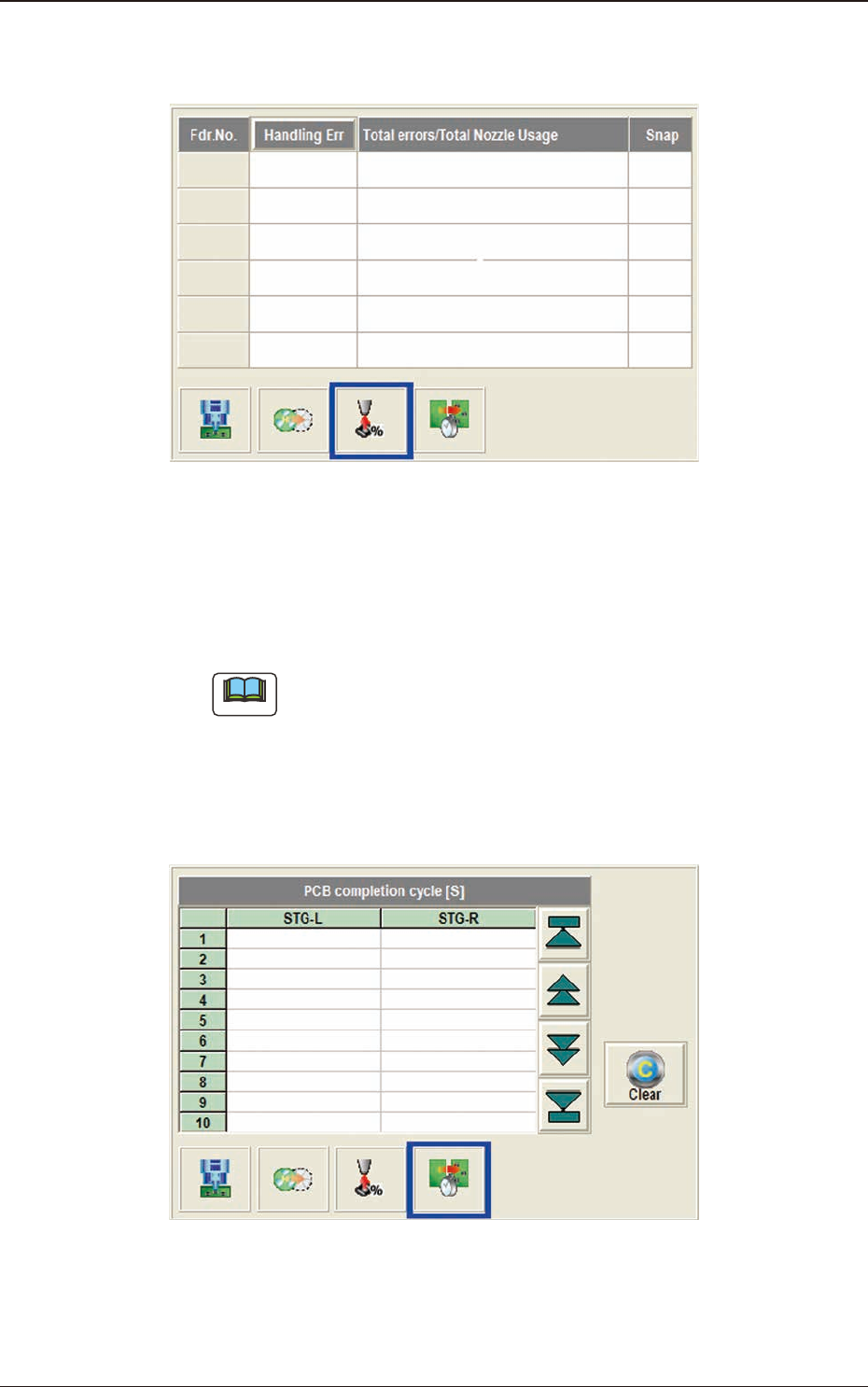
Component Handling Rate Data
The data of the feeder where the pick-up rate has been dropped, is displayed.
"
Component Handling Rate Data
"
Window F2A8
PCB completion cycle
Max. 500 items of the measured nishing interval (interval between the
previous PCB and the current PCB at the nal step completion) are displayed
from the newest.
Note
(a) Because the interval cannot be measured before the second PCB is
completed, "---" is displayed at the rst PCB nished time.
(b) In the case that the placement status becomes "Stopping" or "Pause",
the measurement of the PCB is stopped and "---" is displayed.
(c) The history is automatically saved in "D:\mdata\MachDt\PcbInt.csy"
when the whole status becomes "Stopping".
"PCB completion cycle" Window F2A9