2OM-1751-003w_G5S.pdf - 第65页
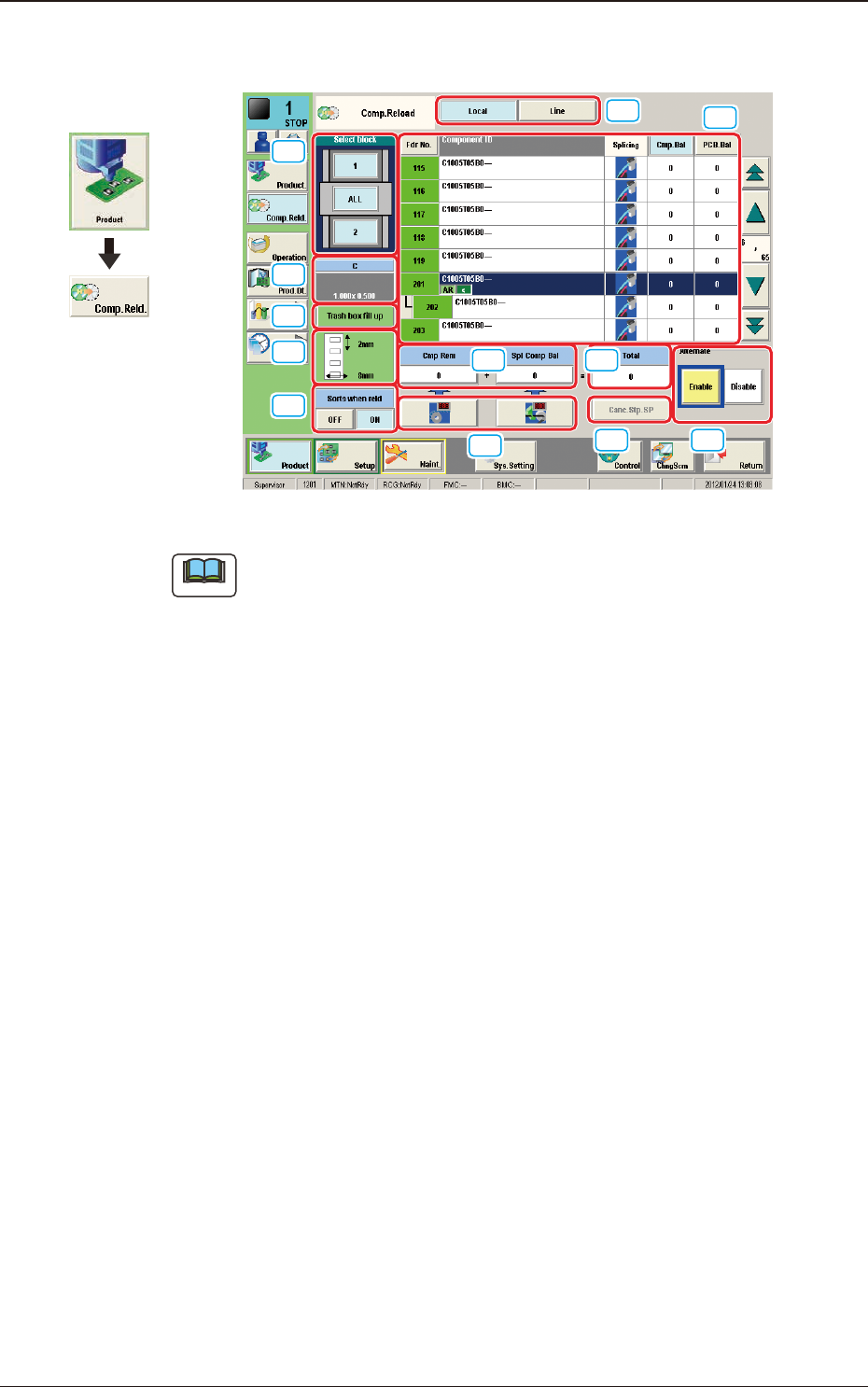
2OM-1751 1-13 1303-001 [1] Select block The feeder block image is displayed. When each block button is pressed, the "[2] List of Feeders" pane shows the feeder information of the corresponding block. [2] "…
2OM-1751
1-121303-001
3. "Comp.Reload" Window
[1]
[3]
[4]
[2]
[7]
[6]
[5]
[8]
[9]
[11]
[12]
[10]
"Comp.Reload" Window F2A11
Note
The displayed contents will differ depending on selection of the options.
3. "Comp.Reload" Window
Graphic
Development
2OM-1751
1-131303-001
[1] Select block
The feeder block image is displayed.
When each block button is pressed, the "[2] List of Feeders" pane shows the
feeder information of the corresponding block.
[2] "List of Feeders" Pane
Fdr No.
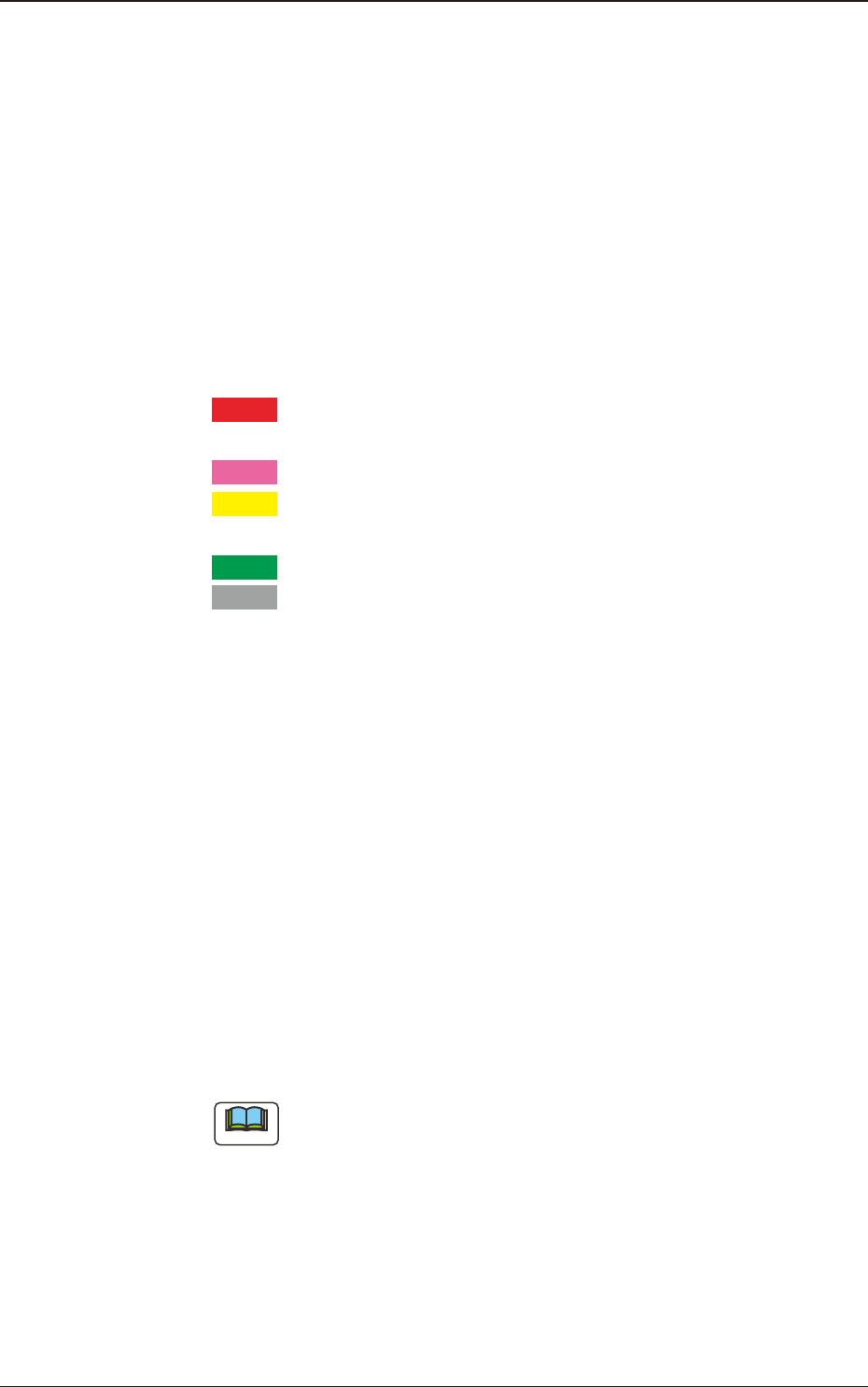
The condition of each feeder is color-coded. When a component shortage
error has occurred in a feeder, the background color of the feeder No. turns
red.
According to your judgment based on the color codes, components can also
be supplied to the other feeders together with the error-caused feeder.
Red
: Feeder Unavailable (Component Shortage Error, Feeder
Not Installed, etc.)
Pink
: Splicing Stop Generated at Feeder
Yellow
: Attention Required Feeder (Warning of Component
Shortage, etc.)
Green
: The feeders are normal.
Gray
: Not selected feeder (specied as "Not Used") in the pat-
tern program
Component ID
Displayed are the component IDs.
Splicing
When the splicing function in each feeder has been enabled, it is displayed in
blue, and when the function has been disabled, it is displayed in red.
Cmp.Bal
Displayed is the number of components remaining in the feeder.
PCB.Bal
The No. of PCBs where the components can be placed before a component
shortage occurs, is displayed in these data boxes.
Note
Each button-shaped item has a button function.
When each button is pressed, the corresponding items are re-arranged in
the ascending order.
[3] Component type
Displayed are the following component data.
Comp Type
Comp Size (X, Y)
3. "Comp.Reload" Window
2OM-1751
1-14
[4] Tape Type
Displayed are the following Tape data.
Tape Width
Pitch
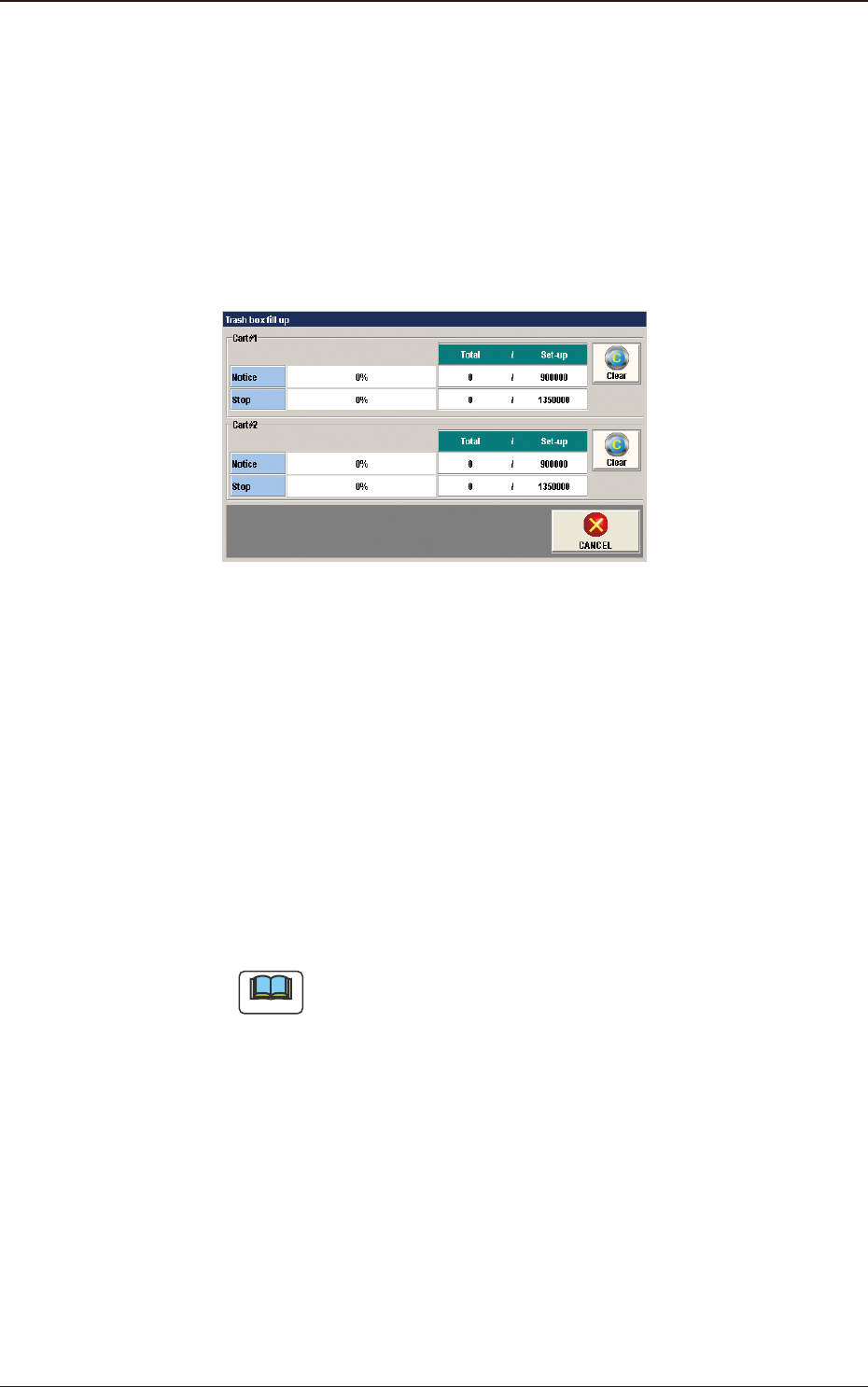
[5] [Trash box ll up] Button
Pressing this button displays the following window and the condition of tape
cuttings can be checked.
F2A12
Cart #1, #2
Notice
When the totaled amount value reaches the set value, it is announced in
this section.
Stop
When the totaled amount value reaches the set value, it is announced in
this section and the machine is stopped.
[Clear] Button
When this button is pressed, the totaled amount value is returned to "0".
Note
Refer to "3. Auto Operation" in Chapter 2, Volume 3, for the set values.
1303-001
3. "Comp.Reload" Window