2OM-1751-003w_G5S.pdf - 第67页
2OM-1751 1-15 1303-001 [6] Sorts when reld [OFF] Button When pressed, the sorting operation is not performed in the component reload operation. [ON] Button When this button is pressed, the component reloaded feeders are …
2OM-1751
1-14
[4] Tape Type
Displayed are the following Tape data.
Tape Width
Pitch
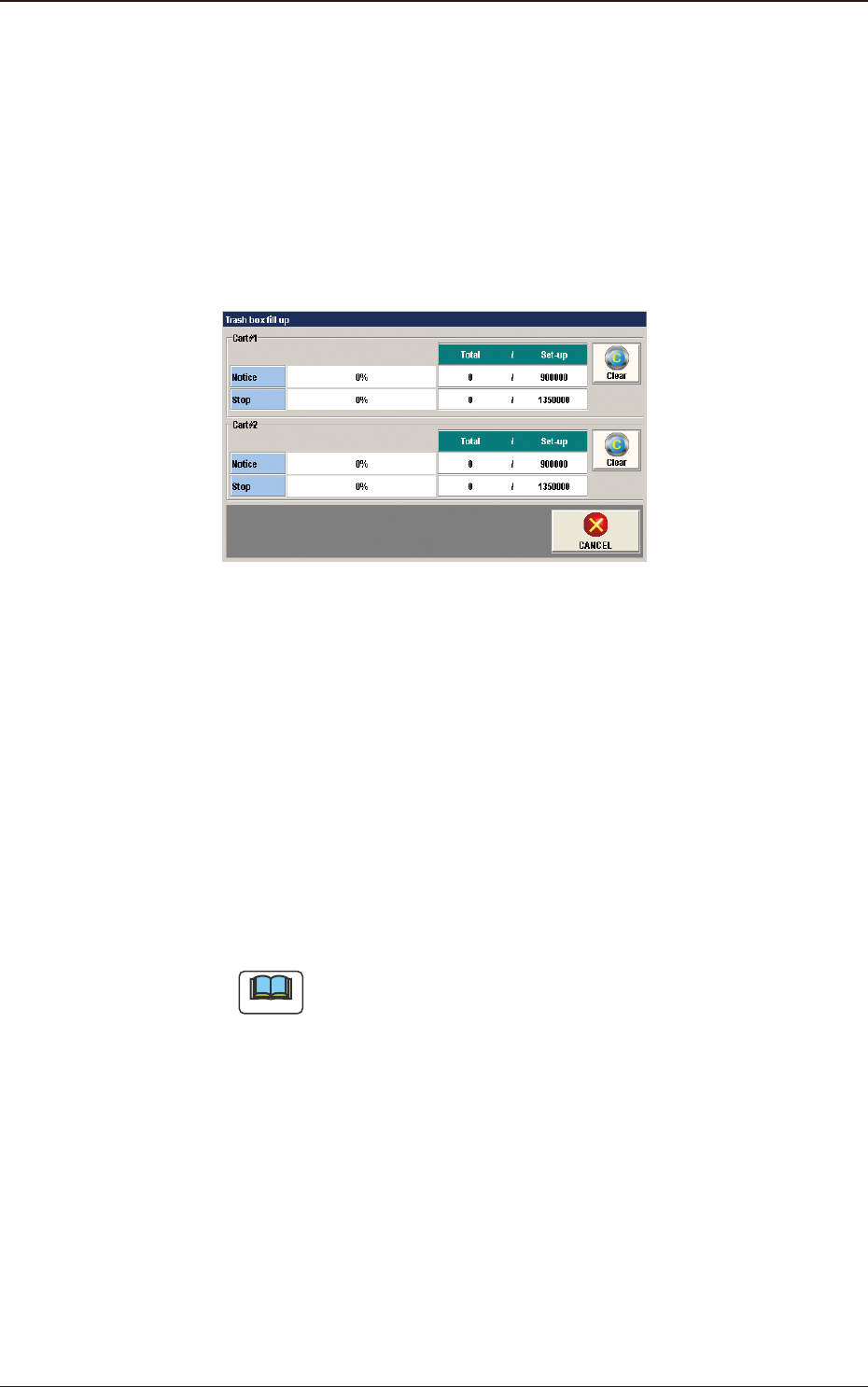
[5] [Trash box ll up] Button
Pressing this button displays the following window and the condition of tape
cuttings can be checked.
F2A12
Cart #1, #2
Notice
When the totaled amount value reaches the set value, it is announced in
this section.
Stop
When the totaled amount value reaches the set value, it is announced in
this section and the machine is stopped.
[Clear] Button
When this button is pressed, the totaled amount value is returned to "0".
Note
Refer to "3. Auto Operation" in Chapter 2, Volume 3, for the set values.
1303-001
3. "Comp.Reload" Window

2OM-1751
1-151303-001
[6] Sorts when reld
[OFF] Button
When pressed, the sorting operation is not performed in the component
reload operation.
[ON] Button
When this button is pressed, the component reloaded feeders are
automatically sorted and moved down to facilitate the component reload
operation.
[7] [Cmp Reload] Button
,
[SPL Reload] Button
Pressing these buttons enters the corresponding numbers of components in
the component library data in the above text boxes.
[8] [Cmp Rem] Button,
[Spl Comp Bal] Button
Pressing either one of these buttons opens a data entry window - "Cmp Rem"
or "SPL Cmp Rem" window.
Each data entry window enables the operator to enter and specify the number
of components being used currently or subsequently (for splicing).
These buttons can be used when the number of components differs from the
specied value (number of components) in the component library data.
[9] [Canc.Stp.SP] Button
When this button is pressed, it can be canceled to stop the tape feeding for
splicing the tape ends together.
As a result, the tape feeder equipped with the tape splicing function will not
be stopped, making it possible to use up the tape.
[10] Total
The total of the "Current Component Remained (Cmp Rem)" and "Splicing
Component Balance (Spl Comp Bal)" is displayed.
[11] Local/Line Change Button
Each pressing of this button toggles between the local window and the line
window.
3. "Comp.Reload" Window
2OM-1751
1-161303-001
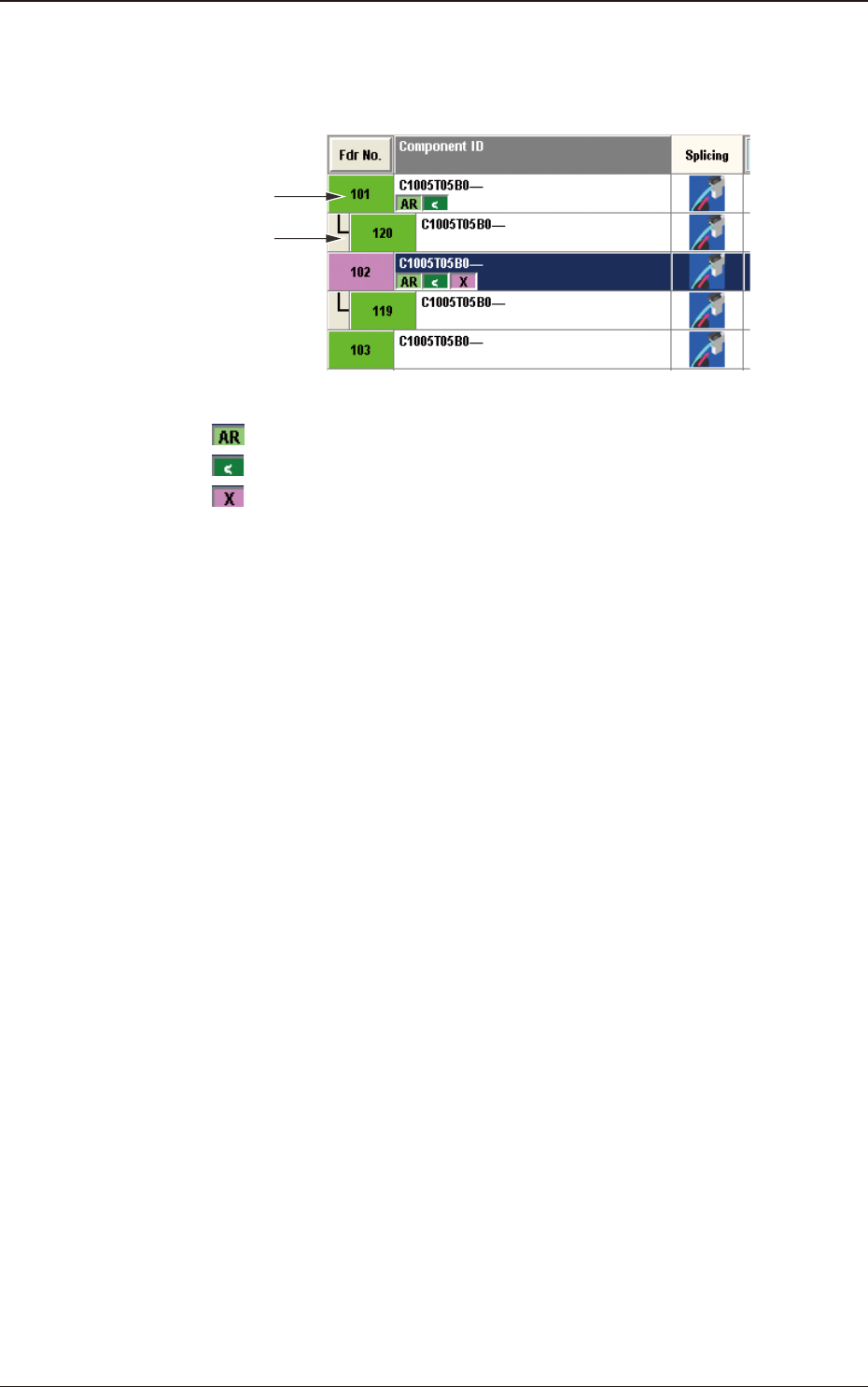
[12] Alternate
In this section, "Enable" or "Disable" is set for the "Alternate" function in the
feeder where the feeder "Alternate" function has been setup.
Source Feeder
to be Alternated
Alternated Feeder
F2A13
: Feeder where the feeder "Alternate" function has been setup
: Feeder where the components are being picked up
: Feeder where the feeder "Alternate" function has been
disabled
3. "Comp.Reload" Window