2OM-1751-003w_G5S.pdf - 第80页
2OM-1751 1-28 1303-001 4.1.3 "Run Mode" Window in "Placement Recovery Available" Mode "Enable" or "Disable" for the NL-axis Origin Teaching, is setup in this data box. [1] [2] F2A2…
2OM-1751
1-271303-001
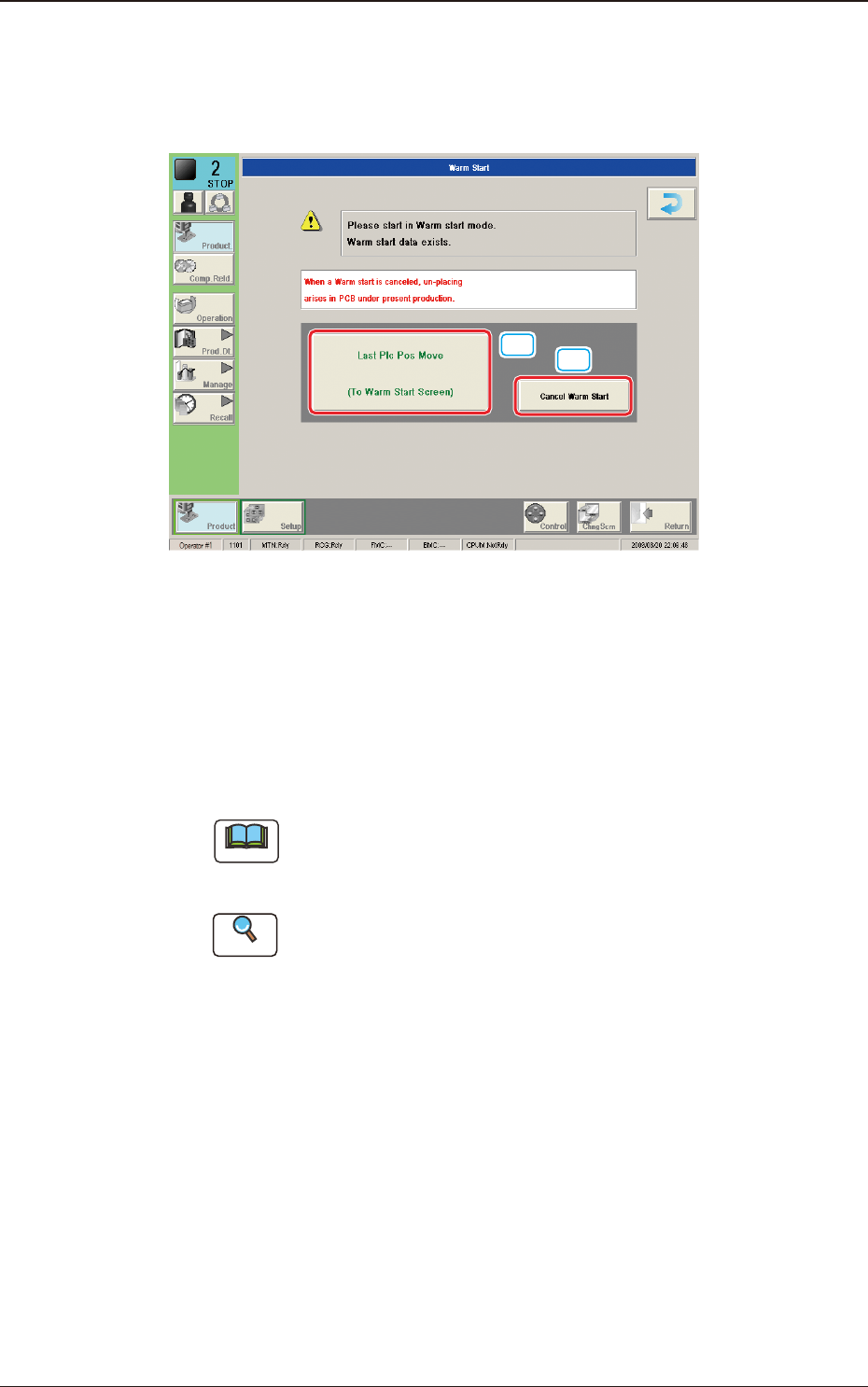
4.1.2 "Run Mode" Window ("Warm Start" Possible)
When the machine is set in the "PAUSE" mode during the automatic operation, a
warm start operation becomes possible and the "Warm Start" window appears.
[1]
[2]
F2A21
[1] [Last Plc Pos Move] Button
When this button is pressed, the "Last Placement Point Check" window is
opened.
[2] [Cancel Warm Start] Button
When pressed, the warm start is cancelled.
Note
This button is displayed only in the window for the Supervisor, When the
Warm start has been stopped, the PCB is discharged without placing any
component in the re-start operation. Pay attention to it.
Reference
Refer to "5.3 Resumption of Production through Warm Start Procedure"
(Chapter 3 in Volume 1) for the detailed information on how to execute a
warm start operation.
4.1 "Run Mode" Tab Sheet
2OM-1751
1-281303-001
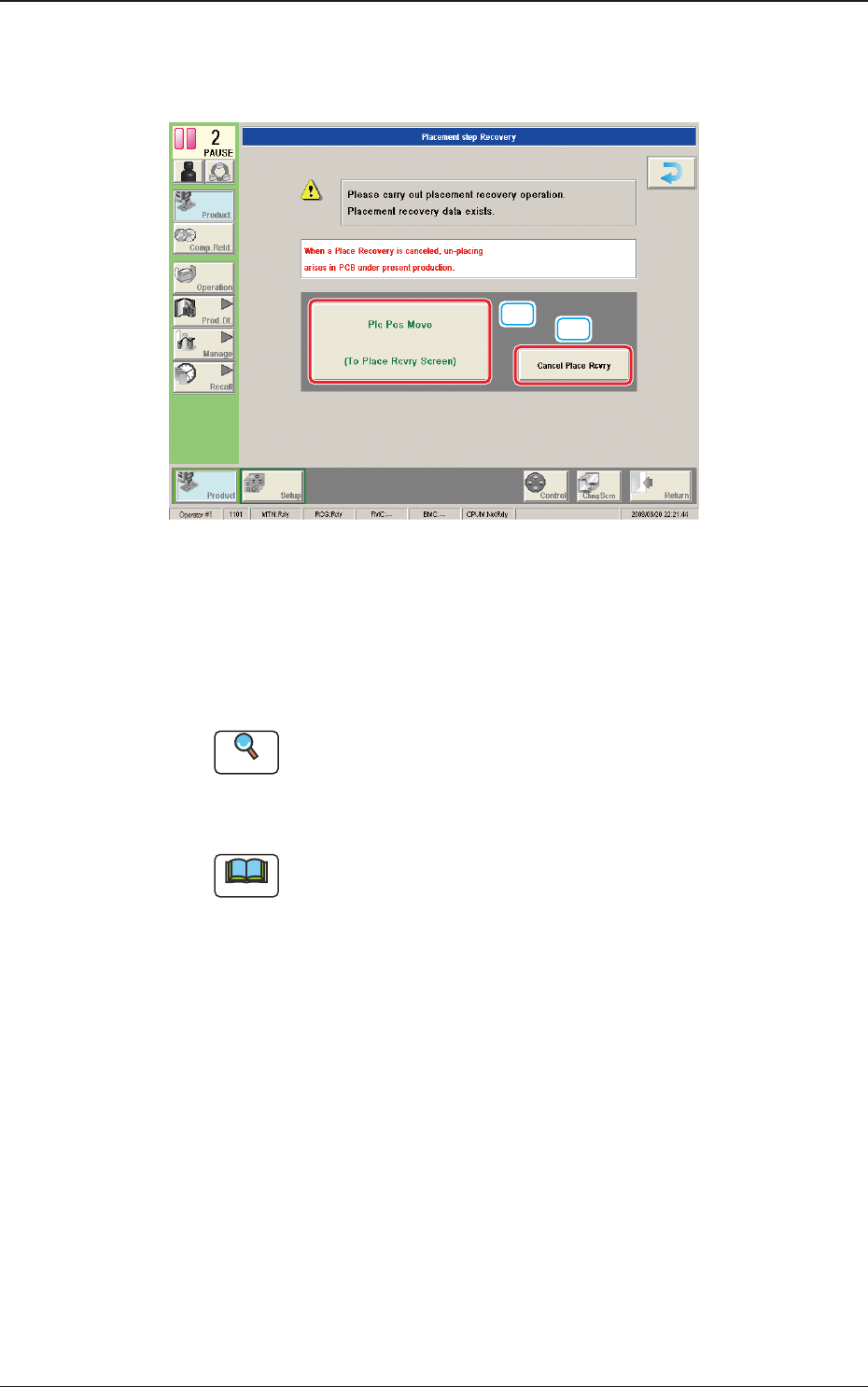
4.1.3 "Run Mode" Window in "Placement Recovery Available" Mode
"Enable" or "Disable" for the NL-axis Origin Teaching, is setup in this data box.
[1]
[2]
F2A22
[1] [Plc Pos Move] Button
When pressed, this button opens the "When the NL-axis origin teaching is
to be performed, the teaching time interval is selected from the following
items." window.
Reference
A pre-pick nozzle conrmation error will not occur when the pre-pick
nozzle conrmation function is not used.
Refer to "4.2 Opr. Mode Tab Sheet" in "Chapter 1" for how to use the pre-
pick nozzle conrmation function.
Note
When the machine is reset to its normal condition from the "ERROR"
window after a pre-pick nozzle conrmation error has occurred, the
"Placement Step Recovery" window appears automatically.
[2] [Cancel Place Rcvry] Button
When pressed, the placement recovery is cancelled.
4.1 "Run Mode" Tab Sheet

2OM-1751
1-291303-001
4.2 "Opr.Mode" Tab Sheet
When the [Opr.Mode] tab is pressed, the "Opr.Mode" tab sheet (1st page) appears
as an initial one.
[1]
[2]
"
Opr.Mode
"
Tab sheet (1st page) F2A23
[1]
"
Opr.Mode
"
Tab sheet (2nd page) F2A24
4.2 "Opr.Mode" Tab Sheet
Graphic
Development