2OM-1751-003w_G5S.pdf - 第81页
2OM-1751 1-29 1303-001 4.2 "Opr .Mode" T ab Sheet When the [Opr.Mode] tab is pressed, the "Opr.Mode" tab sheet (1st page) appears as an initial one. [1] [2] " Opr.Mode " Tab sheet (1st page)…
2OM-1751
1-281303-001
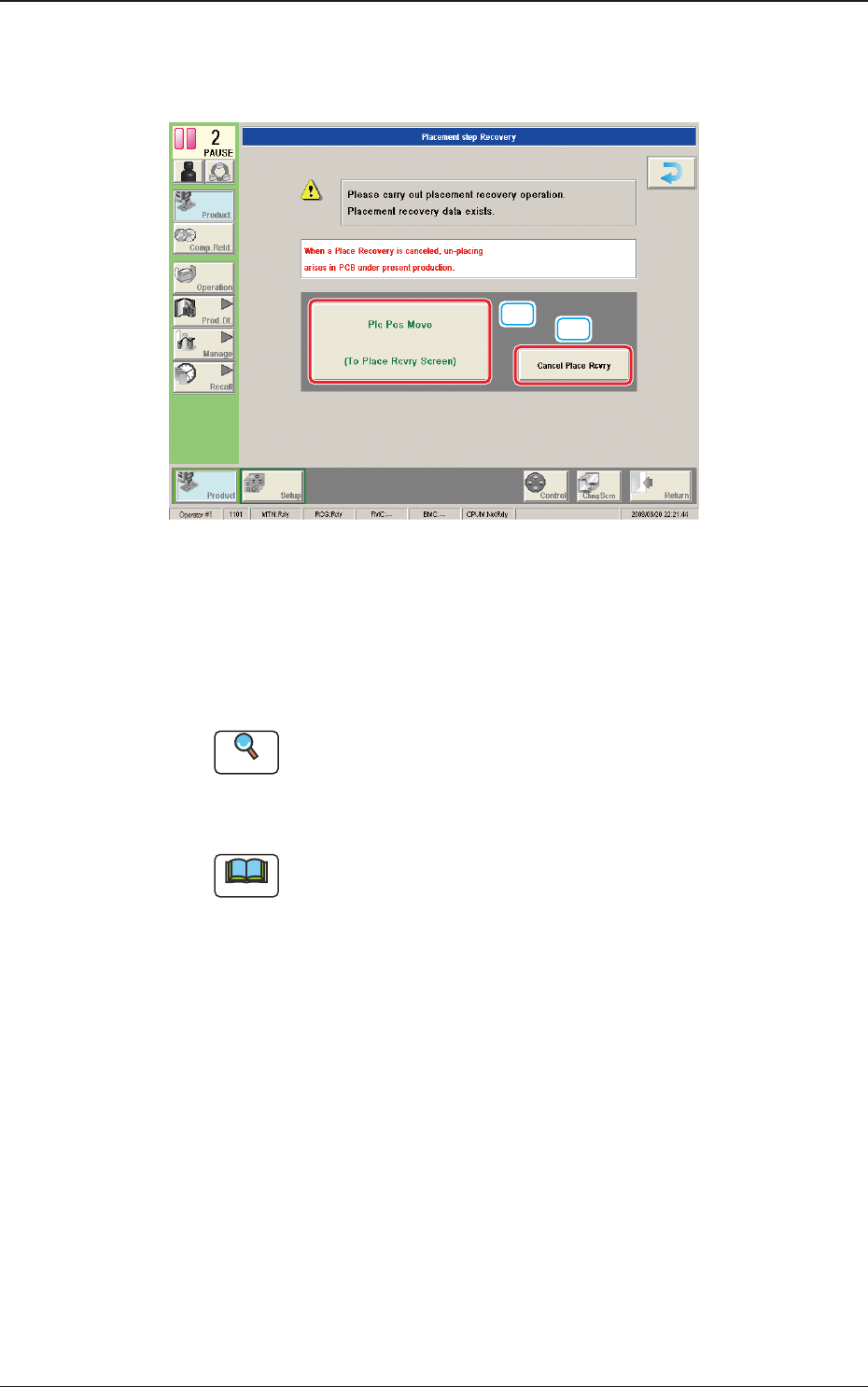
4.1.3 "Run Mode" Window in "Placement Recovery Available" Mode
"Enable" or "Disable" for the NL-axis Origin Teaching, is setup in this data box.
[1]
[2]
F2A22
[1] [Plc Pos Move] Button
When pressed, this button opens the "When the NL-axis origin teaching is
to be performed, the teaching time interval is selected from the following
items." window.
Reference
A pre-pick nozzle conrmation error will not occur when the pre-pick
nozzle conrmation function is not used.
Refer to "4.2 Opr. Mode Tab Sheet" in "Chapter 1" for how to use the pre-
pick nozzle conrmation function.
Note
When the machine is reset to its normal condition from the "ERROR"
window after a pre-pick nozzle conrmation error has occurred, the
"Placement Step Recovery" window appears automatically.
[2] [Cancel Place Rcvry] Button
When pressed, the placement recovery is cancelled.
4.1 "Run Mode" Tab Sheet

2OM-1751
1-291303-001
4.2 "Opr.Mode" Tab Sheet
When the [Opr.Mode] tab is pressed, the "Opr.Mode" tab sheet (1st page) appears
as an initial one.
[1]
[2]
"
Opr.Mode
"
Tab sheet (1st page) F2A23
[1]
"
Opr.Mode
"
Tab sheet (2nd page) F2A24
4.2 "Opr.Mode" Tab Sheet
Graphic
Development
2OM-1751
1-301303-001
[1]
[2]
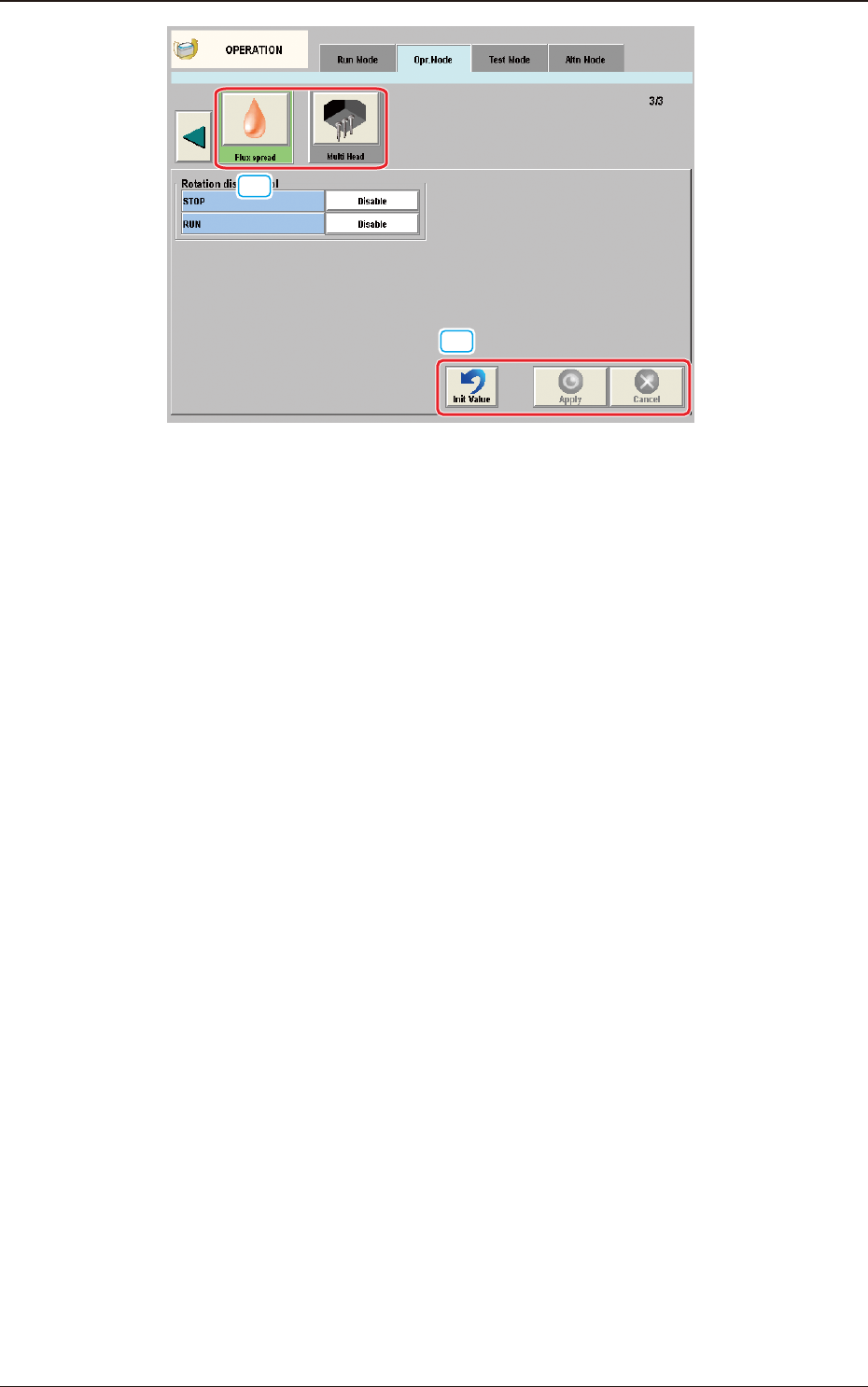
"Opr.Mode" Tab sheet (3rd page) F2A25
[1] "Opr.Mode" Select
The setting is performed in this area for the selected button.
When the setting has been changed, press the [Apply] button to apply the
setting.
[2] Common Button
[Init Value] Button
When pressed, the set condition parameters are returned to the initial values.
[Apply] Button
When pressed, the changed setting is applied.
[Cancel] Button
When pressed the changed setting is returned to the one prior to the change.
4.2 "Opr.Mode" Tab Sheet