2OM-1751-003w_G5S.pdf - 第83页
2OM-1751 1-31 1303-001 4.2.1 Recog Display When the [Recog Display] button is pressed on the "Opr.Mode" tab sheet, the following window appears. In this window, the graphic display setting when the recognition …
2OM-1751
1-301303-001
[1]
[2]
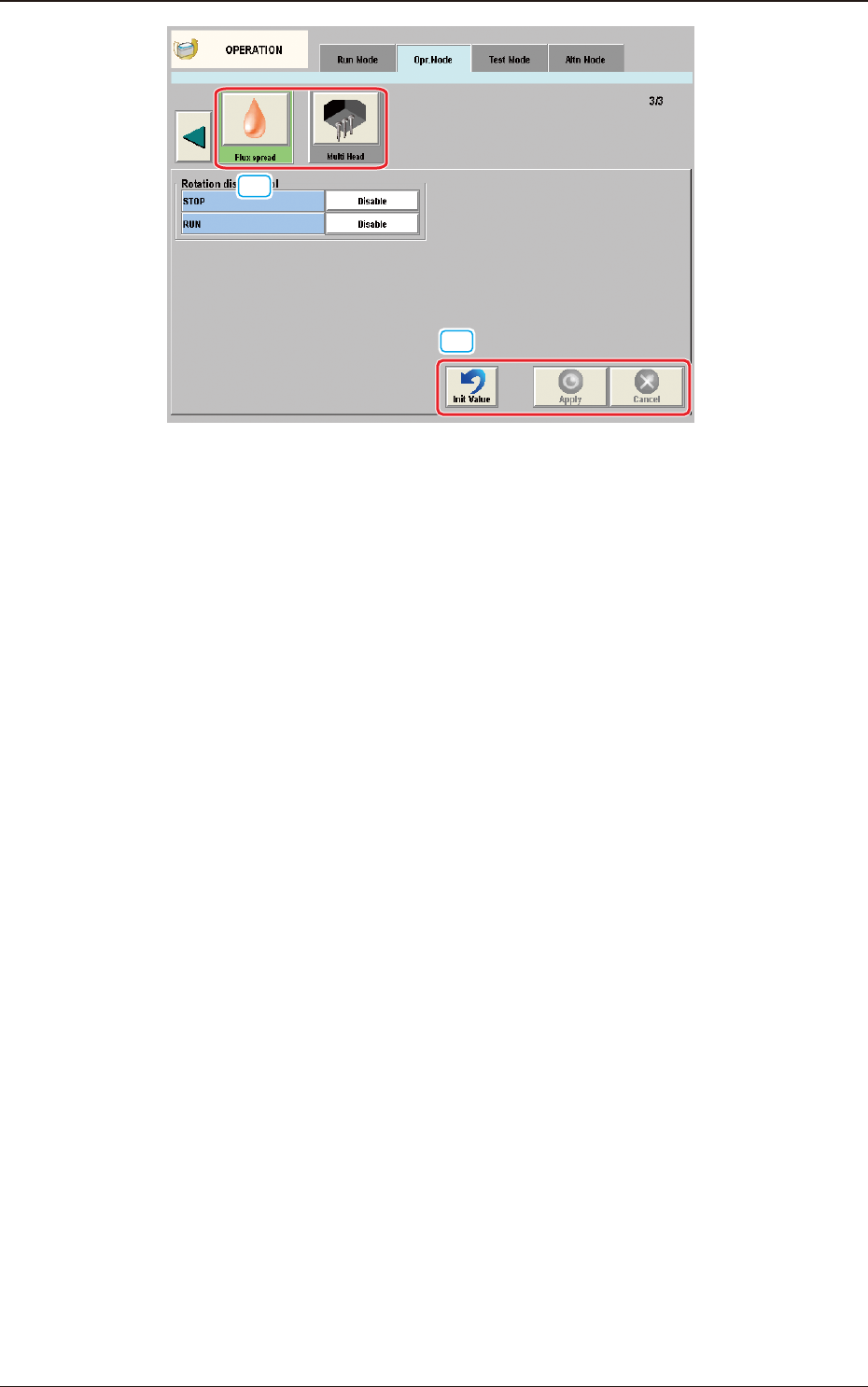
"Opr.Mode" Tab sheet (3rd page) F2A25
[1] "Opr.Mode" Select
The setting is performed in this area for the selected button.
When the setting has been changed, press the [Apply] button to apply the
setting.
[2] Common Button
[Init Value] Button
When pressed, the set condition parameters are returned to the initial values.
[Apply] Button
When pressed, the changed setting is applied.
[Cancel] Button
When pressed the changed setting is returned to the one prior to the change.
4.2 "Opr.Mode" Tab Sheet
2OM-1751
1-311303-001
4.2.1 Recog Display
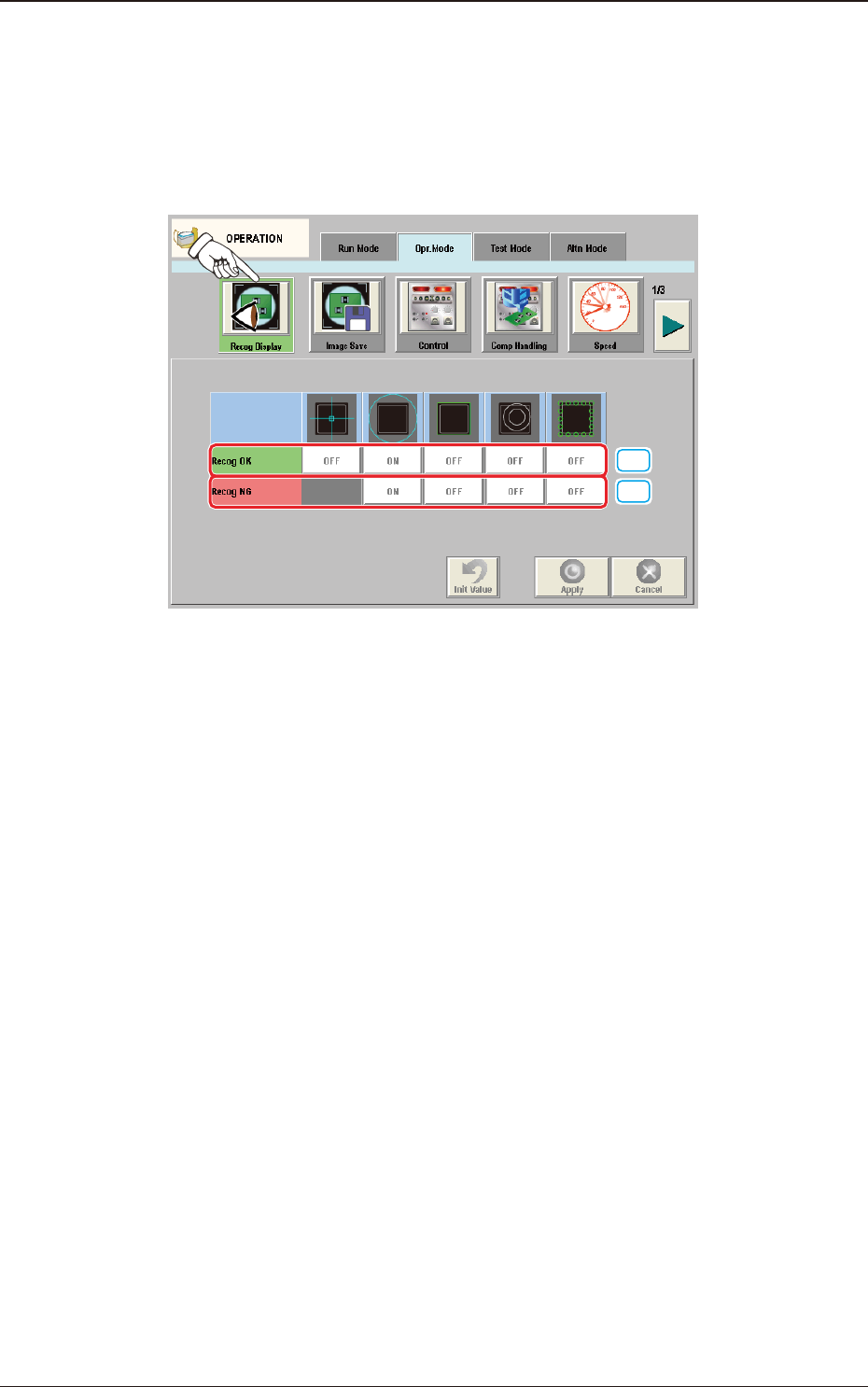
When the [Recog Display] button is pressed on the "Opr.Mode" tab sheet, the
following window appears.
In this window, the graphic display setting when the recognition results are
displayed, is performed.
[1]
[2]
F2A26
[1] Recog OK
When the result of recognition is normal, the graphics of the items for which
the setting has been "ON" using the following buttons, are displayed.
[Cross] Button
When selected, this displays a crosshair at the center of the recognized
object.
[Circle] Button
When selected, this displays a circle at the center of the recognized object.
[Outside] Button
When selected, this displays the outline of the recognized object.
[Nozzle Outside] Button
When selected, this displays the outline of the vacuum nozzle that was used
to recognize a component.
[Detect Pos] Button
When selected, this displays the detection area, detected corner or edge
position.
4.2 "Opr.Mode" Tab Sheet

2OM-1751
1-321303-001
[2] Recog NG
When the result of recognition is abnormal, the graphics of the items for
which the setting has been "ON" using the following buttons, are displayed.
[Circle] Button
When selected, this displays a circle at the center of the recognized object.
[Outside] Button
When selected, this displays the outline of the recognized object.
[Nozzle Outside] Button
When selected, this displays the outline of the vacuum nozzle that was used
to recognize a component.
[Detect Pos] Button
When selected, this displays the detection area, detected corner or edge
position.
Note
When the button corresponding to the set item, is pressed, turning ON/OFF of
the button can be performed.
Multiple items can be selected.
4.2 "Opr.Mode" Tab Sheet