2OM-1751-003w_G5S.pdf - 第97页
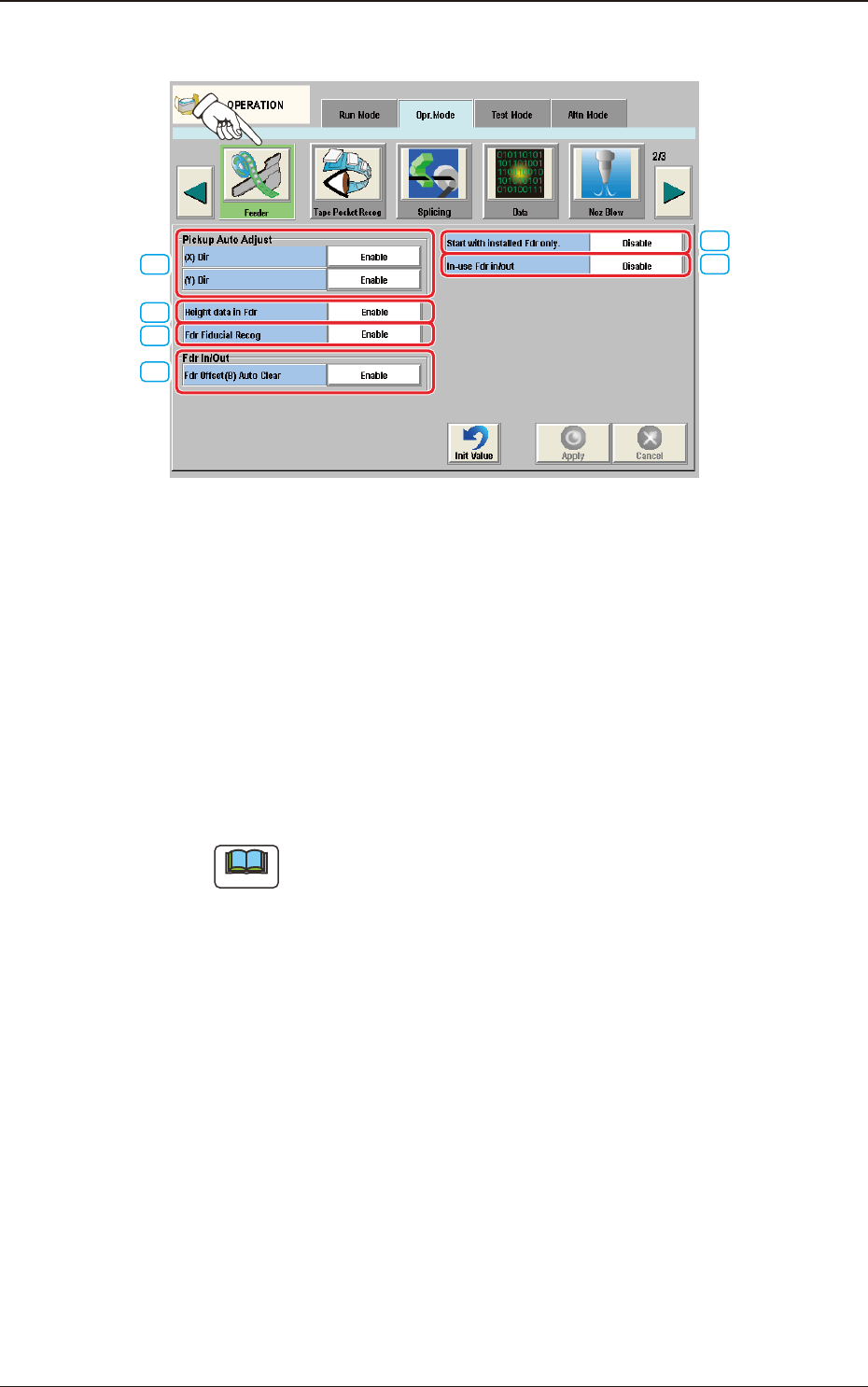
2OM-1751 1-45 1303-001 4.2.6 Feeder [1] [4] [2] [3] [5] [6] F2A32 [1] Pickup Auto Adjust This function is used to correct the feeder offset data through statistical processing of the difference between the nozzle and com…

2OM-1751
1-441303-001
4.2 "Opr.Mode" Tab Sheet
[10] Head Rotation
When this button is pressed, the "Head Rotation" edit window opens.
Enter the rate of speed reduction in the data entry eld for the head rotation.
Note
(a) If a higher speed than that specied in this window is set in the component
library data, it is regulated to the specied upper limit.
(b) If a lower speed than that specied in this window is set for some
components in the component library data, it becomes valid.
[11] Retention time bfr Pl descent
The stop time before the moving down for the placement, is set in this data
box.
Rang
: 0 to 255 ms
Value
: 0 ms
2OM-1751
1-451303-001
4.2.6 Feeder
[1]
[4]
[2]
[3]
[5]
[6]
F2A32
[1] Pickup Auto Adjust
This function is used to correct the feeder offset data through statistical
processing of the difference between the nozzle and component center
positions calculated during component recognition according to the
parameters specied as "Auto fdr axis adj set" in the "Auto Ope. Set-up" tab
sheet in the "System" window.
The [Enable] or the [Disable] button can be selected for the pickup auto
adjust mode.
Each button can be selected separately for the X and Y directions.
Note
The "Auto Ope. Set-up" tab appears when the [Ope. Palam.] button is
pressed after pressing the [Sys. Setting] button on the common menu bar.
4.2 "Opr.Mode" Tab Sheet

2OM-1751
1-461303-001
(X) Dir
Enable
Select this button to use the automatic feeder axis adjustment function for
the X direction.
Disable
Select this button not to use the automatic feeder axis adjustment function
for the X direction.
(Y) Dir
Enable
Select this button to use the automatic feeder axis adjustment function for
the Y direction.
Disable
Select this button not to use the automatic feeder axis adjustment function
for the Y direction.
Note
(a) In normal cases, the [Enable] button should be selected.
(b) The designation of the pickup auto adjust function for a specic
feeder can be canceled in the component library data.
(c) When the machine is set in the "RUN" or the "WAIT" mode,
the data save operation (saving of changed settings) cannot be
performed.
[2] Height data in Fdr
Enable
Select this button to use the feeder height data when components are picked
up.
Disable
Select this button not to use the feeder height data when components are
picked up.
[3] Fdr Fiducial Recog
Enable
It is selected when the Feeder Fiducial Recognition is used.
Disable
It is selected when the Feeder Fiducial Recognition is not used.
4.2 "Opr.Mode" Tab Sheet