JO-072-006_w.pdf - 第101页
4-15 AKBEG-ID (10) Press the [ST AR T] button in the window . The accuracy inspection is executed, excluding the following two points. • Discrepancy in T ype Data When a discrepant item exists in the type data, a warning…
4-14
AKBEG-ID
•
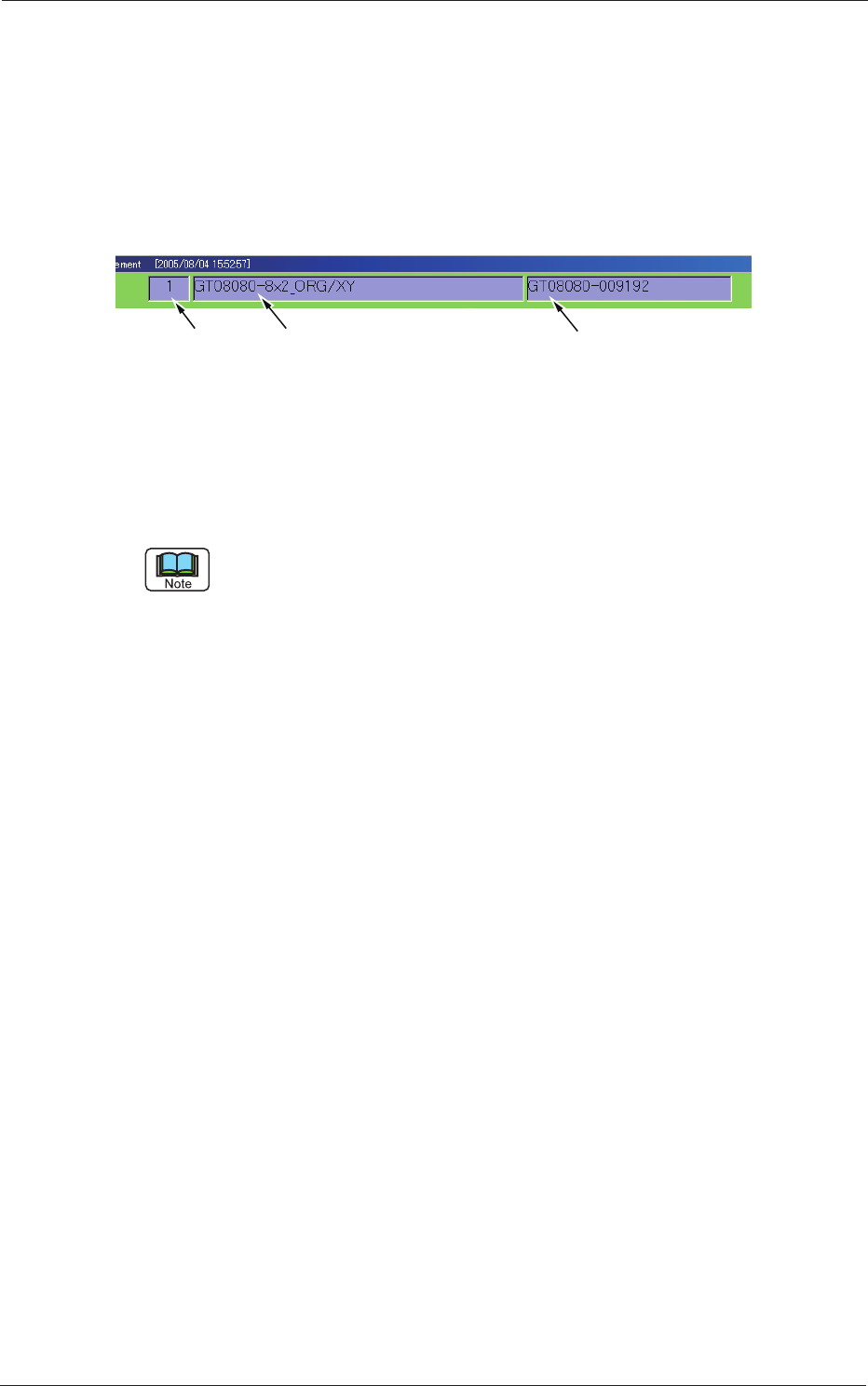
Conrmation of Type No. Type Name, and Serial No.
The type No. the type name, and the serial No. are displayed on the upper
area of the window for the conrmation.
Remarks:
It is required to manually create a type or change the type
be-
fore executing the inspection on the type that was not retrieved
through the automatic type change sequence or on another
type.
Type No. Type Name Serial No.
Fig. D16
•
Conrmation of Crosshair
When a crosshair is not displayed, press the [+] button in the "Measure
-
ment" window to make the crosshair appear.
•
To stop the accuracy inspection sequences temporarily
When the [START] button is pressed to start the inspection, the label on
the button is changed to "STOP".
When the [ST
OP] button is pressed, the inspection is interrupted tempo-
rarily.
"PAUSE" appears in the mode indicator box (located on the upper right
side of the window) while the inspection is stopped temporarily.
To cancel the "PAUSE" mode and continue the inspection, press the
[START] button again.
•
To stop the accuracy inspection sequences completely
To stop the inspection sequences completely, press the [RESET]
button (displayed on the upper left area of the window) in the
"PAUSE" mode.
A message box appears, enabling you to determine whether or not
the sequences should be stopped completely.
When you press the [YES] button, the inspection sequences are
stopped completely.
0508-001
2. Feeder Measurement
4-15
AKBEG-ID
(10) Press the [START] button in the window.
The accuracy inspection is executed, excluding the following two
points.
•
Discrepancy in Type Data
When a discrepant item exists in the type data, a warning message box
opens, indicating that the accuracy inspection cannot be executed.
Correct the discrepant data.
•
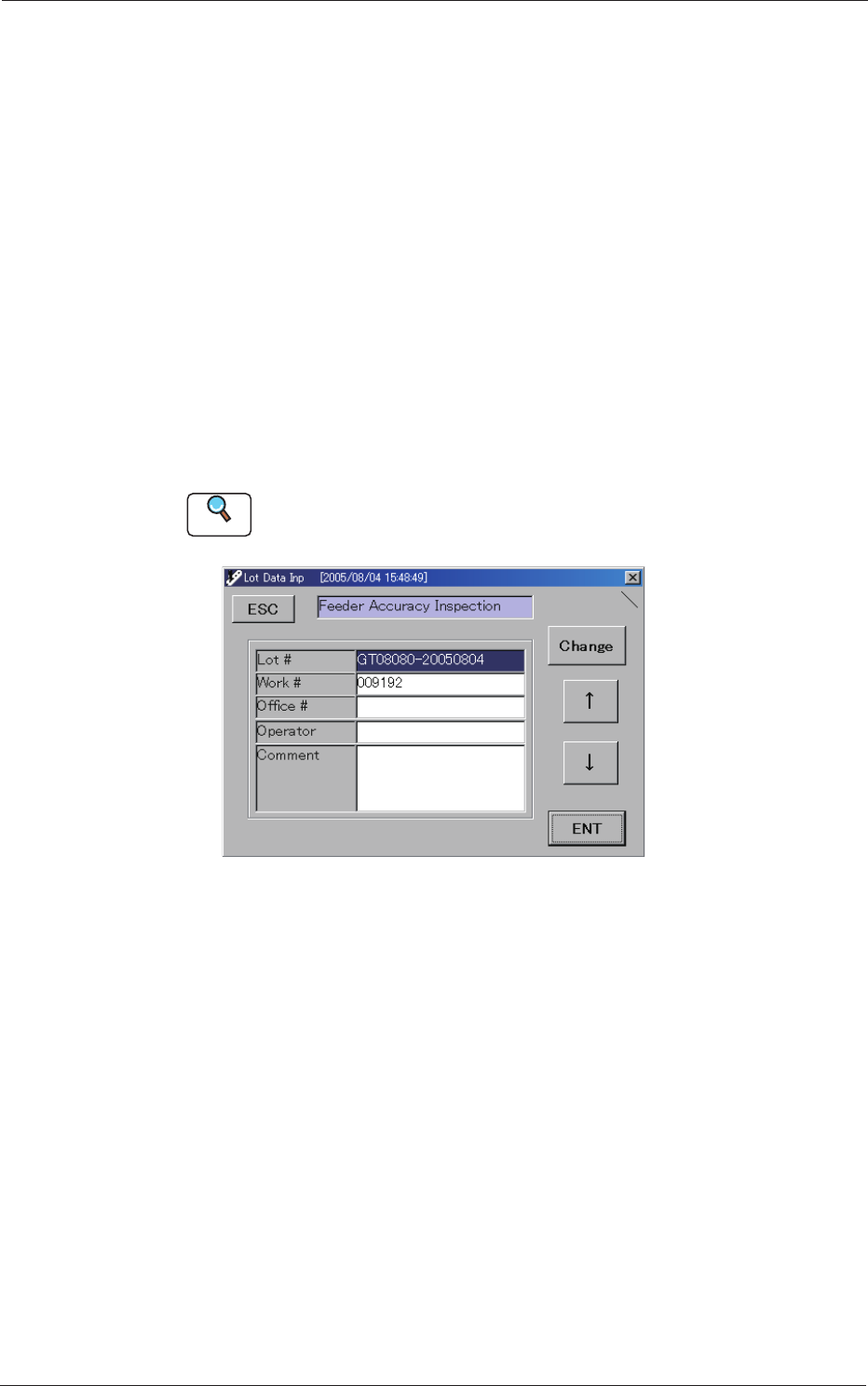
"Lot Data Inp" Window
When "0" or "1" is set in the "Lot Data Input Omission Flag" text box
in the "Type Setting #1" window, the "Lot Data Inp" window opens
once before the inspection is executed initially, prompting you to set the
lot data.
When the [START] button is pressed after the setting, the accuracy
inspection starts.
Reference
Refer to "4. "Type Setting" Window" in "Section 3" for the lot data input omis-
sion ag.
Fig. D17 "Lot Data Inp" Window
Lot # :
"type-yyyymmdd" is automatically allocated as a le name
to be recorded. (yyyy = Year, mm = Month, dd = Day)
Example:
200
4/08/17 = 20040817
Work # :
The numerical values in the serial area of the serial No. are
automatically allocated and entered in the text box.
Ofce # :
An arbitrary string of characters can be entered.
Operator :
An arbitrary string of characters can be entered.
Comment :
An arbitrary string of characters can be entered.
0508-001
2. Feeder Measurement
4-16
AKBEG-ID
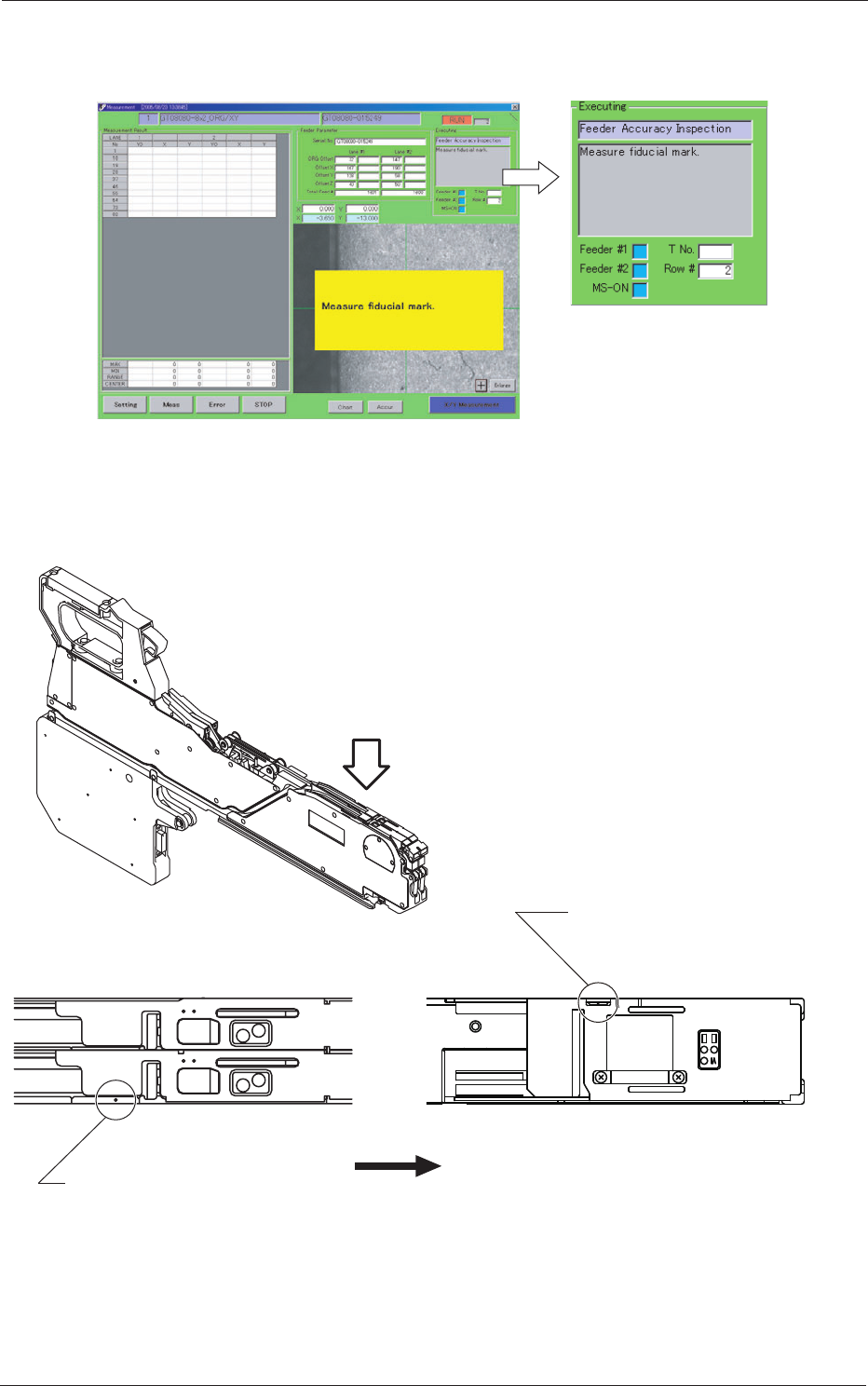
(11) The ducial mark position of the feeder is measured.
The following dialog box appears for three seconds.
Fig. D18
(12) Move the micrometer until the hole at the ducial mark position is
aligned with the center of the crosshair.
4
2
4
2
4 8
12
Direction of Tape Feed
Fiducial Mark Position of
G*-12160 or more
(G*-24320 used in the figure)
Fiducial Mark Position
of G*-0808*
Fig. D19 Position of Fiducial Mark
0809-002
2. Feeder Measurement