JO-072-006_w.pdf - 第55页
3-2 AKBEG-ID (2) The "Password" window appears. Enter the password through keyboard navigation. After you have entered the password, press the [OK] button. Fig. C2 Enter only alphanumeric characters. Note that …
3-1
AKBEG-ID
0508-001
1. Administrative Authority Change
1. Administrative Authority Change
"Administrative Authority" is required to change the system data and the
settings of type data, etc., excluding some of the items.
Authority Level
Three authority levels are available in this program.
•
Administrator
:
System Administrator
•
Power User :
Component Type Manager
•
User :
Operator (Default)
The authorities as "Administrator" and "Power User" are managed by
passwords.
Restrictions by Authority
•
Administrator
Authority is given to change all settings.
•
Power User
Authority is given to change the user and type data.
•
User (Default)
Authority is given to select component types and change the items related
only to "Master Settings".
1.1 Authority Change
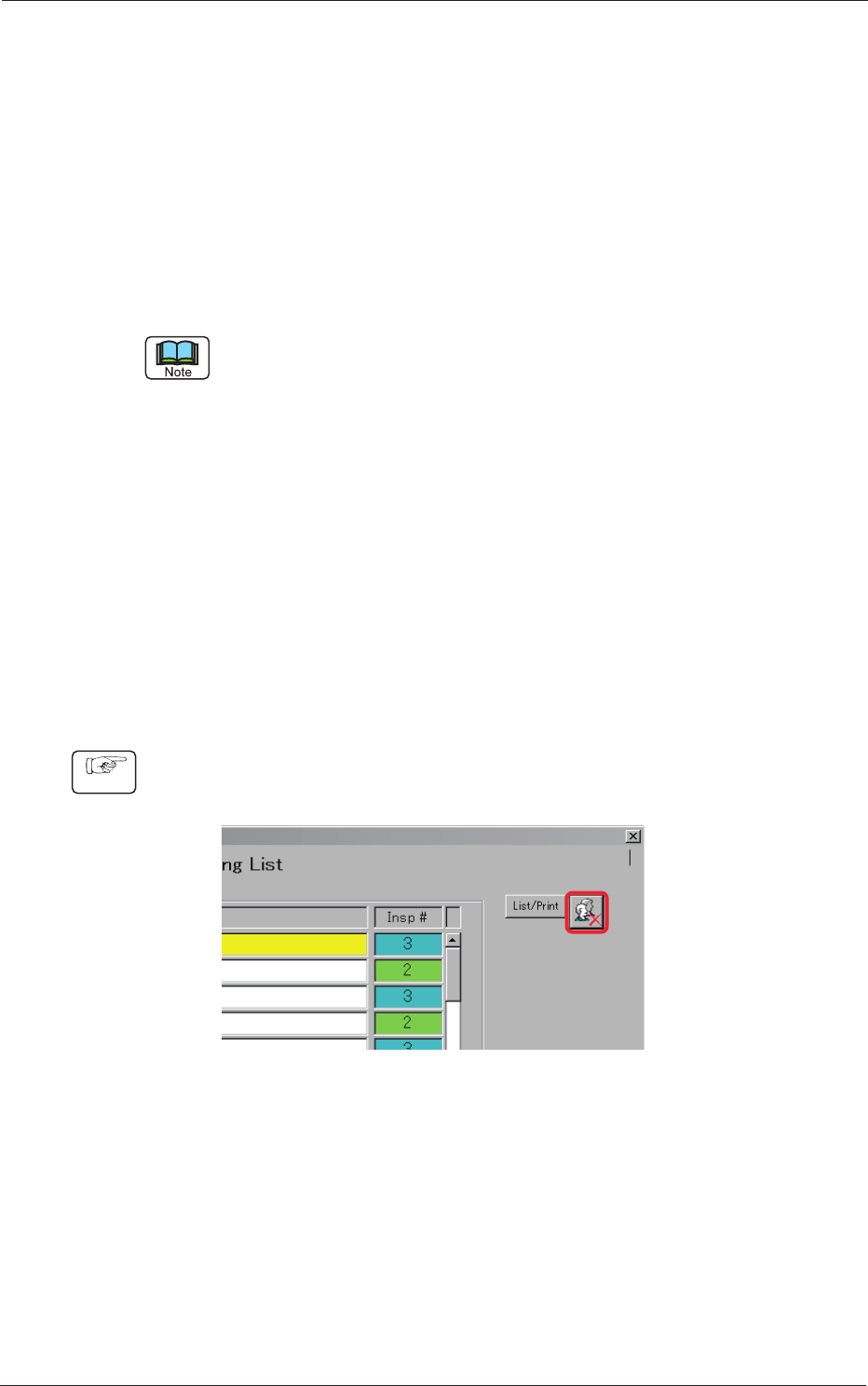
(1) Press the [Authority Setting] button located on the upper right corner of
the "Type Listup" window.
Fig. C1
Procedure
3-2
AKBEG-ID
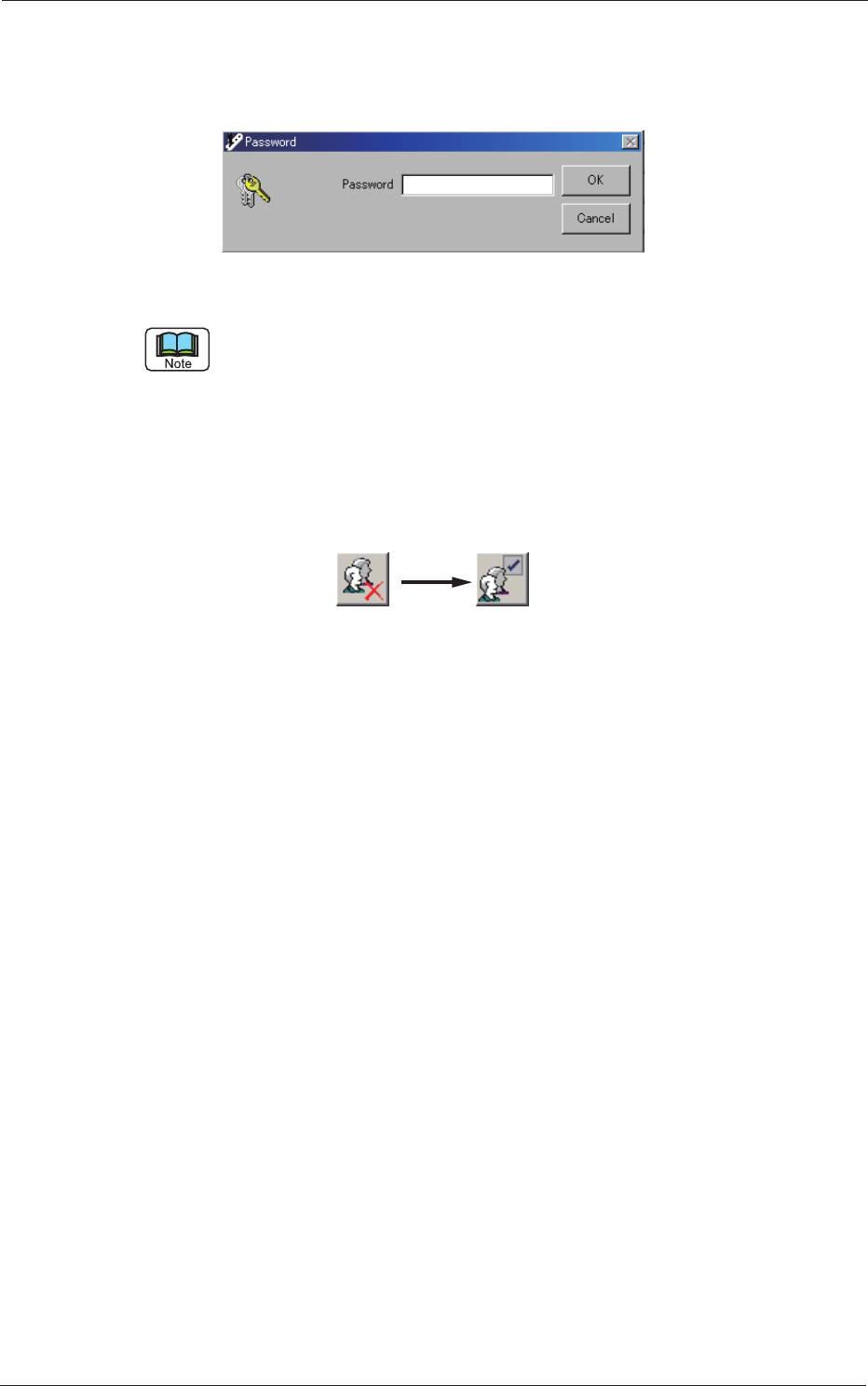
(2) The "Password" window appears. Enter the password through keyboard
navigation.
After you have entered the password, press the [OK] button.
Fig. C2
Enter only alphanumeric characters.
Note that passwords are always case sensitive (sensitive to uppercase and
lowercase letters).
(3) When the entered password matches the previously stored password,
the [Authority Setting] button changes as follows.
When the [Authority Setting] button is pressed with the icon shown
below on the button, the authority returns to "User".
0508-001
1.1 Authority Change
3-3
AKBEG-ID
1.2 Password Change
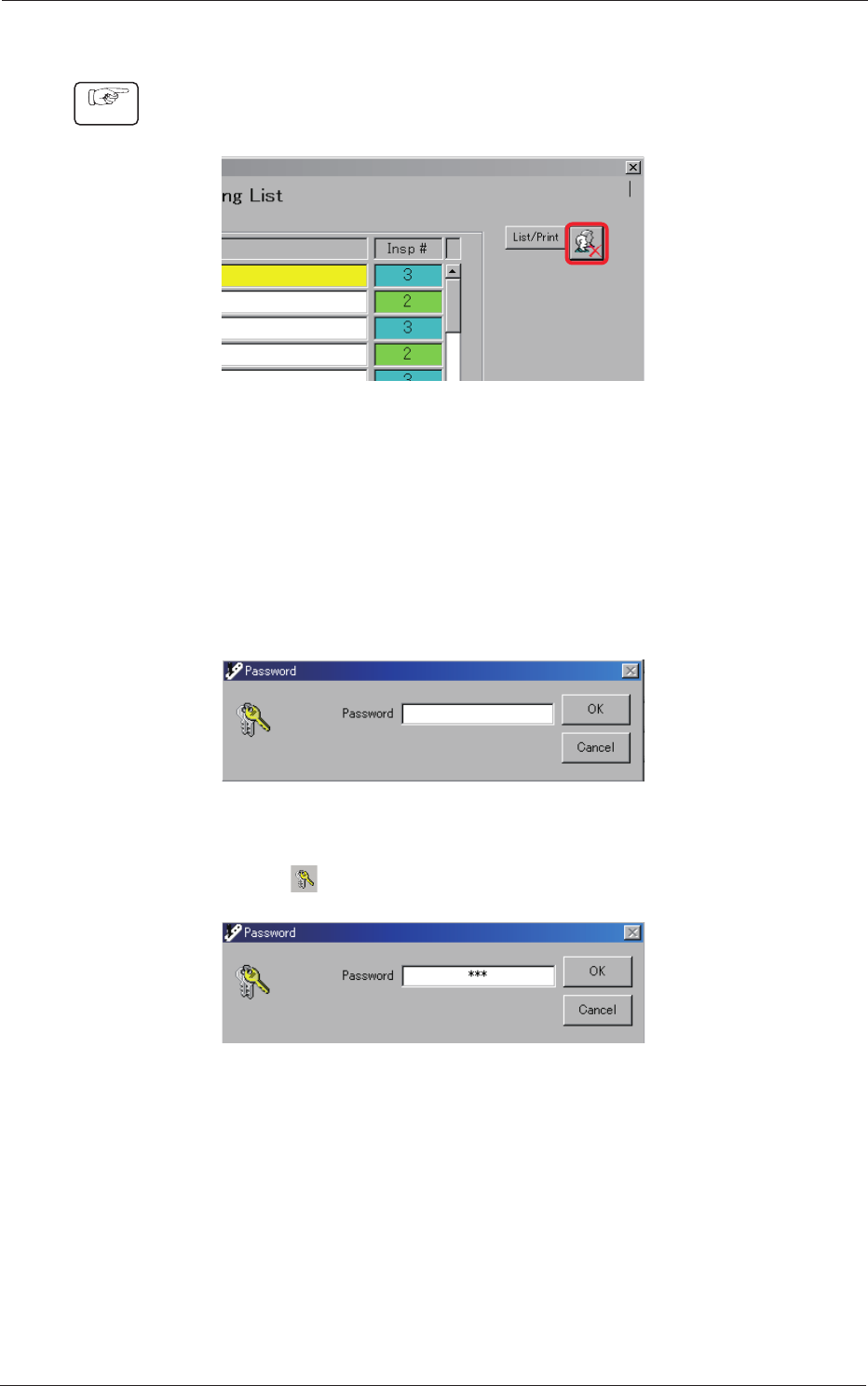
(1) Press the [Authority Setting] button located on the upper right corner of
the "Type Listup" window.
Fig. C3
(2) The "Password" window appears. Enter the password (for
"Administrator") through keyboard navigation.
After the entry is completed, press the [OK] button.
Factory-Specied Passwords
Administrator :
bbb
Power User :
aaa
Fig. C4
(3) Press "
". Be sure not to select the [OK] button.
Fig. C5
1.2 Password Change
0508-001
Procedure