JO-072-006_w.pdf - 第73页
3-20 AKBEG-ID 6.1 Accuracy Measurement T able When the [Accur] button (located on the bottom of the "Measurement" window) is pressed, the "Accuracy Measurement T able" window opens. A list of les sav…
3-19
AKBEG-ID
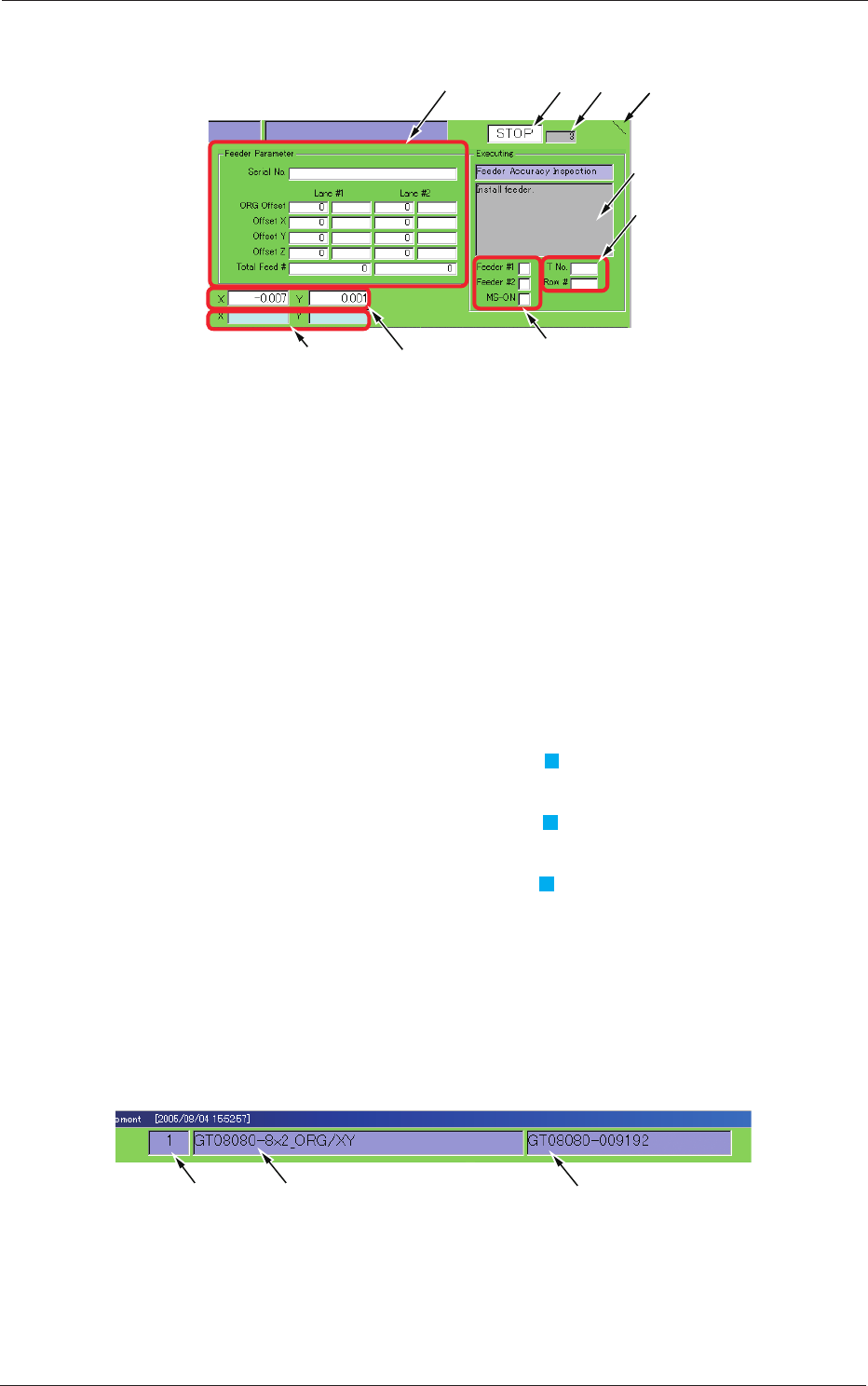
Description of Each Displayed Items
[7]
[6]
[3]
[5]
[1][2]
[8][9]
[4]
Fig. C16
[1]
The displayed mark will be spinning while this program is running.
[2]
Displayed is the referential value of the sequence speed.
Ref.:
This value changes greatly according to the processed contents.
[3]
Displayed is the automatic running mode.
[RUN], [PAUSE], [ST
OP]
[4]
Displayed are the current execution mode and a message.
[5]
Displayed is the status of each signal that indicates whether or not
feeders are installed.
The box beside "Feeder 2" turns light blue (
) when the feeder is
installed.
The box beside "Feeder 1" turns light blue ( ) when the power is turned
"ON".
The box beside "MS-ON" turns light blue ( ) in the "Clamp" mode.
[6]
Displayed are the lane and pickup hole Nos. under inspection.
[7]
Displayed are the feeder parameters.
[8]
Displayed are the current X/Y
coordinates (address) of the table.
[9]
Displayed are the X/Y
coordinates (address) of the measurement
address (design value).
Type No. Type Name Serial No.
Fig. C17
0508-001
6. "Measurement" Window
3-20
AKBEG-ID
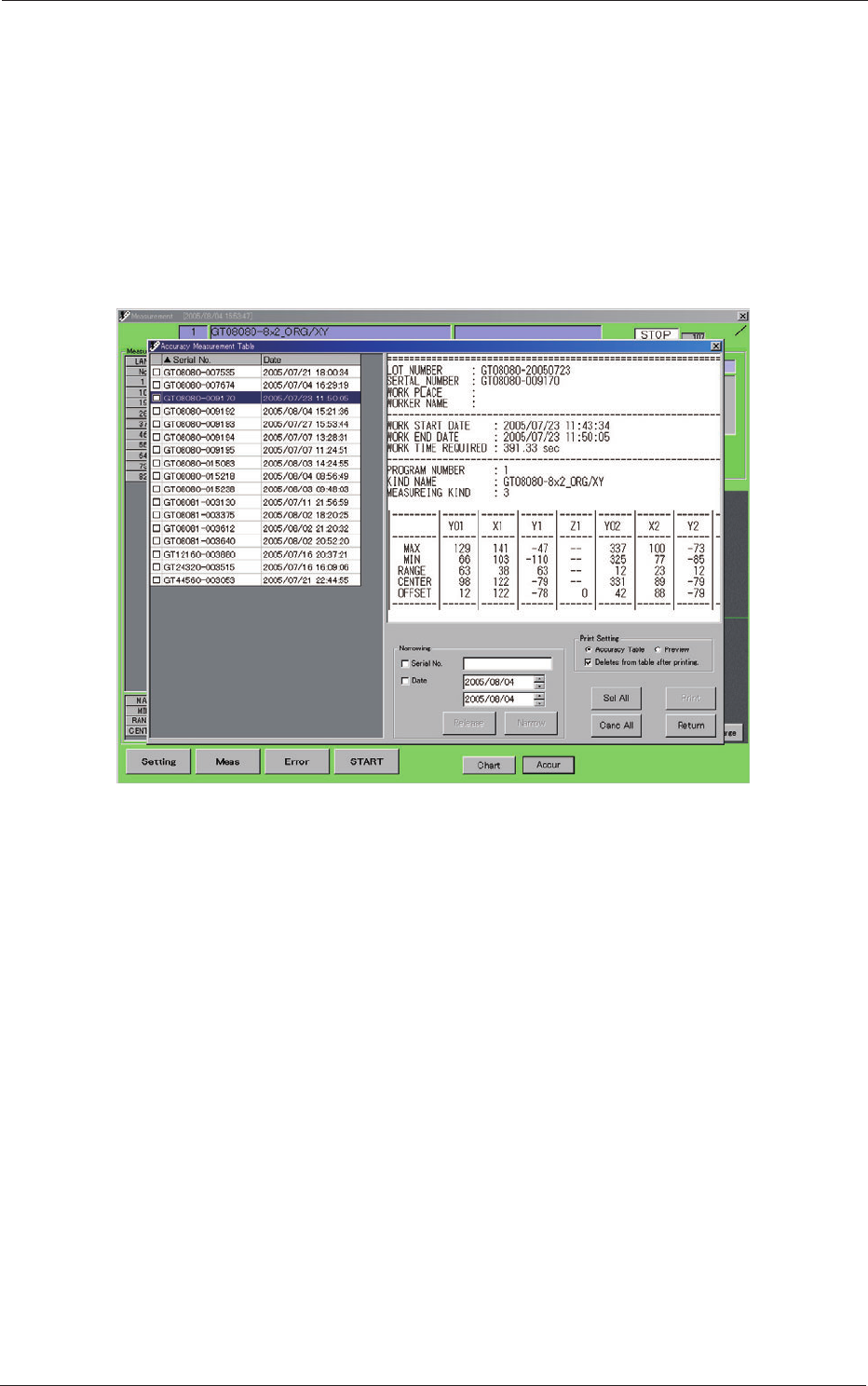
6.1 Accuracy Measurement Table
When the [Accur] button (located on the bottom of the "Measurement"
window) is pressed, the "Accuracy Measurement Table" window opens.
A list of les saved according to each serial No. are displayed in the accuracy
measurement table. Each le contains the results (those passed by the
inspection) of the feeder inspection.
By selecting an "Msd" le (Path: D:\MeasureData), the results of the
inspection can be conrmed and/or printed.
Fig. C18 Accuracy Measurement Table
0508-001
6.1 Accuracy Measurement Table
3-21
AKBEG-ID
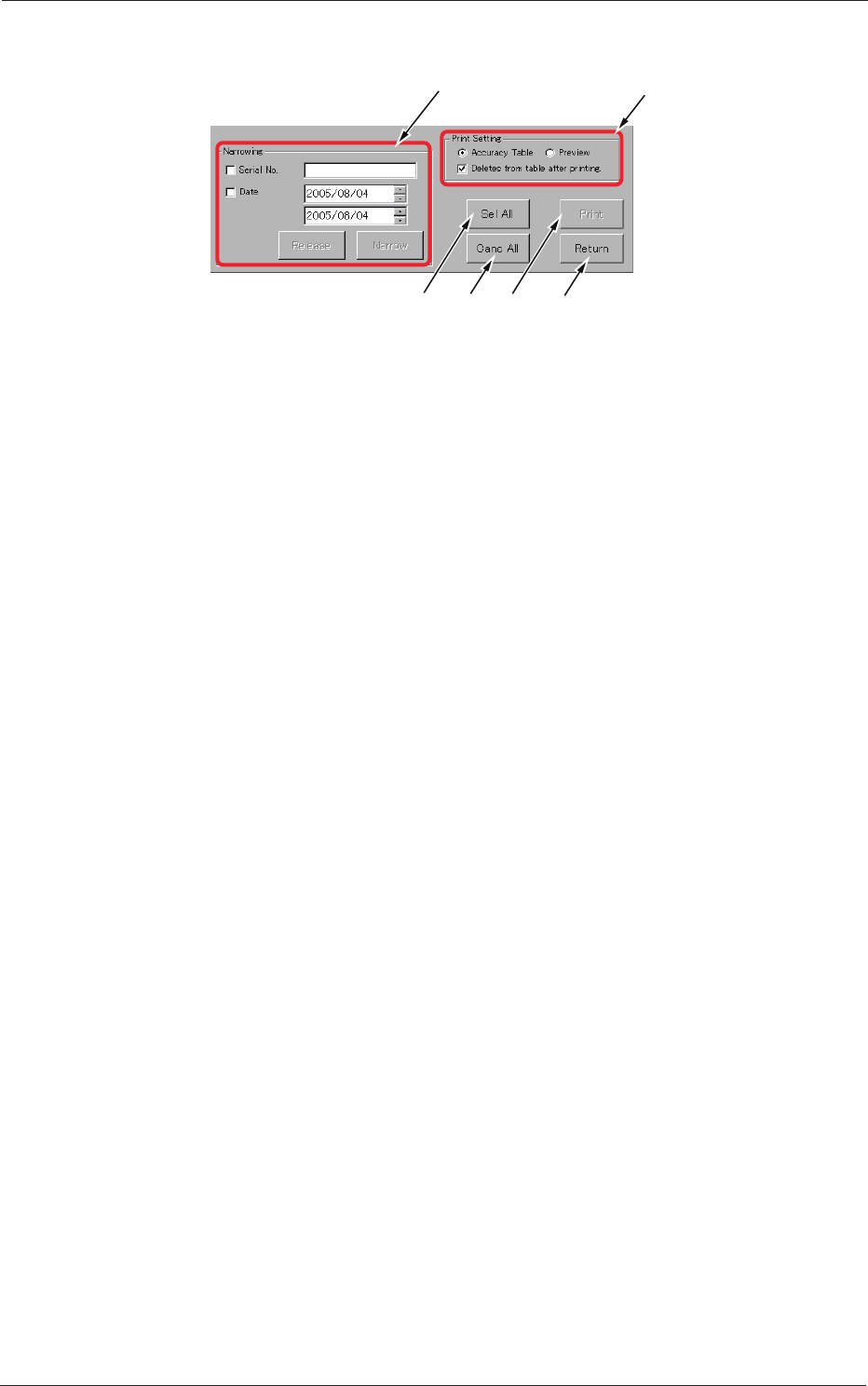
Description of Displayed Items
[1]
[6][3] [5]
[2]
[4]
Fig. C19
[1]
Serial No. and Narrowing by Inspection Date
[2]
The displayed print options can be selected.
[3]
When pressed, this button selects all types displayed in the table.
[4]
When pressed, this button cancels the selection (all selected types).
[5]
Printing is executed according to the print setting in
[2]
.
[6]
When pressed, this button opens the previous window (window for
automatic execution).
0508-001
6.1 Accuracy Measurement Table