00198092-01_JC_PM_WF2_TX_EN.pdf - 第17页
2 WF 2 TX-Series Maintenance Shut down and remove tables and exchange nozzles with JTF-ML 4 min 1 / 3 C A U T I O N ! R e f e r t o s a f e t y i n s t r u c t i o n s i n u s e r m a n u a l b e f o r e c o m m e n c …
1 WF 2 TX-Series Maintenance Check head status C&P20 P/ CPP 5 min 2 / 2
CAUTION! Refer to safety instructions in user manual before commencing Maintenance
Machine Status ON Conveyor Empty
NOTICE! ESD guidelines are to be followed Tool: Wear Part: Consumables:
www.asm-smt.com
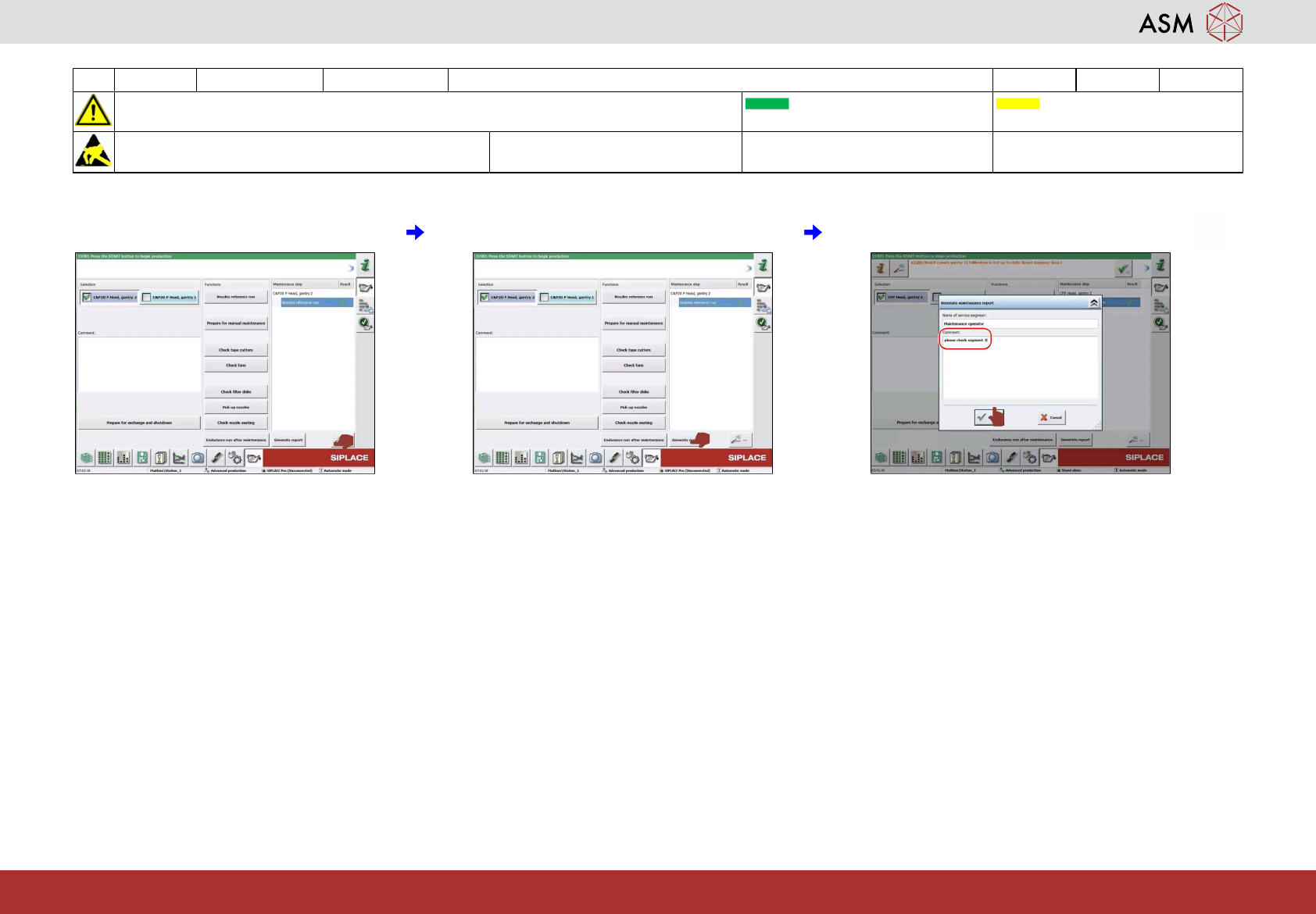
7 Check results. 8 Click on "generate report" icon. 9 Edit comments and click "OK".
2 WF 2 TX-Series Maintenance Shut down and remove tables and exchange nozzles with JTF-ML 4 min 1 / 3
CAUTION! Refer to safety instructions in user manual before commencing Maintenance
Machine Status ON Conveyor Empty
NOTICE! ESD guidelines are to be followed Tool: Wear Part:
W2, W35
Consumables:
www.asm-smt.com
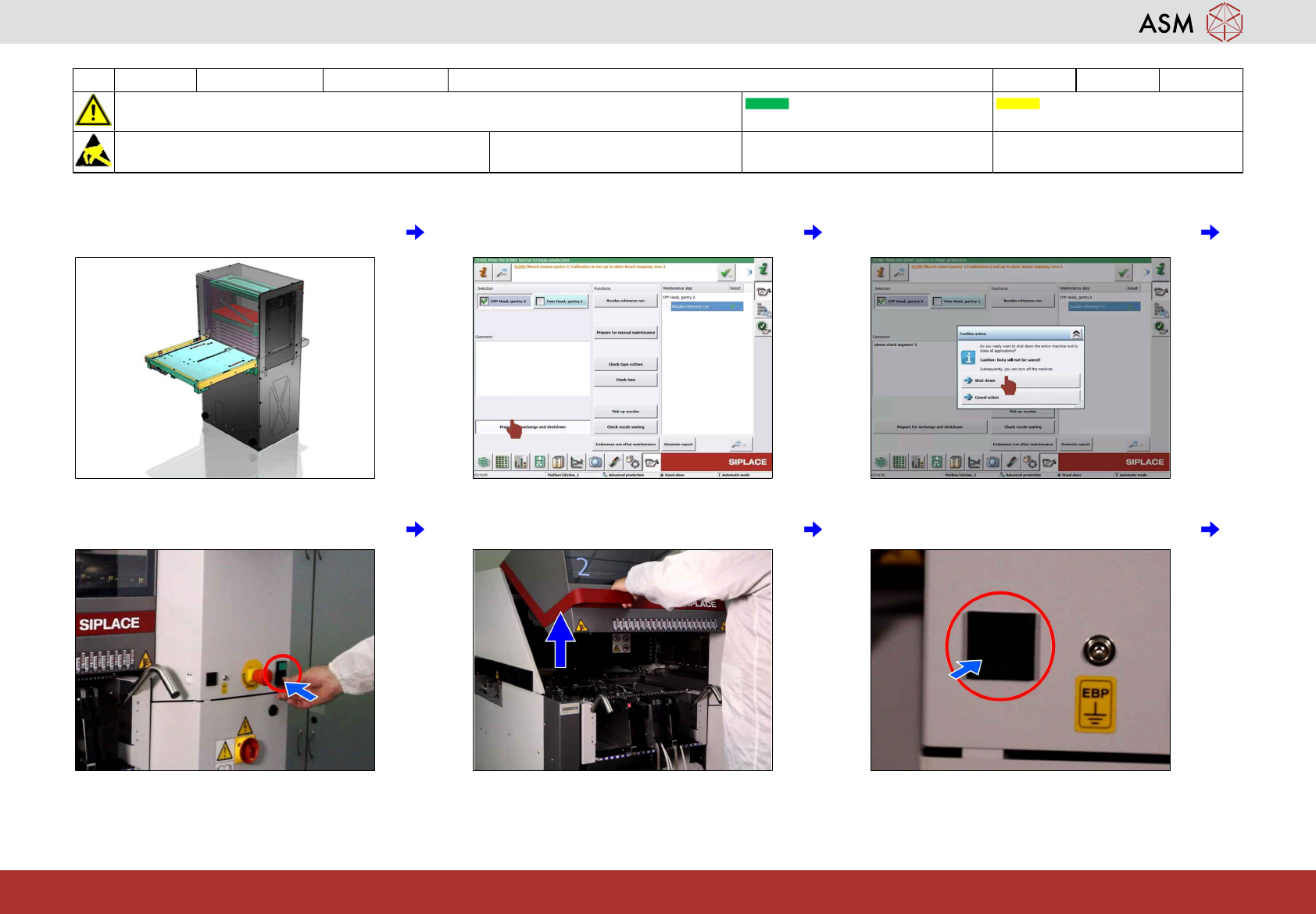
1 With JTF-ML: Without JTF-ML, please go
to next task.
2 Click on "prepare for exchange and shut-
down" icon.
3 Click on "shutdown machine" icon.
4 Press stop button. 5 Open the cover 2. 6 Press remove COT button.
2 WF 2 TX-Series Maintenance Shut down and remove tables and exchange nozzles with JTF-ML 4 min 2 / 3
CAUTION! Refer to safety instructions in user manual before commencing Maintenance
Machine Status ON Conveyor Empty
NOTICE! ESD guidelines are to be followed Tool: Wear Part:
W2, W35
Consumables:
www.asm-smt.com
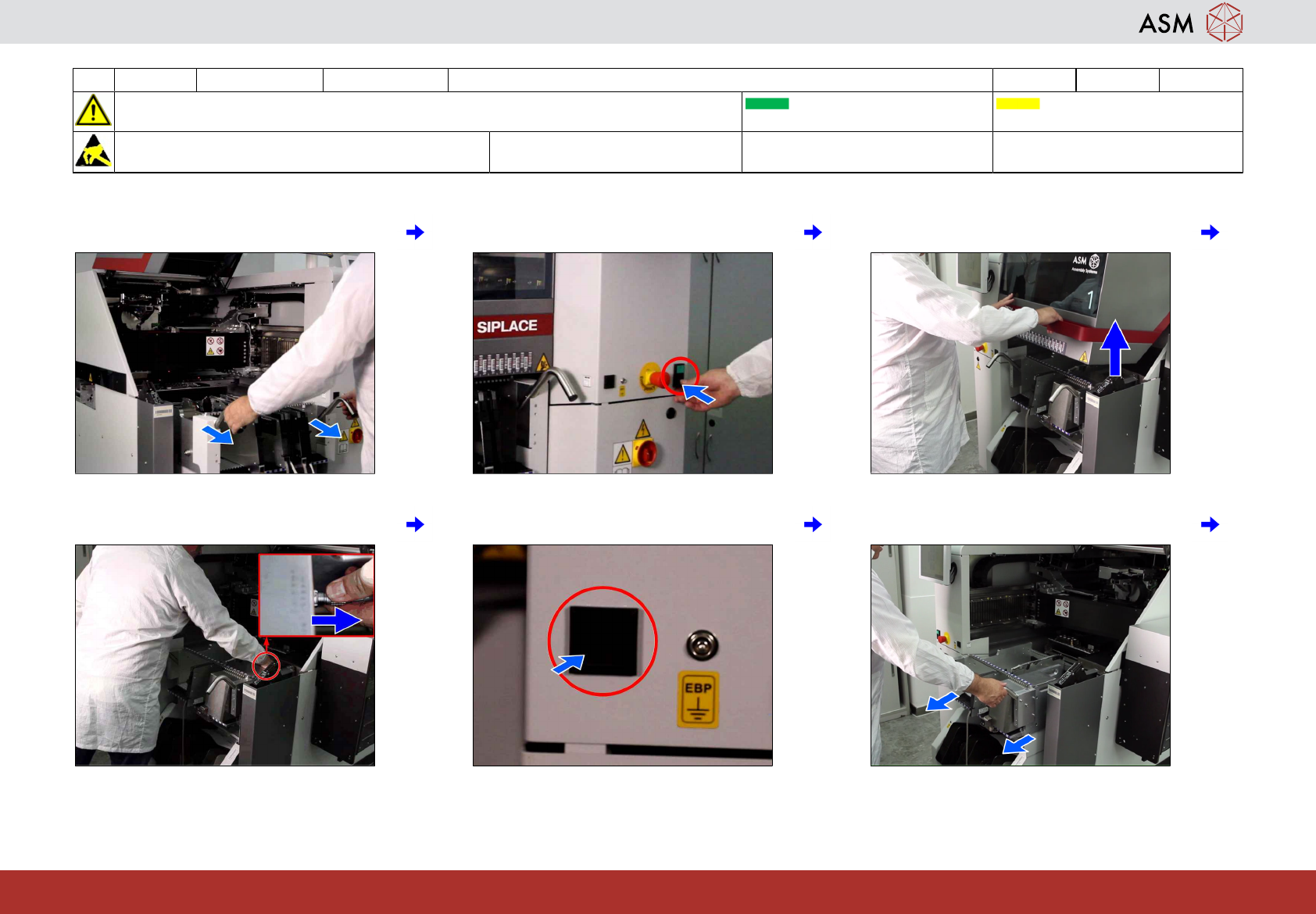
7 Remove all feeder tables 2. 8 Press stop button. 9 Open the cover 1.
10 Disconnect JTF-ML. 11 Press remove COT button. 12 Remove all feeder tables 1.