00198092-01_JC_PM_WF2_TX_EN.pdf - 第25页
5 WF 2 TX-Series Maintenance Remove the C&P20 P head 12 min 1 / 2 C A U T I O N ! R e f e r t o s a f e t y i n s t r u c t i o n s i n u s e r m a n u a l b e f o r e c o m m e n c i n g M a i n t e n a n c e Mach…

www.asm-smt.com
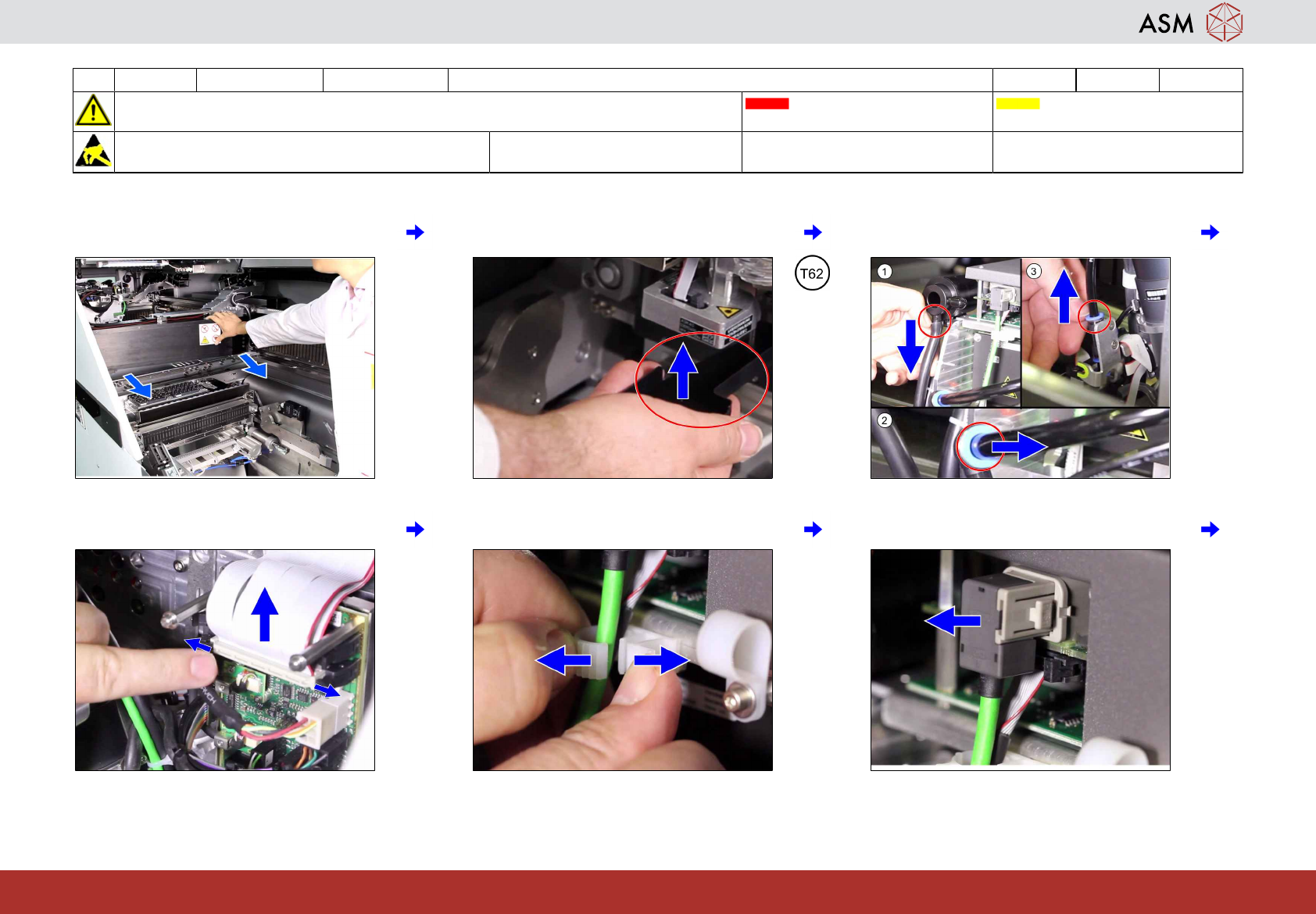
5 WF 2 TX-Series Maintenance Remove the C&P20 P head 12 min 1 / 2
CAUTION! Refer to safety instructions in user manual before commencing Maintenance
Machine Status OFF Conveyor Empty
NOTICE! ESD guidelines are to be followed Tool:
T7, T8, T9, T49, T62
Wear Part: Consumables:
www.asm-smt.com
1 Move gantries to the good working posi-
tion.
2 Fit the component sensor protection cap. 3 Unplug the compressed air connections
from the head.
4 Disconnect the ribbon cables. 5 Unlock the camera cables. 6 Unplug the two camera cables.
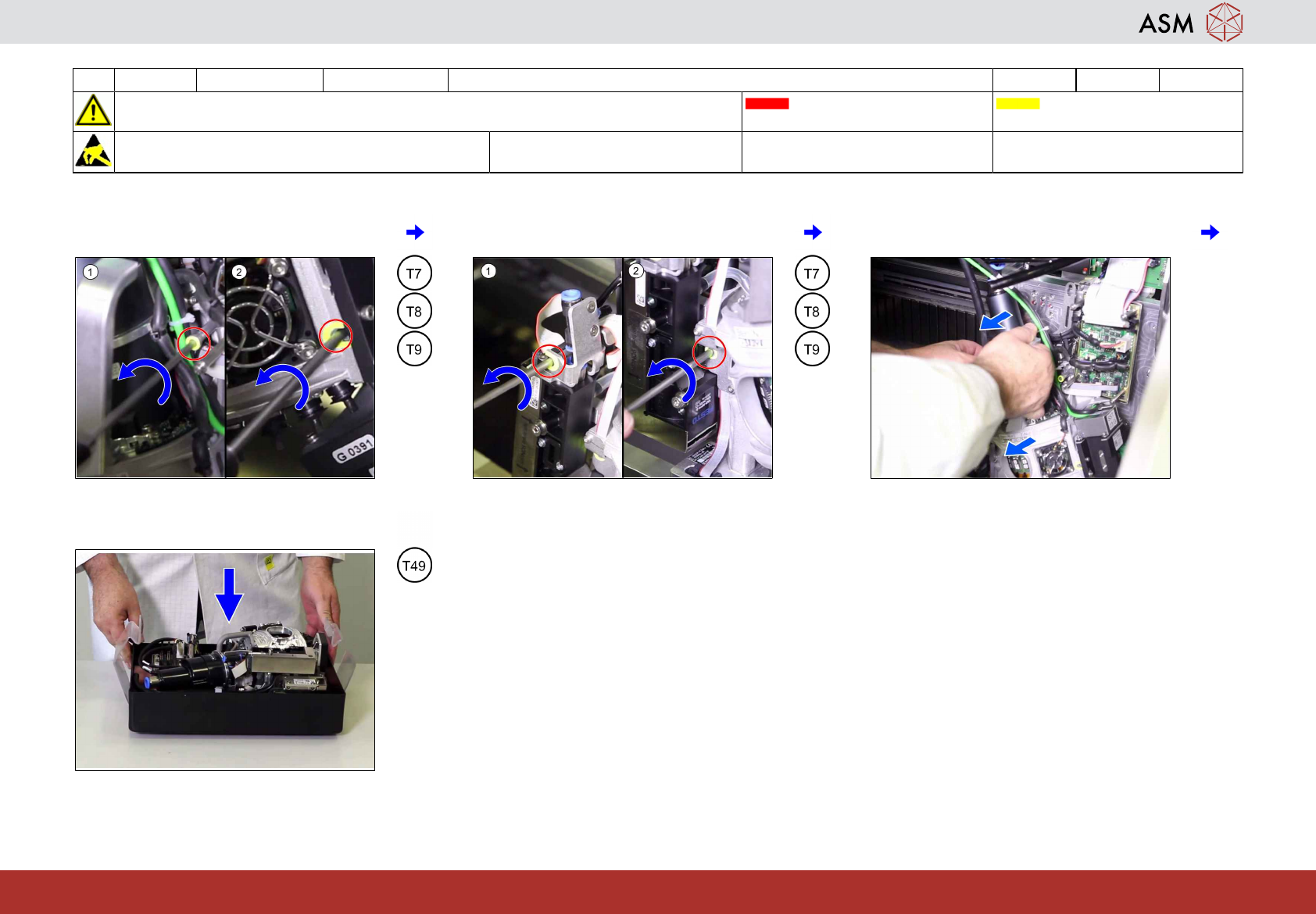
5 WF 2 TX-Series Maintenance Remove the C&P20 P head 12 min 2 / 2
CAUTION! Refer to safety instructions in user manual before commencing Maintenance
Machine Status OFF Conveyor Empty
NOTICE! ESD guidelines are to be followed Tool:
T7, T8, T9, T49, T62
Wear Part: Consumables:
www.asm-smt.com
7 Loosen the left side screws fixing the head
(1) to (2).
8 Loosen the 2 right side screws fixing the
head (1) to (2).
9 Take the head from the hook.
10 Put the head into the transport container.