00198092-01_JC_PM_WF2_TX_EN.pdf - 第46页
14 WF 2 TX-Series Maintenance Calibration C&P20 P 14 min 4 / 4 C A U T I O N ! R e f e r t o s a f e t y i n s t r u c t i o n s i n u s e r m a n u a l b e f o r e c o m m e n c i n g M a i n t e n a n c e Machine…
14 WF 2 TX-Series Maintenance Calibration C&P20 P 14 min 3 / 4
CAUTION! Refer to safety instructions in user manual before commencing Maintenance
Machine Status ON Conveyor Empty
NOTICE! ESD guidelines are to be followed Tool:
T2, T4
Wear Part: Consumables:
www.asm-smt.com
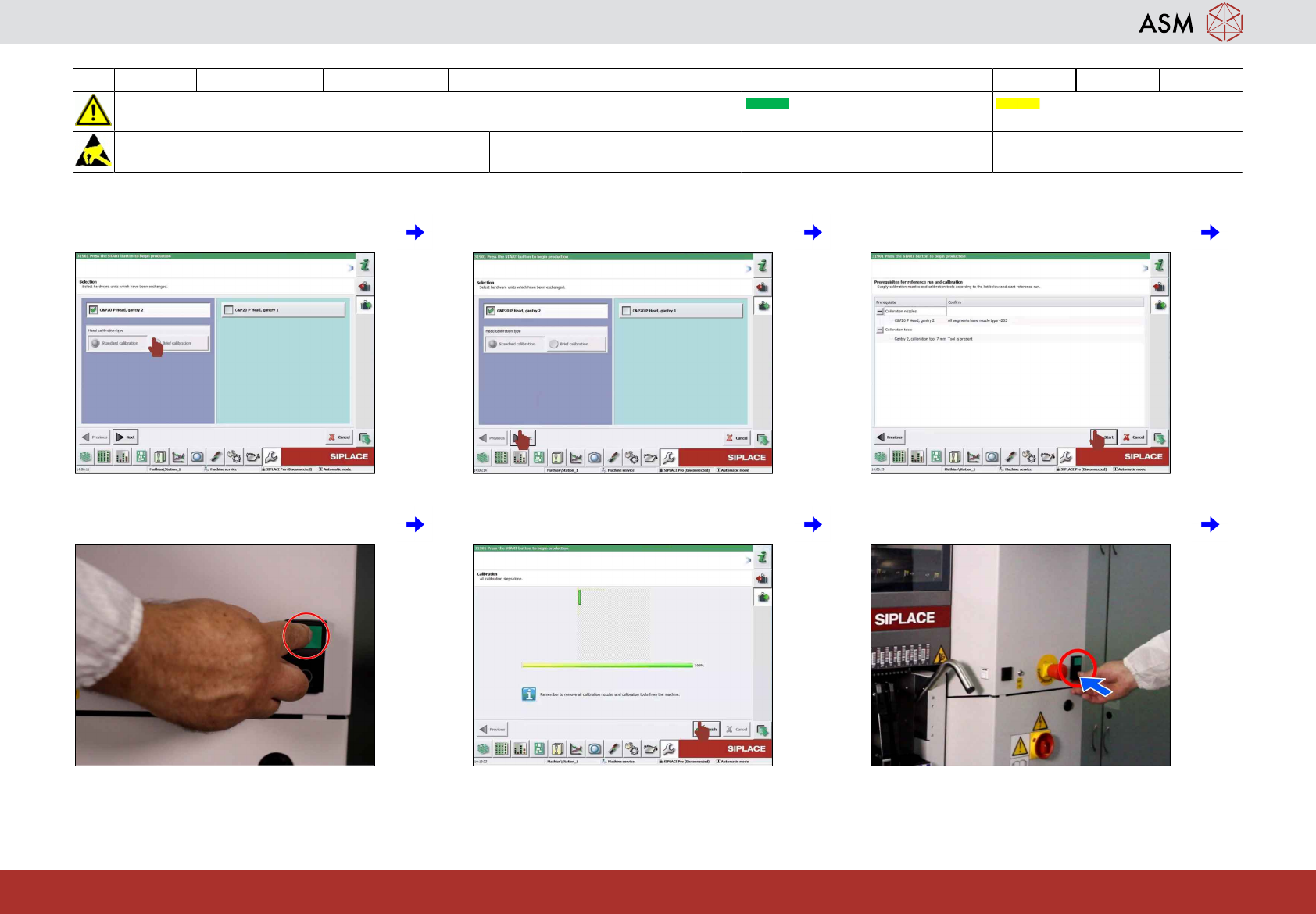
13 Select brief calibration icon. 14 Click on "next" icon. 15 Click on "start" icon.
16 Press machine start. 17 Click on "finish" icon. 18 Push stop button.
14 WF 2 TX-Series Maintenance Calibration C&P20 P 14 min 4 / 4
CAUTION! Refer to safety instructions in user manual before commencing Maintenance
Machine Status ON Conveyor Empty
NOTICE! ESD guidelines are to be followed Tool:
T2, T4
Wear Part: Consumables:
www.asm-smt.com
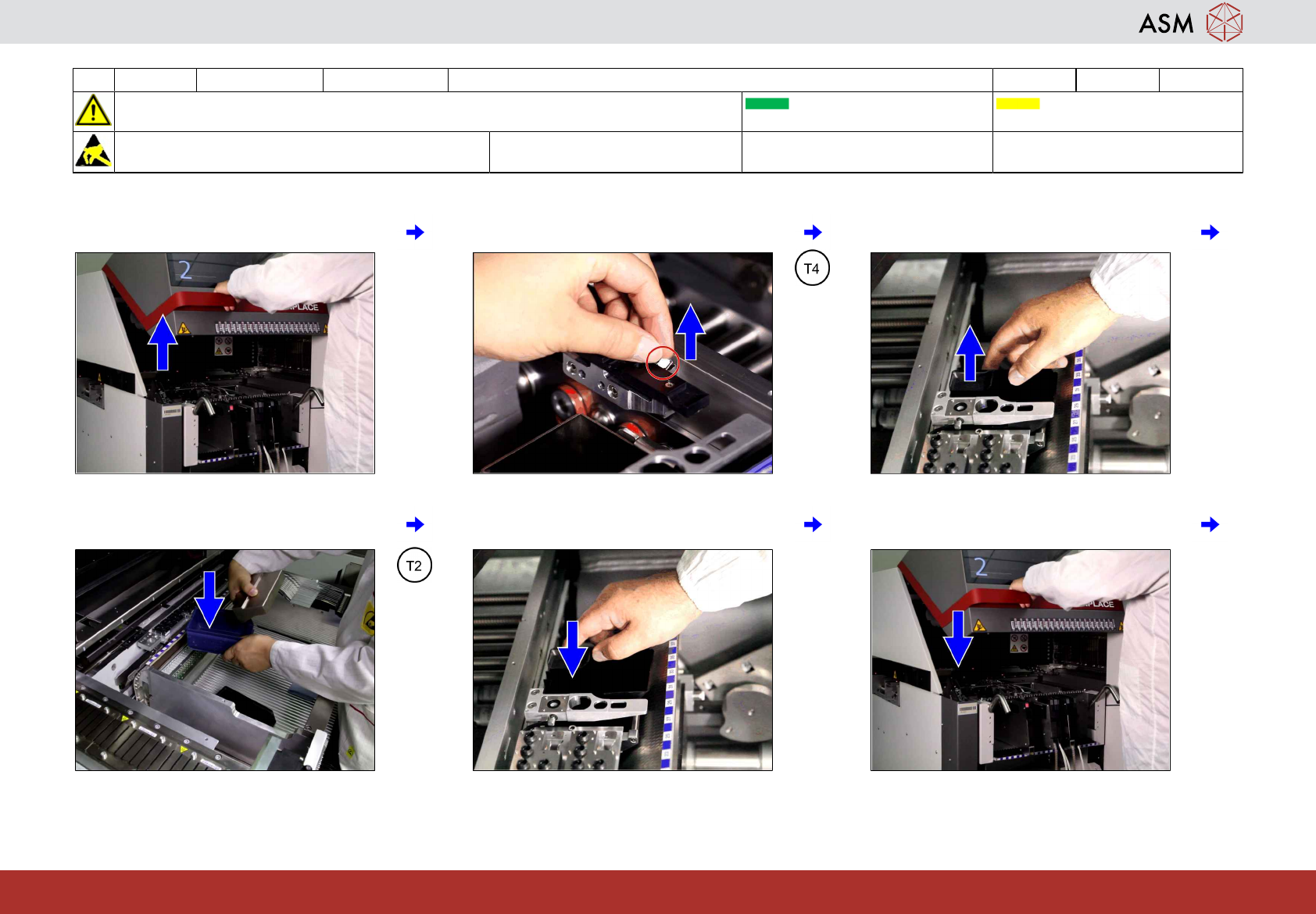
19 Open covers. 20 Remove the calibration tool. 21 Remove the nozzle reject box.
22 Remove the calibration nozzles from reject
box.
23 Return the nozzle reject box. 24 Close cover.
15 WF 2 TX-Series Maintenance Check the cover fans 2 min 1 / 1
CAUTION! Refer to safety instructions in user manual before commencing Maintenance
Machine Status ON Conveyor Empty
NOTICE! ESD guidelines are to be followed Tool: Wear Part: Consumables:
www.asm-smt.com
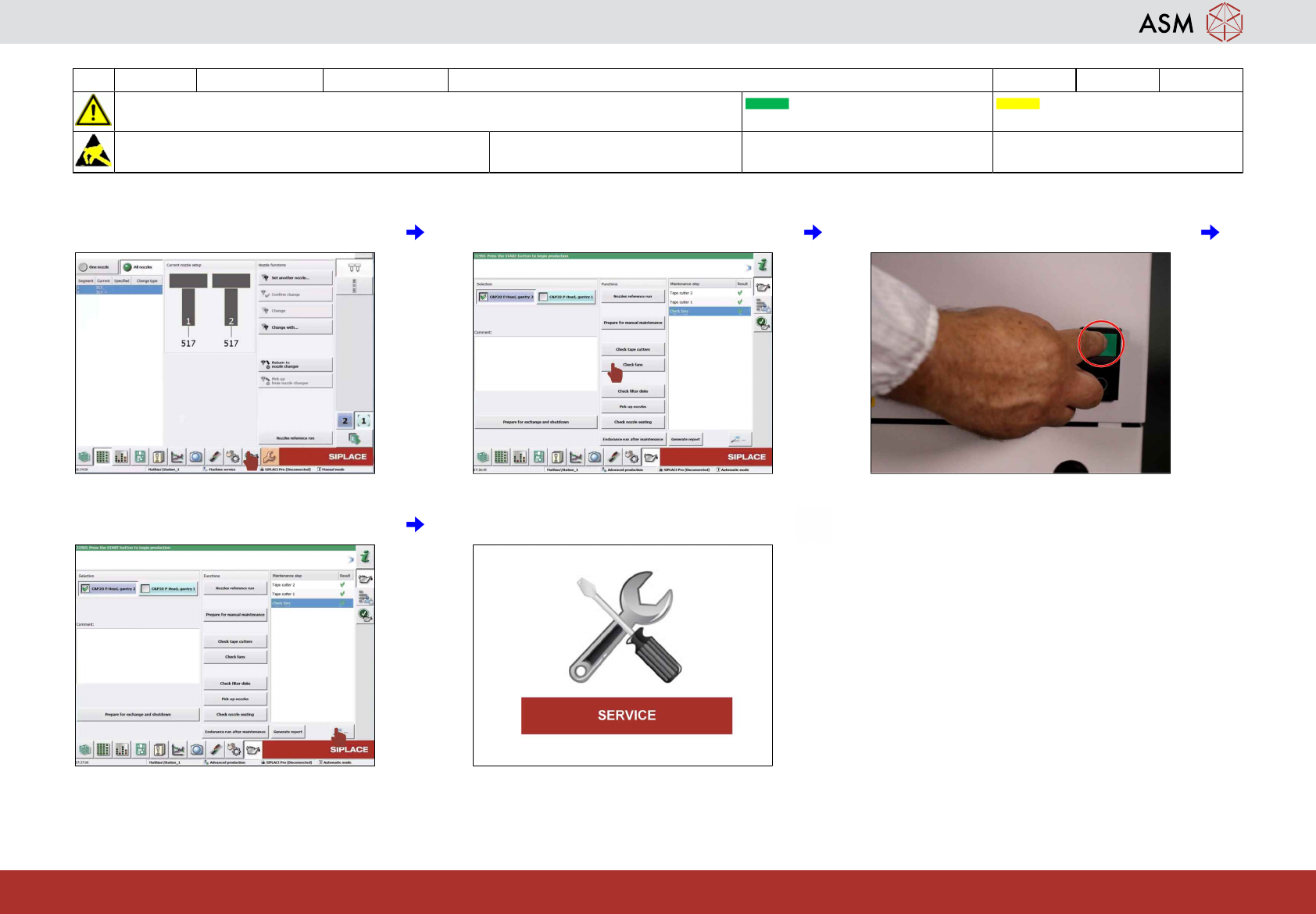
1 Click on "maintenance" icon. 2 Click on "check fans" icon. 3 Press machine start.
4 Check results. 5 If NOT OK then contact service.