OperatorManual - 第15页
Start a process SELECT and START a process (Product Or Recipe) Go to the main menu and select F ile, S tart new process or click on the oven power switch. You will enter the Startup Wi zard that will guide you th rough t…

RECIPE terms & definitions
z The
Recipe name
is assigned by the person creating the Recipe.
z
The
convection cell fan RPM
can be set on ovens fitted with inverter controllers for the cell motors. The
cell fan speed range is 1000-3500 RPM.
z The
BELT
or
RAIL
are selected on ovens with a combination conveyor,
z
The
conveyor speed
may be changed to a value within the min - max calibrated range.
z The
temperature set point of each cell
, top and bottom, may be changed to a value between 0 (off) to
the maximum for that type of cell.
z
The
stabilize time
may be any value from 2 to 999 minutes.
z The
countdown timer
delays, in minutes, the "Process Ready" condition on Start-up and/or after Alarm
Acknowledge.
z
The
conveyor warning tolerance
is the deviation from the set point in the conveyor speed before the
oven goes to a process warning condition.
z The
conveyor shutdown tolerance
is the deviation from the set point in the conveyor speed before the
oven goes to an alarm shutdown condition.
z The
heater warning tolerance
is the deviation from the set point in the heater temperature before the
oven goes to a process warning condition.
z The
heater shutdown tolerance
is the deviation from the set point in the heater temperature before the
oven goes to an alarm shutdown condition.
z The
Atmosphere
selection sets the oven environment to
Air
or
N2
, if the Oven is configured with the
Nitrogen Switching
option.
Operator manual 14 August 2003
Start a process
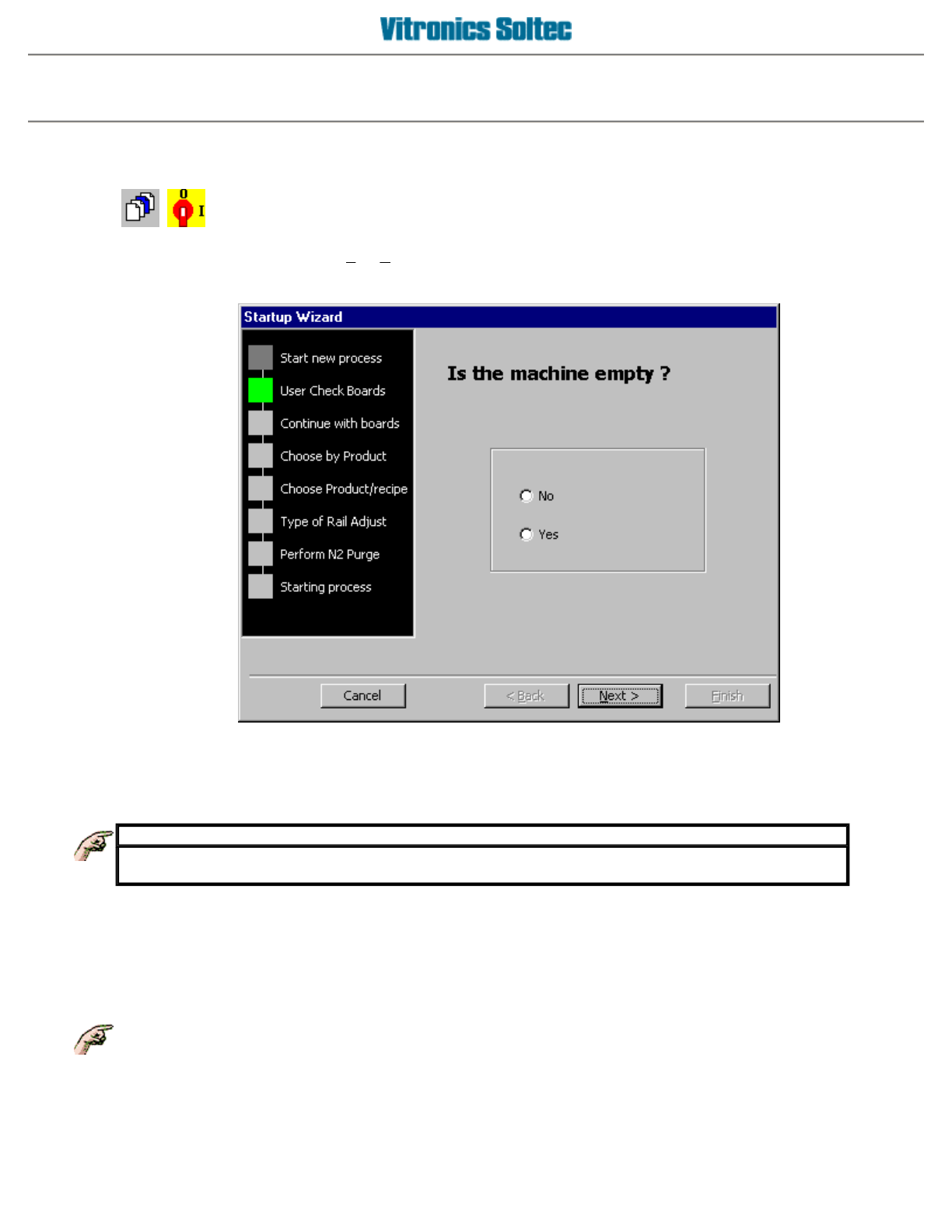
SELECT and START a process (Product Or Recipe)
Go to the main menu and select
F
ile,
S
tart new process or click on the oven power switch.
You will enter the Startup Wizard that will guide you through the selection process.
IMPORTANT
If you decide to start the oven by selecting a recipe, the default product will be used. Board
information as described in the default
p
roduct will a
pp
l
y
.
The choosing of a recipe or product will always be the central (or only!) part of the wizard. If you are in one of the
two steps, you have the possibility to choose a recipe/product from another directory, by selecting a directory
from the drop down list box. On ovens with a rail or combination conveyor, the display will ask about adjusting
the rail width. If the answer was
YES,
the rail width can be adjusted manually using the manual selector
switches at the Off-load end of the oven.
On ovens with the "automatic rail width adjustment option", the rail width adjustment begins after the
Operator selects Start.
Operator manual 15 August 2003
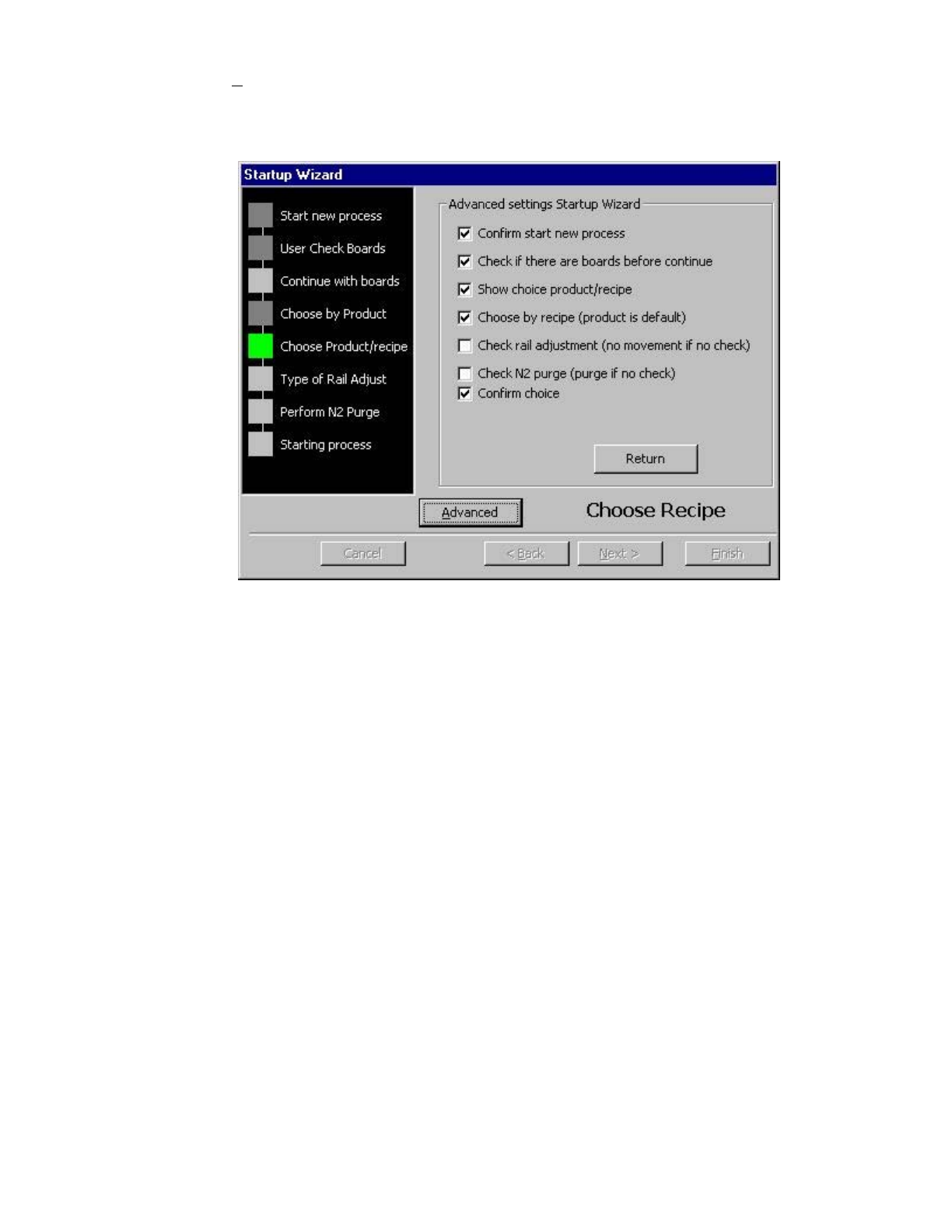
You can make the selection process faster by clicking the advanced button when you are in the choose
recipe/product step.
If you press the A
dvanced button, you will enter a window with a checklist, where you can make a choice of
steps you want to override. If a choice is unchecked, that step will be skipped.
A
special checkbox is the box
"Choose by recipe (product is default)"
. When this checkbox and the
"Show
choice product/recipe"
checkbox are unchecked, you can only select a recipe as the default choice.
Operator manual 16 August 2003