00193888-0402_AI_LBO_HFXD3_DE+EN.pdf - 第46页
2 Assembly instructions: Long board option - SIPLACE HF -series / X-series / D3 Long board 02/2007 Edition 46 2.8.2 Set-up : Select a set-up (see screensh ot). : For the PCB conveyor , select "Long bo ard" and …
Long board 2 Assembly instructions: Long board option - SIPLACE HF-series / X-series / D3
02/2007 Edition
45
2.8 Changes in SIPLACE PRO
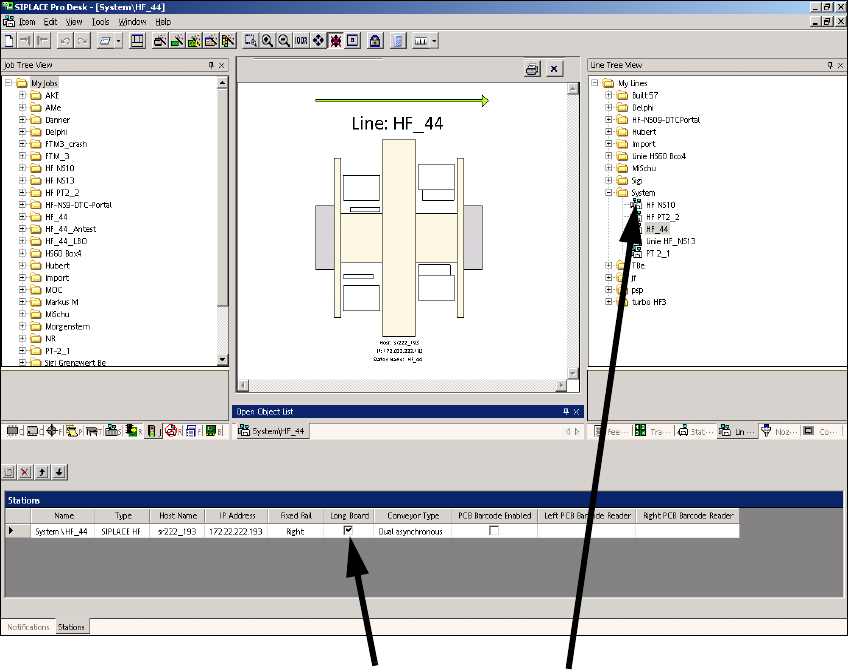
The option must be entered in the line configuration in SIPLACE PRO and in the set-up. 2
2.8.1 Line configuration
: Select a line and check the Long board check box.
2
2
2
2
2
2
Click on Long board Select the lineClick on Long board
2 Assembly instructions: Long board option - SIPLACE HF-series / X-series / D3 Long board
02/2007 Edition
46
2.8.2 Set-up
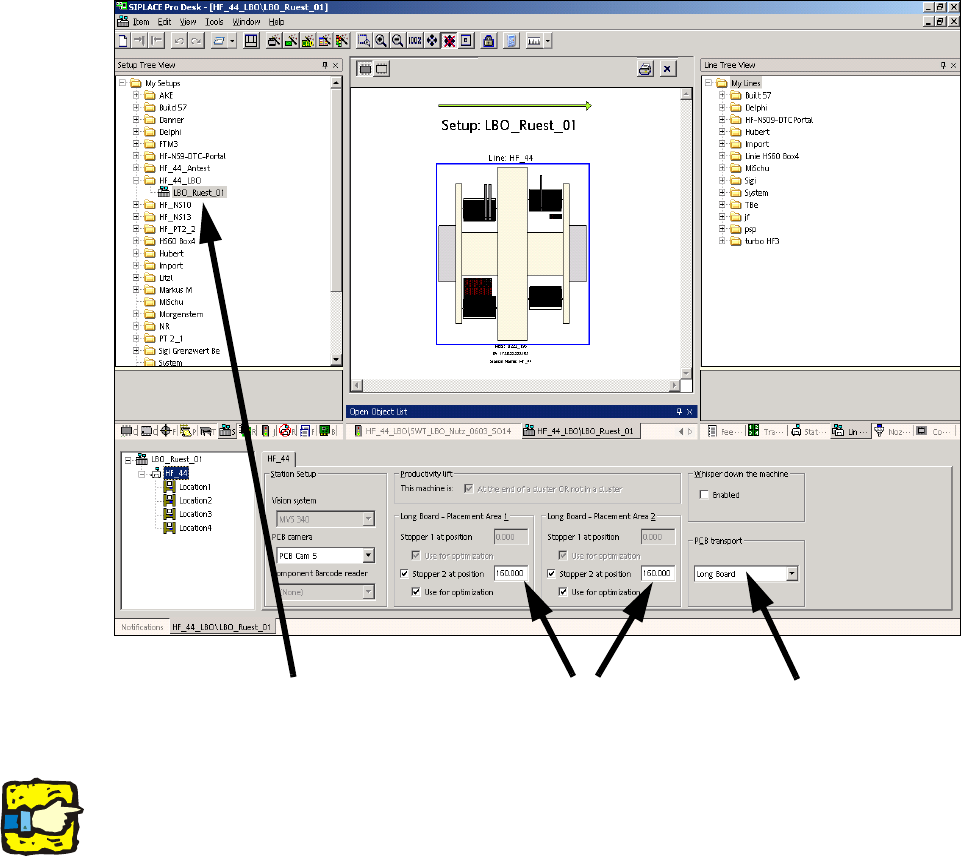
: Select a set-up (see screenshot).
: For the PCB conveyor, select "Long board" and enter the value 160,000 under "Stopper 2 at
position" for both processing areas.
2
2
2
The stopper position is not included in the optimization unless the "Use for optimization" box is
checked. 2
2
2
2
2
2
2
Select the set-up
Enter 160.000
Select Long board
Long board 2 Assembly instructions: Long board option - SIPLACE HF-series / X-series / D3
02/2007 Edition
47
2.9 Function check
: Start the SITEST program.
: Check by adjusting the conveyor width whether the actuators reliably actuate the switches on
the units.
If this is not the case, readjust the affected actuators or units.
2
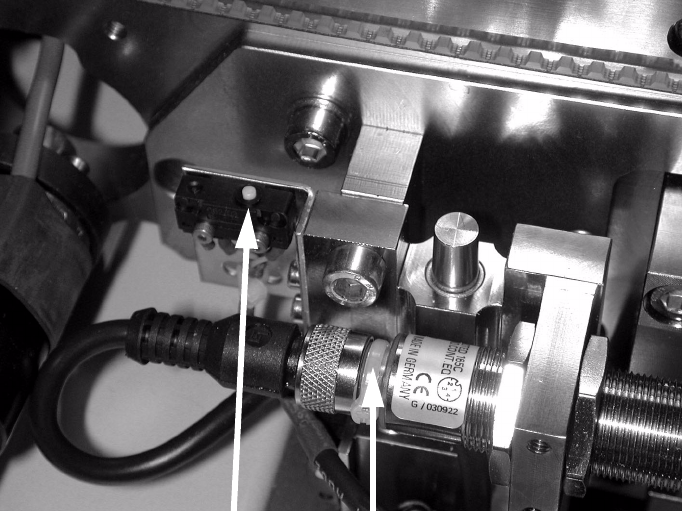
Teaching the sonar sensor 2
: Place a PCB on the conveyor.
: Push the PCB towards the processing area so that it is over the sensor.
: Hold down the button until the LED flashes (see photograph below).
When teaching mode starts, the LED lights up constantly while the PCB remains in position.
2
2
: Remove the PCB from the conveyor and place it sideways across the conveyor side walls
above the sensor.
The LED must not light up; the LED must only light up if there is a PCB on the conveyor.
2
Button
LED