00198171-02_Technical_Training_FSE_TX-Series_EN.pdf - 第134页
8 Control and Communication Room for Your Sketches and Notes 134 Technical Training FSE SIPLACE TX-Series 01/2018
8 Control and Communication
Room for Your Sketches and Notes
Technical Training FSE SIPLACE TX-Series 01/2018 133

8 Control and Communication
Room for Your Sketches and Notes
134 Technical Training FSE SIPLACE TX-Series 01/2018
9 Station Software Overviews
9.1 Station Software Start Page Overview
Technical Training FSE SIPLACE TX-Series 01/2018 135
9 Station Software Overviews
9.1 Station Software Start Page Overview
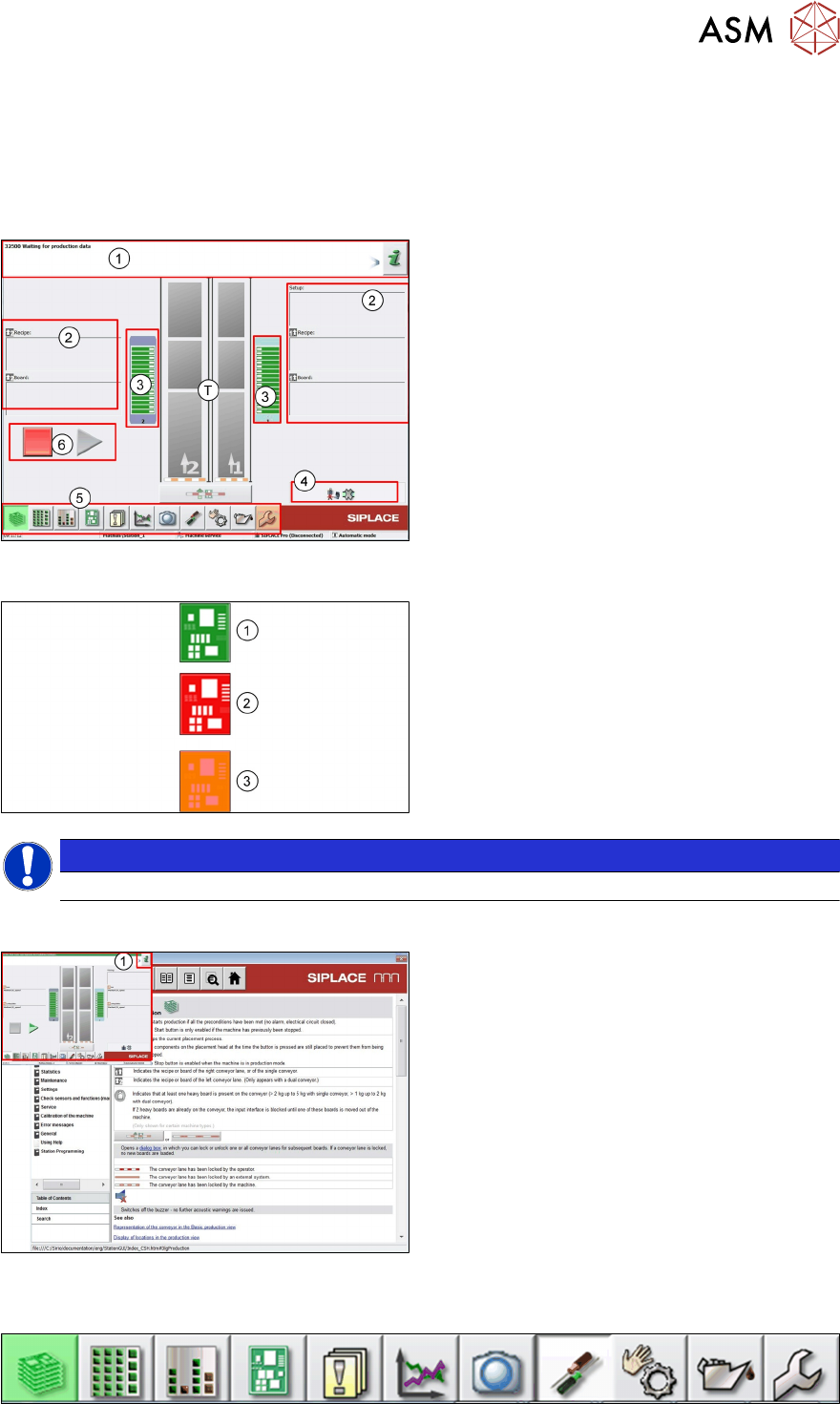
Station GUI Main Overview
T - Machine Conveyors
1. Information/Action bar. Machine Status
2. Product and setup information for transport
1 and 2
3. Feeder Table Status
4. Machine options and settings information
5. Machine Main Icons
6. Start / Stop buttons
Icon Color Meaning
1. If the icon is green then the machine is OK.
2. If the icon is red then the machine has a
problem and is no longer producing.
Action is required.
3. Orange means that the machine has a
problem but is still producing.
NOTICE
The colors of the icons in the GUI have a very clear meaning and should not be ignored.
Station GUI Help File
●
Click (1) in main or sub manual, "Help"
window will be opened.
●
The help file gives detailed error informa-
tion plus information on the machine calib-
rations and settings.
●
The help file also explains the meaning of
the various icons displayed.
9.2 Overview Station Software Main Menus