00198171-02_Technical_Training_FSE_TX-Series_EN.pdf - 第147页
9 Station Software Overviews 9.7 Maintenance GUI Technical Training FSE SIPLACE TX-Series 01/2018 147 1. Mark as "Permanent" in SIPLACE Pro 2. Delete programs on the station Verification – Placement Head Verifi…
9 Station Software Overviews
9.7 Maintenance GUI
146 Technical Training FSE SIPLACE TX-Series 01/2018
Content Predictive Maintenance page
Hardware Maintenance Data status information.
Before upgrading to Station software 709.1.
●
The maintenance cycle to should be set to “time based condition”, and the maintenance
status be reset.
●
Full maintenance be conducted.
Open new Window for Head verification checks with reports. For use of this feature refer to the
User Manual for the Head Care Station.
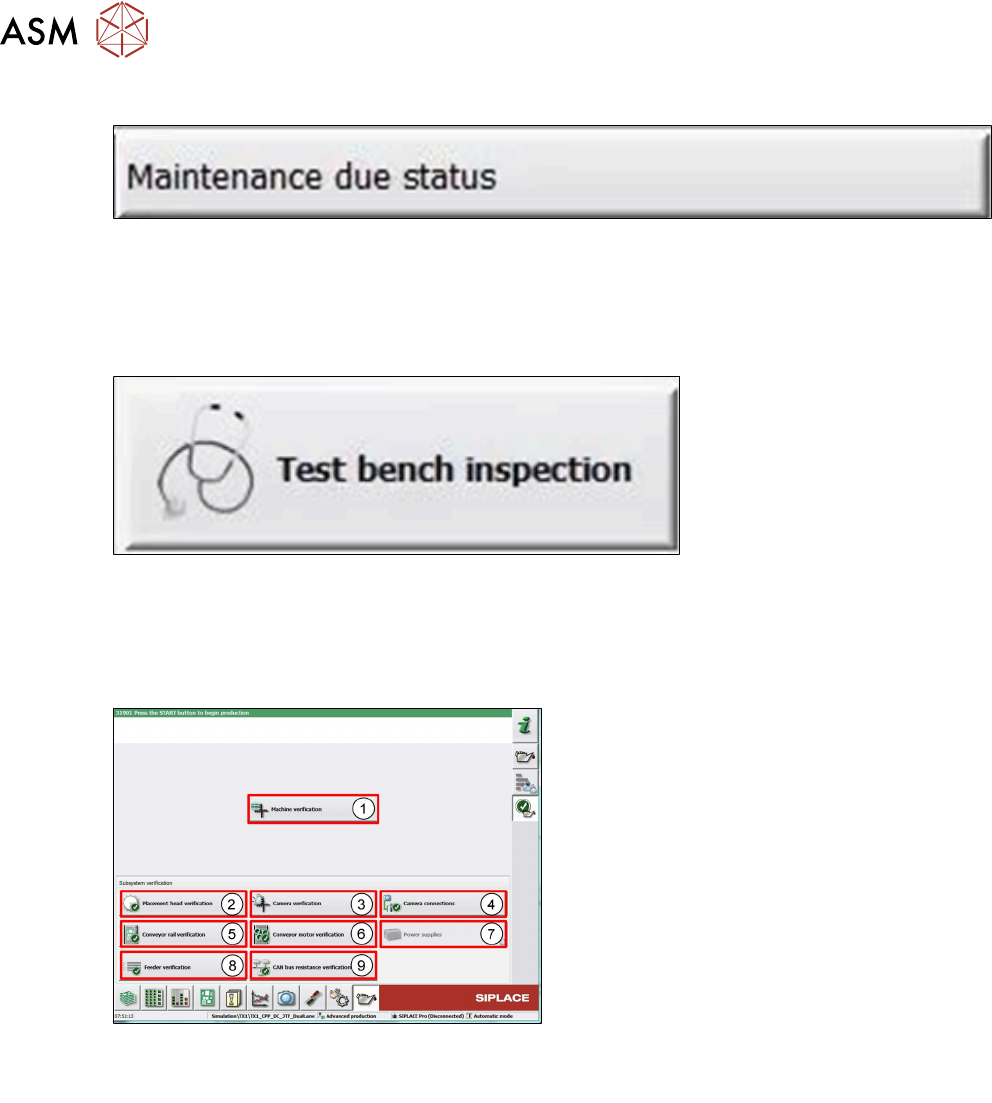
9.7.4 Verification
User Level Advanced production
1. Machine verification with the service tool
ACT.
2. Verify heads, fast test less than 10min.
3. Verify camera with the Service tool FCCS.
4. Check the communication of all installed
cameras in the machine.
5. Check the parallelism of the conveyor rails.
6. Check all transport motors about the cur-
rent with limits.
7. Check all voltages which provide the
power supply.
8. Check the feeder pickup position without
any offsets.
9. Verify the CAN bus resistance.
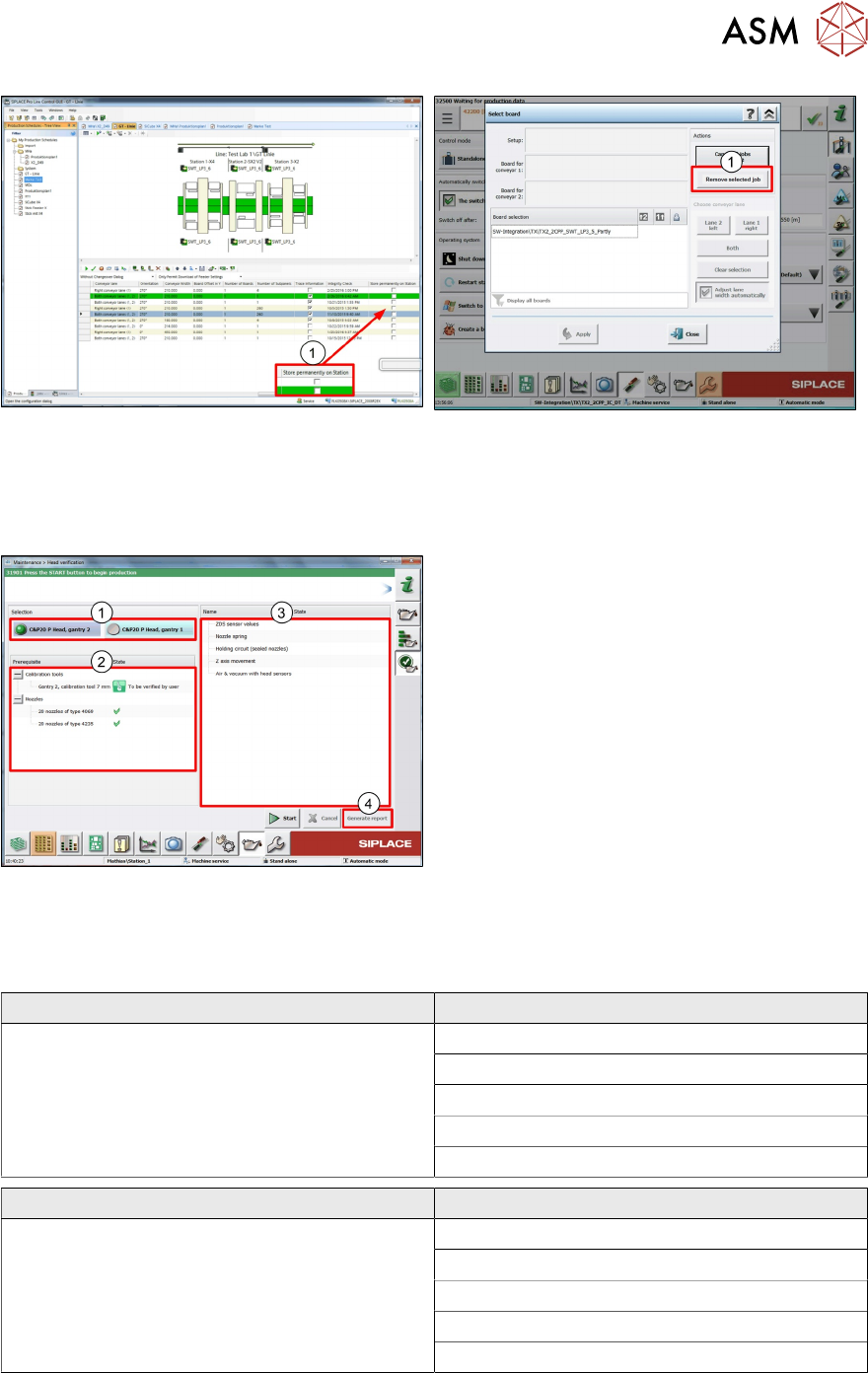
Verification – Machine Verification
Machine verification is the function with the common ACT – tool with the reports to verify the accur-
acy of the machine.
Additional to the current function is that the placement program can be marked as "Permanent" in
SIPLACE Pro. If there are no changes on the hardware configuration the ACT programs are always
on available station. This permanent placement program can be deleted on the station.
9 Station Software Overviews
9.7 Maintenance GUI
Technical Training FSE SIPLACE TX-Series 01/2018 147
1. Mark as "Permanent" in SIPLACE Pro 2. Delete programs on the station
Verification – Placement Head Verification
In this verification are the most important test to verify the heads and to decide is the head in a
good condition for production. The test for C&P20/ CPP and TH needs less than 10 min.
1. Select head
2. Shows the preconditions, which are neces-
sary for the test-scripts
3. Shows the test scripts and state
4. Generate the Report with details
Verification – Placement Head Verification
Verification Head with the specify workflow less then 10 minutes – Result green/red.
Head types: C&P20 A/M/P, C&P14, CPP and TH with simply reports.
C&P20 A Scripts
Preconditions:
Nozzle 1069 and 1235 Calibration Part
BE-sensor voltage and z-heights
Holding circuit (sealed nozzles)
Nozzle spring
Z-Axis movement
Air & vacuum with head sensors
C&P20 P Scripts
Preconditions:
Nozzle 4069 and 4235 Calibration Part
ZDS sensor values
Air & vacuum with head sensors
Nozzle spring
Holding circuit (sealed nozzles)
Z-Axis movement
9 Station Software Overviews
9.7 Maintenance GUI
148 Technical Training FSE SIPLACE TX-Series 01/2018
CPP Scripts
Preconditions:
Nozzle 2069 and 2057 Calibration Part
BE-sensor voltage and z-heights
Dp-/Z-positioning
Holding circuit (sealed nozzles)
Nozzle spring
Z-Axis movement
Air & vacuum with head sensors
TH Scripts
Preconditions:
Nozzle Calibration Part
Positioning time DP
Travel distance z
Positioning time z
Air vacuum
Endurance run 2N
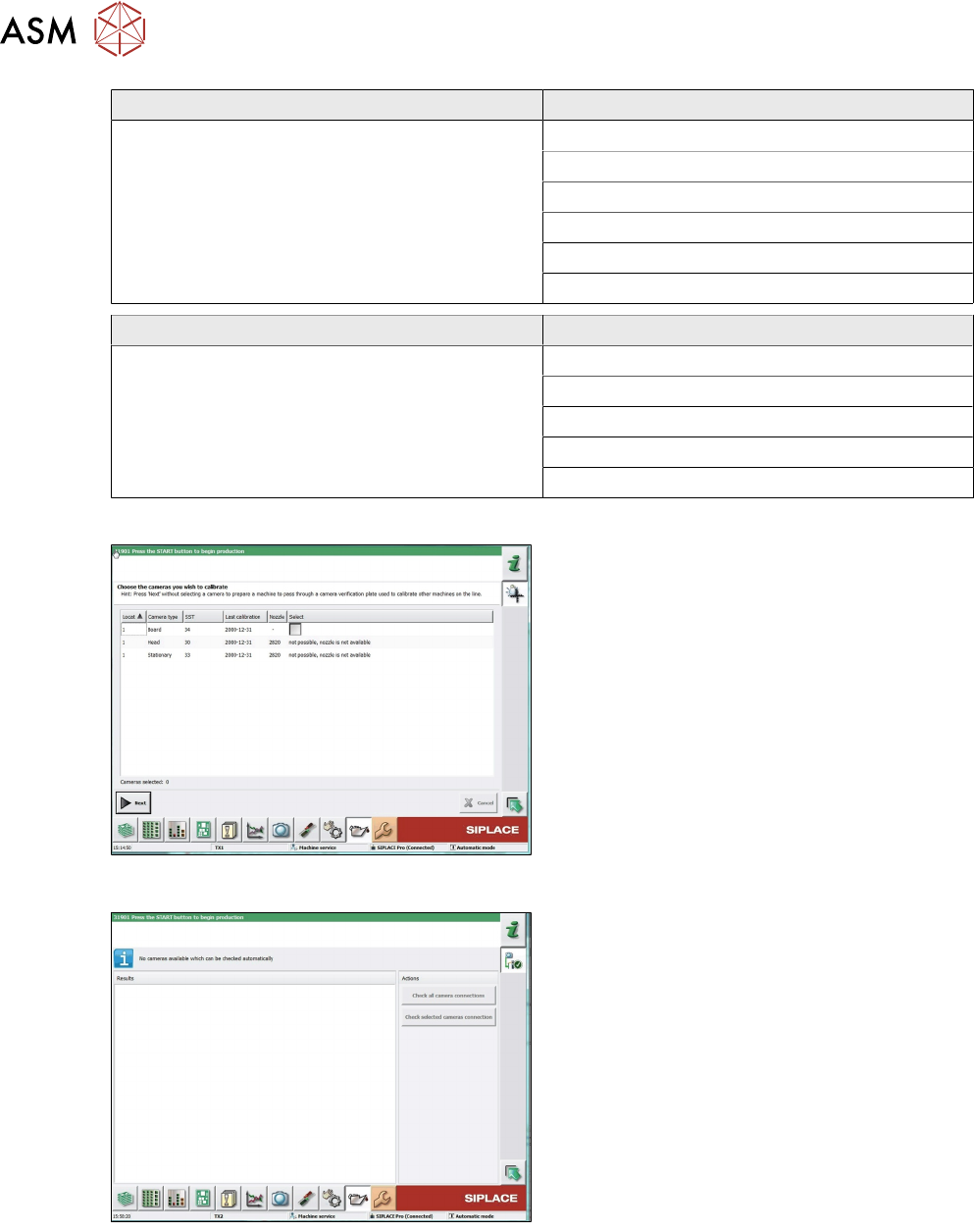
Verification – Camera Verification
Camera verification is the FCCS tool this veri-
fies and adjusts the cameras, it also issues re-
ports.
Line functionality, if no cameras is selected the
machine will send the FCCS tool through the
line to the machine with a camera selected.
Verification – Camera Connections
This function checks the connection and com-
munication between the vision computer, vision
based interface, vision head interface and the
connected cameras. (PCB cameras, component
cameras and stationary cameras).