00198171-02_Technical_Training_FSE_TX-Series_EN.pdf - 第53页
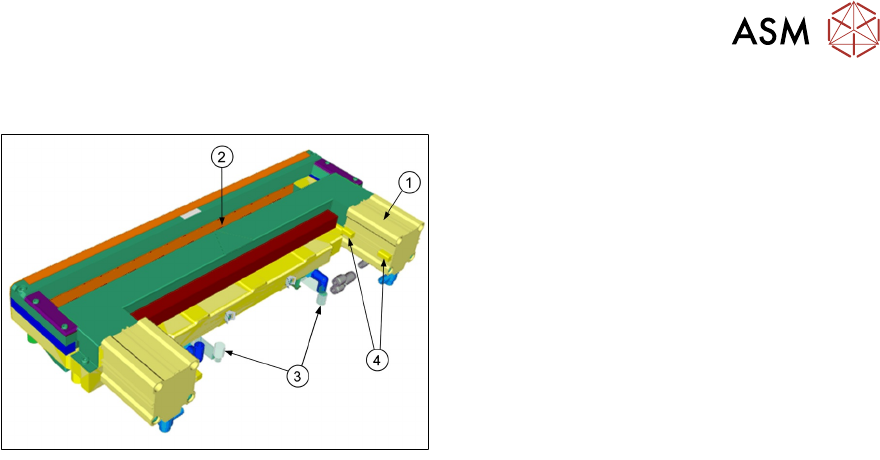
5 Component Supply 5.4 Tape Cutter Technical Training FSE SIPLACE TX-Series 01/2018 53 5.4 Tape Cutter 1. Pneumatic cylinder 2. Slot for empty tape 3. Magnetic valves 4. Proximity switch On both sides of the tape cutter …
5 Component Supply
5.3 Feeder Control Unit (FCU)
52 Technical Training FSE SIPLACE TX-Series 01/2018
Docking
●
The docking process can only be performed when the machine is on, compressed air is sup-
plied to the machine and the safety covers are closed.
●
To dock the changeover table, push the table as far as possible up to the feed device and
press the button on the machine.
●
On the left and right from the empty tape duct are two centering pins to center the COT for the
final correct pick up position.
●
The feeder contact plate is raised by two pneumatic cylinders and cam disks while, at the
same time, the entire changeover table is pulled into the machine.
Undocking
●
To undock, make sure the compressed air is switched on and control system off and then
press the button on the machine frame.
●
The changeover table is released by the feed device and is pushed out and lowered by two
additional pneumatic cylinders fixed to the left and right of the empty tape duct.
●
The COT will be automatically disconnected from the machine.
●
When the machine is switched off or there is no compressed air supply, the changeover table
can be easily pulled out of the machine by taking hold of the handles.
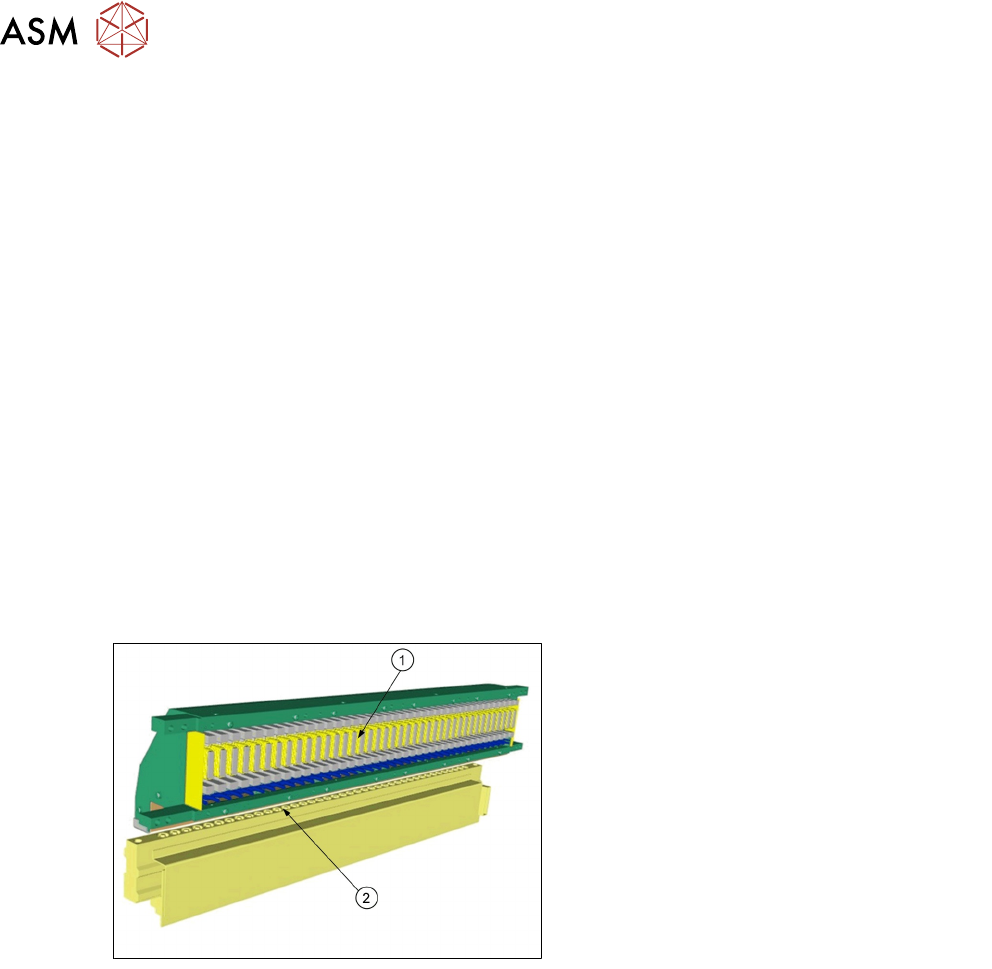
5.3 Feeder Control Unit (FCU)
1. FCU (Feeder Control Unit)
2. Feeder unlock device
●
The FCU is supplied with 28V from the
PULS power supply, all the other internal
voltages (e.g. 24V) are produced intern-
ally.
●
All important voltages are monitored by the
processor. In case of a violation of pre-
defined limits the complete module is shut
down!
The FCU has the following functionality:
●
Triggering of X-feeders and the triggering of the feeder unlock device.
●
Docking unit control.
●
Safety loop and safety message.
●
Triggering of the tape cutter.
●
Triggering of nozzle changers and triggering of the nozzle station (blowing clear)
●
Monitoring of the sensors for the reject bins.
5 Component Supply
5.4 Tape Cutter
Technical Training FSE SIPLACE TX-Series 01/2018 53
5.4 Tape Cutter
1. Pneumatic cylinder
2. Slot for empty tape
3. Magnetic valves
4. Proximity switch
On both sides of the tape cutter are pneumatic cylinders which activate the blade by alternating
movements. Two solenoid valves (24V / 5.1 bar) controlled by FCU.
The tape cutter is activated when the gantry moves to the first placement position, alternating one
of the cylinders start to front position.
●
Once the first cylinder reaches the front position, the second cylinder is started.
●
Both cylinders are withdrawn at the same time.
●
The cutter will be actuated once after each placement cycle of relevant placement head.
The tape cutter can be removed in about 15 minutes for service purposes. The throttle timings
need to be set. For detailed information about dismantling and settings refer to the service manual.
5 Component Supply
5.5 Reject plate on TX
54 Technical Training FSE SIPLACE TX-Series 01/2018
5.5 Reject plate on TX
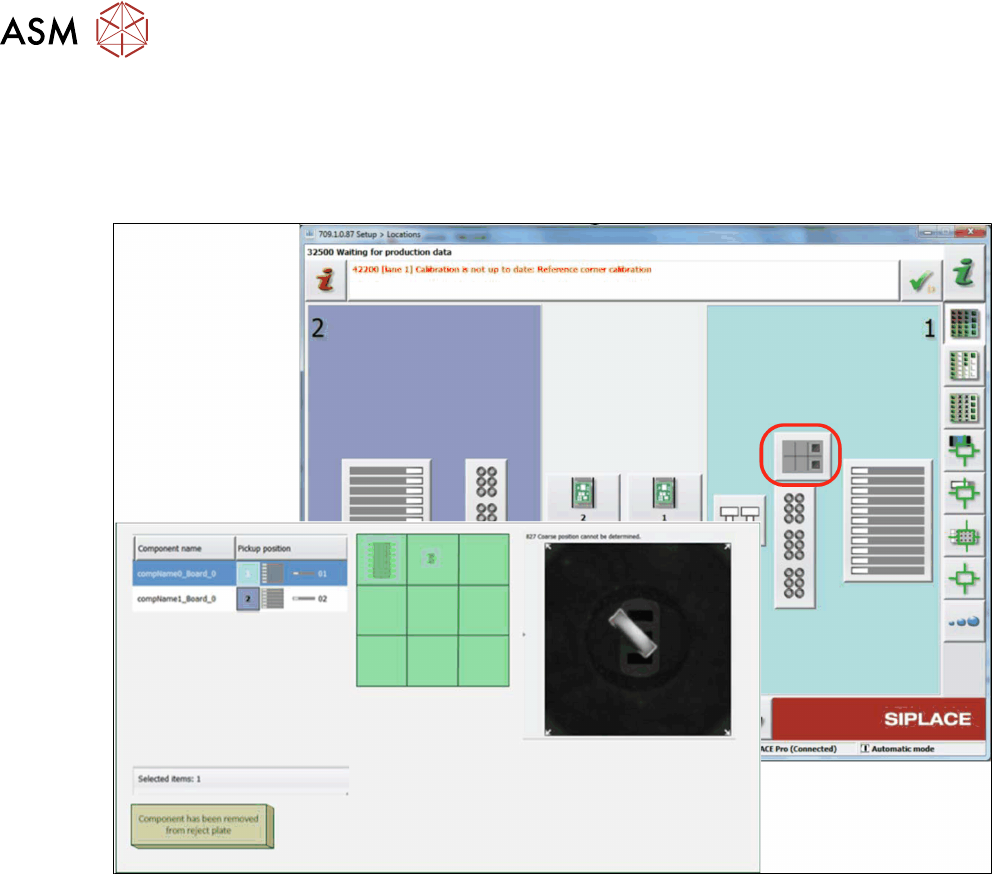
The reject plate is an option for TX1 and TX2 machine for location 1. Components with vision er-
rors can be placed on the reject plate instead of being rejected to the reject bin.
The following information of the rejected components on the reject plate will be showed:
●
Position of the component on the reject plate
●
Pickup position from where the component was picked up.(if a component was picked up from
a tray, only the level and magazine number are shown, but not the pickup position in the
magazine!)
●
Related vision dump
●
Component name
●
Component shape
If the reject plate has been fitted, it will need to be configured in the station software.
This option has to be enabled in SIPLACE Pro for the respective component / component shape.
The removal of the component from the reject plate can be confirmed with the button "Component
has been removed from reject plate". Confirmation has to be done for each component.