F5 SERVICE MAUNAL.pdf - 第23页
SIPLACE 80S-20/F4/F4-6/F5 Serv ice Manual 1 Operational Safety Edition 04/98 1.2 Safety equipment 1 - 13 6DIHW\ HTXLSPHQW 1.2.1 Protective covers - Key to Fig. 1.2.1 1 Cover and gua rd on the input belt 2 Safety dis…
1 Operational Safety SIPLACE 80S-20/F4/F4-6/F5 Service Manual
1.1 Information on safety Edition 04/98
1 - 12
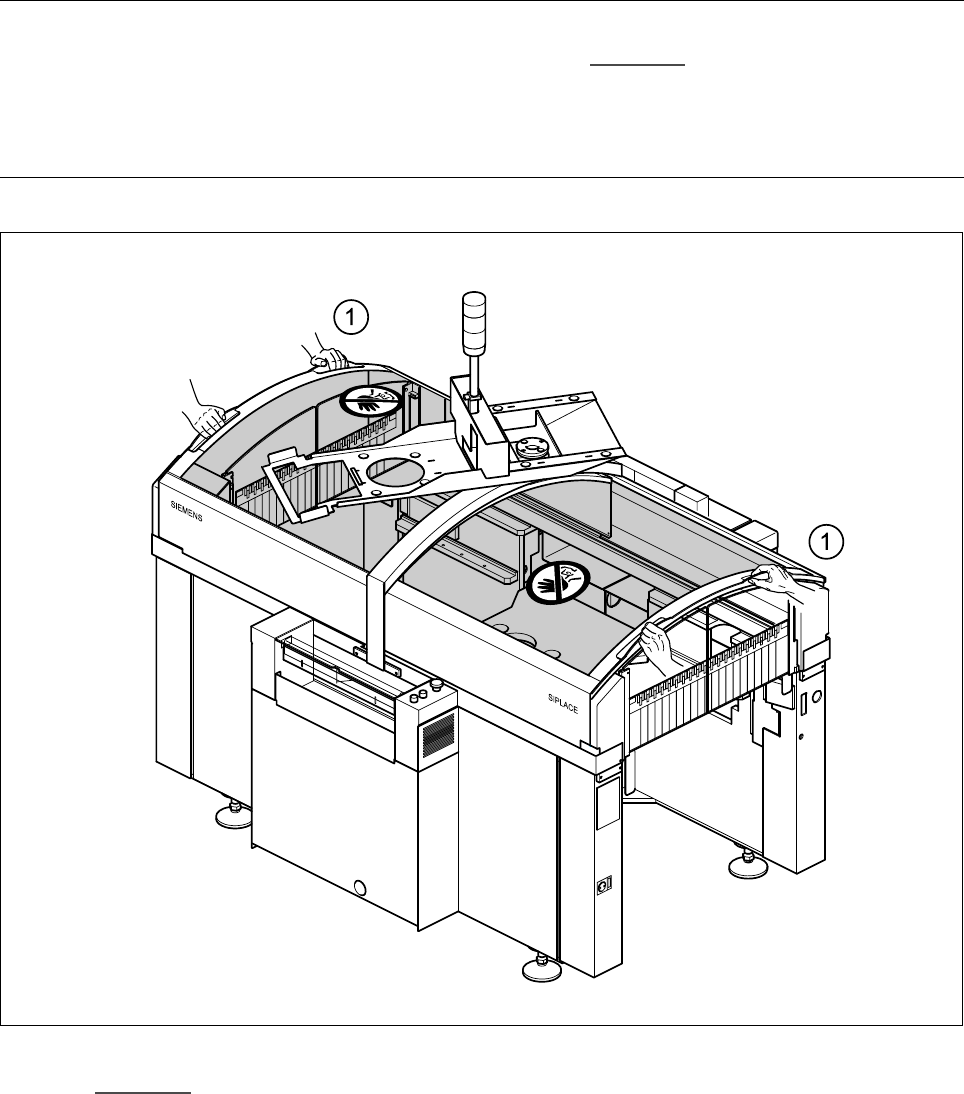
Every protective cover on the automatic placement machine has two recessed grips (1).
PLEASE NOTE
Always place both hands in these recessed grips (see point (1) in Fig. 1.1.10
) in order to open or close the
protective covers. This “two-handed operation” will prevent any risk of injuring your hands.
You will also avoid tilting the protective covers during opening or closing, which would place an excessive load
on the guides.
Fig. 1.1.10 Two-handed operation
.H\WR )LJ
1 Two-handed operation
SIPLACE 80S-20/F4/F4-6/F5 Service Manual 1 Operational Safety
Edition 04/98 1.2 Safety equipment
1 - 13
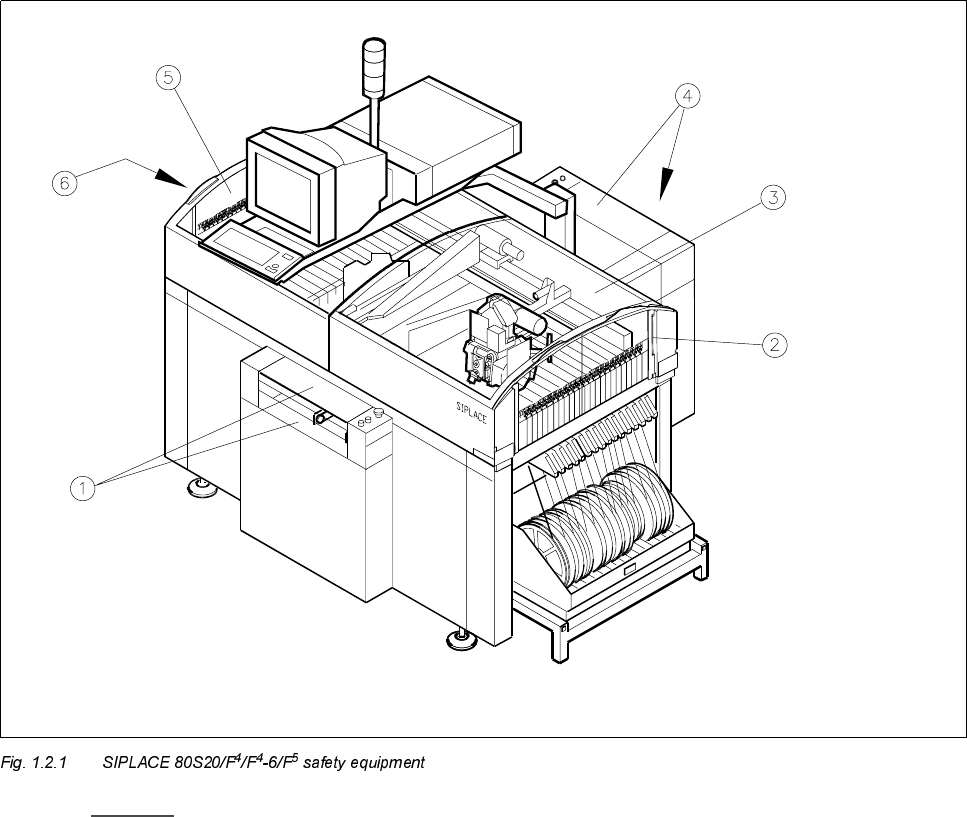
6DIHW\HTXLSPHQW
1.2.1 Protective covers
- Key to Fig. 1.2.1
1 Cover and guard on the input belt 2 Safety discs, righthand side
3 Protective cover 4 Cover and guard on the output belt
5 Protective cover 6 Safety discs, lefthand side
1 Operational Safety SIPLACE 80S-20/F4/F4-6/F5 Service Manual
1.2 Safety equipment Edition 04/98
1 - 14
1.2.1.1 General
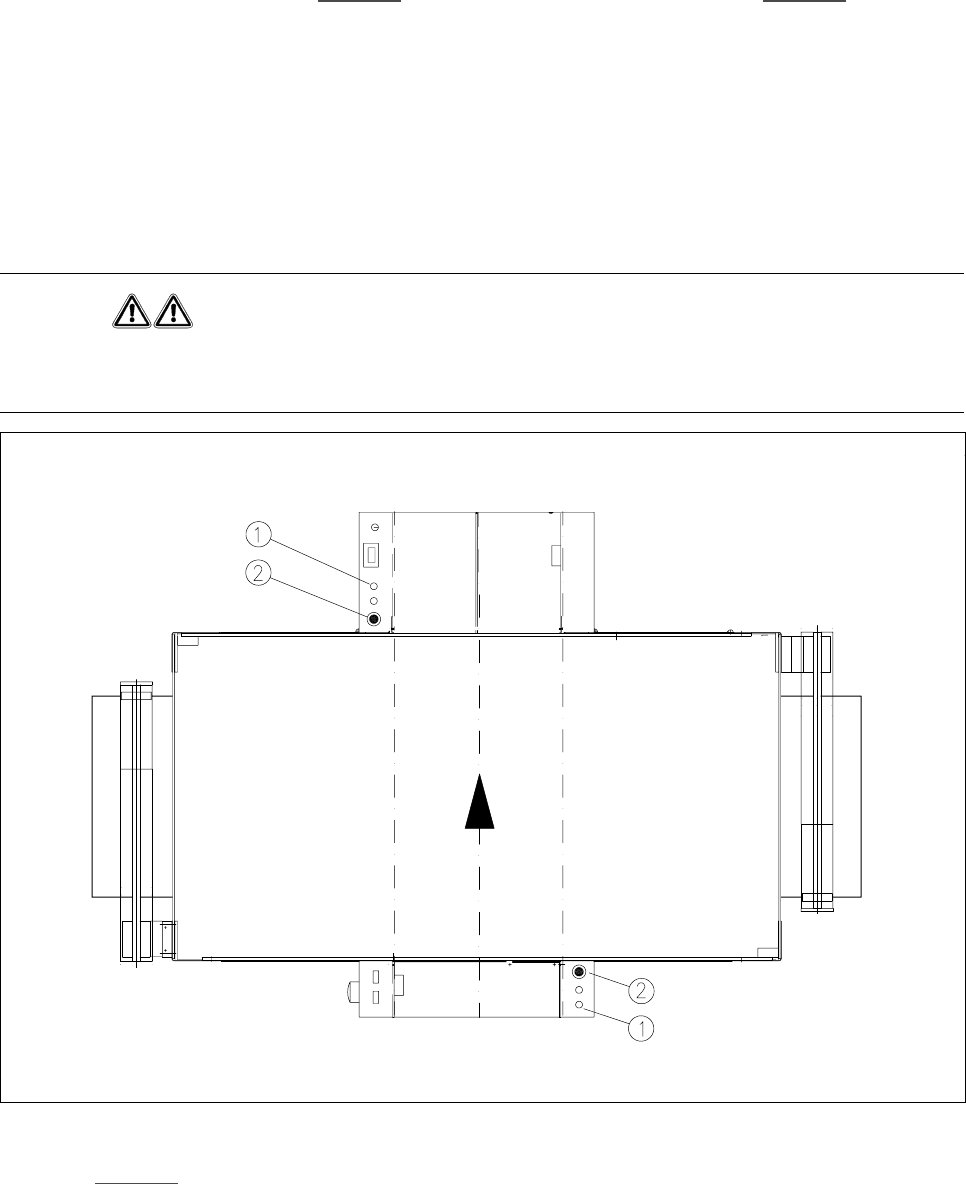
The gantry positioning range is covered by two protective covers. If you want to open the protective covers,
first press the Stop button (item 1 in Fig. 1.2.2
) or the emergency stop button (item 2 in Fig. 1.2.2). The power
to the gantry axes will be switched off and the gantries will stop immediately.
If you open one of the protective covers or a guard on the incoming or outgoing conveyor, the power to the
gantry axes will be switched off and they will stop immediately.
If the key switch is closed (position
I
), you can continue to pace the star at reduced speed while the protective
covers are open.
Placement will stop if you press the emergency stop button. You can then either cancel or continue placement
of the PCB. The protective covers at the sides can be opened in order to refill with components when the
machine has stopped.
WARNING
The protective covers must only be opened, with the key switch closed (position
I
), by appropriately qualified
and trained personnel.
Fig. 1.2.2 Stop and emergency stop buttons
.H\WR Fig. 1.2.2
1 Stop button 2 Emergency stop button