1OPERATION_.pdf - 第127页
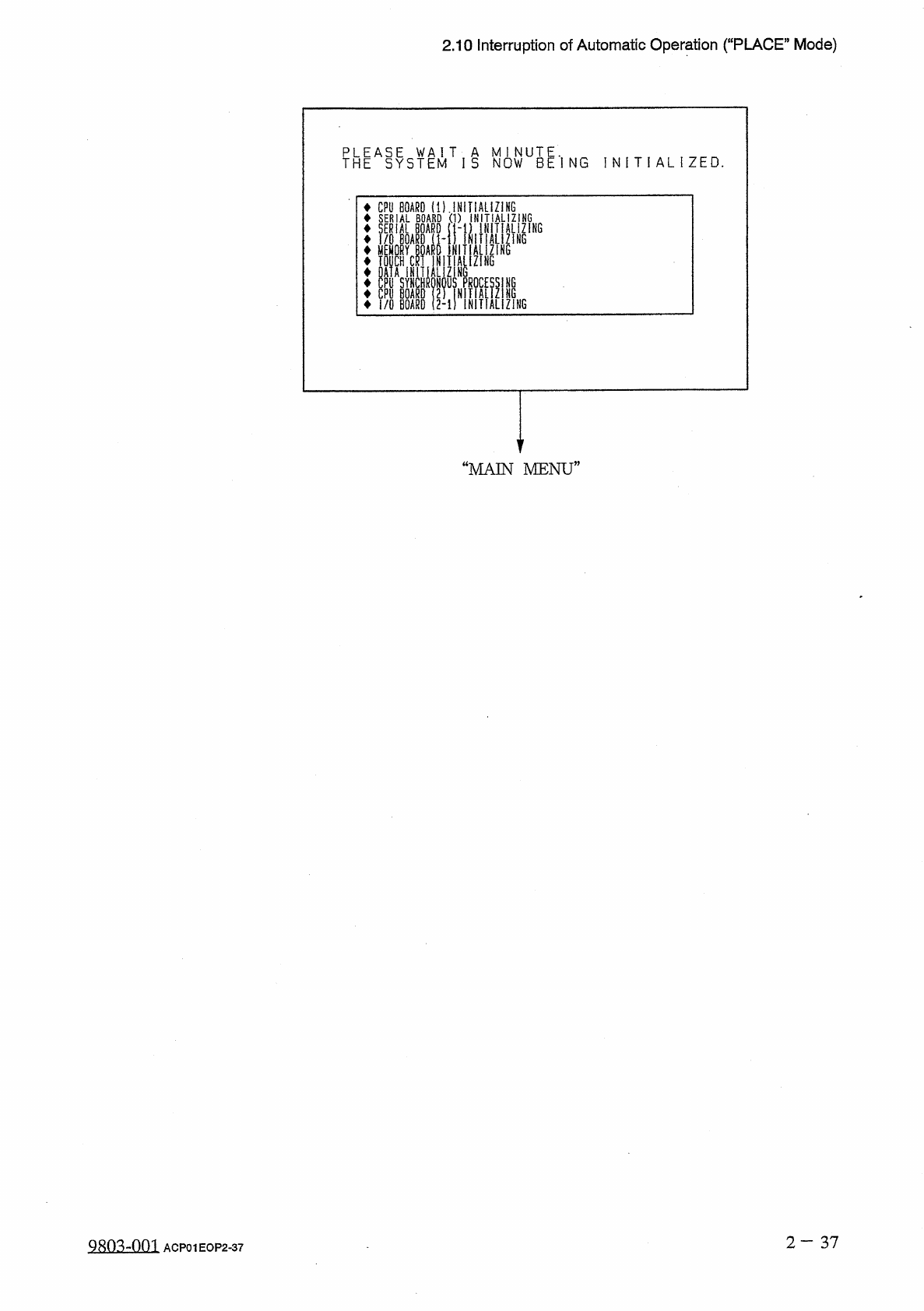
2.10 Interruption of Automatic Operation ( “ PLACE ” Mode ) T H E A S Y S T E M T I S N 0 W U B E * l N G I N I T I A L I Z E D . CPU BOARD ( D . INiliALIZIHG SERIAL BOARD ( 1 ) INITIALIZING — ( 1 - 1 ) INITIALIZING 1 IN…
2.10
Interruption
of
Automatic
Operation
(
“
PLACE
”
Mode
)
2.10
Interruption
of
Automatic
Operation
(
“
PLACE
,
,
Mode
)
2.10
.
1
How
to
Interrupt
the
Automatic
Operation
(
1
)
Immediately
after
it
is
found
that
a
wrong
pattern
program
(
due
to
wrong
selection
of
pattern
program
data
or
wrong
program
change
operation
)
is
used
肪
a
current
one
after
the
machine
starts
automatic
operation
,
press
the
[
PAUSE
]
button
to
stop
the
automatic
operation
temporarily
.
(
2
)
After
the
machine
has
stopped
,
press
the
[
SYS
CLR
]
button
to
interrupt
the
component
placement
in
the
middle
of
the
automatic
operation
.
2.10
.
2
Function
of
[
SYS
CLR
]
Button
The
[
SYS
CLR
]
button
is
provided
with
the
following
functions
.
(
1
)
When
the
[
SYS
CLR
]
button
is
pressed
,
the
software
is
reset
to
the
same
condition
as
that
set
at
power
-
up
(
when
power
is
supplied
)
.
The
hardware
is
not
reset
.
(
2
)
When
the
[
SYS
CLR
]
button
is
pressed
with
the
machine
in
the
“
PAUSE
”
mode
,
the
“
PAUSE
”
mode
is
canceled
and
the
machine
is
set
to
the
“
STOP
”
mode
.
Note
:
When
the
[
SYS
CLR
]
button
is
pressed
,
an
error
condition
is
released
simultaneously
with
cancellation
of
the
“
PAUSE
”
mode
as
described
above
.
To
relieve
an
error
condition
,
it
is
recommended
that
the
[
RESET
]
button
be
pressed
.
The
communication
protocol
with
the
programming
device
(
option
)
is
not
canceled
.
When
the
[
SYS
CLR
]
button
is
pressed
,
the
recovery
function
(
automatic
repair
of
component
handling
error
)
is
also
canceled
.
A
CAUTION
When
the
[
SYS
CLR
]
button
is
pressed
,
only
initialization
of
each
P
.
C
.
B
.
is
performed
.
2
-
36
Q
8
f
)
3
-
flni
ACP
01
EOP
2
-
36
2.10
Interruption
of
Automatic
Operation
(
“
PLACE
”
Mode
)
THEASYSTEMT
I
S
N
0
WUBE
*
l
NG
I N I T I A L I Z E D
.
CPU
BOARD
(
D
.
INiliALIZIHG
SERIAL
BOARD
(
1
)
INITIALIZING
—
(
1
-
1
)
INITIALIZING
1
INIIIALIZiNG
D
INITIALIZING
SERIAL
BOARD
I
/
O
BOARD
(
1
-
MEMORY
Mt
TOUCH
CRT
INITIALIZING
DATA
INITIALIZING
CPU
SYNCHRONOUS
PROCES
CPU
BOARD
(
2
)
INITIALi
I
/
O
BOARD
2
-
1
)
INITIAL
ZING
ni
“
MAIN
MENU
”
2
—
37
98034
)
03
ACP
01
EOP
2
-
37
2.11
Reset
and
Start
Procedure
from
Emergency
Stop
(
Automatic
Operation
(
“
PLACE
”
Mode
)
)
2.11
Reset
and
Start
Procedure
from
Emergency
Stop
(
Automatic
Operation
(
“
PLACE
”
Mode
)
)
2.11
.
1
Cause
and
Symptom
of
Emergency
Stop
(
1
)
Cause
•
The
machine
stops
when
the
[
EMERGENCY
STOP
]
button
is
pressed
.
•
The
machine
stops
when
power
failure
occurs
or
the
air
pressure
drops
.
(
2
)
Symptom
•
When
the
[
EMERGENCY
STOP
]
button
is
pressed
or
the
supplied
air
pressure
drops
,
the
LED
of
the
[
POWER
ON
]
button
illuminates
in
red
,
indicating
that
power
to
the
loads
is
shut
off
.
•
When
power
failure
occurs
,
the
power
to
the
machine
is
completely
shut
off
.
2.11
.
2
Reset
and
Start
Procedure
from
Emergency
Stop
(
Automatic
Operation
(
“
PLACE
”
Mode
)
)
(
1
)
Before
pressing
the
[
POWER
ON
]
button
,
check
the
cause
of
emergency
stop
and
the
condition
of
each
individual
device
.
Then
,
eliminate
the
cause
.
•
Checking
the
Condition
of
Each
Individual
Device
•
Taking
Remedial
Measures
against
Picked
Components
•
Setting
a
P
.
C
.
B
.
in
the
middle
of
transfer
to
its
correct
position
•
Checking
the
Air
Pressure
(
2
)
Check
for
fallen
components
and
remove
them
if
any
.
Check
the
area
below
the
vacuum
nozzles
located
between
station
Nos
.
1
through
11
.
When
a
component
has
fallen
on
the
camera
at
station
No
.
5
(
recognition
station
)
,
be
sure
to
remove
it
.
Otherwise
,
a
recognition
error
will
occur
after
the
machine
is
powered
up
again
.
A
CAUTION
2
—
38
糊
mm
ACP
01
EOP
2
-
38