1OPERATION_.pdf - 第167页
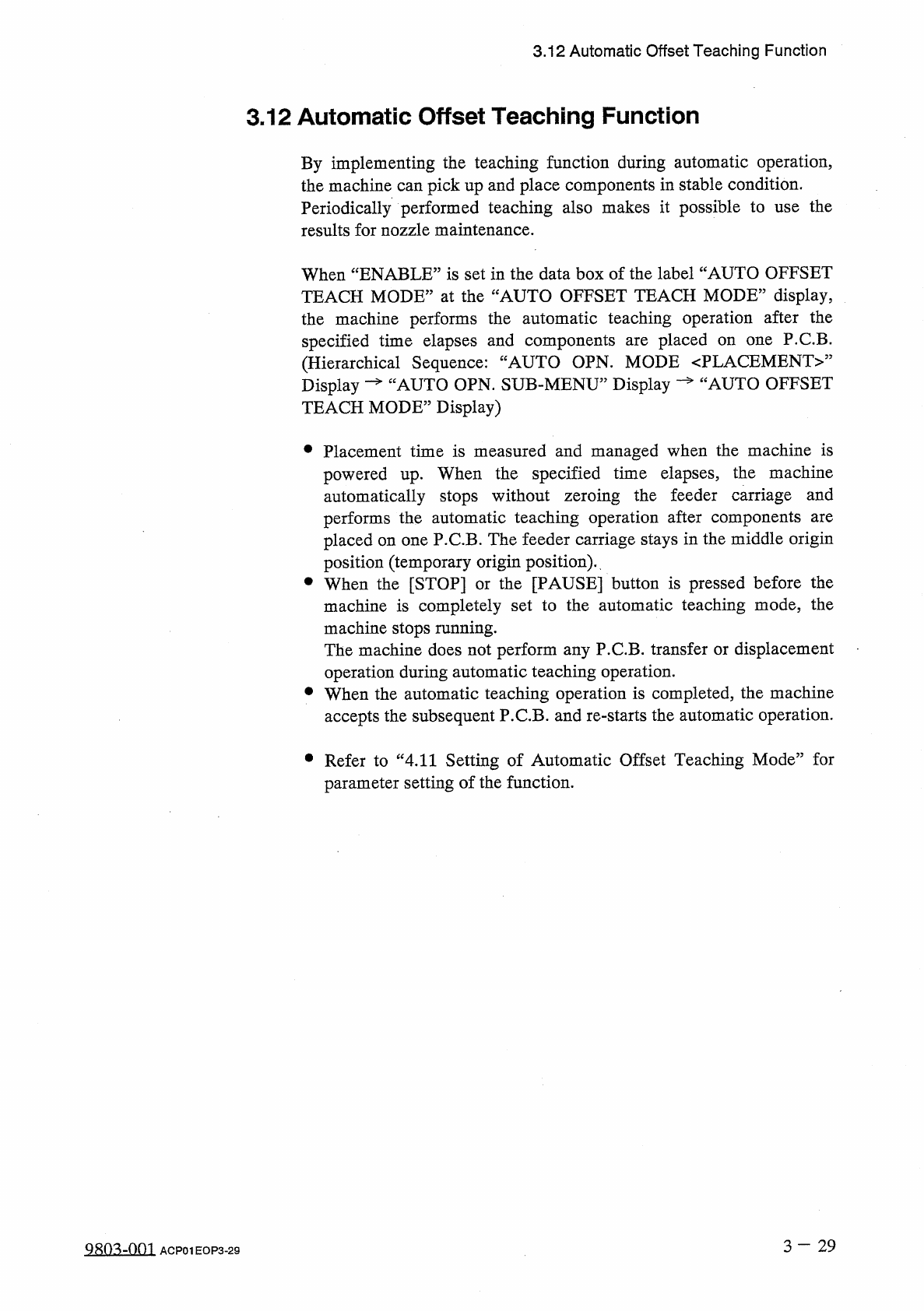
3.12 Automatic Offset Teaching Function 3.12 Automatic Offset Teaching Function By implementing the teaching function during automatic operation , the machine can pick up and place components in stable condition . Period…
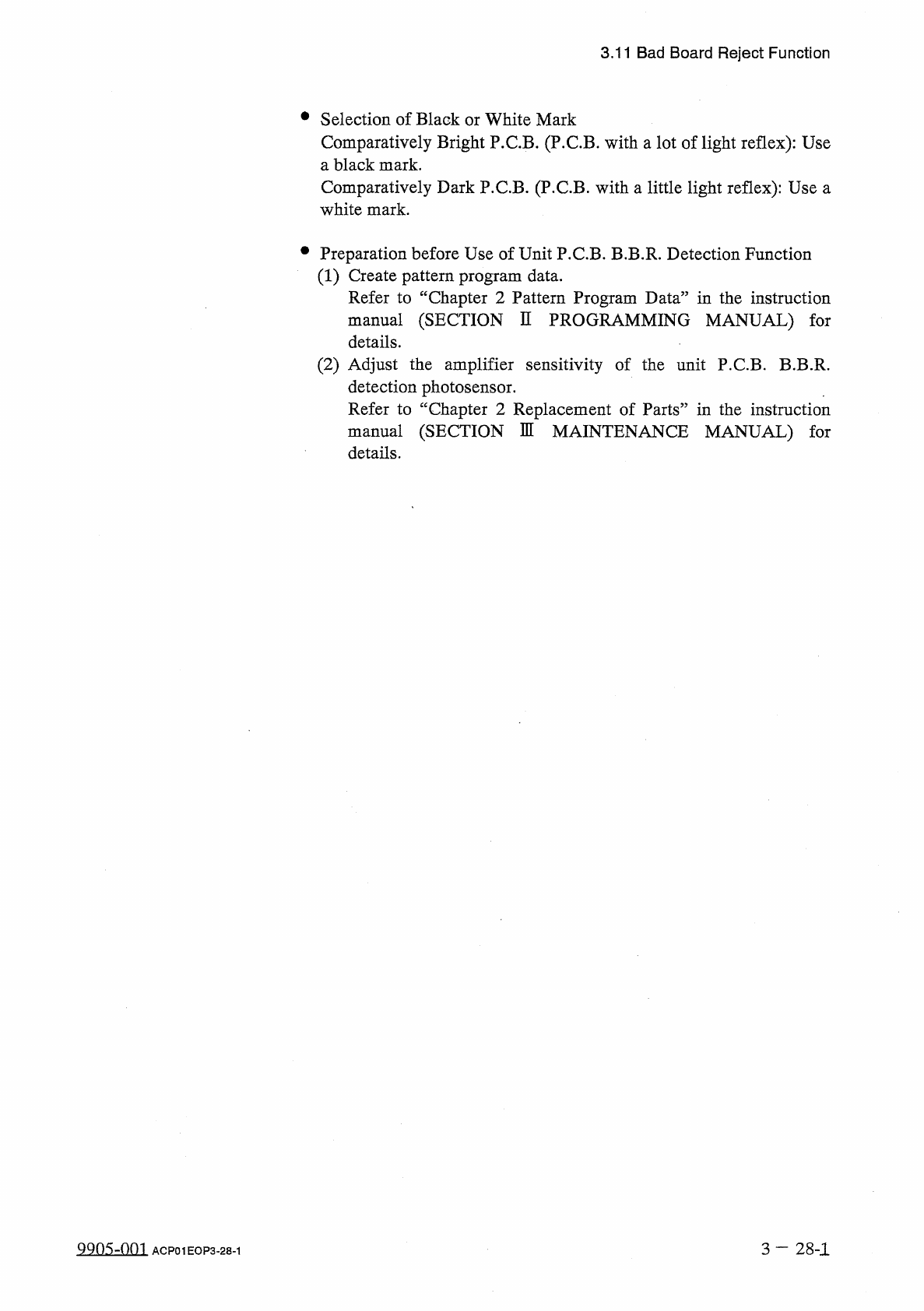
3.11
Bad
Board
Reject
Function
•
Selection
of
Black
or
White
Mark
Comparatively
Bright
P
.
C
.
B
.
(
P
.
C
.
B
.
with
a
lot
of
light
reflex
)
:
Use
a
black
mark
.
Comparatively
Dark
P
.
C
.
B
.
(
P
.
C
.
B
.
with
a
little
light
reflex
)
:
Use
a
white
mark
.
•
Preparation
before
Use
of
Unit
P
.
C
.
B
.
B
.
B
.
R
.
Detection
Function
(
1
)
Create
pattern
program
data
.
Refer
to
“
Chapter
2
Pattern
Program
Data
”
in
the
instruction
manual
(
SECTION
II
PROGRAMMING
MANUAL
)
for
details
.
(
2
)
Adjust
the
amplifier
sensitivity
of
the
unit
P
.
C
.
B
.
B
.
B
.
R
.
detection
photosensor
.
Refer
to
“
Chapter
2
Replacement
of
Parts
”
in
the
instruction
manual
(
SECTION
M
MAINTENANCE
MANUAL
)
for
details
.
QQO
^
-
Om
3
—
28
-
1
ACP
01
EOP
3
-
28
-
1
3.12
Automatic
Offset
Teaching
Function
3.12
Automatic
Offset
Teaching
Function
By
implementing
the
teaching
function
during
automatic
operation
,
the
machine
can
pick
up
and
place
components
in
stable
condition
.
Periodically
performed
teaching
also
makes
it
possible
to
use
the
results
for
nozzle
maintenance
.
When
“
ENABLE
”
is
set
in
the
data
box
of
the
label
“
AUTO
OFFSET
TEACH
MODE
”
at
the
“
AUTO
OFFSET
TEACH
MODE
"
display
,
the
machine
performs
the
automatic
teaching
operation
after
the
specified
time
elapses
and
components
(
Hierarchical
Sequence
:
Display
—
“
AUTO
OPN
.
SUB
-
MENU
”
Display
TEACH
MODE
”
Display
)
placed
on
one
P
.
C
.
B
.
AUTO
OPN
.
MODE
〈
PLACEMENT
〉
”
are
AUTO
OFFSET
•
Placement
time
is
measured
and
managed
when
the
machine
is
powered
up
.
When
the
specified
time
elapses
,
the
machine
automatically
stops
without
zeroing
the
feeder
carriage
and
performs
the
automatic
teaching
operation
after
components
placed
on
one
P
.
C
.
B
.
The
feeder
carriage
stays
in
the
middle
origin
position
(
temporary
origin
position
)
.
•
When
the
[
STOP
]
or
the
[
PAUSE
]
button
is
pressed
before
the
machine
is
completely
set
to
the
automatic
teaching
mode
,
the
machine
stops
running
.
The
machine
does
not
perform
any
P
.
C
.
B
.
transfer
or
displacement
operation
during
automatic
teaching
operation
.
•
When
the
automatic
teaching
operation
is
completed
,
the
machine
accepts
the
subsequent
P
.
C
.
B
.
and
re
-
starts
the
automatic
operation
.
are
•
Refer
to
“
4.11
Setting
of
Automatic
Offset
Teaching
Mode
”
for
parameter
setting
of
the
function
.
3
—
2 9
Q
^
-
001
ACP
01
EOP
3
-
29
3.13
Warm
and
Cold
Start
Functions
3.13
Warm
and
Cold
Start
Functions
These
functions
can
be
used
to
enable
continuous
starting
of
placement
operation
from
the
middle
steps
or
the
desired
steps
after
the
machine
has
stopped
due
to
operation
which
occurred
or
was
initiated
during
actual
production
.
When
an
interlock
error
(
such
as
operation
)
occurs
,
the
machine
can
start
placing
components
on
the
interrupted
P
.
C
.
B
.
(
called
“
Warm
Start
”
)
after
the
system
clear
operation
initiated
from
the
temporary
stop
mode
.
(
Before
initiating
“
Warm
Start
’
’
,
it
is
required
to
perform
the
zeroing
operation
.
)
emergency
stop
an
error
or
an
emergency
stop
or
just
a
stop
an
•
The
“
Warm
Start
”
function
enables
the
machine
to
perform
good
-
quality
production
after
the
system
clear
operation
initiated
from
the
temporary
stop
mode
(
when
no
error
has
occurred
and
the
machine
is
stopped
temporarily
)
.
(
Without
any
operator
’
s
error
)
•
When
an
emergency
stop
operation
is
initiated
while
the
machine
is
activated
,
the
machine
may
not
be
able
to
perform
good
-
quality
production
.
When
the
[
EMERGENCY
STOP
]
button
is
pressed
with
the
machine
in
the
temporary
stop
[
PAUSE
]
mode
,
the
machine
can
perform
good
-
quality
production
.
•
When
the
power
switch
of
the
machine
is
turned
off
during
operation
,
the
machine
cannot
perform
any
good
-
quality
production
.
•
When
the
“
Warm
Start
”
function
can
be
started
,
“
WARM
START
ENABLE
”
appears
in
the
“
MGT
.
INFO
.
”
text
box
at
the
“
AUTO
OPN
.
MODE
〈
PLACEMENT
〉
”
display
.
•
When
the
[
SEMI
-
AUTOMATIC
OPERATION
]
key
is
selected
at
SUB
-
MENU
”
the
display
,
“
SEMI
-
AUTOMATIC
OPERATION
”
display
appears
screen
,
enabling
the
selection
of
the
[
WARM
START
]
or
[
COLD
START
]
key
.
JAUTO
OPN
.
the
the
on
3
-
3 0
QR
0
^
~
001
ACP
01
EOP
3
-
30